 Skip to content
Last updated on February 16th, 2026 at 02:39 pm
In industries across Dubai from tech to logistics support is no longer just reactive. The ability to instantly resolve queries on WhatsApp is driving customer satisfaction and loyalty. However, without centralised systems, support teams often struggle with lost messages, inconsistent responses, and no visibility into ticket history.
Managing WhatsApp support with a single device leads to delays, missed chats, and zero visibility.
Using FreJun + WhatsApp Business API gives you a verified UAE number, shared inbox, multi-agent access, automation, templates, and CRM visibility.
This setup enables faster responses, brand consistency, and 24/7 customer support at scale.
- Multi-agent WhatsApp shared inbox for support teams
- Verified UAE virtual number + API setup
- Automation, templates, CRM sync & analytics
- Ideal for Dubai enterprises needing speed & compliance
Try FreJun WhatsApp Business Inbox Free for 3 Days
That’s why setting up WhatsApp Business for multi-agent teams using FreJun is more than a technical step it’s a transformation.
Leveraging FreJun’s verified virtual numbers and WhatsApp Business API integration ensures unified, compliant, and robust support capabilities. In this guide, we explain how to set up WhatsApp multiple agent support, explore the WhatsApp multi agent platform business API, and discuss how WhatsApp business multiple agents can improve team collaboration and customer response.
Table of contents
- Why Does WhatsApp Business with Multi-Agent Support Matter for UAE Teams?
- How Do You Set Up WhatsApp Business Multi-Agent Inbox Using FreJun?
- What Are the Best Practices for Dubai-Based Multi-Agent WhatsApp Teams?
- What Are the Benefits of Setting Up Multi-Agent WhatsApp Business?
- What Are the Key Takeaways for Multi-Agent WhatsApp Success?
- Final Thoughts – How Can FreJun Transform WhatsApp Support?
- FAQs
Why Does WhatsApp Business with Multi-Agent Support Matter for UAE Teams?
WhatsApp has become the most trusted and widely adopted messaging platform in the UAE, For businesses based in Dubai and across the region, this presents a unique opportunity: to meet customers where they are instantly, informally, and at scale.
However, traditional WhatsApp setups fall short when it comes to support teams or sales reps working collaboratively. Most businesses start out using a single phone with WhatsApp Business installed or rely on web-based access tied to one agent. This leads to major operational issues:
- Only one person can manage conversations at a time
- No chat assignment or internal notes
- Zero visibility into who said what, and when
- Missed follow-ups when someone is off shift
- Unprofessional delays that frustrate customers
This setup might be fine for a solopreneur. But for serious support operations — especially in fast-paced, high-value environments like real estate, finance, or enterprise tech — it quickly becomes a liability.
Why Do Businesses Need WhatsApp Multiple Agents Support?
To deliver professional, consistent, and round-the-clock customer service, your business needs:
- A Shared WhatsApp Inbox: Where multiple agents can view, respond, and manage chats simultaneously from a centralised dashboard.
- Team Collaboration Tools: Internal notes, reassignments, and visibility into chat history to ensure smooth handoffs between agents and teams.
- Workforce Distribution: The ability to manage support across different time zones, shifts, or product lines, without losing context.
- Customer Experience Consistency: All customers should receive replies with the same tone, accuracy, and timeliness, regardless of which team member they’re talking to.
This is where FreJun’s WhatsApp Business integration stands apart.
What Does FreJun Enable in a Multi-Agent WhatsApp Setup?
With FreJun, you move beyond the limitations of a basic WhatsApp Business account and gain a full-scale support communication platform that’s tailor-made for modern enterprises.
Here’s what this looks like in practice:
- A single UAE virtual number, officially registered and connected to the WhatsApp Business API. Customers see your verified brand identity, not personal numbers.
- A multi-agent dashboard, where every team member can collaborate, assign conversations, and track outcomes in real-time.
- Full message logging and visibility, so managers always know who responded, what was said, and whether SLAs were met.
- CRM-integrated workflows enable your agents to respond with complete customer context at their fingertips.
Why Is Multi-Agent WhatsApp Critical for Dubai Enterprises?
In a market like Dubai where speed, professionalism, and trust are non-negotiable the ability to manage WhatsApp support effectively is a competitive advantage. Whether you’re offering high-end services, managing B2B relationships, or running a D2C brand, your response time and message quality directly impact customer satisfaction and revenue.
WhatsApp is no longer a side channel. It’s often the first and most important line of communication with your clients And with FreJun, you can finally treat it that way.
By moving to a multi-agent WhatsApp Business solution powered by FreJun, you’re not just adding convenience. You’re creating a scalable, measurable, and customer-centric communication ecosystem that supports your team and delights your customers, day in, day out.
How Do You Set Up WhatsApp Business Multi-Agent Inbox Using FreJun?
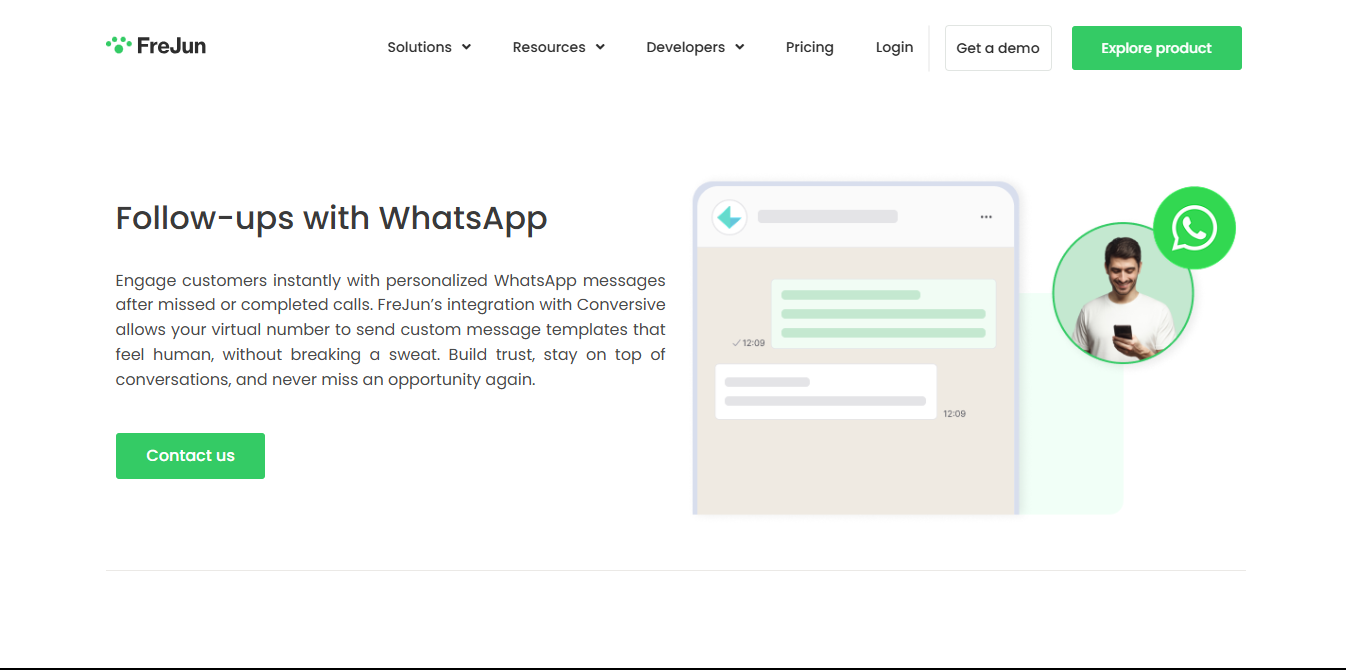
FreJun offers an official WhatsApp Business solution that includes virtual number setup, WhatsApp Business API integration, and features like multi-agent management, CRM integration, and AI-powered analytics. It allows businesses to manage customer communication on WhatsApp, track performance, and automate tasks.
How Do You Link a FreJun Virtual Number to WhatsApp Business API?
FreJun supports UAE & international virtual numbers that are fully compatible with WhatsApp Business API.
- You can request a virtual number via Add Number or chat-based provisioning in the FreJun dashboard
- These numbers can then be verified during WhatsApp Business API setup — operational within 1–2 business days FreJun.
How Do You Enable Multi-Agent Access & Shared Inbox in FreJun?
- FreJun’s WhatsApp integration provides a shared inbox where multiple agents can access, assign, and manage chats.
- Administrators can control who can reply, reassign inquiries, or tag conversations — all from the FreJun interface.
- This setup avoids agents using personal phones or fragmented threads.
How Do Template Messages & Automation Improve WhatsApp Support?
- Create message templates with dynamic fields — names, dates, or call outcomes — to maintain personalisation at scale.
- Automate follow-up messages based on call outcomes like “missed” or “interested,” triggered seamlessly through the Conversive integration,
- Use workflows to send quick booking links, payment forms, or support tickets — without manual typing.
How Does FreJun Log WhatsApp Conversations & Analytics?
- Every WhatsApp message is automatically logged, timestamped, and stored in FreJun so support leads can monitor response times and team load in FreJun.
- The dashboard offers insights into agent performance, message resolution rates, and customer sentiment, helping you optimise processes and training.
What Are the Best Practices for Dubai-Based Multi-Agent WhatsApp Teams?
To build successful support teams in Dubai, businesses should prioritize proactive IT support, robust cybersecurity, and effective communication, while also fostering a customer-centric approach and leveraging technology for efficiency. Adopting best practices like implementing a strong ticketing system, utilizing cloud-based solutions, and investing in employee training can significantly enhance service quality and customer satisfaction.
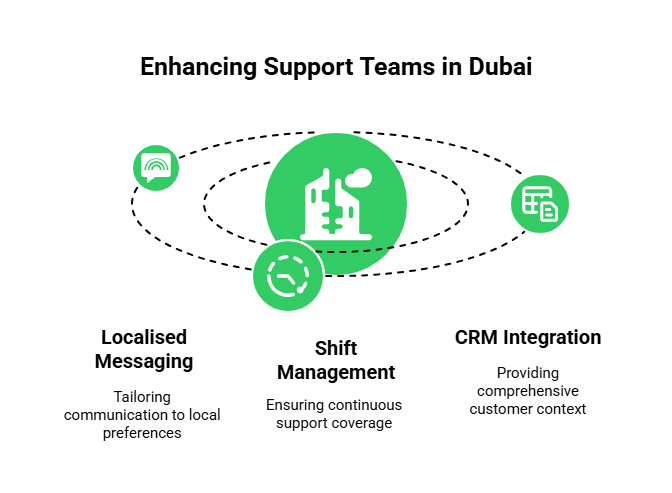
How Should Teams Localize Messaging for the UAE?
- Use UAE virtual numbers (+971) so customers see credible, familiar IDs .
- Create templates with professional greetings — usingthe company name and a branded tone.
- Include quick FAQ responses for common support queries to minimise wait times.
How Should Teams Manage Shifts and Escalations on WhatsApp?
- Assign primary and backup agents for each shift to avoid coverage gaps.
- Use internal tagging or labels to escalate higher-tier queries.
- Alert teams proactively about high-priority messages or SLA violations.
How Should CRM Integration Be Used for 360° WhatsApp Support?
- FreJun integrates with Salesforce, Zoho, HubSpot (etc.), syncing all WhatsApp chats directly into the contact profile.
- This brings full customer context — purchase history, past tickets, and preferences — into every conversation.
- Managers can automate reminders based on message inactivity, ensuring no leads slip through the cracks.
What Are the Benefits of Setting Up Multi-Agent WhatsApp Business?
| Benefit | Outcome in Dubai Enterprises |
| Faster Resolution | 24-hour support capability, minimizing missed messages |
| Team Collaboration | Shared chat assignments reduce single-agent bottlenecks |
| Brand Consistency | Templates ensure every message meets brand guidelines |
| Data Visibility | Managers access real-time insights and performance reports |
| Scalability | Add agents, shifts, or channels without infrastructure changes |
| Compliance Assurance | Logs and history support audit trails and regulatory mandates |
What Are the Key Takeaways for Multi-Agent WhatsApp Success?
In today’s digital-first world — especially in fast-moving regions like Dubai speed, personalisation, and responsiveness aren’t just nice to have; they’re the minimum expectation. And WhatsApp is the channel where your customers live, ask questions, and make decisions.
But using WhatsApp for business without structure, without collaboration, and without visibility leads to chaos. You risk miscommunications, dropped leads, inconsistent service, and lost deals — not because your team isn’t capable, but because your tools aren’t built for the scale of modern business.
That’s why setting up WhatsApp Business with multi-agent support through FreJun isn’t just a smart move — it’s a business-critical upgrade.
With FreJun, you’re not patching together workarounds or juggling personal numbers. You’re deploying a robust, compliant, and scalable communication system that:
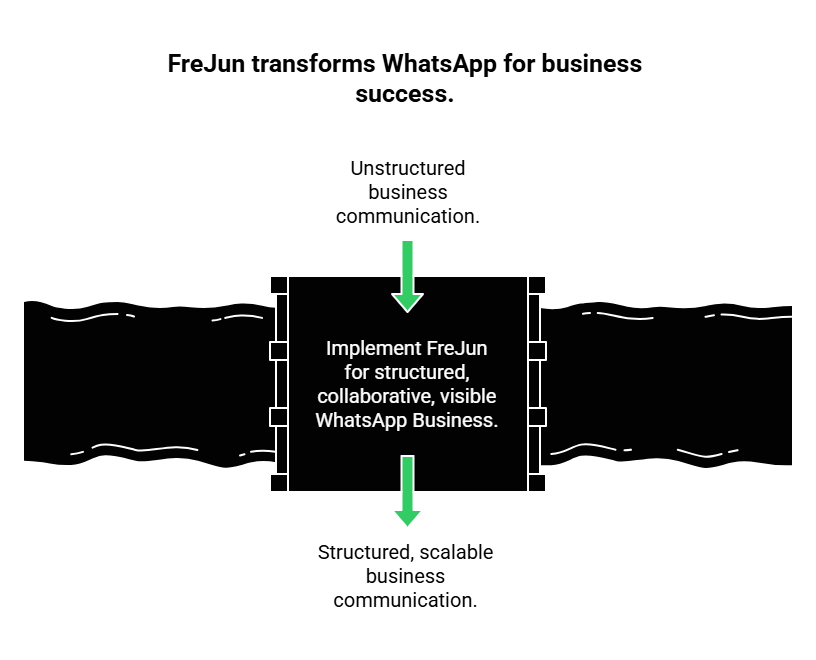
- Gives your entire support or sales team access to a shared WhatsApp inbox
- Automates repetitive follow-ups with personalised message templates
- Tracks every conversation with real-time analytics and full visibility
- Integrates directly with your CRM, giving your reps full customer context
- Ensures 24/7 responsiveness with role-based access and team-based assignment
Whether you’re managing hundreds of customer chats a week or scaling a multi-product support team across time zones, FreJun turns WhatsApp from a casual messaging app into your most powerful communication channel — one that builds trust, closes gaps, and converts faster.
So don’t settle for fragmented chat solutions. With FreJun, WhatsApp becomes a professional-grade platform that works for your team, not against it.
Final Thoughts – How Can FreJun Transform WhatsApp Support?
In Dubai’s competitive market, outstanding support isn’t optional — it’s essential. WhatsApp is where your customers are active. But without the right setup, it leads to delays, miscommunication, and wasted opportunities.
By configuring official WhatsApp Business via FreJun, you gain:

- Professional-grade multi-agent collaboration
- Automated personalised follow-ups
- Real-time analytics and performance insights
- Centralised CRM visibility and brand consistency
FreJun turns WhatsApp into a strategic support pillar, not just another chat channel.
If you are ready to deliver faster responses, better service, and higher customer satisfaction — this is the blueprint. Let me know if you’d like this converted into a process checklist, training guide, or sales collateral.
Further Readings – How to Get a Virtual Phone Number in 2025?
FAQs
Yes. You can port your current number or provision a new one via FreJun for WhatsApp Business API use.
Most teams go live within 1 – 2 business days, with FreJun handling setup and onboarding.
FreJun facilitates official WhatsApp Business API access and manages the technical configuration for you.
Yes. FreJun logs all WhatsApp messages and links them to your CRM — including HubSpot, Zoho, and Salesforce.
Absolutely. FreJun enables multiple agents to manage and respond to WhatsApp conversations from a unified interface.
A multi-agent WhatsApp inbox lets multiple team members manage customer chats from one verified WhatsApp Business number.
Yes. With FreJun’s WhatsApp Business API, multiple agents can log in and respond simultaneously.
It centralizes all chats, improves response times, and ensures consistent communication.
Yes, you can port your existing UAE number or get a new one via FreJun.
Yes, it integrates with Zoho, HubSpot, Salesforce, and more.