Last updated on November 10th, 2026 at 02:03 pm
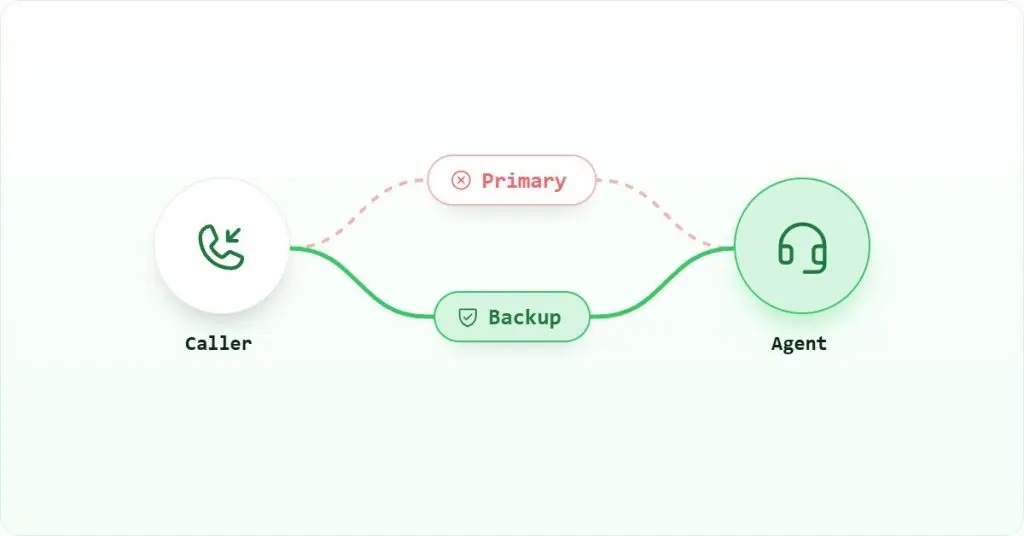
Quick Answer: X0PA does not include native international voice calling. To make international calls from within X0PA, Indian recruiters install a VoIP (Voice over Internet Protocol) Chrome extension from a provider that supplies virtual numbers for target markets such as the UAE, UK or US. The extension detects phone numbers inside X0PA’s interface and enables one-click dialing, while call logs and recordings are stored in the VoIP platform.
AI Summary: International calls in X0PA require a third-party VoIP layer because the platform is built for AI-driven candidate matching, not telephony. This guide covers why X0PA lacks native calling, what prerequisites to check before you start, a five-step setup process using a VoIP Chrome extension, three integration paths with decision criteria for each, and the conditions under which each path breaks down.
Table of contents
What Is VoIP Calling and Why It’s Critical in Recruitment
VoIP (Voice over Internet Protocol) is a method of making voice calls over the internet, rather than through traditional telephone networks. Instead of needing landlines or SIM cards, VoIP platforms let users call from any device, including a laptop, browser or mobile app, using an internet connection.
For Indian recruitment teams, this matters because international mobile and landline calls carry high per-minute costs and require local SIM cards for each target country. VoIP removes both constraints. A recruiter in Bengaluru can display a UAE caller ID when reaching a candidate in Dubai, or a UK number when calling a hiring manager in London, without owning a physical SIM for either country.

The technology is widely used in modern sales and support teams. Recruitment is adopting it quickly because global hiring and remote candidate sourcing have made cross-border voice communication a daily requirement rather than an occasional need.
Why is VoIP important for Recruitment Workflows?
Voice conversations remain central to hiring. Screening calls, offer negotiations and candidate re-engagement all depend on real-time dialogue that text cannot replicate. When those calls happen across borders, the logistics of dialing, logging and reviewing them become a bottleneck if the tools are not connected.
With a VoIP layer in place, recruiters can:
- Call candidates directly from their hiring platform without switching apps
- Log outcomes and notes automatically
- Record and share screening conversations for team review
- Tag and organise call history by role, location or hiring stage
- Maintain a single source of truth by syncing call data with the ATS or CRM
- Scale calling efforts without relying on mobile numbers or manual logs
In short, VoIP enables faster hiring decisions, better call documentation and cleaner collaboration across the recruitment team. Without it, international calls happen outside the ATS, and the data they generate disappears into personal phones and notebooks.
For teams working across India, the UAE and Singapore, calling software built for recruitment agencies in India addresses exactly this gap between the ATS and the phone.
What X0PA Can and Cannot Do Natively
X0PA is an AI-driven recruitment SaaS platform built around candidate matching, bias reduction and predictive hiring analytics. Its product scope is deliberate: the platform focuses on the data and decision layer of hiring, not on telephony infrastructure. That design choice explains the calling gap rather than a simple oversight.

What X0PA Can Do:
X0PA’s core strength is in structured data and automation. It applies machine learning to candidate scoring, shortlisting and interview scheduling, and it integrates with existing HR systems to reduce manual coordination. Specifically, X0PA can:
- Automate candidate scoring and shortlist management
- Schedule interviews with calendar sync
- Track communication history and actions inside the platform
- Provide predictive analytics for hiring success rates
What X0PA Cannot Do:
Because X0PA is not a telephony product, it has no calling infrastructure of its own. The gaps that matter most for Indian teams doing cross-border hiring are:
- Make direct international voice calls from within the platform
- Display local virtual numbers for outbound calls to specific markets
- Record or summarise calls natively
- Enable click-to-call from within the candidate UI
- Store voice call data as part of candidate activity logs
The practical consequence is that call data lives outside the ATS. A recruiter who calls a candidate from a personal mobile has no automatic record of that conversation in X0PA. Over a week of active sourcing, that gap compounds into a significant data quality problem for the hiring team.
To close these gaps, recruiters use external VoIP solutions connected through browser extensions or CRM sync. The next section covers how to set that up.
How to Enable International Calling in X0PA (Step-by-Step)
Before starting, confirm three prerequisites: your team uses Google Chrome as the primary browser, you have admin access to your VoIP provider account to configure numbers and settings, and the candidates you are calling have phone numbers stored in X0PA’s candidate profiles. Without stored numbers, the Chrome extension has nothing to detect.

Step 1: Choose a VoIP Provider with Regional Numbers
Select a VoIP provider that covers the markets your team calls most. For Indian recruitment teams, the most common targets are UAE, US, UK and Singapore. Beyond number coverage, look for a provider that offers a Chrome extension with click-to-call detection, AI call summaries, call recording and a plan designed for Indian users. The X0PA calling integration page lists compatible options.
Step 2: Purchase Virtual Numbers
Buy region-specific virtual numbers to match your key markets. Assign these to your team members based on geography. A recruiter focused on UAE placements should use a UAE number as their outbound caller ID, since local numbers consistently produce higher answer rates than calls arriving from an Indian mobile prefix. If your team covers multiple regions, assign numbers by territory rather than by individual recruiter, so coverage continues when someone is unavailable.
Step 3: Install the Chrome Extension
Your VoIP provider will supply a Chrome extension. Once installed and signed in, it scans the active browser tab for phone number strings and overlays a call button next to each one. Inside X0PA, this means any candidate profile displaying a phone number becomes click-to-call without any changes to X0PA itself. The extension works at the browser level, so it requires no API access to X0PA and no changes to your ATS configuration.
Step 4: Log In and Configure Settings
After installing the extension, log in to your VoIP account and configure the following before making your first call:
- Preferred outbound number, for example a UAE virtual number for calls to Gulf candidates
- Call logging and disposition tags so outcomes are categorised consistently
- Call recording and storage settings, including retention period
- AI features such as transcription, sentiment tagging and auto-generated call notes
Getting these settings right before the first call matters because retroactively tagging or re-categorising a large call history is time-consuming. Spend fifteen minutes on configuration and the data will be clean from day one.
Step 5: Train Your Recruitment Team
A Chrome extension that nobody uses consistently produces patchy data. Run a short onboarding session covering four things: how to initiate calls from X0PA using the extension, how to review AI summaries and recordings after each call, which virtual number to select for each target region, and how to copy key insights into the candidate profile in X0PA. The last step is manual because X0PA does not accept a native call log push from external VoIP tools, but it takes under a minute per call when the AI summary is already written.
VoIP Integration Path for X0PA
Three distinct paths exist for adding voice calling to an X0PA workflow. Each suits a different team size, technical capability and data-centralisation requirement. Choosing the wrong one creates either unnecessary complexity or a data gap that grows over time.

1. Use a VoIP Chrome Extension
A VoIP Chrome extension is the right choice for most recruitment teams using X0PA. It requires no API access, no developer involvement and no changes to the ATS. The extension detects phone numbers on any browser page, including X0PA candidate profiles, and converts them into clickable call buttons. Calls open in the VoIP dialer, and logs, recordings and notes are stored automatically in the VoIP platform.
The trade-off is that call data lives in the VoIP system rather than inside X0PA. Recruiters who want call history visible in the candidate profile must copy notes across manually. This is acceptable for teams of up to around fifteen recruiters, but it becomes a compliance and coordination risk at higher volumes where manual copying is inconsistently done.
2. Sync Data to CRM or ATS That Supports Calling
If your recruitment workflow also runs through platforms such as Zoho Recruit, Salesforce or CEIPAL, you can route X0PA candidates into those systems and manage calls through the VoIP integrations those platforms support natively. This adds a data-sync step, but it means call activity is centralised in a system that already has a direct VoIP connection.
This path suits teams that already use a CRM alongside X0PA and want a single call record rather than two separate systems. It is not the right choice if X0PA is your only candidate database, since the sync introduces duplication and the risk of records falling out of step.
3. Build Custom Integrations via Webhooks
For enterprise teams with access to X0PA’s APIs or custom workflow engines, it is possible to connect third-party calling tools through webhooks or automation platforms. This path can push call outcomes directly into X0PA candidate records, which solves the manual-copy problem from path one.
However, this requires development effort to build and ongoing maintenance to keep working as either platform updates its API. It is not suitable for teams without a dedicated technical resource, and it is overkill for teams under fifty recruiters where the Chrome extension handles the volume adequately. Choose this path only when call volume is high enough that manual logging creates a measurable data quality problem.
For teams evaluating the broader landscape of calling software for recruitment agencies in the UAE, the same three-path framework applies regardless of which ATS is in use.
Which VoIP Tool Works Best for X0PA Users?
Choosing a VoIP tool for X0PA comes down to four practical criteria: virtual number coverage for your target markets, Chrome extension reliability, call recording and AI summary quality, and how well the tool fits teams that work primarily from a browser rather than a dedicated desk phone.

For Indian recruitment teams, the most important of these is number coverage. A tool that offers UAE, UK, US and Singapore virtual numbers covers the majority of cross-border hiring routes from India. Without local numbers in the destination market, answer rates drop because candidates see an unfamiliar international prefix and decline the call.
The integrations page lists which platforms connect directly. For X0PA specifically, the Chrome extension path is the most practical starting point because it requires no changes to the ATS and works on day one.
Key capabilities to verify before committing to any VoIP tool for X0PA use:
- Click-to-call detection that works inside X0PA’s candidate profile pages
- AI-powered call analysis covering conversation trends and follow-up actions, as described in how AI enhances business communication
- Click-to-call and auto dialer capabilities for teams running high call volumes
- Call transcription and recording for training and compliance review, covered in detail at how call recording works
- Performance analytics showing call volume, connection rates and team activity
- Multi-channel support for voice, SMS and WhatsApp where candidate communication spans channels

One honest limitation of the Chrome extension approach applies regardless of which VoIP tool you choose: call data does not flow back into X0PA automatically. The ATS has no native telephony sync, so call notes and outcomes must be copied manually into candidate profiles. Teams that need a fully automated audit trail should evaluate the webhook path instead, accepting the development cost that comes with it.
For teams comparing options, calling software for recruitment agencies in Singapore covers a similar set of criteria for the APAC market.
See how VoIP integrates with leading CRMs and ATS platforms for a full list of supported connections.
For pricing, visit Check pricing.
Final Thoughts

X0PA is a strong ATS for data-driven hiring, but global recruitment requires real-time voice communication that the platform does not provide natively. Adding a VoIP layer closes that gap. The Chrome extension path works for most teams and requires no technical setup. The CRM sync path suits teams already running a parallel CRM. The webhook path is the right choice only when call volume and compliance requirements justify the development investment.
Whichever path you choose, the outcome is the same: your team gains international calls in X0PA with local virtual numbers, recorded conversations and call data that stays inside your workflow rather than disappearing into personal phones. That is the missing link between X0PA’s hiring intelligence and the voice conversations that move candidates through the funnel.
For further reading on VoIP for business use in India, see VoIP for Business Use in India: A 2025 Guide.
FAQs
Setup and Coverage
Not natively. X0PA has no built-in telephony. To place international calls, recruiters must add a VoIP provider that offers a Chrome extension with click-to-call detection and virtual number support for target markets such as the UAE, UK or US. The extension works at the browser level and requires no changes to the X0PA configuration.
No. X0PA does not offer a native telephony sync, so call logs do not flow back into candidate profiles automatically. Using a Chrome extension, recruiters can initiate calls from X0PA and store recordings and notes in the VoIP platform. Summaries can then be copied manually into X0PA, or automated via webhooks for teams with development resources.
Yes. Most VoIP platforms provide international virtual numbers, allowing recruiters to set a UAE, UK or US number as their outbound caller ID. Displaying a local number in the destination market consistently improves answer rates because candidates recognise the country prefix rather than seeing an unfamiliar international code.
Team Size, Numbers and Data
Not always. Some VoIP systems allow shared numbers with intelligent call routing, while others assign unique numbers based on team structure or geography. For small teams, a shared number per region is usually sufficient. Larger teams benefit from individual numbers because it makes call attribution and performance reporting cleaner.
Use webhooks when call volume is high enough that manually copying notes into X0PA creates a measurable data quality problem, or when compliance requires a fully automated audit trail inside the ATS. For most teams under fifty recruiters, the Chrome extension handles the volume adequately without the development overhead that a webhook integration requires.