
Last updated on February 16th, 2026 at 02:42 pm
Making a free 5-minute call is easier than ever, thanks to various online platforms and apps that offer trial or limited-time calling services. Whether you need to make a quick call for business, personal reasons, or emergency purposes, this guide will help you understand how to do it step-by-step.
Learn how to initiate a 5-minute free call effectively, whether for business, personal, or learning purposes. This beginner-friendly guide covers step-by-step methods, tips, and common challenges. Save time, avoid hidden fees, and optimize your calling experience. Perfect for anyone looking to try free internet calls.
- Step-by-step process to start a 5-minute free call india
- Tips to avoid call drops and connection issues
- Overview of free vs paid calling options
- Use cases for business, education, and personal use
With the increasing demand for cost-effective communication, many services like Frejun now provide free calling features to attract users. By leveraging these services, you can stay connected without incurring extra charges. Whether you are reaching out to a loved one, checking in with a colleague, or handling an urgent matter, knowing the right tools and strategies can make all the difference.
You can sign up here or schedule a demo
Table of contents
How to Make a Free Call Instantly without Setup Hassle?
FreJun enables quick, browser-based calling without downloads. Businesses can initiate secure 5-minute test calls using virtual numbers ideal for onboarding, demos, or trying VoIP without commitment. Learn how to make a 5 minute free call instantly without any setup, apps, or SIM cards. This guide explains how to get a 5 minute free call without number, allowing you to place quick calls online for verification, testing, or urgent communication—fast, simple, and hassle-free.
How to Initiate a 5 minute free call
This guide will walk you through the process, ensuring you get the most out of these free calling options. From selecting the best app to optimizing your internet connection, you’ll learn valuable tips to make your calls smooth and uninterrupted. Even if you are new to online calling, following these simple steps will allow you to communicate effortlessly, anytime and anywhere.
Step 1: Choose a Free Calling Service

Use popular free calling apps like WhatsApp, Skype, Viber, or Google Duo because they allow you to make voice and video calls over the internet for free, which can significantly reduce your phone bill, especially when calling internationally or making long-distance calls, as long as both parties have the app installed and a stable internet connection; this means you can communicate with friends and family without incurring additional charges on your mobile plan. If you need a premium solution for your business needs, consider FreJun, which automates calling, logging your business calls and insights with your favourite workflow tools in a single click.
Several platforms allow users to make free calls for a limited duration. Some popular options include:
- FreJun – It is an excellent platform for calling & maintaining records of calls
- Google Voice – Free calls to U.S. and Canada.
- TextNow – Provides free calling with ads.
- Dingtone – Offers a few minutes of free calling upon signup.
- WhatsApp, Skype, or Viber – Free internet-based calls.
Step 2: Sign Up for an Account

To see if your account is verified, sign into your Google Account. If it hasn’t been verified yet, you’ll see a message asking you to verify your account.
Most free calling apps require a phone number or email for registration. Follow these steps:
- Enter your phone number or email to create an account.
- Verify your identity using an OTP (One-Time Password) sent to your number or email.
- Set up your profile with a name and profile picture.
Security Tip: Use strong passwords and two-factor authentication to keep your account secure.
Step 3: Check for Free Minutes or Trial Offers

To check for free minutes or trial offers, navigate to the website or app of the service you’re interested in and look for a prominent section labeled “Free Trial,” “Try Now,” or a similar phrase; this will typically detail the duration and any included minutes or features available during the trial period.
Some services provide free trial minutes for new users. Look for options like:
- Signup bonuses
- Referral bonuses (inviting friends can give you extra minutes)
- Watching ads to earn free minutes
Step 4: Connect to a Stable Internet Network

To connect to a stable internet network, ensure your device is connected to a strong Wi-Fi signal by positioning your router in a central location, away from obstructions, and consider using an ethernet cable for a more reliable connection; you can also check for network interference from other devices and update your router’s firmware if necessary.
For smooth calling, ensure you have a strong internet connection:
- Use Wi-Fi if available.
- If using mobile data, check your network strength.
- Close unnecessary apps that may slow down your connection.
Step 5: Dial the Number and Make the Call
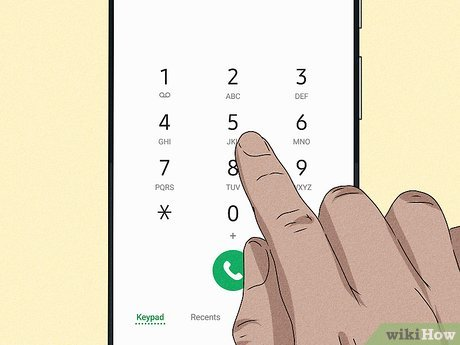
To “dial the number and make the call,” open your phone’s “Phone” app, enter the number you want to call on the dial pad, and then press the “Call” button (usually a green phone icon) to initiate the call.
- Open the app and navigate to the dialer.
- Enter the recipient’s phone number (with the correct country code if needed).
- Press the call button and wait for the connection.
- Keep track of the time to avoid call cut-offs after 5 minutes.
Top Alternative: Business-Grade VoIP Solutions
While free apps cater to personal use, businesses often require more robust and feature-rich VoIP solutions. Business-grade VoIP services like FreJun offer a range of advanced features, including:
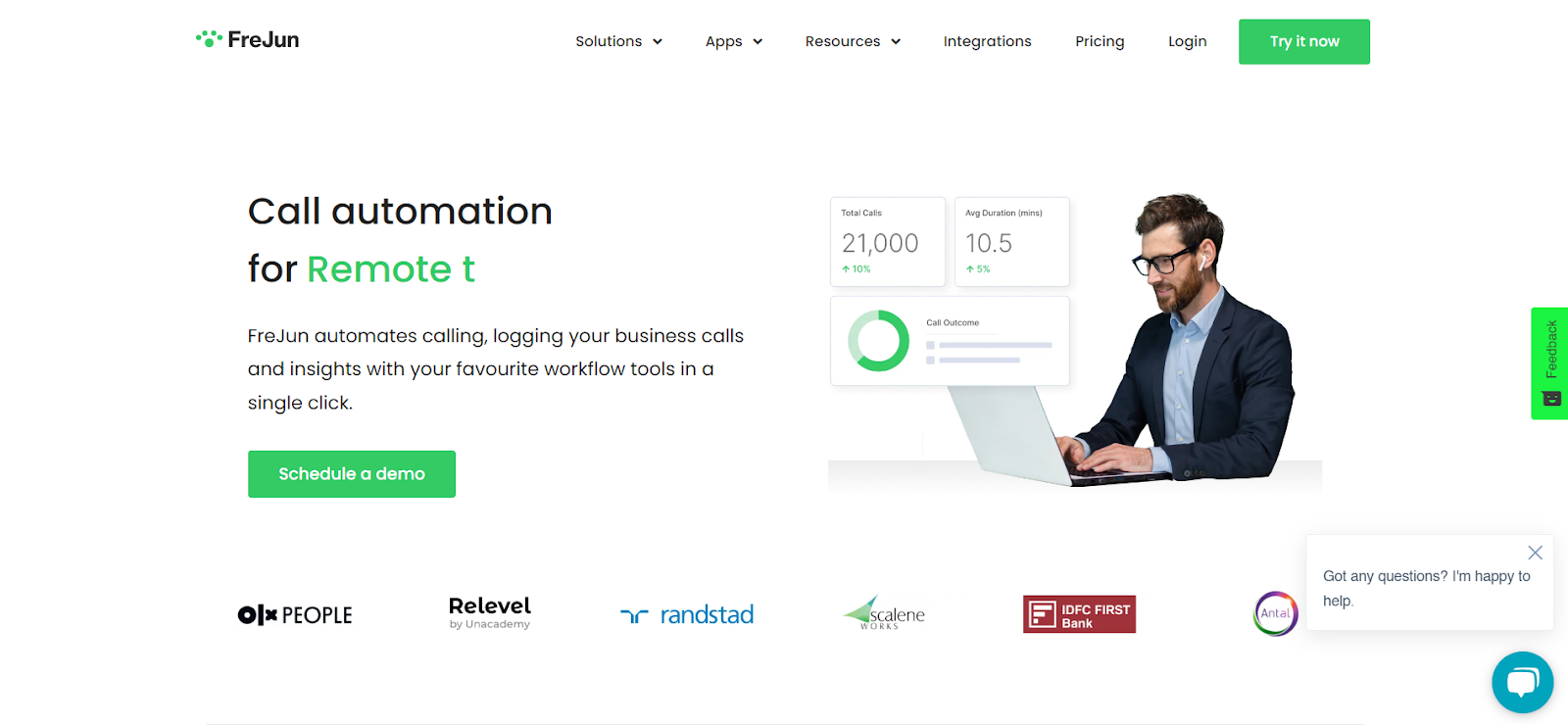
FreJun’s AI-driven capabilities, such as call transcription and sentiment analysis, make it a game-changer in the VoIP industry. Businesses can gain deeper insights into customer interactions, enabling them to refine their service strategies and improve customer satisfaction. With FreJun, companies benefit from intuitive call management features, global connectivity, and seamless integration with popular CRM platforms, creating a unified communication hub.
Key Features:
- Virtual Numbers: Provides local or toll-free numbers for businesses, enhancing accessibility and professional presence.
- Click-to-Call and Autodialer: Enables users to initiate calls with a single click and automatically dial lists of phone numbers, increasing efficiency and call volume.
- Call Transcription and Recording: Automatically records and transcribes calls for future reference and training purposes, ensuring important information is captured accurately.
- CRM/ATS Integration: Seamlessly integrates with existing Customer Relationship Management (CRM) and Applicant Tracking Systems (ATS), consolidating call data within current workflows.
Learn more about FreJun’s CRM/ATS integration.
- Reports and Analytics: Offers detailed analytics to track team performance, identify successful strategies, and pinpoint areas for improvement.
Access FreJun’s call analytics tools.
- AI Insights: Utilizes AI to analyze call data, providing actionable insights to enhance call operations and overall business communication strategies.
Understand FreJun’s AI-powered capabilities here.
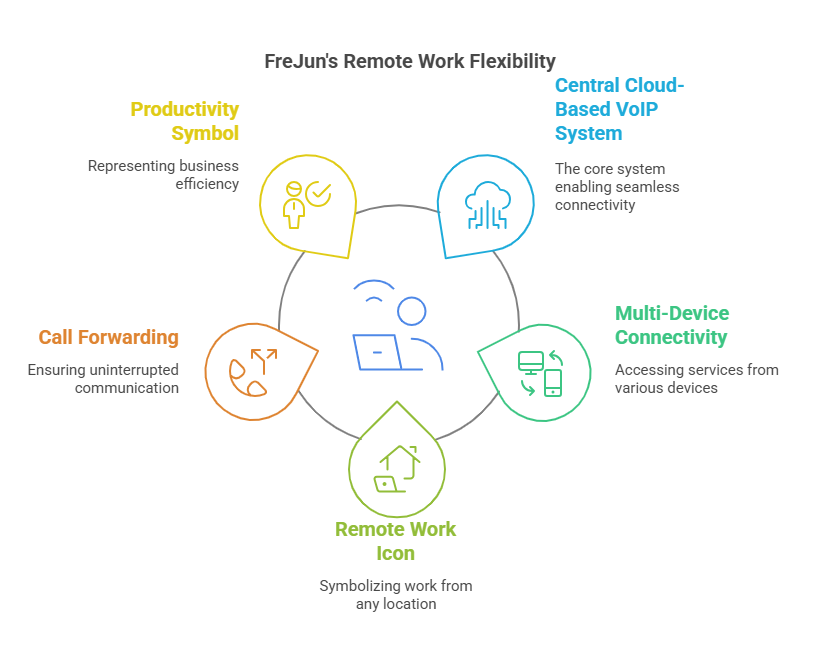
Bonus Tip: Extend Your Free Calling Minutes
If you need more time, consider:
- Signing up with the free calling app.
- Watching ads or completing tasks for extra minutes.
- Using VoIP services with free call credits.
What Are Common Problems During Free Calls and How to Fix Them?
Even though free call services are tempting, they often come with limitations that can disrupt communication. Common issues include:
- Call drops or interruptions: Free services often have server limitations.
- Low call quality: Audio may be choppy, delayed, or unclear.
- Limited duration: Many free calls restrict the time per call.
- Hidden limitations: Some free services limit features like recording or business integrations.
How FreJun Solves These Problems:
While free services may struggle, FreJun provides a reliable, high-quality calling experience without the hassle of poor connections or hidden restrictions. With FreJun, you get:
- Crystal-clear voice quality for every call
- Unlimited call duration for business or personal needs
- Advanced call features like AI insights, recording, and analytics
- Seamless integration with your customer relationship management software and workflow for CRM enrichment workflow.
Takeaway: Free calls are fine for quick chats, but for professional or consistent communication, FreJun ensures quality and reliability every time.
Who Can Benefit from 5-Minute Free Calls?
Short free calls can be useful in certain scenarios, but the limitations can affect productivity. Typical users:
- Students & Educators: Quick clarifications or brief tutoring sessions.
- Casual Personal Calls: Check-ins with friends or family.
- Small Teams Testing Communication Tools: Initial trial calls.
Why Businesses Should Consider FreJun Instead:
FreJun is designed for sales, support, and recruitment teams who need reliable, scalable, and feature-rich calls. Benefits include:
- Faster decision-making and follow-ups
- Access to call recordings and AI-driven insights for coaching
- Smooth workflow with CRM integration
Takeaway: Free calls are good for casual use, but for any serious or recurring professional communication, FreJun’s premium services provide consistency and efficiency.
What Are the Best Tips for a Seamless Free Call?
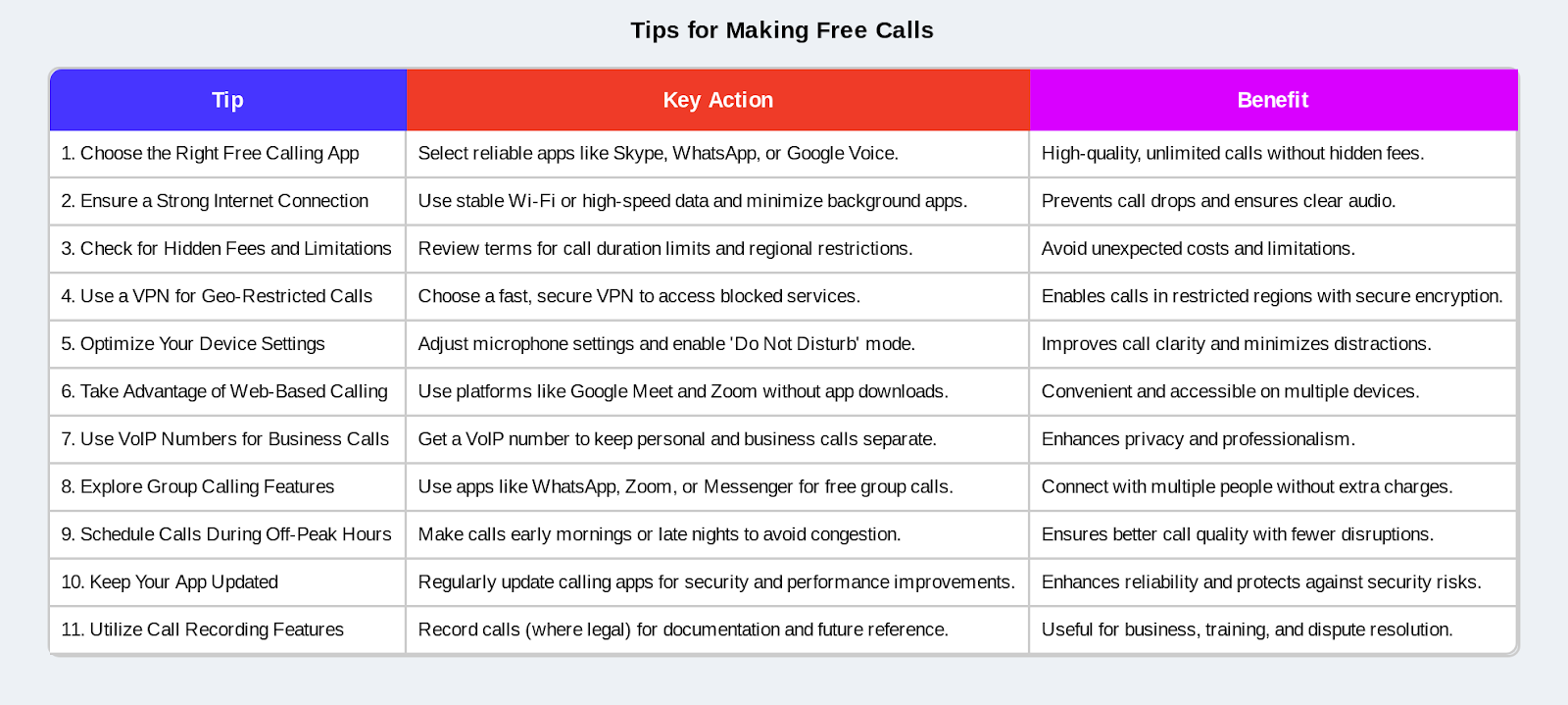
If you’re using free call platforms, these tips help you get the most out of your experience:
- Ensure a stable internet connection to avoid drops.
- Mute background noise to improve clarity.
- Confirm contacts before calling to avoid wasting time.
- Keep calls short to stay within free time limits.
FreJun Makes It Even Easier:
While free call tips help, FreJun removes most of these constraints:
- No call-time limits or interruptions
- Automatic noise reduction and call enhancement
- Easy scheduling and CRM syncing
- Reliable connection for every call, no matter the distance
Takeaway: Free calls require careful planning, but FreJun ensures smooth, hassle-free communication every time.
Conclusion
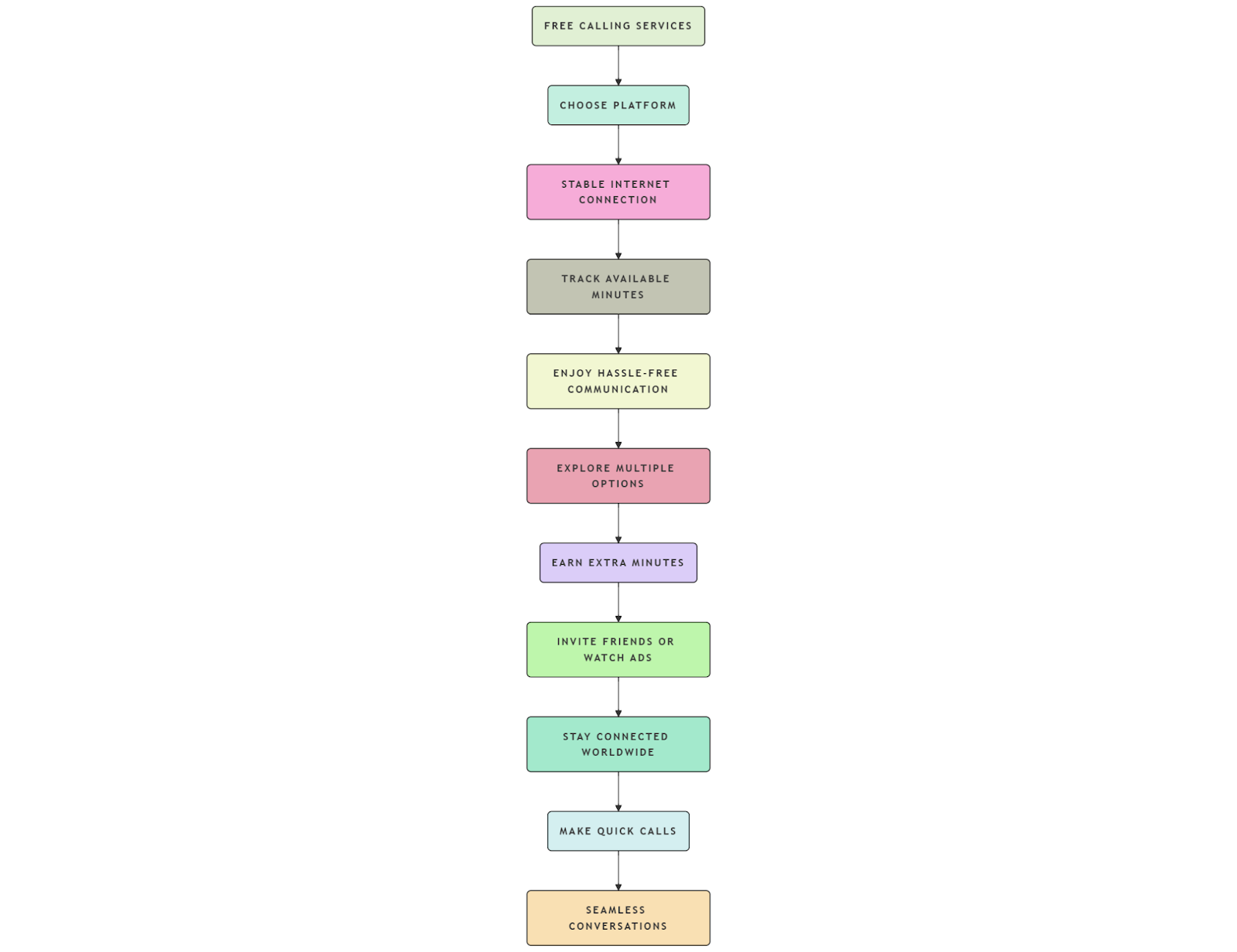
Initiating a 5-minute free call is simple and requires minimal setup. By choosing the right platform, ensuring a stable internet connection, and keeping track of available free minutes, you can enjoy hassle-free communication without spending a dime.
If you frequently need to make short calls, exploring multiple free calling options and earning extra minutes through referrals or promotions can be beneficial. Some apps even allow you to accumulate more free talk time through small tasks like watching ads or inviting friends, making it easier to stay in touch without financial worries.
Free calling services are not only a great way to cut down on communication costs but also provide a convenient way to stay connected with people worldwide. Whether you need to make a quick call to confirm details, chat with a family member, or have an important discussion, these services offer an efficient and budget-friendly solution. By following the tips outlined in this guide, you can make the most of free calls and enjoy seamless, uninterrupted conversations whenever you need them.
If you frequently need to make short calls, exploring multiple free calling options and earning extra minutes through referrals or promotions can be beneficial. Whether for personal or professional use, free calling services provide a convenient way to stay in touch. Try out these methods today and experience seamless communication! Initiating a 5-minute free call is simple and requires minimal setup. By choosing the right platform like Frejun, ensuring a stable internet connection, and keeping track of available free minutes, you can enjoy hassle-free communication without spending a dime. Try out these methods and stay connected effortlessly!
You can sign up here or schedule a demo
Further Reading: Top 7 Microsoft Dynamics Calling Integrations for 2025: A Comprehensive Guide
Frequently Asked Questions
It’s a time-limited call offer that lets users connect without any charges. FreJun enables this through virtual numbers or trial credits with simple activation.
No. FreJun offers browser-based and app-based calling, so you can initiate calls directly from your phone or computer without extra setup.
Yes. FreJun allows international calling with time limits, making it ideal for quick introductions or testing global connections.
Just sign up, verify your account, and use FreJun’s dashboard to select a number and initiate the call — it takes less than a minute.
They’re typically voice-based. FreJun currently supports voice calls with reliable quality and built-in features like recording.
Absolutely. FreJun’s free calls are great for demos, lead qualification, or trial customer support — helping you test features risk-free.
The call will end automatically, or you’ll have the option to continue on a paid plan. FreJun offers flexible pricing for extended use.
Depends on the app; some provide automatic recording features.
Yes, most free call platforms offer premium plans for longer or higher-quality calls.
Some apps require registration, while others allow guest access.