 Skip to content
Last updated on September 30th, 2025 at 01:30 pm
The era of Skype as the primary business communication tool is ending. While Skype enabled voice and video calls over the internet, modern businesses now require smarter, scalable, and AI-driven communication systems. As companies expand globally and adopt remote or hybrid work models, advanced infrastructure becomes critical for seamless collaboration and productivity.
An AI-powered business calling system offers organizations the ability to automate workflows, integrate seamlessly with CRMs and other productivity tools, and leverage real-time analytics to optimize both internal collaboration and customer interactions. Unlike traditional systems, AI-powered VoIP (Voice over Internet Protocol) solutions empower businesses with features like intelligent call routing, sentiment analysis, automatic call transcription, and predictive insights — all aimed at enhancing communication efficiency and delivering superior customer service.
Table of contents
- How can Businesses Set up AI-Powered Calling after Leaving Skype?
- What Are the Steps to Set Up an AI-Powered Business Calling System Post-Skype?
- What Features Make AI-Powered Business Calling Better Than Skype
- What are the Benefits of an AI-Powered Business Calling System?
- Final Thoughts
- Frequently Asked Questions
How can Businesses Set up AI-Powered Calling after Leaving Skype?
FreJun offers a seamless upgrade from Skype by providing an AI-powered VoIP system with instant setup, browser/mobile access, and intelligent features like call summaries, real-time analytics, and CRM syncing — all designed to streamline workflows and enhance business communication.
What Are the Steps to Set Up an AI-Powered Business Calling System Post-Skype?
Looking to future-proof your business communication beyond Skype? This step-by-step guide shows how to set up an AI-powered VoIP calling system designed for modern business needs. From startups to enterprises, follow these steps to ensure a smooth migration and unlock the full benefits of AI-driven communication.
Step 1: Define Your Business Communication Needs
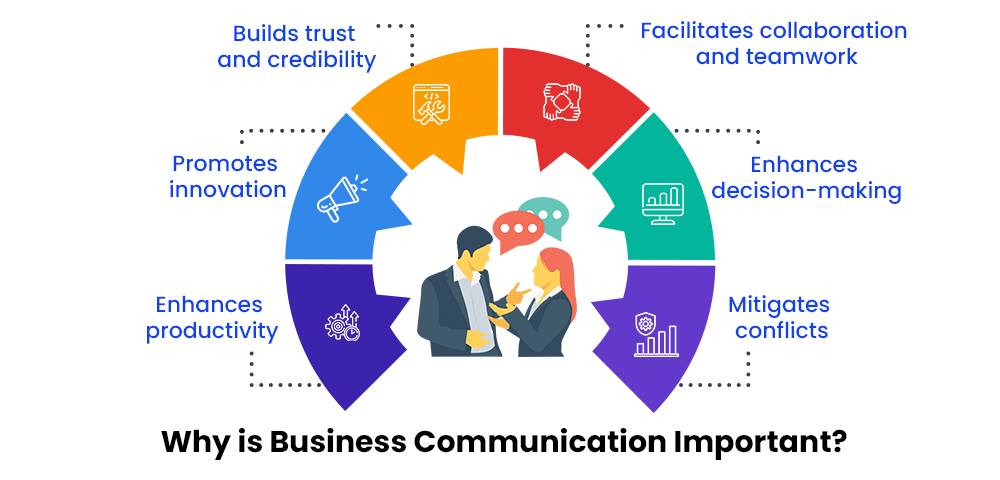
To define your business communication needs, consider your target audience, the message’s purpose, desired outcomes, and the most effective channels and formats for conveying information. Begin by assessing your current communication setup and identifying key areas for improvement.
- Evaluate existing challenges with Skype (e.g., call quality, scalability, lack of integrations).
- Determine your team’s requirements, such as remote access, call tracking, and multi-device compatibility.
- Set clear objectives, such as improving customer support, boosting sales efficiency, and automating workflows.

Step 2: Select the Right AI-Powered VoIP Platform
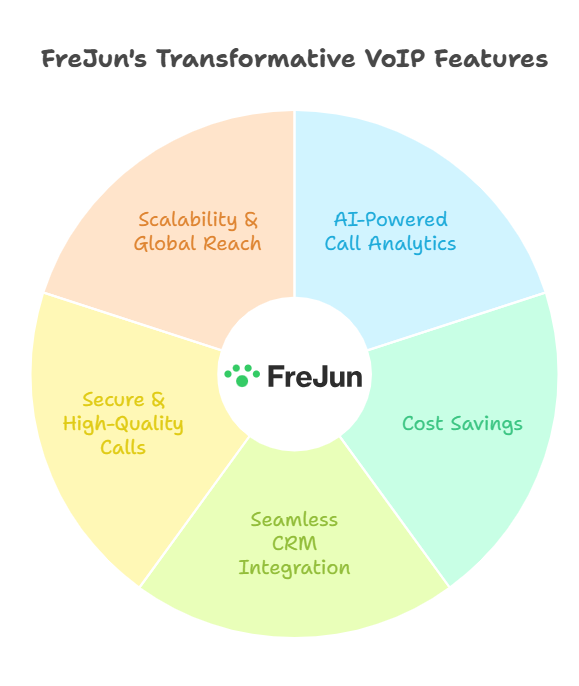
To select the right AI-powered VoIP solution, consider your business needs, budget, and desired features, evaluating platforms like FreJun for comprehensive capabilities, AI integration, and ease of use. Choose a solution that aligns with your communication needs. FreJun is a powerful VoIP tool that offers AI-driven features to automate and optimize business calls.
Key Features to Look For:
- AI-powered call routing and analytics
- Real-time transcription and call recording
- CRM integration with tools like Salesforce, HubSpot, and Zoho
- Automated follow-ups and call reminders
- End-to-end encryption and security compliance
Step 3: Plan Your Transition Timeline
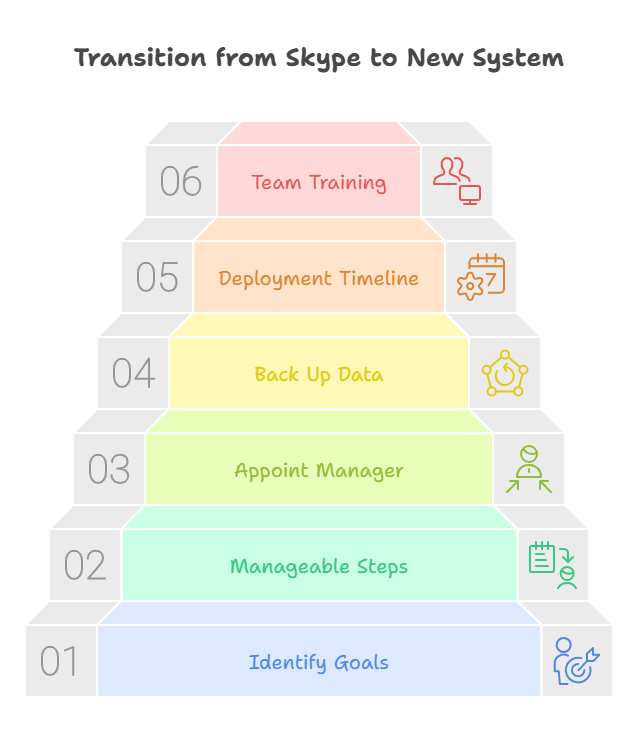
To plan your transition timeline, start by identifying the key goals and objectives, then break down the transition into smaller, manageable steps with specific timelines and assign responsibilities. Having a clear plan ensures a smooth migration from Skype to your new system.
- Appoint a migration project manager to oversee the process.
- Back up all contacts, call logs, and data from Skype.
- Develop a step-by-step timeline for deploying the new system, starting with smaller teams and scaling up.
- Schedule team training sessions to ensure users are comfortable with the new platform.
Step 4: Set Up the AI-Powered VoIP System

To set up an AI-powered VoIP system, you’ll need to identify your needs, choose the right tools and platforms, start with a pilot program, train your team, and continuously monitor and optimize. Implement your new system by following these steps:
- Install and configure FreJun across all devices (desktop, mobile, tablets).
- Customize call flows, routing rules, and IVR menus according to business requirements.
- Set up user profiles and permissions, ensuring secure access.
- Integrate with CRM, help desk software, and collaboration tools like Slack or Microsoft Teams.
Step 5: Test the System and Gather Feedback
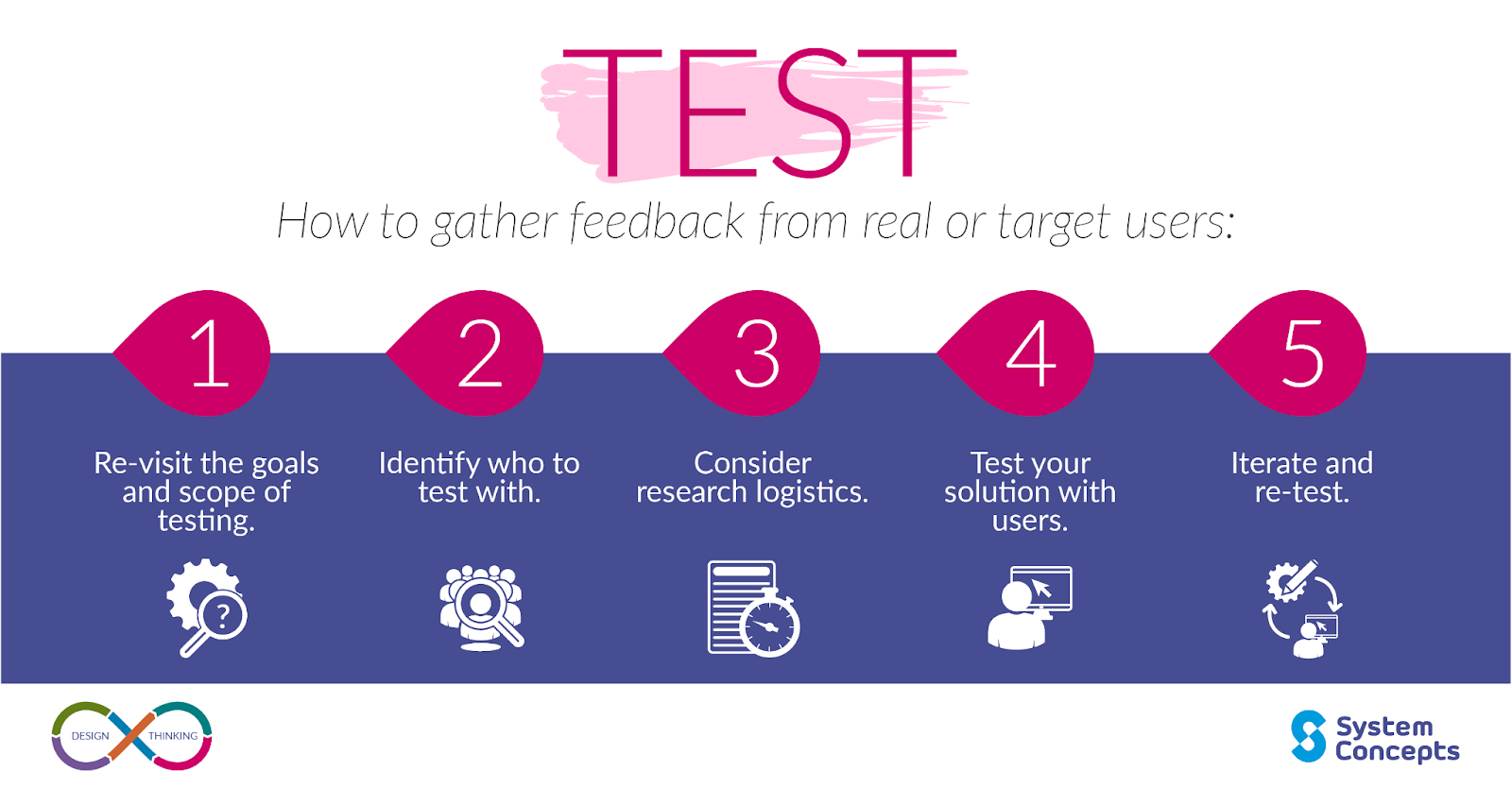
To effectively test a system and gather feedback, conduct user testing, employ surveys and questionnaires, and analyze customer service interactions and social media reviews. These methods help identify usability issues and gather insights for improvement.
Before full deployment, run a pilot test to ensure everything works smoothly.
- Conduct test calls to evaluate call quality and routing accuracy.
- Review AI-transcription and call analytics to verify performance.
- Gather feedback from employees on usability and address any technical issues.
Step 6: Go Live and Monitor Performance

“Go-live” signifies the launch of a new system or application into production, requiring thorough preparation and continuous monitoring to ensure smooth operation and performance. After successful testing, roll out the system across the entire organization.
- Communicate the go-live date to all teams.
- Offer ongoing support and training during the first few weeks.
- Continuously monitor KPIs such as call volumes, connection rates, and customer satisfaction.
- Use AI-powered insights to optimize call processes and workflows over time.
What Features Make AI-Powered Business Calling Better Than Skype
| Feature / Capability | AI-Powered Business Calling ✅ | Skype ❌ |
|---|---|---|
| AI Call Automation | ✅ | ❌ |
| Voicemail & SMS Automation | ✅ | ❌ |
| CRM / ATS Integration | ✅ | ❌ |
| Call Transcription & Insights | ✅ | ❌ |
| Scalable for Remote/Hybrid Teams | ✅ | ❌ |
| Multi-Regional Support | ✅ | ❌ |
| Advanced Security & Compliance | ✅ | ❌ |
Want To see AI-Powered Business Calling in action
What are the Benefits of an AI-Powered Business Calling System?
An AI-powered business calling system offers numerous benefits, including improved customer service, increased efficiency, reduced costs, and enhanced productivity through automation, personalized interactions, and data-driven insights. Switching from Skype to an AI-powered VoIP platform like FreJun offers numerous advantages:
- Improved call quality and reliability
- AI-driven insights for better decision-making
- Automation that reduces manual tasks and boosts productivity
- Seamless CRM integrations for streamlined workflows
- Enhanced security and compliance with industry regulations
Final Thoughts
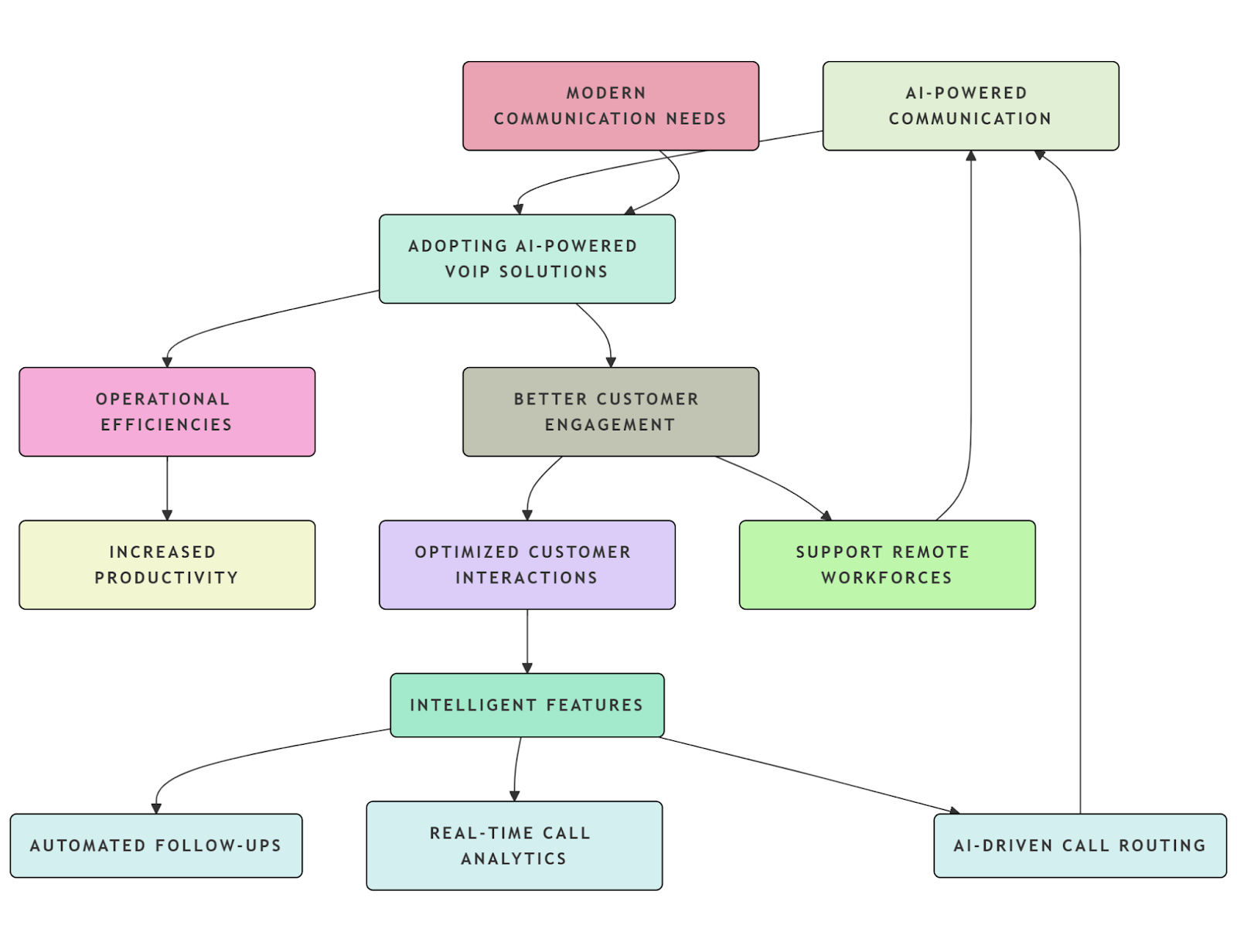
Transitioning from Skype to an AI-powered business calling system is no longer optional for businesses aiming to stay competitive in today’s digital landscape. Modern communication requires more than just voice calls and video conferencing. It demands intelligent, integrated, and automated systems that can scale as your business grows.
By adopting AI-powered VoIP solutions, companies can experience significant operational efficiencies, better customer engagement, and increased productivity. Intelligent features such as AI-driven call routing, real-time call analytics, and automated follow-ups allow businesses to optimize their customer interactions and support remote workforces with ease.
The transition might seem daunting, but by following the structured steps outlined in this guide, you can implement an advanced calling system that empowers your teams and drives business success. AI-powered communication isn’t just about upgrading your tech stack—it’s about reshaping how your business connects with customers and collaborates internally.
Explore how FreJun can help you build an AI-powered calling system and future-proof your communication strategy today!
Further Reading: UAE Phone Number Examples: A Complete Guide with Calling Codes
Frequently Asked Questions
Just a device and internet connection. FreJun works on both browser and mobile — no hardware or complex setup required.
Yes. FreJun transcribes and summarizes calls automatically, helping teams focus on action items without manual note-taking.
Absolutely. FreJun can be activated and ready for calling in minutes, with user-friendly onboarding for teams.
Yes. FreJun integrates with popular CRMs to auto-log calls, update contact records, and streamline communication.
FreJun enables shared notes, call tagging, team dashboards, and centralized access — keeping everyone on the same page.
Definitely. FreJun provides real-time insights, call logs, and quality reports to help you monitor and improve operations.
Yes. FreJun uses encrypted protocols and role-based access to protect call data and maintain compliance.
AI-powered calling automates call scheduling, follow-ups, and transcriptions, reducing manual work and increasing team productivity.
The transition involves selecting an AI calling solution, integrating it with your CRM/ATS, migrating contacts, and training teams on new workflows.
Yes, most AI-powered calling systems seamlessly integrate with popular CRM and ATS platforms for streamlined data management.