
Last updated on February 18th, 2026 at 10:09 am
Online phone services have revolutionized the way we communicate, offering free calling options that help users save money while staying connected. Whether you want to make a personal call, conduct business communication, or reach out internationally, free call services provide a convenient solution like FreJun. These platforms eliminate the need for expensive phone plans, making them an excellent choice for budget-conscious users.
In an era where digital connectivity is more important than ever, free online calling services have made it easier to reach friends, family, and colleagues without worrying about excessive charges. Many people are now turning to these platforms for quick, hassle-free communication, whether for casual conversations or important meetings. By utilizing VoIP (Voice over Internet Protocol) technology, these services ensure smooth voice transmission over the internet, reducing dependency on traditional telecommunication networks.
Free online phone services have transformed global communication by allowing users to make calls without expensive plans. Whether you’re connecting with family, running a business, or reaching clients abroad, these VoIP-powered tools make it simple and affordable.
- Make personal or business calls online for free
- Enjoy international calling without extra charges
- Works via VoIP technology – no SIM or carrier needed
- Access easily through any browser or app
You Can Sign Up or Schedule A Demo
Follow these 7 simple steps to start using free online phone services and enjoy seamless, high-quality conversations anywhere.
Table of contents
- Free Online Calling Queries
- How to Start using Free Calling Online Phone Services with Zero Setup?
- What are the Simple Steps to Use Free Call Online Phone Services?
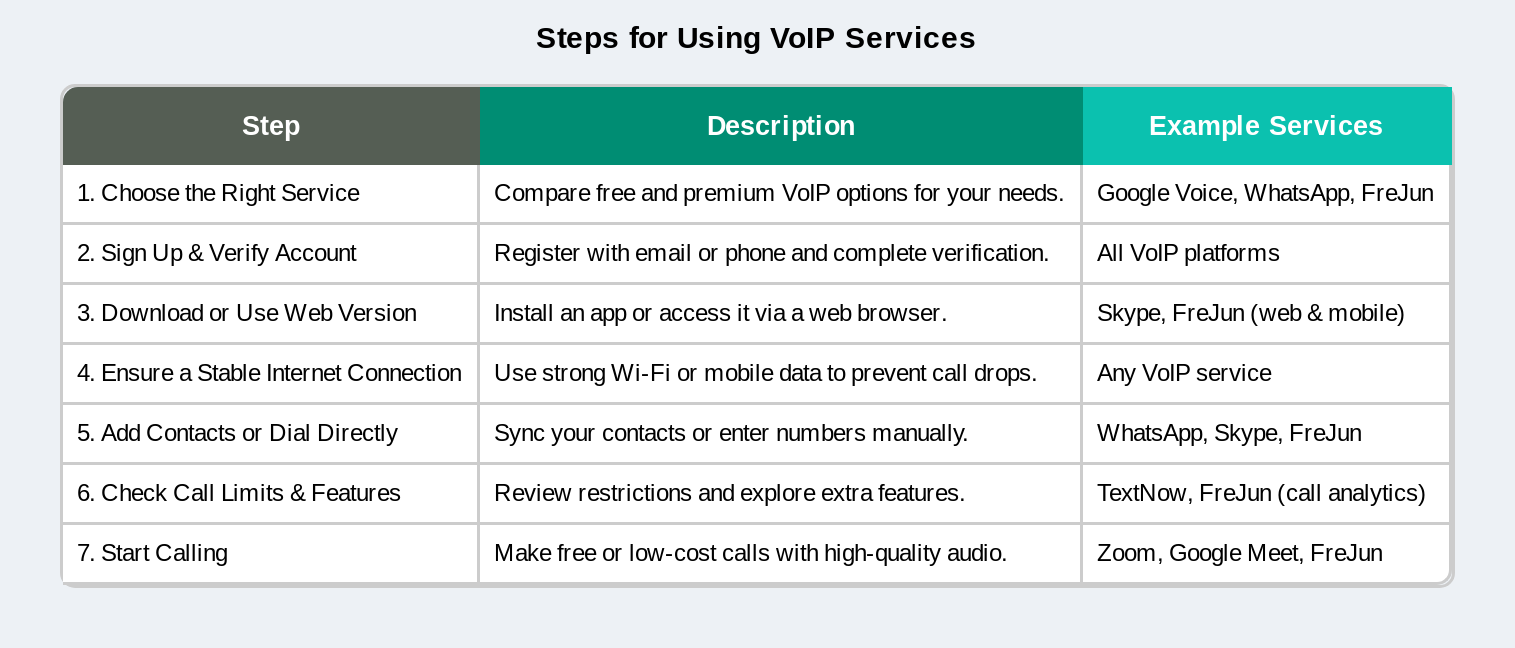
- Step 1: Choose the Right Free Calling Service
- Step 2: Sign Up and Verify Your Account
- Step 3: Download the App or Use a Web-Based Platform
- Step 4: Connect to a Stable Internet Connection
- Step 5: Add Contacts or Dial the Number Directly
- Step 6: Check for Call Limits and Features
- Step 7: Start Calling and Enjoy Free Communication
- What are the Top Alternative: Business-Grade VoIP Solutions?
- Pros & Cons of Using FreJun for Online Calls
- Use Case / Scenario: How Teams Benefit from FreJun
- How Can You Fix Issues During Online Phone Calls?
- What Are the Limitations of Free Online Calling Services?
- How Can Businesses Benefit From Free Online Calling Tools?
- Conclusion
- Frequently Asked Questions
Free Online Calling Queries
Many users search for terms like free call online, 1 minute free call, call free online, and free online calling when looking for instant internet-based communication options. These services allow users to make voice calls using VoIP technology like FreJun without traditional phone charges, often through a browser or mobile app. Some platforms provide trial minutes or limited free calls to test call quality before upgrading to paid plans. Free online calling solutions are commonly used for quick conversations, international communication, and testing business VoIP services before full deployment.
How to Start using Free Calling Online Phone Services with Zero Setup?
FreJun lets users launch calls instantly through a web browser or mobile app no complex configurations, no hidden fees. With smart features like virtual numbers, call recording, and CRM integration, it’s a complete VoIP solution even during the free trial.
What are the Simple Steps to Use Free Call Online Phone Services?
Online phone services like FreJun have revolutionized the way we communicate, offering free calling options that help users save money while staying connected. Whether you want to make a personal call, conduct business communication, or reach out internationally, free call services provide a convenient solution. These platforms eliminate the need for expensive phone plans, making them an excellent choice for budget-conscious users. There are many internet calling apps that allow you to make free or low-cost calls online, making it easy to stay connected across countries.
With a variety of free calling apps and web-based platforms available, anyone can make calls without the need for a traditional phone network. However, to make the most out of these services, it’s essential to understand the right steps to follow. In this guide, we will walk you through the seven simple steps to effectively use free call online phone services.
Step 1: Choose the Right Free Calling Service
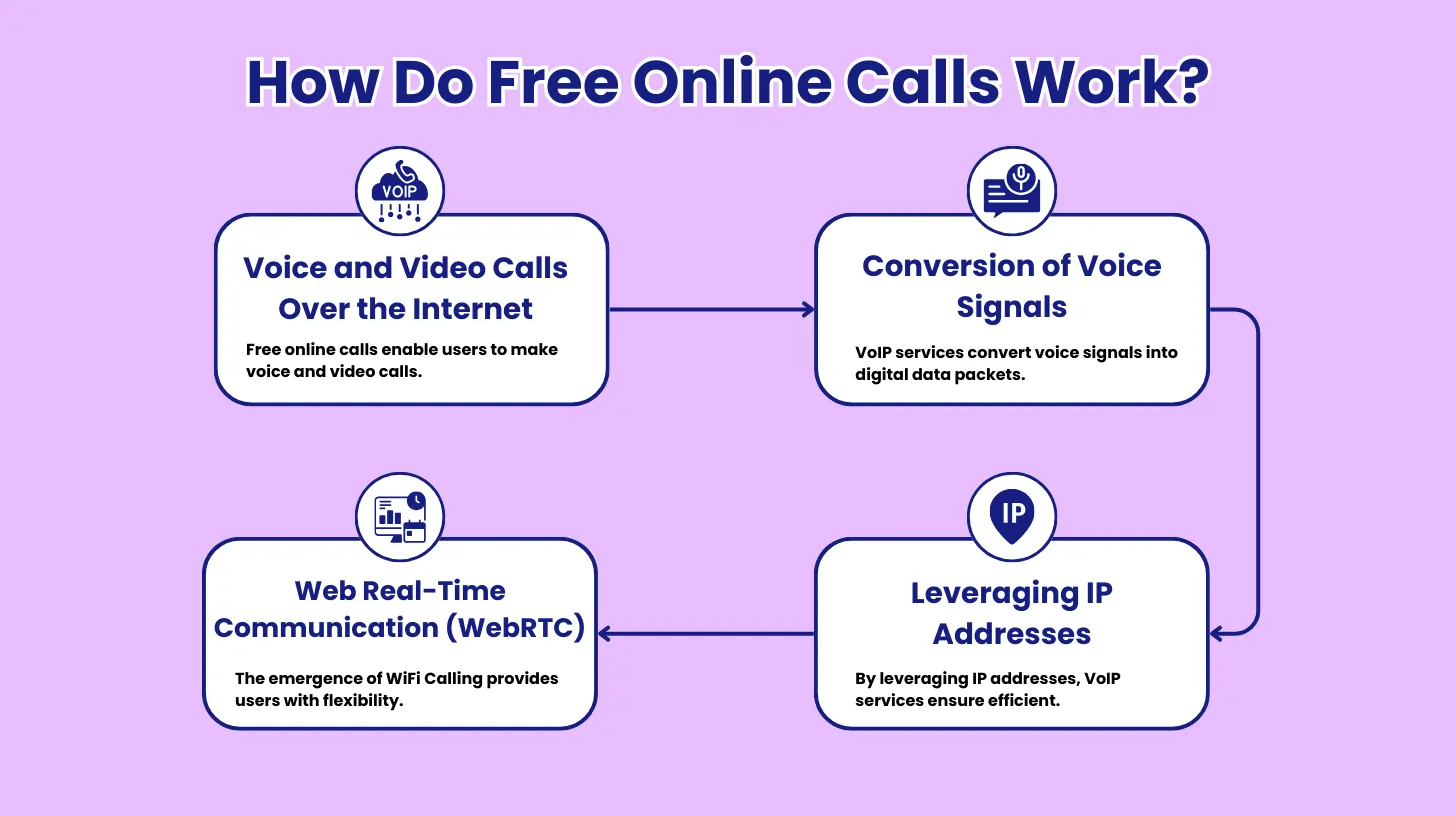
A “free calling service” refers to an app or platform that allows users to make phone calls over the internet without incurring any additional charges, typically by utilizing a stable Wi-Fi connection; popular options like Skype, WhatsApp, and Google Duo enable free calls between users on the same platform, providing a convenient way to connect with friends and family globally without incurring phone plan minutes. If you need a premium solution for your business needs, consider FreJun, which automates calling, logging your business calls and insights with your favourite workflow tools in a single click.
Step 2: Sign Up and Verify Your Account
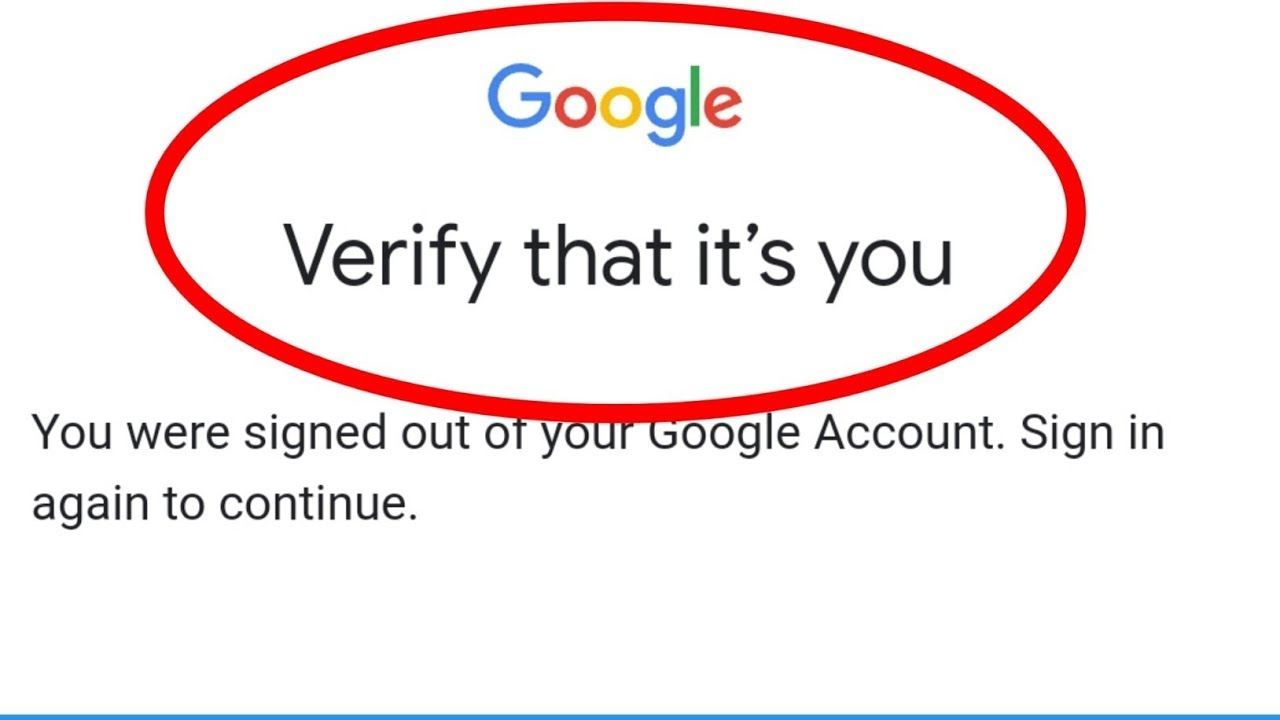
To see if your account is verified, sign into your Google Account. If it hasn’t been verified yet, you’ll see a message asking you to verify your account.
Most free calling apps require a phone number or email for registration. Follow these steps:
- Enter your phone number or email to create an account.
- Verify your identity using an OTP (One-Time Password) sent to your number or email.
- Set up your profile with a name and profile picture.
Security Tip: Use strong passwords and two-factor authentication to keep your account secure.
Step 3: Download the App or Use a Web-Based Platform

To download and install an app on an Android device, you can use the Google Play Store app. You can also download apps from other sources.
Once you’ve chosen your preferred app, follow these steps:
- Visit the App Store (iOS) or Google Play Store (Android).
- Search for the app (e.g., WhatsApp, Skype, Google Meet).
- Tap Install and wait for the download to complete.
- Open the app and allow the necessary permissions (microphone, contacts, etc.).
Pro Tip: Some apps also offer desktop versions, allowing you to make calls from a PC or laptop.
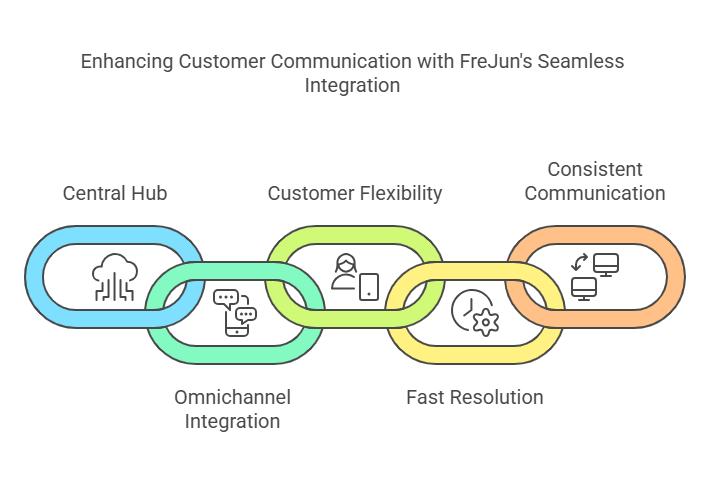
Step 4: Connect to a Stable Internet Connection
Since free calls rely on VoIP technology, a strong internet connection is necessary. Use Wi-Fi or high-speed mobile data to ensure clear, uninterrupted calls. Avoid public networks that may cause connectivity issues.

To connect to a stable internet connection, ensure your router is positioned in a central location, away from obstructions, and consider using an ethernet cable for a hardwired connection, which is generally more reliable; you can also try restarting your router, updating its firmware, and checking for network interference from other devices; if issues persist, contact your internet service provider (ISP) to investigate potential problems on their end.
Step 5: Add Contacts or Dial the Number Directly
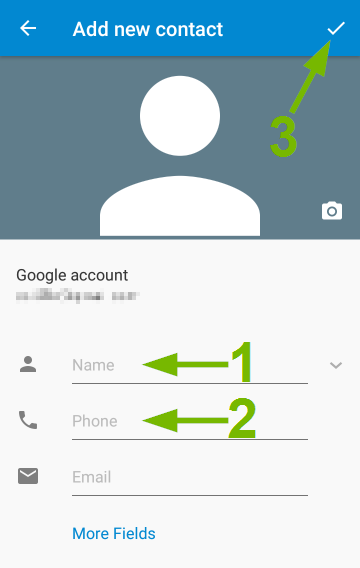
To add contacts and start calling on your phone, open your phone’s “Contacts” app, tap the “Add new contact” button, enter the person’s name and phone number, save the contact, then go back to your phone’s dialer and select the new contact from your list to call them.
To begin making free mobile calls:
- Allow the app to access your contacts for easy syncing.
- Manually add contacts if they are not detected automatically.
- Search for the contact in the app’s directory.
- Tap the voice or video call button to initiate the call.
Group Calling Tip: Many apps support conference calls, allowing you to speak with multiple people at once.
Step 6: Check for Call Limits and Features

Some services impose call duration limits, while others allow unlimited calls. Check whether the service has restrictions and explore additional features such as video calling, messaging, or group calls for enhanced communication.
To check your call limits and features, navigate to your service provider’s account management portal, usually accessible through your login area, where you can typically find a section dedicated to “Usage details” or “Account settings” which will display your current call limits and available features based on your subscription plan.
Step 7: Start Calling and Enjoy Free Communication

Once everything is set up, you’re ready to make free calls. Follow any necessary guidelines provided by the platform, ensure a stable connection, and enjoy seamless communication without extra costs. “Start Calling and Enjoy Free Communication” means that you can begin making phone calls right now to connect with others without having to pay any extra charges, likely referring to using a free calling app or service that allows for unlimited calls within certain parameters, like calling other users on the same platform.
What are the Top Alternative: Business-Grade VoIP Solutions?
While free apps cater to personal use, businesses often require more robust and feature-rich VoIP solutions. Business-grade VoIP services like FreJun offer a range of advanced features, including:
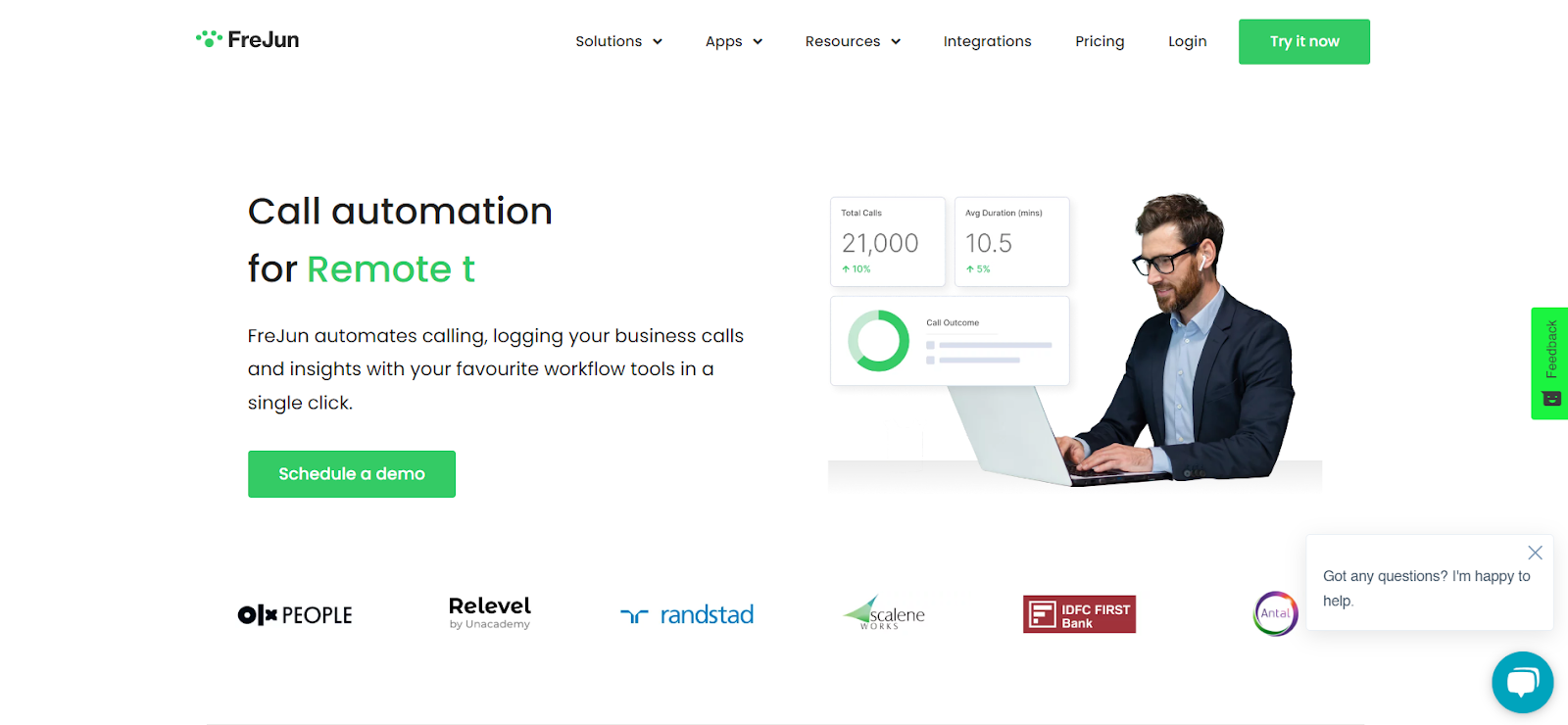
FreJun’s AI-driven capabilities, such as call transcription and sentiment analysis, make it a game-changer in the VoIP industry. Businesses can gain deeper insights into customer interactions, enabling them to refine their service strategies and improve customer satisfaction. With FreJun, companies benefit from intuitive call management features, global connectivity, and seamless integration with popular CRM platforms, creating a unified communication hub.
Key Features:
- AI-Powered Call Analytics – Track, analyze, and improve calls.
How FreJun’s AI Enhances Business Communication
- Seamless CRM Integration – Works with Salesforce, HubSpot, and Zoho.
See How FreJun Integrates with Leading CRMs
- Call Recording & Transcription – Automatically log and store call data.
Discover How FreJun’s Call Recording Works
- Enterprise-grade security – GDPR-compliant with encryption.
- Virtual Numbers & Auto Dialing – Expand business reach globally.
Explore FreJun’s Virtual Phone Solutions
- Multi-Device Compatibility – Use on desktop, mobile, and VoIP phones.
Pricing: Standard: Begins at $14.49 per user, per month.
Professional: Starts at $16.69 per user, per month.
G2 Rating: 4.9/5 (Read Reviews)
Best For: Companies looking for AI-powered VoIP solutions with advanced automation features.
You can sign up here or schedule a demo
Pros & Cons of Using FreJun for Online Calls
Pros of Using FreJun
- ✅ Save costs on domestic & international calls compared to traditional phone lines
- ✅ Works seamlessly across browsers, desktop, and mobile devices
- ✅ AI-powered call insights, automatic transcription, and conversation summaries
- ✅ Easy CRM/ATS integration for sales, recruitment, and support teams
- ✅ Scalable solution for teams of any size, ideal for enterprises
Cons / Limitations
- ❌ Requires stable internet connection for high-quality calls
- ❌ Premium features require a subscription plan (not free)
- ❌ Setup may take time for large enterprise deployments
Use Case / Scenario: How Teams Benefit from FreJun
Sales Teams:
- Track calls, record conversations, and gain AI insights to close deals faster.
Support Teams:
- Resolve customer issues efficiently using browser-based VoIP with call analytics.
Recruiters:
- Conduct candidate calls internationally with AI-driven summaries and call tracking.
Remote Teams:
- Stay connected across locations with secure, high-quality voice calls and team collaboration tools.
How Can You Fix Issues During Online Phone Calls?
Even with reliable online phone services, users may sometimes face call quality or connectivity issues. Here’s how to troubleshoot common problems for a smooth calling experience:
1. Check Your Internet Connection
- Ensure a stable Wi-Fi or wired connection.
- For weak networks, consider switching to a faster connection or reducing other bandwidth-heavy activities.
2. Use Updated Browsers or Apps
- Always use the latest version of your browser or FreJun app for optimal performance.
- Clear cache and cookies if calls are lagging or not connecting.
3. Adjust Audio & Device Settings
- Verify your microphone and speaker are properly configured.
- Test audio settings before making important calls.
4. Reduce Background Applications
- Close unnecessary apps or tabs that may slow down your system.
- Freeing resources can improve call clarity and reduce lag.
5. Restart Devices if Needed
- A quick restart can resolve minor software conflicts affecting VoIP calls.
6. Contact Support
- If issues persist, reach out to FreJun’s customer support for troubleshooting assistance.
Pro Tip: Using a headset often improves call quality and reduces background noise for a professional conversation experience.
What Are the Limitations of Free Online Calling Services?
While free online calling services are convenient, they come with certain limitations:
- Internet Dependence: Calls require a stable internet connection; weak connections can cause lag or dropped calls.
- Feature Restrictions: Free plans often lack advanced features like call recording, CRM integration, or analytics.
- Call Duration Limits: Some platforms limit the length of each call or number of calls per day.
- Device Compatibility Issues: Certain features may only work on specific browsers or devices.
- Privacy & Security Concerns: Free services may not offer end-to-end encryption, potentially exposing sensitive conversations.
Tip: Platforms like FreJun overcome many of these limitations by offering unlimited free calls, secure communication, and additional business features.
How Can Businesses Benefit From Free Online Calling Tools?
Free online calling tools are not just for casual users they can bring significant advantages to businesses:
- Cost Savings: Eliminate phone bills for domestic and international calls.
- Remote Team Collaboration: Teams can connect instantly without installing apps.
- Integration with Business Tools: Platforms like FreJun integrate with CRM systems for seamless sales and support workflows.
- Scalable Communication: Host multiple calls simultaneously without extra charges.
- Improved Customer Engagement: Quickly respond to client queries and schedule meetings without delay.
Example Use Case: A small sales team can use free online calls to reach international clients, record calls for training, and track interactions in their CRM all without paying for traditional phone lines.
Conclusion
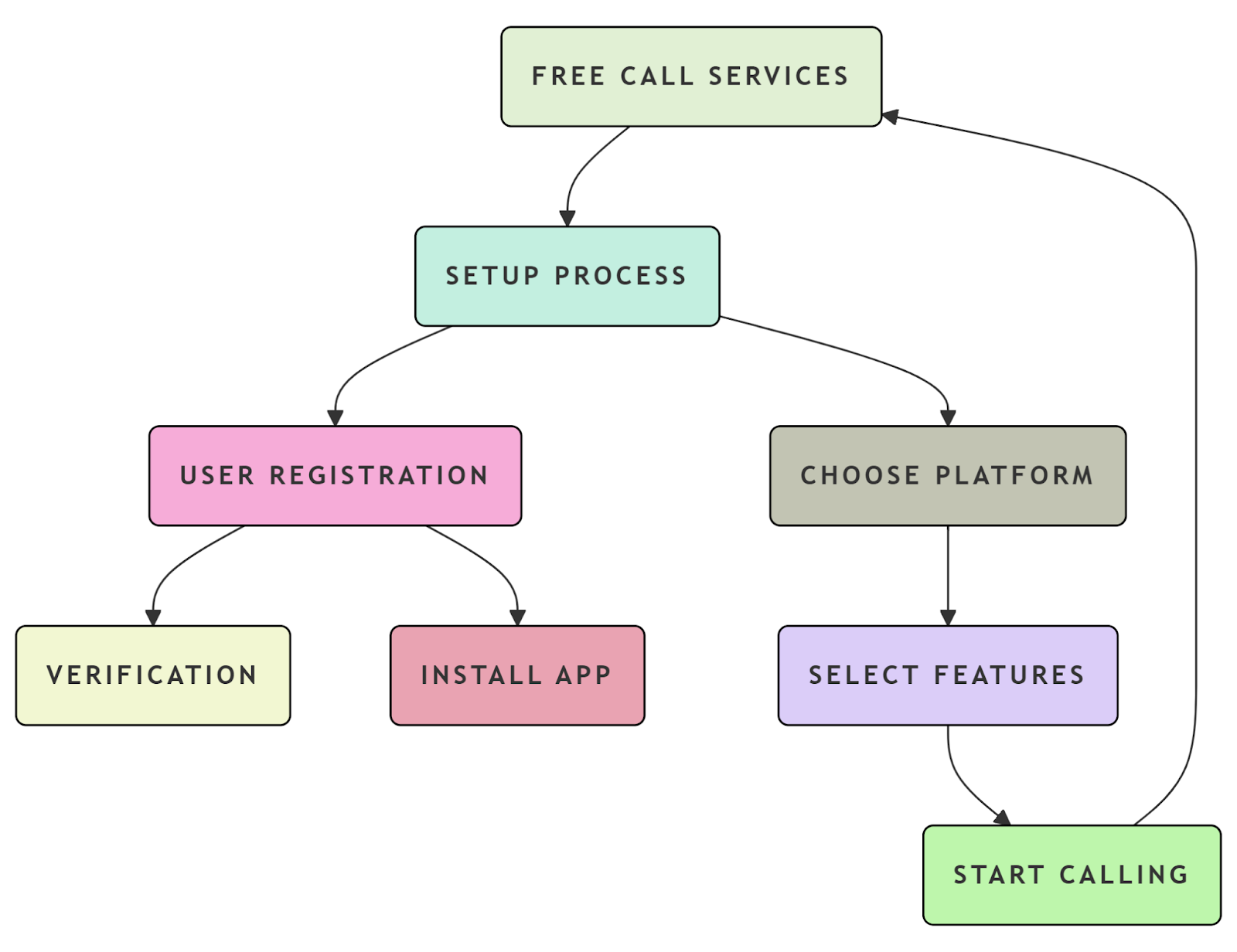
Free call online phone services are an excellent alternative to traditional phone plans, allowing users to stay connected without breaking the bank. By following these seven simple steps, you can efficiently set up and use a free calling service with ease. Whether for personal or professional use, these platforms provide an effective and reliable communication solution.
As technology continues to evolve, free online calling is becoming an essential tool for millions worldwide. Whether you need to make frequent international calls or just want to stay in touch with loved ones, these services offer flexibility and affordability. They eliminate the hassle of expensive phone bills while ensuring you never miss an important conversation. Many platforms also integrate additional features such as video calling, messaging, and conference calls, making them a versatile communication solution for various needs.
Start using free call services today and enjoy cost-free conversations anytime, anywhere! With the right approach, you can take full advantage of these digital tools to enhance your communication experience, making every call seamless and stress-free.
Free call online phone services are an excellent alternative to traditional phone plans, allowing users to stay connected without breaking the bank. By following these seven simple steps, you can efficiently set up and use a free calling service with ease. Whether for personal or professional use, these platforms like FreJun provide an effective and reliable communication solution.
You Can Sign Up or Schedule A Demo
Further Reading: Top 7 Microsoft Dynamics Calling Integrations for 2025: A Comprehensive Guide
Frequently Asked Questions
Just internet access and a device. FreJun allows calling from browsers or mobile apps without any additional hardware.
No. FreJun offers a free trial that includes essential calling features like virtual numbers and call tracking — no credit card required.
Setup takes minutes. With FreJun, you can sign up, verify your business email, and start calling immediately.
Yes. FreJun lets you pick or assign a professional virtual number for clear business communication.
Yes, to a limited extent. FreJun provides trial users with restricted international calling so they can test global connectivity.
Yes. FreJun offers access to call recordings, real-time summaries, and analytics even during the trial period.
Very secure. FreJun uses end-to-end encryption and secure protocols to protect every call and customer interaction.
Crystal-clear audio powered by HD VoIP technology.
Yes, AI automatically records and transcribes business calls.
No installation needed; calls can be made directly through your browser.