Last updated on November 7th, 2026 at 03:37 pm
Quick Answer: VoIP number software lets business teams make and receive calls over the internet using virtual phone numbers, with no physical phone lines required. The best platforms combine call recording, CRM integration, and AI-powered analytics. Nine platforms stand out in 2026, each suited to a different team size, CRM stack, and calling volume. The right choice depends on whether your priority is AI automation, global reach, API flexibility, or simplicity.
AI Summary: VoIP number software routes business calls over the internet using virtual phone numbers, replacing physical lines with cloud-based calling. This article covers nine platforms, comparing how each handles CRM logging, call routing, AI features, and international coverage. The right platform depends on team size, CRM stack, and whether the priority is automation depth, global reach, or low setup overhead.
What is VoIP Number Software for Business?
VoIP (Voice over Internet Protocol) number software lets businesses assign virtual phone numbers and route calls over the internet rather than traditional copper lines. Unlike legacy PBX (Private Branch Exchange) systems that require on-site hardware, VoIP platforms run in the cloud. If you’re evaluating VoIP phones for business, your team can call from a laptop, mobile, or browser with no physical setup required.
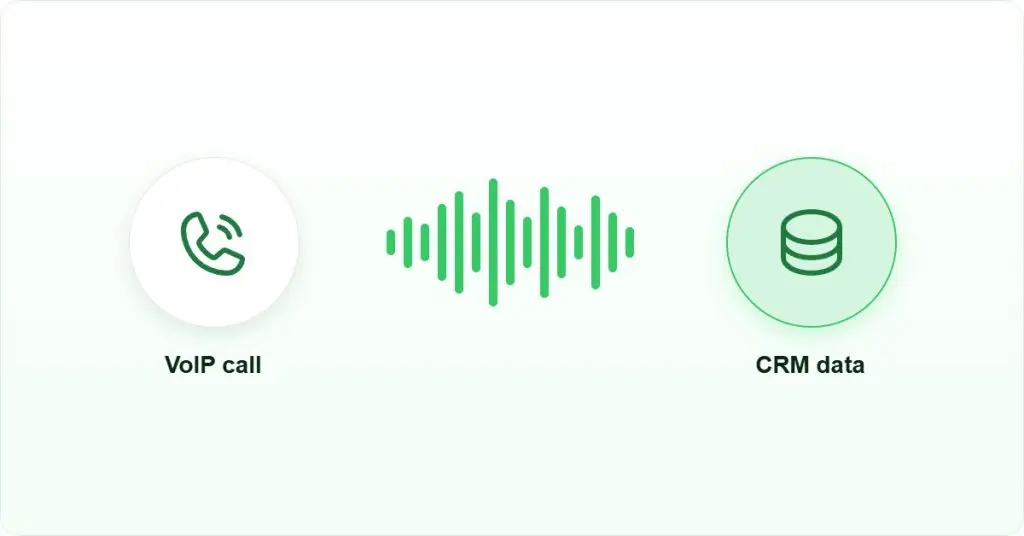
When a rep dials out, the platform converts audio into data packets, sends them over your internet connection, and reassembles them at the other end. Because no physical line is involved, the same number works from a laptop in Mumbai, a mobile in Dubai, or a browser in Singapore. The CRM integration layer is where the real operational difference shows up: a native integration logs the call, duration, and outcome automatically, while a third-party connector introduces a sync delay and a second failure point.
Teams evaluating VoIP number software should filter on four criteria in order: total cost of ownership, AI feature depth, CRM integration type (native versus connector), and call quality with local number availability in the markets they actually sell into. The infographic below shows this filter sequence.
How to Set Up VoIP Number Software for Your Business
Setting up VoIP number software takes less time than most teams expect. The steps below apply across most cloud-based platforms.
- Choose your plan and sign up: Select a plan based on team size and required features. Most platforms offer a trial period so you can test before committing.
- Assign virtual numbers: Pick local, toll-free, or international numbers for each team member or department. Most platforms let you do this from the dashboard in under a minute.
- Connect your CRM: Integrate with your existing CRM, such as Salesforce, HubSpot, or Zoho, so calls log automatically without manual entry.
- Configure call routing: Set up IVR (Interactive Voice Response) menus, call queues, or direct routing rules so incoming calls reach the right person every time.
- Enable call recording and transcription: Turn on automatic recording and AI transcription so every conversation is captured and searchable.
- Train your team: Most VoIP platforms have browser extensions or mobile apps, so onboarding takes under 30 minutes per rep.
Quick Recommendations: Which VoIP Platform Fits Your Team?
Before going deep on each platform, here is a fast reference so you can skip to what matters for your team size and use case.
- Best for AI automation and CRM sync: FreJun
- Best for large enterprises: RingCentral
- Best for startups and solopreneurs: Grasshopper
- Best for growing mid-size teams: Nextiva
- Best for security-first enterprises: Cisco Webex
- Best for global operations: 8×8
- Best for custom API workflows: Vonage
- Best for budget-conscious small businesses: Ooma Office
- Best for Zoom-first teams: Zoom Phone
How Do You Simplify Business Calls with VoIP Numbers?
Simplifying business calls with VoIP starts with centralizing your numbers, devices, and call data in one place. When your team can call from any device, see call history in the CRM, and get transcripts automatically, the manual overhead disappears. The right VoIP number software for business handles all of this without requiring IT involvement or hardware purchases.
The mechanism that makes this work is straightforward. A cloud-based VoIP platform sits between your team’s devices and the public telephone network. When a rep clicks to call, the platform dials out through its carrier connections, records the session, and writes the call record back to the CRM via a native API or a webhook. Because the platform owns the call session, it can also run AI processing on the audio in near-real time, producing a transcript and a summary before the rep has finished their wrap-up notes.
Where this breaks down is at the CRM integration layer. A native integration writes directly to the CRM’s object model, so the call record appears instantly and accurately. A third-party connector, by contrast, polls for new records on a schedule, introduces a sync delay, and adds a second service that can fail independently. When evaluating any platform on this list, ask specifically whether the CRM integration is native or connector-based, because that distinction determines whether your CRM data is reliable by Friday afternoon or stale by Wednesday.
Top 9 VoIP Number Software Platforms for Business
The nine VoIP number software platforms below consistently deliver for business teams. Each entry covers what the platform does well, where it falls short, and which scenario makes a different tool the better pick.
| Provider | Best For | Key Features | Setup Effort | Pricing & Free Trial |
|---|---|---|---|---|
| FreJun | AI automation and CRM sync | AI transcription, auto-dialer, native CRM logging | Native CRM connector, no code | Check pricing & trial |
| RingCentral | Large enterprises needing unified comms | Unified voice, video, messaging; advanced routing | Admin console, guided setup | Check pricing & trial |
| Grasshopper | Startups and solopreneurs | Virtual business line, auto-attendant, voicemail transcription | Self-serve, no hardware | Check pricing & trial |
| Nextiva | Growing mid-size teams | Unified voice, email, chat; analytics dashboard | Admin console, guided onboarding | Check pricing & trial |
| Cisco Webex | Security-first enterprises | End-to-end encryption, PSTN global reach, Webex suite integration | IT-led deployment, admin console | Check pricing & trial |
| 8×8 | Global operations | Unlimited international calling, AI analytics, video conferencing | Admin console, guided setup | Check pricing & trial |
| Vonage | Custom API workflows | Extensive API library, IVR, CRM integrations | REST API, developer setup required | Check pricing & trial |
| Ooma Office | Budget-conscious small businesses | Virtual receptionist, no contracts, built-in failover | Self-serve, no hardware required | Check pricing & trial |
| Zoom Phone | Zoom-first hybrid teams | PSTN global coverage, Zoom Meetings integration, voicemail transcription | Admin console, Zoom ecosystem install | Check pricing & trial |
1. FreJun

FreJun is built for sales and support teams that need more than a dial tone. It combines Virtual Numbers, AI-powered call transcription, sentiment analysis, and direct CRM logging into one platform. Reps spend time talking rather than typing, because every call is logged, transcribed, and synced to the CRM automatically after the call ends.
The platform’s AI layer processes call audio to produce transcripts and sentiment signals, giving managers real visibility into what is happening on calls. Businesses gain deeper insight into customer interactions, which helps them refine service strategies and improve customer satisfaction. FreJun connects natively with popular CRM and ATS platforms, so call data flows into existing workflows without manual logging.
Key Features:
- Virtual Numbers: Local or toll-free numbers for businesses, so your team has a professional presence in any market without a physical office.
- Click-to-Call and Auto-Dialer: Reps initiate calls with a single click and work through contact lists automatically, which increases daily call volume without extra effort.
- Call Transcription and Recording: Every call is recorded and transcribed automatically, so important details are captured accurately and available for coaching or compliance review.
- CRM and ATS Integration: FreJun connects directly with CRM and Applicant Tracking Systems (ATS), so call data flows into your existing workflows without manual logging. See all FreJun CRM and ATS integrations.
- Reports and Analytics: Detailed analytics track team performance, identify what is working, and flag areas that need attention. Explore FreJun’s call analytics tools for managers.
- AI Insights: FreJun uses AI to analyze call data and surface actionable patterns, helping teams improve their outreach strategy based on real conversation data. Learn how FreJun’s AI powers outbound sales calls.
We recommend FreJun over other platforms on this list when your team needs AI automation and CRM sync working together out of the box. However, if your team has no CRM and only needs a basic business line, Grasshopper or Ooma Office will serve you better at lower complexity. FreJun’s value is in the automation layer, and that layer only pays off when there is a CRM to sync with.
Pricing: Check pricing & trial
Best For: Sales and support teams that need AI automation and direct CRM workflow integration.
2. RingCentral

RingCentral is a strong choice for large enterprises that need voice, video, and messaging unified under one platform. It handles advanced call distribution, call forwarding, and analytics at scale, and it connects with tools like Microsoft Teams and Salesforce, so large teams can keep their existing workflows intact.
RingCentral’s pricing structure makes it harder to justify for smaller teams. If you’re running a team of under 20 reps, the cost-to-feature ratio tips in favor of lighter platforms. For global enterprises with complex routing needs, though, RingCentral is a well-documented choice. The trade-off is that the platform’s breadth means a steeper admin learning curve compared to purpose-built sales dialers.
Key Features:
- Unified communication for voice, video, and chat in one interface.
- AI-powered analytics to track and improve customer interactions.
- Call recording and voicemail transcription for documentation and compliance.
- Mobile and desktop apps for calling from anywhere.
- Advanced call distribution and routing for large team deployments.
Pricing: Check pricing & trial
Best For: Large enterprises needing unified voice, video, and messaging at scale.
3. Grasshopper
Grasshopper is a virtual phone system built for small businesses and solopreneurs who need a professional business line without the complexity of a full VoIP platform. It handles call forwarding, voicemail, and auto-attendant well, so a one-person team can project the same phone presence as a larger company.
The biggest limitation is that Grasshopper lacks the AI features and CRM integrations that growing teams need. It is a solid starting point, but most teams outgrow it once they hit five or more reps and need call analytics or CRM sync. At that point, the absence of a native CRM connector becomes the deciding factor to switch.
Key Features:
- Virtual phone numbers with local, toll-free, and vanity options.
- Auto-attendant for professional call routing and greetings.
- Call forwarding to mobile and desktop devices.
- Voicemail transcription for quick message review.
- Simple pricing with unlimited extensions.
Pricing: Check pricing & trial
Best For: Startups and solopreneurs needing a simple virtual business line.
4. Nextiva

Nextiva is a strong fit for growing businesses that need voice, email, and chat in one place without the enterprise price tag of RingCentral. Its analytics and automation tools give managers real insight into customer interactions, while its plans are accessible for teams scaling from 10 to 100 users.
Nextiva’s onboarding is straightforward, and the platform’s reliability is well-documented. The biggest trade-off is that its AI features are less mature than those of purpose-built AI dialers, so teams that prioritize call transcription and sentiment analysis may find it limiting. Nextiva is the better pick when unified communications matter more than deep AI automation.
Key Features:
- Unified communication for voice, email, and chat.
- Analytics dashboard to track and improve customer interactions.
- Call recording and voicemail transcription for documentation.
- Mobile and desktop apps for calling from anywhere.
- Reliable uptime with 24/7 customer support.
Pricing: Check pricing & trial
Best For: Growing businesses needing a scalable, unified communication platform.
5. Cisco Webex

Cisco Webex Calling is the go-to choice for enterprises in regulated industries where security and compliance are non-negotiable. It integrates with the full Webex suite, giving teams a unified experience across voice, video, and collaboration tools, while enterprise-grade encryption and PSTN (Public Switched Telephone Network) connectivity cover global reach.
The most common feedback from teams using Webex is that the security features are excellent but the interface takes longer to learn than lighter platforms. If your team is in finance, healthcare, or government, or a legal practice, the compliance features justify the learning curve. For teams in those sectors, VoIP for law firms is a particularly strong use case. Teams outside regulated industries will find the overhead unnecessary.
Key Features:
- HD voice and video communication with enterprise-grade quality.
- End-to-end encryption and compliance features for regulated industries.
- Integration with Webex Teams for enhanced collaboration.
- Global reach with PSTN connectivity across major markets.
- Scalable plans built for large enterprise deployments.
Pricing: Check pricing & trial
Best For: Enterprises in regulated industries that need secure VoIP with full collaboration tools.
6. 8×8
8×8 is the right choice for businesses with significant international calling needs. It offers unlimited calls to over 40 countries, which makes it a practical option for teams with customers or offices spread across multiple regions. The platform combines VoIP, video conferencing, and team messaging in one interface, with AI-powered analytics built in.
The biggest trade-off with 8×8 is that its base plan is priced above lighter options on this list. But if your team makes frequent international calls, the unlimited calling model can pay for itself compared to per-minute billing. Teams that call primarily within one country will find the international calling feature underused and the cost harder to justify.
Key Features:
- Unlimited international calling to over 40 countries.
- AI-powered analytics to improve customer engagement.
- HD video conferencing with screen sharing.
- Scalable plans for small businesses and global enterprises.
- End-to-end encryption across all communication channels.
Pricing: Check pricing & trial
Best For: Businesses with global operations needing unlimited international VoIP calling.
7. Vonage Business Communications

Vonage Business Communications is the right choice for tech-savvy teams that need to build custom calling workflows. Its extensive API library lets developers connect Vonage to almost any internal system, while built-in features like IVR, call queuing, and a virtual receptionist handle day-to-day call management. It integrates directly with Salesforce, HubSpot, and other major CRMs.
The most common challenge teams report with Vonage is that the API flexibility requires developer time to set up properly. If your team does not have engineering resources, you will get more value from a platform that comes pre-integrated with major CRMs out of the box. Vonage is the better pick when the workflow requirement is genuinely custom and a standard integration would not cover it.
Key Features:
- Extensive API support for building custom communication workflows.
- Advanced IVR and call routing for professional customer management.
- Direct integration with Salesforce, HubSpot, and other CRMs.
- Scalable plans for growing teams.
- 24/7 customer support with detailed documentation.
Pricing: Check pricing & trial
Best For: Tech-savvy businesses that need custom VoIP workflows and API-level control.
8. Ooma Office
Ooma Office is a budget-friendly option for small businesses that need reliable calling without a long-term contract. Its virtual receptionist handles automated call routing, and the setup is simple enough that most teams are live within an hour. There are no hidden fees and no hardware requirements beyond a standard internet connection.
The trade-off is that Ooma lacks the AI features and deep CRM integrations that growing teams need. It is a practical choice while your team is small, but most businesses switch to a more capable platform once they hit consistent call volume and need analytics. Ooma is the right pick when simplicity and no-contract flexibility matter more than automation depth.
Key Features:
- Virtual receptionist for automated call handling and routing.
- Call blocking and routing to manage incoming calls efficiently.
- Mobile app for managing calls from anywhere.
- Simple pricing with no contracts or hidden fees.
- Built-in failover for reliable call quality.
Pricing: Check pricing & trial
Best For: Budget-conscious small businesses that need a reliable VoIP system without contracts.
9. Zoom Phone

Zoom Phone is the natural choice for teams already using Zoom Meetings as their primary video platform. It adds high-quality VoIP calling to the Zoom ecosystem, so your team can switch between voice and video without changing apps. Global PSTN coverage means international calls work reliably, and the entry-level plan is among the most accessible on this list.
The biggest limitation is that Zoom Phone works best when your whole team is already in the Zoom ecosystem. If you are using a different video platform or need deep CRM automation, a platform with stronger native CRM integration will give you more calling-specific features. Zoom Phone is the right pick when ecosystem consistency matters more than dialer depth.
Key Features:
- Enterprise-grade PSTN connectivity with global reach.
- Direct integration with Zoom Meetings for unified voice and video.
- Voicemail transcription and call recording for documentation.
- Scalable plans for businesses of any size.
- Security features to protect sensitive call data.
Pricing: Check pricing & trial
Best For: Teams already using Zoom for video who want to add VoIP calling in the same platform.
Which VoIP Number Software Should You Choose for Your Business?
The right VoIP number software for business depends on your team size, calling volume, CRM stack, and how much you need AI and automation. Here is a direct breakdown to help you decide.
If your team makes high-volume outbound calls and needs every call logged automatically in your CRM, a platform with native CRM integration and an auto-dialer is the right starting point. The auto-dialer, AI transcription, and direct CRM sync need to work together, because a platform that handles two of the three still leaves manual work in the gap.
If you are a solo founder or a team of two or three people, Grasshopper or Zoom Phone give you a professional business line without paying for features you will not use yet. Both are easy to set up and accessible enough to start with before upgrading. For enterprises with strict security requirements, Cisco Webex is the right call. For global teams making frequent international calls, 8×8’s unlimited calling model saves money over per-minute billing. If your team needs custom API workflows and has engineering resources, Vonage is the better pick over a pre-integrated platform.
The biggest mistake most teams make is choosing a platform based on brand recognition alone rather than matching features to their actual workflow. Exploring the right VoIP business solutions upfront saves time and switching costs later. VoIP number software for business works best when it fits how your team already operates, not the other way around.
For teams in India, the Top 7 Calling Dialer Service Providers in India covers local compliance and number format requirements in more detail. For UAE-specific calling context, see UAE Phone Number Examples: A Complete Guide with Calling Codes.
One decision framework worth applying: if your team’s primary friction is call volume, choose a platform with an auto-dialer. If the friction is CRM data quality, choose a platform with a native integration. If the friction is international reach, choose a platform with local number availability in your target markets. These three problems have different solutions, and no single platform is the best answer to all three simultaneously.
Frequently Asked Questions About VoIP Number Software for Business
General Questions
A VoIP number is a virtual phone number that routes calls over the internet rather than traditional copper phone lines. When you dial out or receive a call, the audio is converted into data packets, transmitted over your internet connection, and reassembled at the other end. Because there is no physical line required, you can use the same number from a laptop, mobile phone, or browser. Call quality depends on your internet connection bandwidth and the codec the platform uses.
VoIP numbers cost significantly less than traditional landlines, since you are not paying for physical infrastructure or per-minute rates on most plans. They are also more flexible: your team can call from any device, from any location, while keeping the same business number. VoIP platforms add features that landlines cannot match, such as CRM sync, call recording, and AI transcription, so your team gets more value from every call rather than just a dial tone.
Yes, and this is one of the strongest use cases for VoIP number software. You can assign separate VoIP numbers or extensions to sales, support, and operations teams, all managed from a single dashboard. Each team gets its own call routing rules, voicemail, and analytics, so managers can track performance by department without mixing data. You can add or remove numbers as your team grows without any hardware changes.
Setup, Reliability and Integration
Modern VoIP platforms are highly reliable when running on a stable internet connection. Most enterprise-grade providers publish uptime SLAs of 99.9% or higher, though the specific guarantee varies by vendor and plan. Call quality depends on your internet bandwidth, but most business broadband connections handle VoIP calls without issues. Platforms with smart call routing can automatically reroute calls when one connection path has quality problems, which reduces dropped calls during peak hours.
Yes. Most VoIP platforms on this list offer both local and international virtual numbers. Local numbers for specific cities or regions give your business a local presence in any market without a physical office. This is particularly useful for sales teams calling into new geographies, since local numbers typically see higher answer rates than international or unknown numbers. Check each vendor’s coverage page to confirm availability in your target markets before committing.
Yes, and CRM integration is one of the key reasons businesses switch to VoIP. Several platforms on this list integrate directly with Salesforce, HubSpot, Zoho, Pipedrive, and other major CRMs, including support for <a href=”https://frejun.com/microsoft-dynamics-365-voip-calling-support/”>Microsoft Dynamics 365 VoIP calling</a>, so every call is logged automatically without manual entry. When evaluating platforms, check whether the integration is native or requires a third-party connector, since native integrations are more reliable and do not introduce sync delays.
Not with modern cloud-based platforms. Most platforms on this list require no hardware and no IT team. You sign up, choose your number, connect your CRM, and your team is ready to call. Grasshopper and Ooma Office are similarly straightforward for small teams. The platforms that require more setup time are those with deep API customization, like Vonage, where the flexibility comes with additional configuration work upfront. Developer resources are needed for custom API workflows.