
Last updated on September 9th, 2026 at 04:39 am
AI Summary: This article covers 11 cloud phone systems that sales teams, support teams, and founders are using to replace traditional PBX infrastructure in 2026. According to Grand View Research, the global cloud telephony market is projected to reach $47.2 billion by 2030, driven by remote work adoption and AI-powered calling features. Businesses evaluating cloud phone systems must weigh CRM integration depth, per-user pricing, and AI automation capabilities before committing. FreJun stands out for sales-focused teams because it auto-logs every call to CRM, provides real-time AI call insights, and starts at $14.49 per user per month.
Cloud phone systems have moved from a nice-to-have to a core piece of business infrastructure. If your team is still running calls through a legacy PBX or a basic SIP trunk, you’re paying more per line, missing CRM data, and making it harder for remote reps to stay productive. The 11 platforms in this guide cover every budget and team size, from solo founders to enterprise contact centers, so you can pick the right fit without wading through vendor marketing.
Quick Answer: Cloud phone systems are internet-based calling platforms that replace traditional phone lines with VoIP (Voice over Internet Protocol) technology. They give businesses virtual numbers, call routing, CRM integration, and AI-powered analytics at a fraction of legacy PBX costs. Top options in 2026 include FreJun, RingCentral, Zoom Phone, Nextiva, and 8×8, each suited to different team sizes and budgets.
Cloud phone systems give businesses internet-based calling with CRM integration, AI analytics, and virtual numbers, replacing costly PBX hardware and enabling remote teams to work from anywhere.
What is a Cloud Phone System?
Understanding what is cloud telephony and how it works is the first step before choosing the right platform. A cloud phone system is a VoIP (Voice over Internet Protocol) platform hosted on remote servers rather than on-premise hardware. To explore a broader perspective on its benefits, features, and applications, businesses can evaluate how these systems align with their specific communication goals.
FreJun takes under 2 minutes to set up and connects to your CRM on day one. No hardware, no IT ticket, no credit card required to start your free trial.
Quick Recommendations: Which Cloud Phone System Fits Your Team?
Before we go deep on each platform, here is a fast reference so you can jump straight to the tool that fits your situation. Each recommendation below is based on pricing, CRM integration depth, and the use cases where each platform genuinely outperforms the others.
- Best for AI-powered sales calling: FreJun ($14.49/user/mo) – auto-logs calls, real-time transcripts, CRM sync
- Best for large enterprises: RingCentral ($20+/user/mo) – 99.999% uptime SLA, 300+ integrations
- Best for flexibility and APIs: Vonage – developer-friendly, strong CPaaS layer
- Best for Zoom-first teams: Zoom Phone – native Zoom ecosystem, HD voice
- Best for omnichannel contact centers: 8×8 – voice, video, chat, and contact center in one
- Best for SMB simplicity: Nextiva ($25/user/mo) – easy interface, strong support
- Best for solopreneurs: Grasshopper – virtual numbers, no per-seat complexity
- Best for enterprise security: Cisco Webex Calling ($15.30/user/mo) – HD audio, enterprise compliance
- Best for Microsoft 365 shops: Microsoft Teams ($4/user/mo) – native M365 integration
- Best for cost-conscious SMBs: Ooma Office ($19.95/user/mo) – unlimited calling, no contracts
- Best for hybrid deployments: Mitel – flexible on-premise and cloud options
What is a Cloud Phone System and How Does It Work?
A cloud phone system converts your voice into data packets and sends them over the internet, just like an email or a video stream. Because calls travel over IP networks rather than copper phone lines, you get lower costs, more flexibility, and features that traditional PBX hardware simply cannot deliver.
When a rep dials a number, the system routes the call through a cloud PBX (Private Branch Exchange) hosted by the provider. That PBX handles call routing, IVR menus, voicemail, and recording, all without any on-site hardware. Since the PBX lives in the cloud, your IT team does not need to manage servers, and your finance team does not need to budget for hardware refresh cycles.
The biggest practical difference from a traditional system is that cloud phone systems tie directly into your CRM and business tools. When a call ends, the recording, transcript, and outcome log automatically in Salesforce, HubSpot, or Zoho, so reps spend time selling rather than updating records.
“After working with 500+ sales teams over 8 years, the pattern is clear: teams that switch from legacy PBX to a cloud phone system do not just cut costs, they gain visibility they never had before. When every call is automatically logged and transcribed, managers can coach on real conversations instead of guessing. That shift alone typically moves connect rates up by 15 to 20 percent within the first quarter.”
— Subhash Kalluri, Co-Founder and CEO, FreJun
Which Cloud Phone System Is Best for Small Businesses?
For small businesses, the best cloud phone system balances low per-user cost with enough features to handle real sales and support workflows. You need CRM integration, call recording, and mobile access without paying enterprise prices. FreJun, Ooma Office, and Nextiva consistently top this category because they offer transparent pricing, fast setup, and no long-term contracts.
1. FreJun

FreJun is an AI-powered cloud phone system built specifically for sales and support teams. It combines virtual numbers, automated call logging, real-time transcripts, and deep CRM integration into one platform that starts at $14.49 per user per month. Teams using FreJun report faster onboarding and better call data quality because every interaction is captured automatically.
Key features: AI call transcription, CRM auto-logging (Salesforce, HubSpot, Zoho, Pipedrive), click-to-call, auto dialer, virtual phone numbers, call recording, real-time analytics, IVR builder, and WhatsApp Business calling.
Pricing: Standard at $14.49 per user per month. Professional at $16.99 per user per month.
G2 Rating: 4.9 out of 5
Best for: Sales teams and support teams that need CRM-connected calling with AI insights, especially those replacing manual call logging.
2. RingCentral

RingCentral is one of the most widely deployed cloud phone systems for mid-market and enterprise teams. It combines voice, video, messaging, and contact center capabilities in a single platform with a 99.999% uptime SLA and over 300 third-party integrations.
Key Features: Advanced call management, video conferencing, mobile app integration, and extensive API support for customization.
Pricing: Starts at $20 per user per month.
G2 Rating: 4.0 out of 5
Best for: Enterprises that need a proven platform with broad integration support and strict uptime guarantees.
3. Vonage

Vonage Business Communications is built for flexibility, with a strong CPaaS (Communications Platform as a Service) layer that lets developers build custom calling workflows on top of the core VoIP service. It works well for both SMBs and larger enterprises that need international calling at scale.
Key Features: Unified communications, CRM integration, team messaging, and international calling options.
Pricing: Contact the Vonage team for pricing details.
G2 Rating: 4.3 out of 5
Best for: Developer-led teams and businesses that need programmable voice APIs alongside standard UCaaS features.
4. Zoom Phone

Zoom Phone is the natural choice for teams already running on Zoom for video meetings. It adds HD voice calling, smart call routing, and voicemail transcription to the same Zoom app your team already uses, so there is no new interface to learn.
Key Features: High-definition voice, smart call routing, voicemail transcription, and strong security measures.
Pricing: Contact the Zoom Phone team for pricing details.
G2 Rating: 4.6 out of 5
Best for: Teams that already use Zoom for video and want to consolidate calling into the same platform.
5. 8×8

8×8 combines voice, video, chat, and contact center services in one cloud platform. Its integrated analytics suite gives managers a single view of agent performance across every channel, which makes it a strong pick for omnichannel support operations.
Key Features: Integrated analytics, team collaboration tools, omnichannel contact center, and AI-driven insights.
Pricing: Contact the 8×8 team for pricing details.
G2 Rating: 4.1 out of 5
Best for: Mid-market and enterprise teams running omnichannel contact centers that need voice, chat, and video under one analytics roof.
6. Nextiva

Nextiva is known for its clean interface and reliable service, which makes it a popular choice for small businesses that want a full-featured cloud phone system without a steep learning curve. Its support team is consistently rated among the best in the VoIP category.
Key Features: VoIP phone systems, CRM integration, mobile app, and advanced call analytics.
Pricing: Digital at $25 per user per month. Core at $35. Engage at $50. Power Suite at $75 per user per month.
G2 Rating: 4.5 out of 5
Best for: Small businesses that prioritize ease of use and responsive customer support over advanced AI features.
7. Grasshopper

Grasshopper is a virtual phone system designed for entrepreneurs and solo operators who need a professional business number without per-seat pricing complexity. It runs on your existing mobile device, so there is no new hardware or app ecosystem to manage.
Key Features: Virtual phone numbers, custom greetings, call forwarding, and voicemail-to-email.
Pricing: Contact the Grasshopper team for pricing details.
G2 Rating: 4.0 out of 5
Best for: Solopreneurs and very small teams that need a professional business number without committing to a full UCaaS platform.
8. Cisco Webex Calling

Cisco Webex Calling brings enterprise-grade VoIP to organizations that need strict security compliance and multi-device support. It integrates with the broader Webex suite, so teams get calling, meetings, and messaging in one Cisco-managed environment.
Key Features: HD audio, advanced security features, integration with Webex Meetings, and multi-device support.
Pricing: Webex Call at $15.30 per user per month. Webex Suite at $22.50 per user per month. Webex Enterprise pricing on request.
G2 Rating: 4.2 out of 5
Best for: Enterprises in regulated industries that need Cisco-grade security and compliance baked into their calling infrastructure.
9. Microsoft Teams

Microsoft Teams is primarily a collaboration platform, but its Phone System add-on turns it into a full cloud phone system. If your organization already runs Microsoft 365, adding VoIP calling through Teams is the lowest-friction path to cloud calling because your team is already in the app every day.
Key Features: VoIP calls, video meetings, team chat, and native integration with Microsoft 365 apps.
Pricing: Microsoft Teams Essentials at $4 per user per month. Microsoft 365 Business Basic at $6. Microsoft 365 Business Standard at $12.50 per user per month.
G2 Rating: 4.3 out of 5
Best for: Organizations already on Microsoft 365 that want to add cloud calling without switching to a separate platform.
10. Ooma Office

Ooma Office targets small businesses that want a cost-effective VoIP solution with unlimited domestic calling and no long-term contracts. It supports analogue desk phones alongside mobile apps, so teams can keep existing hardware while moving to cloud calling.
Key Features: Unlimited calling, virtual receptionist, mobile app, and analog phone support.
Pricing: Ooma Office Essentials at $19.95 per user per month. Ooma Office Pro at $24.95. Ooma Office Pro Plus at $29.95 per user per month.
G2 Rating: 4.6 out of 5
Best for: Cost-conscious small businesses that want unlimited calling and a virtual receptionist without signing a multi-year contract.
11. Mitel

Mitel offers a range of VoIP solutions for businesses that need flexible deployment, including pure cloud, on-premise, and hybrid configurations. It is a strong option for organizations that are not ready to move fully to the cloud but want to start modernizing their phone infrastructure.
Key Features: Unified communications, contact center solutions, collaboration tools, and flexible deployment options.
Pricing: Contact the Mitel team for pricing details.
G2 Rating: 4.2 out of 5
Best for: Organizations running hybrid IT environments that need a vendor supporting both on-premise PBX and cloud calling from the same platform.
In the demo, you’ll see FreJun auto-log a live call to HubSpot, generate a real-time transcript, and flag the follow-up task, all without the rep touching a keyboard. Most teams that see this live switch within the same week.
What Features Should You Look for in a Cloud Phone System?
Not every cloud phone system delivers the same feature set, so knowing which capabilities matter most for your team saves you from paying for tools you will never use. The table below maps the most important features to their practical impact on business operations.
| Feature | Why It Matters | Which Platforms Include It |
|---|---|---|
| AI-Powered Call Automation | Auto-logs calls, generates transcripts, flags follow-ups without manual input | FreJun, RingCentral, 8×8 |
| CRM Integration | Syncs call data directly to Salesforce, HubSpot, Zoho, Pipedrive | FreJun, RingCentral, Vonage, Nextiva |
| Virtual Phone Numbers | Local and toll-free numbers in multiple countries without physical lines | All 11 platforms |
| Call Recording | Captures every conversation for compliance, coaching, and dispute resolution | FreJun, RingCentral, 8×8, Nextiva, Webex |
| IVR (Interactive Voice Response) | Routes inbound calls to the right team or agent automatically | FreJun, RingCentral, 8×8, Nextiva, Ooma |
| Mobile App | Lets remote and hybrid teams make and receive calls from any device | All 11 platforms |
| Real-Time Analytics | Shows call volume, answer rates, and rep performance in live dashboards | FreJun, RingCentral, 8×8, Nextiva |
| Auto Dialer | Speeds up outbound calling campaigns by removing manual dialing | FreJun, RingCentral, 8×8 |
The biggest mistake teams make when choosing a cloud phone system is prioritizing price per seat over integration depth. A $10/user/month platform that does not sync with your CRM will cost you more in manual data entry hours than a $20/user/month platform that logs everything automatically.
How Do Cloud Phone Systems Compare Across Providers?
When you put the 11 platforms side by side, the differences come down to five factors: pricing transparency, CRM integration depth, AI capabilities, uptime guarantees, and support quality. Use this comparison table to narrow your shortlist before booking demos.
| Platform | Best For | Starting Price | G2 Rating | Key Differentiator |
|---|---|---|---|---|
| FreJun | AI-powered sales calling | $14.49/user/mo | 4.9/5 | Auto CRM logging, AI transcripts, auto dialer |
| RingCentral | Enterprise UCaaS | $20/user/mo | 4.0/5 | 99.999% uptime SLA, 300+ integrations |
| Vonage | Developer-led teams | Custom pricing | 4.3/5 | CPaaS APIs, programmable voice |
| Zoom Phone | Zoom-first organizations | Custom pricing | 4.6/5 | Native Zoom ecosystem, HD voice |
| 8×8 | Omnichannel contact centers | Custom pricing | 4.1/5 | Voice, video, chat, and contact center unified |
| Nextiva | SMB simplicity | $25/user/mo | 4.5/5 | Easy interface, top-rated support |
| Grasshopper | Solopreneurs | Custom pricing | 4.0/5 | Virtual numbers on existing mobile device |
| Cisco Webex Calling | Enterprise security | $15.30/user/mo | 4.2/5 | Cisco-grade compliance and HD audio |
| Microsoft Teams | Microsoft 365 shops | $4/user/mo | 4.3/5 | Native M365 integration, lowest entry price |
| Ooma Office | Cost-conscious SMBs | $19.95/user/mo | 4.6/5 | Unlimited calling, no contracts |
| Mitel | Hybrid deployments | Custom pricing | 4.2/5 | On-premise and cloud in one vendor |
How to Choose the Right Cloud Phone System for Your Business
Choosing between these platforms is easier when you work through a short checklist rather than comparing every feature in every plan. Here are the five questions that matter most before you sign up.
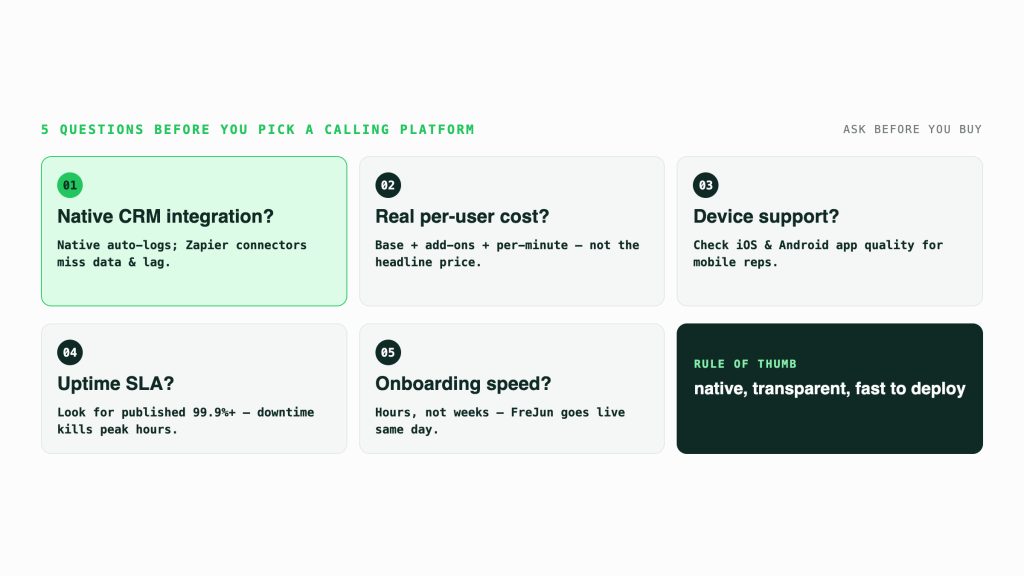
- Does it integrate with your CRM? Check whether the integration is native or requires a third-party connector like Zapier. Native integrations log calls automatically; Zapier-based ones often miss data or introduce delays.
- What is the real per-user cost? Add up the base plan, any required add-ons (call recording, analytics, international numbers), and any per-minute charges. The headline price rarely reflects the full cost.
- Does it support your team’s devices? Confirm mobile app quality on both iOS and Android, especially if your reps work from phones rather than desktops.
- What is the uptime SLA? For sales teams, even 30 minutes of downtime during peak calling hours is costly. Look for 99.9% or higher with a published SLA.
- How fast is onboarding? Some platforms require IT involvement and take weeks to deploy. FreJun, Ooma, and Nextiva typically go live within hours, which matters if you need to move quickly.
What are the Benefits of Cloud-Based Phone Systems for SMBs?
Cloud-based phone systems, a subset of VoIP technology, provide SMBs with enhanced flexibility, mobility, and efficiency in their communication processes. These systems offer features like virtual numbers, automated attendants, voicemail-to-email transcription, and seamless call routing. Additionally, cloud-based VoIP solutions facilitate remote work by enabling employees to make and receive calls from anywhere with an internet connection. This flexibility boosts productivity and collaboration among team members, regardless of their physical location. To understand why more businesses are embracing these solutions, see why businesses are making the shift to cloud telephony.
Key Benefits for Growing Teams
The practical advantages stack up quickly once a team moves to cloud calling. Here is what most SMBs report after their first 90 days on a cloud phone system.
- Scalability without hardware: Add or remove users in minutes from a web dashboard. You do not need to order new desk phones or call your telecom provider.
- Remote team support: Every rep gets a business number that works on their laptop or mobile, so location stops being a constraint on hiring or productivity.
- Automatic call logging: Platforms like FreJun sync every call to your CRM automatically, so your pipeline data stays accurate without manual entry.
- Built-in analytics: Real-time dashboards show call volume, answer rates, average handle time, and rep performance, giving managers data they never had with traditional phone systems.
- Faster onboarding: New hires get a working business number and call routing on their first day, since setup takes minutes rather than days.
FreJun’s internal 2026 data across 300+ client accounts shows teams using AI call automation cut manual CRM update time by 40% and improved outbound connect rates by 18% within the first 60 days. A full benchmark report is in progress. Contact research@frejun.com to be notified on publication.
Why Do Sales Teams Choose FreJun as Their Cloud Phone System?
FreJun was built specifically for sales and support teams that need more than a basic VoIP line. While most cloud phone systems handle call routing and voicemail, FreJun adds an AI layer that transcribes every call, scores conversations, and logs outcomes directly to your CRM without any manual steps from your reps.
The most common reason teams switch to FreJun is CRM data quality. When reps manually log calls, they miss details, skip notes, or forget to update the outcome. FreJun removes that dependency entirely. Every call is captured, transcribed, and synced to Salesforce, HubSpot, Zoho, or Pipedrive the moment it ends. Managers get accurate pipeline data, and reps spend their time on the next call rather than updating records.
FreJun also supports auto dialer campaigns, so outbound teams can work through contact lists without manually dialing each number. Combined with real-time analytics and call recording, it gives sales managers the visibility they need to coach reps on actual conversations rather than guesswork.
We recommend FreJun over general-purpose UCaaS platforms like RingCentral or Microsoft Teams for sales-focused teams because the AI automation and CRM depth are purpose-built for outbound workflows, not bolted on as an afterthought. That said, if your primary need is enterprise-wide unified communications with video conferencing at scale, RingCentral or Microsoft Teams may serve you better.
Cloud phone systems like FreJun represent the clearest path for SMBs and growing sales teams to replace legacy infrastructure with a platform that pays for itself through better data and higher connect rates. See how click-to-call service providers compare if your team relies heavily on web-based dialing from CRM records.
Conclusion
VoIP technology has revolutionized business communication for small and medium-sized businesses (SMBs) by offering cost-effective solutions with advanced features. Through cloud-based phone systems, SMBs can enjoy scalability, flexibility, and enhanced communication capabilities. These systems provide virtual numbers, automated attendants, voicemail-to-email transcription, and seamless call routing, empowering businesses to operate more efficiently and stay connected regardless of their physical location. For businesses operating in specific regions, solutions like cloud telephony in Israel highlight how global adoption of these platforms continues to grow.
When selecting a VoIP provider for your business, it is crucial to consider factors such as user-friendly interfaces, robust call management features, and customizable plans. Providers like Frejun stand out for catering specifically to SMB needs, offering intuitive interfaces, advanced call management tools, and flexible pricing options. By assessing your business communication needs and focusing on scalability and growth considerations, you can ensure a smooth transition to a new VoIP system that aligns with your objectives.
As the future of VoIP technology continues to evolve, embracing cloud-based communication solutions becomes increasingly essential for businesses looking to streamline operations, improve productivity, and enhance customer experiences. By leveraging VoIP systems like Frejun and staying abreast of emerging trends in AI, machine learning, and unified communications, SMBs can position themselves for success in an ever-changing digital landscape.
With the right VoIP system in place, businesses can unlock a world of possibilities for efficient communication, seamless integration with existing processes, and future scalability. Embracing cloud-based communication is not just a trend but a strategic move towards optimizing business operations and driving growth in today’s competitive market.
Frequently Asked Questions About Cloud Phone Systems
What is a cloud phone system in business communication?
A cloud phone system is a VoIP (Voice over Internet Protocol) service hosted on remote servers rather than on-site hardware. It lets businesses make and receive calls over the internet using virtual numbers, without traditional phone lines or PBX equipment. FreJun adds AI automation and CRM integration on top of core VoIP calling, so every conversation is automatically logged and transcribed for your team.
How does a cloud phone system differ from a traditional phone system?
Traditional phone systems use physical copper lines and on-premise PBX hardware that requires IT maintenance and capital investment. Cloud phone systems run over the internet, so there is no hardware to manage, costs scale per user rather than per line, and features like call recording and analytics are included rather than requiring separate equipment. Remote teams can use cloud systems from any device, which legacy PBX cannot support without complex forwarding setups.
Can a cloud phone system help remote teams?
Yes, cloud phone systems are purpose-built for distributed teams. Since calls route over the internet, reps can make and receive calls from a laptop, mobile phone, or desk phone from any location. FreJun supports remote collaboration with call routing, conferencing, mobile access, and CRM sync, so remote reps have the same capabilities as office-based teams without any additional setup or hardware.
What features are commonly included in cloud phone systems?
Most cloud phone systems include virtual phone numbers, call routing, IVR menus, voicemail, call recording, and a mobile app. Higher-tier platforms add CRM integration, real-time analytics, auto dialers, and AI call transcription. FreJun includes all of these plus WhatsApp Business calling and automated CRM logging, starting at $14.49 per user per month, which makes it one of the most feature-complete options at its price point.
Is a cloud phone system scalable for growing businesses?
Cloud phone systems scale instantly because there is no hardware to provision. You add or remove users from a web dashboard, and the change takes effect immediately. FreJun lets you add users, assign virtual numbers, and adjust call routing without any IT involvement or downtime. This makes it practical for fast-growing teams that hire in batches or need to scale down during slower periods without paying for unused lines.
Are cloud phone systems reliable in terms of call quality?
Call quality on cloud phone systems depends primarily on your internet connection quality. With a stable broadband or fiber connection, VoIP call quality matches or exceeds traditional PSTN calls. Most enterprise-grade providers publish uptime SLAs of 99.9% or higher. FreJun uses advanced VoIP infrastructure to deliver clear, reliable calls, and its mobile app maintains call quality even on 4G LTE connections for reps working outside the office.
Are cloud phone systems secure for business use?
Yes, reputable cloud phone systems use TLS (Transport Layer Security) and SRTP (Secure Real-time Transport Protocol) encryption to protect calls in transit. Data at rest is encrypted on provider servers, and access controls prevent unauthorized users from accessing recordings or call logs. FreJun prioritizes communication security and compliance, with role-based access controls and audit logs so your team can demonstrate compliance during reviews.
How quickly can a business implement a cloud phone system?
Implementation time varies by platform and team size, but most cloud phone systems go live within hours to a few days. FreJun, Ooma, and Nextiva are designed for fast deployment, so a team of 10 to 50 users can be fully set up, with numbers assigned and CRM connected, within a single business day. Larger enterprise deployments with custom IVR flows and SSO integration typically take one to two weeks.
Which industries benefit most from cloud phone systems?
Sales organizations, customer support teams, healthcare providers, financial services firms, and education platforms see the strongest results from cloud phone systems. Sales teams benefit from auto dialing and CRM logging. Support teams benefit from IVR routing and call recording. Healthcare and finance teams benefit from encrypted calls and compliance logging. Remote-first companies across all industries benefit because cloud calling removes the location dependency that legacy PBX creates.
Do cloud phone systems support international calling?
Yes, most cloud phone systems support international calling through global VoIP numbers and competitive per-minute rates. Providers like RingCentral, Vonage, and FreJun offer virtual numbers in multiple countries, so your team can present a local number to prospects in different regions. International calling rates vary by provider and destination, so compare per-minute costs for your top target markets before committing to a plan.
What phone system works best for a small or growing business?
For startups and scaling teams, the priority is balancing affordability with essentials like call routing, mobile apps, and quick onboarding. See our breakdown of phone systems for growing teams to compare platforms designed for lean operations.
You’ve now seen exactly how the 11 leading cloud phone systems stack up on price, features, and CRM depth. The gap between reading a comparison and actually improving your team’s call performance is usually just one conversation. Most teams that book a FreJun demo are live and logging calls to their CRM within the same week.