Last updated on November 7th, 2026 at 12:24 am
Quick Answer: Incoming call routing is the process of directing an inbound call to the right agent, queue or voicemail based on predefined rules. Rules can evaluate the caller’s number, the time of day, the IVR (Interactive Voice Response) menu option pressed, or the skill set required. When the rules are set correctly, every call reaches the right person on the first attempt, so wait times fall and missed calls become rare.
AI Summary: Incoming call routing covers the rules, methods and features that determine where an inbound call lands. This article explains the main routing types, how each one decides where a call goes, which inbound telephony features support them, and how businesses can customise call handling for their team size and call volume. The key takeaway: choosing the wrong routing method for your situation costs more in missed calls and agent overload than the setup effort of choosing the right one.
Table of contents
How Does a Call Answering System Enhance Customer Experience?
A call answering system improves customer experience by removing the two most common failure points in inbound calling: the caller who waits with no information, and the caller who reaches the wrong person. The system greets callers, presents menu options, and routes calls based on their selections. The system evaluates selections in milliseconds, directing callers to billing specialists or general queues based on routing rules.
What the routing logic actually does
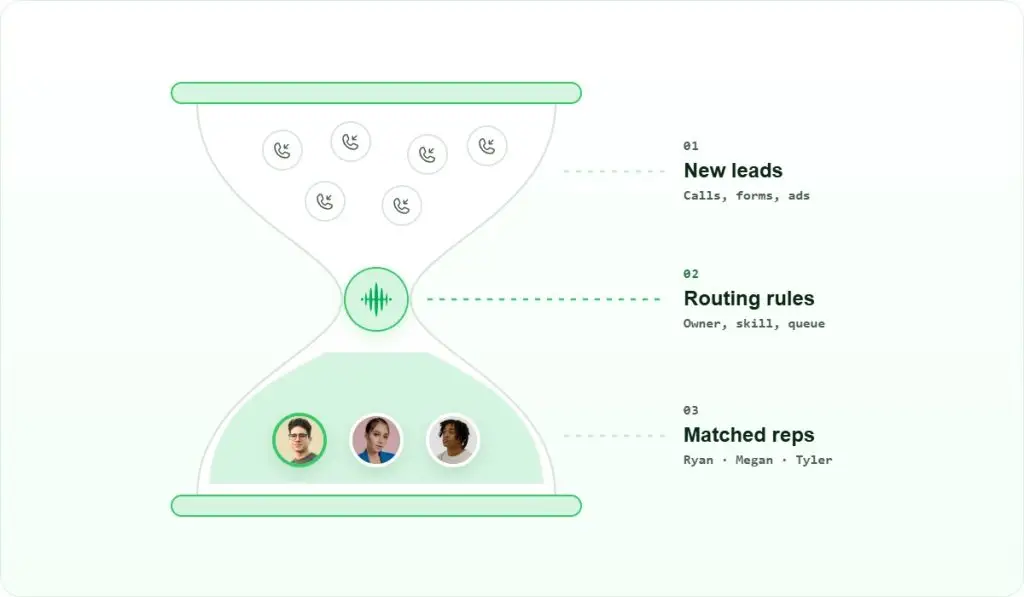
The system checks a set of conditions in order. First, it reads the caller’s number against a known-caller database. VIP callers can bypass IVR menus and connect directly to their assigned agents. If the number is unknown, the IVR menu runs. The caller presses a key, and the system maps that key to a queue or a skill group. When all agents are busy, the system queues callers, offers callbacks, or forwards calls to voicemail.
Rule-based routing ensures consistent call handling across all hours, weekdays, and peak periods without manual decisions. That consistency is what callers experience as professionalism. Incorrect rules send callers through endless menus, connect them to unsuitable agents, or cause them to abandon queues. So the mechanism that improves experience is also the mechanism that breaks it when misconfigured.
Modern call answering systems also pass context to the agent before the call connects. The agent’s screen shows the caller’s name, account status and recent interaction history. Agents use caller history to ask relevant questions instead of requesting account numbers immediately. The caller notices the difference, even if they cannot name what changed.
What Are the Best Practices for Customer Support Routing?
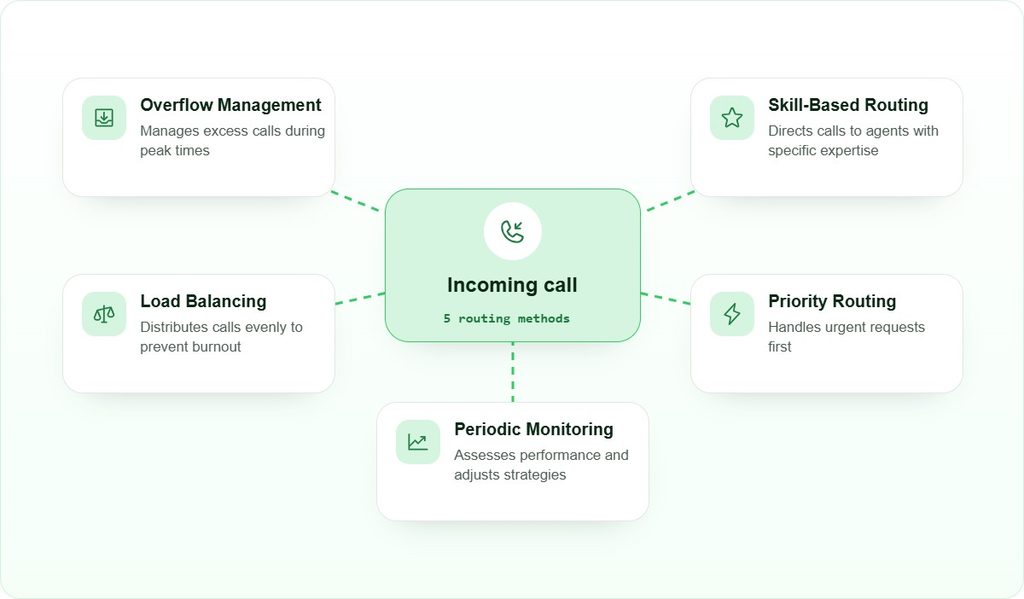
Customer support routing works best when the routing method matches the actual structure of your team. The five methods below are not equally suited to every situation. Choosing the wrong one for your team size or call type creates the problems it was meant to solve.
Skills-Based Routing
Route a call to the agent whose skill profile matches the caller’s need. A billing query goes to a billing-trained agent; a technical fault goes to a tier-two engineer. Skills-based routing reduces transfers because the first agent can actually resolve the issue. The trade-off is setup time: you must assign accurate skill tags to every agent and update them after training or reassignment. For teams under ten agents, the overhead often outweighs the benefit. For teams above twenty, it usually pays for itself in reduced handle time.
Priority Routing
Priority routing places certain callers ahead of others in the queue. High-value accounts, time-sensitive escalations, or callers who have already waited once all qualify. The system reads the caller’s number or account tier and assigns a queue position accordingly. The risk is queue starvation: if too many callers qualify for priority, standard callers wait indefinitely. Set priority tiers sparingly, and review the ratio of priority to standard calls monthly.
Performance Monitoring
Routing rules degrade over time as team composition changes. Monitor performance against metrics such as first-call resolution rate, average handle time and transfer rate. A rising transfer rate usually means a routing rule is sending calls to the wrong skill group. A rising abandonment rate during a specific hour usually means the overflow rule is not triggering early enough. Review routing rules whenever a metric moves more than ten percent from its baseline.
Load Balancing
Load balancing distributes calls across available agents so no single agent handles a disproportionate share. Round-robin assignment is the simplest form: the system cycles through agents in order. Least-occupied assignment is more precise: the system checks each agent’s current call count and routes to whoever has the lowest. Load balancing works well when agents have similar skill levels. When skill levels differ significantly, skills-based routing is the better primary method, with load balancing applied within each skill group.
Overflow Handling
Overflow rules define what happens when every agent in a group is busy. Options include holding the caller in queue with a position announcement, offering a callback, forwarding to a secondary team, or routing to voicemail. The right choice depends on caller tolerance and the nature of the query. A caller with a billing emergency will not accept voicemail; a caller checking an order status often will. Set overflow thresholds based on your actual average wait time, not a round number. Improving agent productivity through better routing reduces how often overflow rules trigger in the first place.
How Can Incoming Line Management Improve Efficiency?
Incoming line management is the practice of controlling how multiple inbound lines are allocated, queued and redistributed across a team. Without it, a busy period on one line creates a backlog while other lines sit idle. With it, calls move to wherever capacity exists.
How load balancing works across lines
Load balancing across lines works by treating all available agents as a single pool rather than assigning each agent to a fixed line. When a call arrives on any line, the system checks the pool for the next available agent and connects them. This prevents call spikes on one number from creating queues while agents handling quieter numbers remain idle. The practical result is that the same team handles more concurrent calls without adding headcount.
Queue management and priority
Queue management organises waiting callers by priority and wait time. Prioritise callers who have waited four minutes, unless newer callers have higher account tiers. Most systems let you set both a maximum queue depth and a maximum wait time before the overflow rule fires. Correctly configured overflow thresholds matter more than routing methods. Simple round-robin systems outperform advanced skills-based systems without overflow rules.
Automatic redirection when agents are unavailable
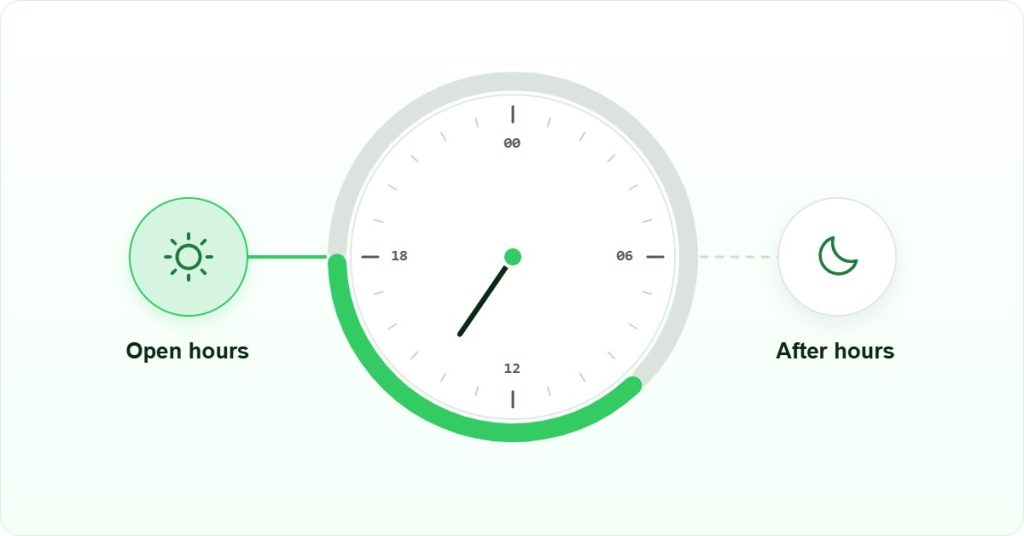
When all agents are busy or offline, the system should automatically redirect calls rather than presenting a busy signal. Redirection options include a secondary team, an after-hours message with a callback number, or a voicemail box that triggers an email or CRM (Customer Relationship Management) task. The key is that the caller always receives a response, even if that response is a scheduled callback. A caller who reaches voicemail and receives a callback within the hour is far less likely to churn than a caller who hears a busy tone and redials a competitor.
Which Features Are Essential in Inbound Telephony?
Inbound telephony refers to the full set of capabilities a phone system uses to receive, route and manage incoming calls. Not every feature matters equally. The ones below are the ones that directly affect whether a call reaches the right person and whether the team can improve over time.
IVR menus
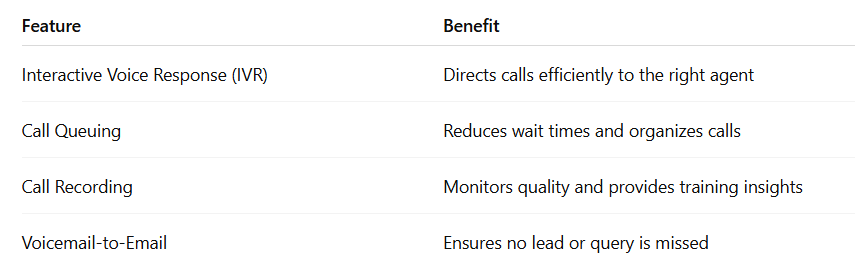
IVR tools present callers with a menu and map their key-press to a destination. A well-designed IVR menu has no more than five options at the top level, uses plain language rather than internal department names, and includes a zero-key escape to a live agent. A poorly designed IVR menu is the single most common reason callers abandon before reaching anyone. If your abandonment rate is high, audit the IVR menu before changing any routing rules.
Real-time dashboards
A real-time dashboard shows queue depth, agent availability and average wait time as they change. Supervisors use this to make live decisions: pulling an agent from outbound work to cover an inbound spike, or manually escalating a call that has been waiting too long. Without real-time visibility, supervisors are always reacting to problems that have already caused a missed call rather than preventing them.
CRM integration
CRM integration connects the inbound call to the caller’s record before the agent picks up. The agent sees the account name, open tickets and recent call history. This eliminates the verification step that adds thirty to sixty seconds to every call and frustrates callers who have already identified themselves to the IVR. For support teams handling high volumes, CRM integration is not a convenience feature; it is a handle-time reduction tool. Teams that route calls through call routing software with native CRM connectors typically see fewer transfers because the agent has the context to resolve the issue on the first attempt.
Call recording and analytics
Call recording captures every interaction for quality review and training. Analytics reports show which queue receives the most calls, which time slots generate the most abandonment, and which agents have the highest first-call resolution rates. These reports are the evidence base for adjusting routing rules. Without them, routing decisions are based on anecdote rather than data, and the same misconfiguration can persist for months before anyone notices.
How Can Businesses Customize Call Handling?
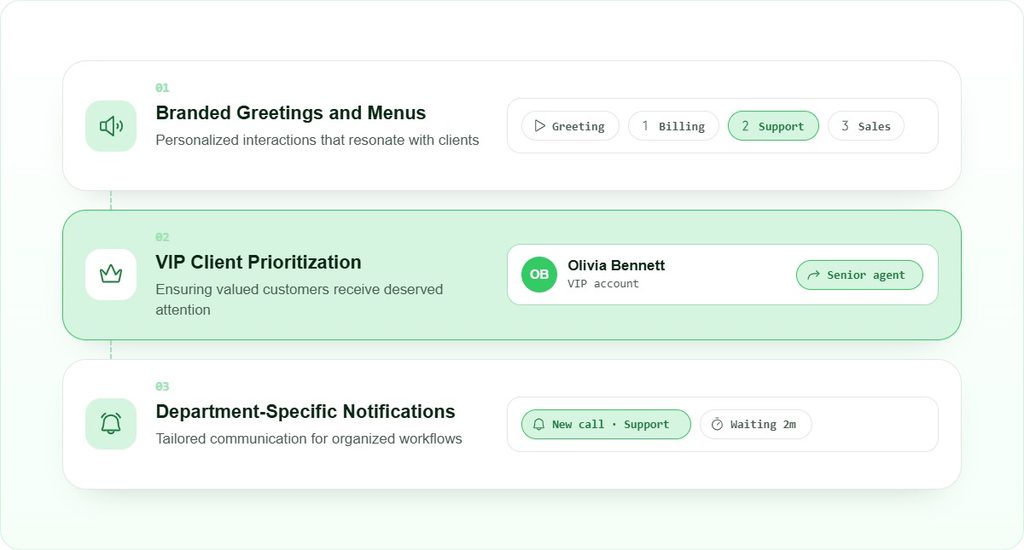
Customizing call workflows lets a business shape the caller’s experience and the agent’s workload at the same time. The three customisations below are the most commonly used. Each one has a condition under which it is worth the setup effort, and a condition under which it is not.
1. Branded Greetings and Menus
A branded greeting uses your company name, a consistent tone and a clear menu structure to set the caller’s expectation before they reach an agent. This customisation is worth the effort for any team that receives more than twenty calls per day. For teams receiving fewer than five calls per day, a simple personal greeting from the answering agent creates a better impression than a recorded menu. The call answering system’s menu options should reflect how callers describe their own needs, not how your internal departments are named.
2. VIP Client Routing
VIP routing identifies high-value callers by their phone number or account ID and routes them directly to a senior or dedicated agent, bypassing the standard queue. This is the most impactful customisation for B2B teams where a small number of accounts generate a large share of revenue. The setup requires a maintained list of VIP numbers and a named agent or group to receive those calls. If the named agent is unavailable, the fallback rule matters as much as the primary rule: routing a VIP caller to a general queue after they expected priority treatment creates a worse impression than no VIP routing at all. Teams using customer support routing software can automate this lookup against CRM account tiers rather than maintaining a manual list.
3. Department-Specific Notifications
Department-specific notifications alert a team when a call arrives in their queue, when a call has been waiting beyond a threshold, or when a call is transferred to them. These alerts prevent the situation where a call sits in a queue while the responsible team is unaware it is there. Combined with incoming line management, notifications create a closed loop: the system routes the call, the team is alerted, and the agent responds. Without the notification layer, routing accuracy alone does not guarantee response speed.
Key Takeaways
Incoming call routing is not a single feature but a set of decisions: which routing method fits your team structure, how overflow rules are configured, which inbound telephony features support your volume, and how customisations like VIP routing are maintained over time. The most common failure is not choosing the wrong routing method but choosing a good method and then leaving the rules unchanged as the team grows or changes.
Skills-based routing reduces transfers but requires accurate agent tagging. Load balancing maximises throughput but works best when agents have similar capabilities. Overflow rules prevent abandoned calls but only when thresholds are set against real wait-time data rather than guesses. Real-time dashboards and call analytics are what allow any of these methods to be corrected before a misconfiguration becomes a pattern. For teams evaluating call routing software, the right question is not which platform has the most routing types but which one makes it easiest to adjust rules when the data shows they are not working.
Final Thoughts
Incoming call routing works when the rules match the reality of your team. A five-agent support team and a fifty-agent contact centre both benefit from routing, but they need different configurations. The five-agent team needs simple overflow rules and a clean IVR menu. The fifty-agent team needs skills-based routing, real-time dashboards and a regular review cycle for routing rules.
The trade-off worth understanding is this: more sophisticated routing methods give you more control over where calls land, but they also create more points of failure if the configuration is not maintained. A round-robin system with a well-set overflow rule will outperform a skills-based system with stale agent tags. Start with the simplest method that solves your actual problem, measure the results, and add complexity only when the data justifies it.
For teams operating across multiple regions, the rules that govern incoming call routing may also intersect with local regulations on call recording consent and data handling. Requirements vary by jurisdiction and change over time. This article covers operational configuration, not legal compliance. Consult the relevant regulator or a qualified adviser for jurisdiction-specific requirements.
Further Reading: Cloud Telephony for Small Businesses in the UAE: The Complete Guide
Frequently Asked Questions
Setup and routing methods
Set an overflow rule that fires before callers abandon. Configure a maximum queue wait time based on your actual average wait data, then route calls that exceed that threshold to a callback option, a secondary team, or voicemail with an automatic follow-up task in your CRM. Automated distribution alone is not enough if the overflow threshold is set too high.
Skills-based routing sends each call to the agent whose skill profile matches the caller’s need, so a billing query reaches a billing-trained agent. Load balancing distributes calls evenly across all available agents regardless of specialisation. Skills-based routing reduces transfers but requires accurate agent tagging. Load balancing maximises throughput and suits teams where agents have similar capabilities.
Yes, but the routing method must match the team’s actual structure. A small team benefits most from load balancing with a well-configured overflow rule rather than skills-based routing, which requires ongoing agent tag maintenance. Queue management and automatic redirection to voicemail or callback are the two features that make the biggest difference for teams under ten agents handling high inbound volumes.
Performance, customisation and peak periods
Monitor average speed to answer, first-call resolution rate and call abandonment rate from your inbound telephony dashboard. A rising abandonment rate during a specific hour points to an overflow threshold set too high for that period. A rising transfer rate points to a routing rule sending calls to the wrong skill group. Review these metrics weekly rather than monthly so misconfigured rules are caught early.
Set overflow thresholds based on your actual peak wait-time data, not a round number. During peak periods, load balancing across all available agents prevents one queue from backing up while another sits idle. If peak volumes are predictable, consider time-based routing rules that expand the receiving agent pool automatically during those hours, so the system adjusts without manual intervention.
VIP routing is worth the setup effort when a small number of accounts generate a large share of your revenue and those callers have a reasonable expectation of faster service. For a team where all callers are treated equally, VIP routing adds configuration overhead without a clear benefit. The fallback rule matters as much as the primary rule: if the named VIP agent is unavailable, the fallback should not drop the caller into a standard queue without warning.
Review routing rules whenever a key metric moves more than ten percent from its baseline, and at minimum whenever your team structure changes: new agents join, agents are reassigned, or a product line is added. Routing rules that were accurate six months ago may now send calls to agents who no longer hold the relevant skill. Stale rules are the most common cause of rising transfer rates in teams that have grown.