Last updated on November 11th, 2026 at 11:42 am
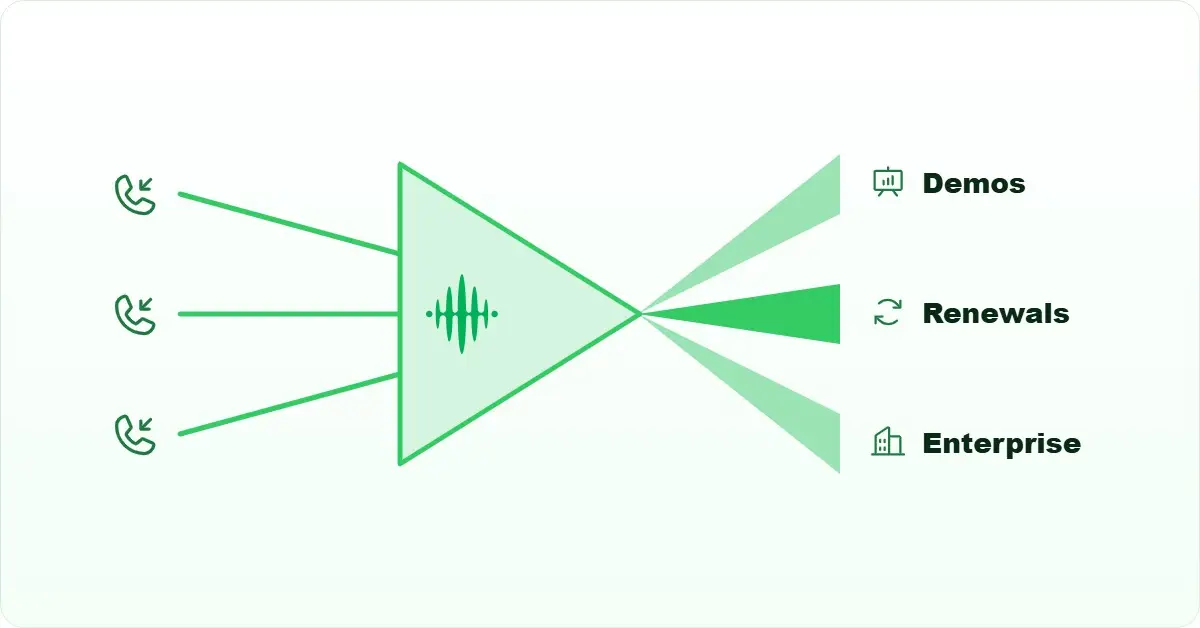
Quick Answer: Automated call routing is a system that receives an inbound call and immediately applies a set of rules, such as agent skill, availability, time of day, or caller geography, to decide which agent or queue receives it. No human dispatcher is involved. The call travels from the carrier network to the routing engine, which evaluates the rules in sequence and connects the call, typically in under two seconds.
AI Summary: Automated call routing covers the rules, logic types, and configuration steps that determine which agent receives each inbound sales call. This article explains how skills-based, time-based, and location-based routing work mechanically, where each type fits a sales team’s workflow, and how to implement routing for remote or distributed teams in five ordered steps. The final section covers common failure points and when simpler routing is the better choice.
Why Is Automated Call Routing Essential for Modern Sales Teams?
Automated call routing removes the human dispatcher from the path between an incoming call and the agent who should take it. When a lead calls in, the routing engine checks its rule set and connects the call, usually before the second ring. Without that automation, someone on the team has to decide in real time who is free and who has the right context, and that decision slows down every call.
For sales teams handling more than a handful of inbound calls per hour, manual assignment creates a bottleneck that compounds quickly. A rep who should be talking to a warm lead is instead waiting for a transfer. A high-value prospect who called in from a specific territory reaches a rep who has never worked that region. Both outcomes cost pipeline.
What Is Automated Call Routing?
Automated call routing is a rule-based system that evaluates each incoming call against predefined criteria, such as agent skills, team availability, caller location, or time of day, and connects the call to the most appropriate agent or queue without manual intervention.
The routing engine sits between the carrier network and your agents. When a call arrives, the engine reads the call’s metadata, such as the dialled number, the caller’s number, the time, and any IVR (interactive voice response) input the caller provided, and then matches that data against the rule set. The first rule that matches determines the destination. If no agent matches, the call falls to a queue or a voicemail, depending on how the overflow rule is configured.
That matching process is where most routing failures happen. A rule set that was built for a ten-person team often breaks when the team grows to thirty, because the conditions that were once specific enough become ambiguous. We will cover that failure mode in the implementation section below.
How Can Auto Routing Improve Lead Assignment and Conversion Rates?
Auto routing improves lead assignment by replacing a slow, error-prone human decision with a consistent rule evaluated in milliseconds. The mechanism is straightforward: when the routing engine matches a call to the right agent on the first attempt, the lead reaches someone with the relevant context immediately, rather than after a transfer or a callback.
The conversion benefit comes from two places. First, speed: a lead who called in is already engaged, and every second of hold time or misdirection reduces that engagement. Second, match quality: a rep who already owns that account, or who specialises in the caller’s industry, converts at a higher rate than a generalist who picks up the overflow. Routing logic can encode both of those advantages, but only if the rule set reflects how your team actually works.
Auto routing also gives sales managers a cleaner data set. Because every call follows a documented rule, the CRM (customer relationship management) log shows which rule fired, which agent received the call, and what happened next. That traceability makes it possible to identify which routing rules are producing good outcomes and which are sending calls to the wrong place. Without routing automation, that analysis is nearly impossible because the assignment decisions were never recorded.
One honest limitation: routing logic is only as good as the data it reads. If your CRM records are stale, such as an account owner who left the company three months ago still listed as the owner, the routing engine will keep sending calls to that person. The reduces response time benefit that routing promises depends on the underlying data being current. That is a RevOps maintenance task, not a routing configuration task, but it is the most common reason routing underperforms after a clean initial setup.
How Can FreJun Simplify Sales Call Management?
Sales call management involves more than routing: it includes logging what happened on each call, surfacing the right context to the agent before they speak, and giving managers visibility into outcomes across the whole team. Routing handles the first step; the rest depends on how tightly the calling system connects to the CRM and analytics layer.
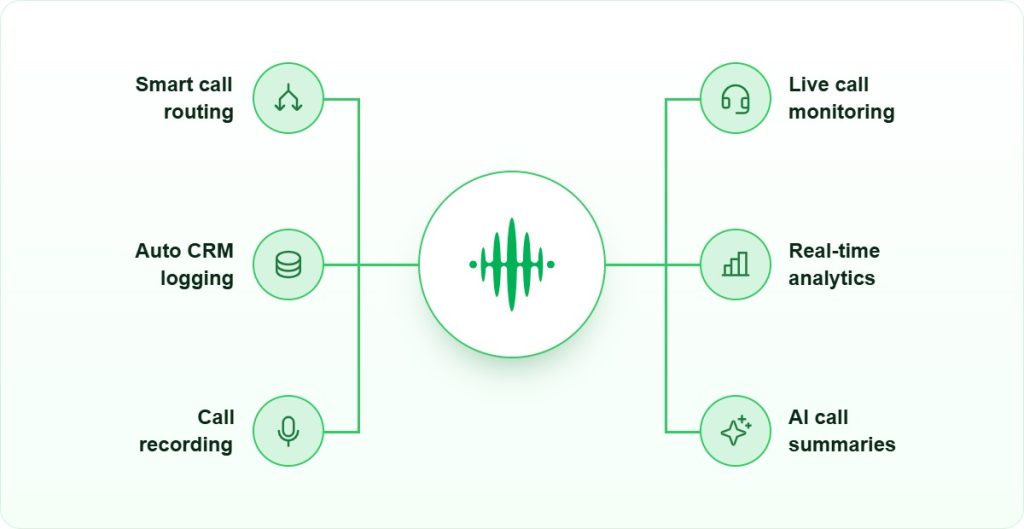
The features that matter most for a sales team are the ones that reduce the gap between the routing decision and the agent’s first word. When an agent receives a routed call, they need to know who is calling and why before they say hello. That context comes from CRM integration: the system pulls the contact record and surfaces it on the agent’s screen as the call connects.
- Intelligent Call Routing: Matches leads with the most qualified agents based on skills and availability, improving conversion rates.
- Automated Workflows: Automates repetitive tasks like follow-ups, reminders, and lead documentation, freeing agents to focus on sales.
- Real-Time Analytics: Tracks call outcomes, agent performance, and customer sentiment to optimise team efficiency.
- Predictive Analytics: Anticipates high-volume periods and adjusts routing rules to prevent missed leads.
- Seamless CRM Integration: Provides complete caller context, ensuring personalised interactions and faster response times.
Call recording and post-call analytics close the loop. A manager reviewing a routed call can see which rule sent it, listen to the recording, and decide whether the rule needs adjusting. That feedback cycle is what separates a routing system that improves over time from one that stays static.
Why Should Sales Teams Choose FreJun for CRM Integration and Sales Automation?
CRM integration and sales automation work best when the calling system and the CRM share a live data connection rather than a batch sync. A batch sync that runs every hour means the routing engine is working from data that is up to sixty minutes old. A live connection means the routing engine reads the current account owner, the current deal stage, and the current agent availability before every call.
The customer satisfaction impact of that data freshness is direct. When an agent receives a call and the screen shows the correct account owner, the open deal, and the last three interactions, the conversation starts from context rather than from scratch.
- Flexible AI Telephony: Customise routing rules to align with business goals and handle lead spikes. The system evaluates agent skills and availability to ensure calls reach the most suitable team member, reducing wait times and improving conversion rates.
- 24/7 Support: Round-the-clock assistance ensures uninterrupted service, keeping sales operations running smoothly through technical issues or workflow updates.
- Data Security: Sensitive lead and customer information is protected with encrypted communications, supporting compliance requirements across markets.
- Scalable Solutions: Adding new agents or departments is straightforward, so operations can grow without disrupting existing routing rules.
- Voice Analytics Insights: Detailed analytics provide data on call performance, agent productivity, and customer sentiment, helping managers refine training and improve sales outcomes.
One scenario where a different tool may be the better choice: teams that need deep predictive dialling for outbound-heavy campaigns, where the call volume is so high that a dedicated outbound dialler with its own queue management is more appropriate than a routing-first inbound system. Routing automation is most valuable when inbound call quality matters more than outbound call volume.
How to Implement Call Routing for Remote Sales Teams?
Remote sales teams introduce a specific routing challenge: agent availability is harder to track because there is no shared office floor where a manager can see who is on a call. A routing system that ensures consistent coverage for a distributed team needs to read availability from the agent’s softphone status, not from a physical presence signal. That means the routing engine and the agent’s device must stay in sync throughout the working day.

The five steps below are ordered by dependency. Each step assumes the previous one is complete. Skipping step two, for example, means step three has no data to work with.
1. Set Up Routing Rules
Start by mapping your call types to your agent groups before touching any configuration. A sales team typically has at least three distinct call types: new inbound leads, existing account calls, and calls from a specific territory or product line. Each type should route differently.
Skills-based routing matches the call to an agent who has been tagged with the relevant skill, such as enterprise accounts, SMB, or a specific product. Time-based routing sends calls to the on-duty group during business hours and to a voicemail or overflow queue outside them. Location-based routing reads the caller’s area code or the virtual number they dialled and sends the call to the agent responsible for that geography. Most teams need a combination of all three, applied in sequence: first check territory, then check skill, then check availability.
Write the rules in plain language before configuring them in the system. A rule that reads clearly in a document is much easier to debug when it misfires than one that only exists as a configuration screen setting.
2. Integrate CRM Systems
Link your calling system with your CRM so the routing engine can read account ownership, deal stage, and agent assignment in real time. Without this connection, skills-based routing has to rely on static tags that someone updates manually, which means the tags go stale as the team changes.
The CRM integration also handles the post-call side: call duration, outcome, and recording are written back to the contact record automatically. That removes the manual logging step from the agent’s workflow and keeps the CRM accurate enough to feed the routing engine reliably. For guidance on connecting specific CRM platforms, the CRM calling integration guide covers the main setup patterns.
3. Enable Omnichannel Access
Remote agents need to receive routed calls on whatever device they are working from, whether that is a laptop softphone, a mobile app, or a desk phone. If the routing engine can only deliver calls to a fixed desk phone, a remote agent who is working from a different location is effectively invisible to the system and will be skipped in the queue.
Omnichannel access also means the agent’s availability status follows them across devices. When a rep marks themselves as available on their mobile app, the routing engine should see that status immediately and include them in the eligible pool. This is the technical dependency that makes remote routing work: the status signal must travel from the device to the routing engine faster than calls arrive. A sales automation platform that unifies device status across channels solves this without requiring the agent to log in and out of multiple systems.
4. Use Real-Time Analytics
Routing rules that worked well at launch will drift out of alignment as the team changes. An agent who was tagged as the enterprise specialist leaves. A new territory opens. Call volume shifts to a time window that the original time-based rules did not anticipate. Real-time analytics surface these misalignments before they become a pattern of misdirected calls.
The metrics to watch are queue abandonment rate, first-call resolution rate, and the percentage of calls that hit the overflow rule. A rising abandonment rate usually means the routing rules are sending calls to agents who are unavailable. A rising overflow rate usually means the rule set is too narrow and not enough agents qualify. Monitoring agent performance data alongside routing data makes it possible to distinguish a routing problem from a capacity problem, which require different fixes.
5. Automate Routine Tasks
Once routing and CRM integration are running, the next layer is automating the tasks that happen around each call: the follow-up reminder, the deal stage update, the call summary written to the contact record. These tasks take two to five minutes per call when done manually. Across a team handling fifty calls a day, that is a significant block of time that could go to actual selling.
Automated call routing works best as part of a broader workflow, not as a standalone feature. The routing decision is the first step; the automated post-call actions are what ensure the lead stays in motion after the call ends. Without those downstream automations, a well-routed call can still fall through the cracks if the rep forgets to log the outcome or set the follow-up.
Key Takeaways
Automated call routing works by evaluating each incoming call against a rule set and connecting it to the right agent before a human dispatcher has to intervene. The three main rule types, skills-based, time-based, and location-based, each solve a different problem, and most sales teams need all three applied in sequence.
The implementation order matters. CRM integration has to come before skills-based routing, because the routing engine needs live data to make accurate decisions. Real-time analytics have to come after routing is live, because you need call data before you can identify which rules are misfiring. Skipping steps or running them in parallel usually produces a system that routes correctly on day one and degrades quietly over the following months.
The most common failure mode is stale CRM data. Routing logic that reads an outdated account owner or an inactive agent tag will send calls to the wrong place consistently, and the error is invisible until someone notices the pattern in the analytics. Keeping the CRM current is a prerequisite for keeping automated call routing accurate.
For teams evaluating call routing software options, the decision criteria should include how the system reads agent availability across devices, how tightly it connects to your existing CRM, and how quickly the analytics surface rule mismatches. Those three factors determine whether the routing system improves over time or stays static. Further context on the broader VoIP landscape is available in the Top 9 VoIP Providers: Best Cloud Calling & Business Phone Systems Compared guide.
Final Thoughts
Automated call routing is not a set-and-forget configuration. The rule set that fits your team today will need revision as headcount changes, territories shift, and call patterns evolve. The teams that get the most from routing automation are the ones that treat the analytics dashboard as a regular management tool rather than an occasional reference.
The five-step implementation sequence in this guide, routing rules first, CRM integration second, omnichannel access third, analytics fourth, and post-call automation fifth, is ordered to avoid the most common setup mistakes. Each step builds on the previous one, so the system has accurate data to work with at every stage.
Automated call routing is most valuable for teams where inbound call quality matters more than raw outbound volume. If your primary challenge is dialling more numbers per hour, a dedicated outbound dialler is the right tool. But if your challenge is ensuring that every inbound lead reaches the right person quickly, routing automation addresses that problem directly and measurably.
Frequently Asked Questions
Routing Basics and Setup
Automated call routing is a system that receives an inbound call and applies a rule set to decide which agent or queue receives it, without manual intervention. The engine reads call metadata such as the dialled number, caller ID, time of day, and any IVR input, then matches that data against the rules in sequence. The first matching rule determines the destination, and the connection happens in under two seconds.
The three main types are skills-based routing, which matches the call to an agent tagged with the relevant skill such as enterprise or SMB; time-based routing, which sends calls to the on-duty group during business hours and to a queue or voicemail outside them; and location-based routing, which reads the caller’s area code or the virtual number dialled and connects to the agent responsible for that geography. Most sales teams use all three applied in sequence.
Routing rules that read account ownership, deal stage, or agent assignment from the CRM need that data to be current. A batch sync that runs hourly means the routing engine works from data up to sixty minutes old. A live connection means every routing decision reads the current state. Stale CRM data is the most common reason routing underperforms after a clean initial setup, because the engine sends calls to outdated account owners or inactive agents.
Remote Teams, Analytics and Limitations
Remote routing depends on the agent’s softphone or mobile app reporting availability status to the routing engine in real time. When a rep marks themselves available on their device, the engine includes them in the eligible pool immediately. If the calling system and the device are not in sync, the engine skips available remote agents and sends calls to whoever it last saw as available, which is the most common remote routing failure.
Any team handling high inbound call volumes where match quality matters: technology sales, financial services, real estate, healthcare, and SaaS. The benefit is proportional to how much a misdirected call costs. In financial services, a compliance-sensitive call reaching the wrong agent is a regulatory risk as well as a conversion loss. In SaaS sales, a renewal call reaching a new rep instead of the account owner can cost the deal.
Routing automation adds the most value when inbound call quality matters more than outbound call volume. If your primary challenge is dialling more numbers per hour on outbound campaigns, a dedicated outbound dialler with its own queue management is more appropriate. Routing is also less useful for very small teams of two or three agents where manual assignment is fast enough and the overhead of maintaining a rule set outweighs the benefit.
Watch three numbers: queue abandonment rate, first-call resolution rate, and the percentage of calls hitting the overflow rule. A rising abandonment rate usually means calls are going to unavailable agents. A rising overflow rate means the rule set is too narrow and not enough agents qualify. A falling first-call resolution rate often means calls are reaching agents who lack the context or skill for that call type. All three signal a rule maintenance task, not a capacity problem.