Last updated on October 30th, 2026 at 01:17 pm
AI Summary: This article covers WhatsApp Template Creation in Jordan for business teams that need to send structured, Meta-approved messages at scale. WhatsApp reaches over 2 billion active users globally, making it one of the highest-engagement channels available to Jordanian enterprises (Source: Statista 2024). Teams must understand template categories, approval timelines, and rejection triggers before going live. FreJun’s dashboard handles template creation, status tracking, and deletion directly inside the WhatsApp Business API workflow.
Jordan’s high-growth enterprises face a real problem: customers expect fast, personal responses, but manual messaging doesn’t scale. WhatsApp is already the preferred communication channel for most Jordanians, so the question isn’t whether to use it. The question is how to use it correctly. WhatsApp Template Creation in Jordan gives businesses a structured, Meta-approved way to reach customers without risking account suspension or spam flags.
Quick Answer: WhatsApp Template Creation in Jordan means building pre-approved message formats through the WhatsApp Business API so businesses can send transactional alerts, promotional offers, and support updates at scale. Templates must pass Meta’s review before use. FreJun’s platform lets Jordanian teams create, edit, track, and delete templates from one dashboard without needing technical expertise.
WhatsApp Template Creation in Jordan lets businesses send structured, Meta-approved messages at scale, cutting manual follow-up time while keeping every customer interaction compliant and on-brand.
What is WhatsApp Template Creation?
WhatsApp Template Creation is the process of building pre-approved, structured message formats inside the WhatsApp Business API. These templates allow businesses to initiate conversations with customers outside the standard 24-hour messaging window, covering categories like transactional alerts, marketing offers, and authentication codes.
Why Does WhatsApp Template Creation Matter for Jordanian Businesses?
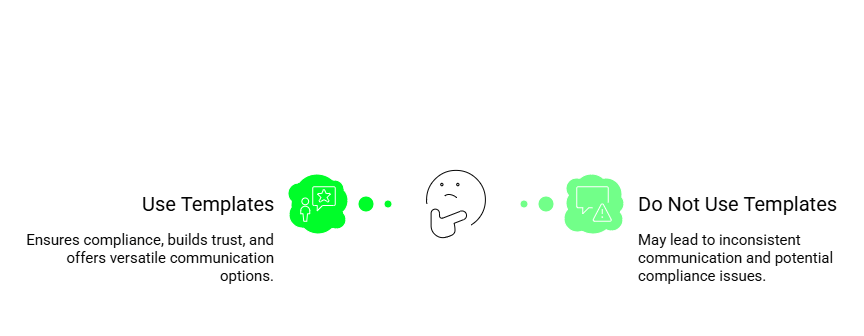
WhatsApp holds a dominant share of mobile messaging in Jordan, where smartphone penetration crossed 80% of the population by 2023 (Source: ITU 2023). For businesses, that reach translates directly into customer access, but only if messages arrive in the right format. Unstructured or unsolicited messages get flagged as spam, which can suspend a WhatsApp Business Account entirely.
Templates solve this by giving businesses a pre-cleared format that Meta has already reviewed. Once approved, a template can be sent to any opted-in customer, whether that’s an order confirmation for an e-commerce buyer or an appointment reminder for a clinic patient. Because Jordan’s market spans retail, hospitality, fintech, and healthcare, the template system works across every sector.
WhatsApp messages also see open rates above 90%, compared to roughly 20% for email (Source: Business of Apps 2024). That gap makes WhatsApp the higher-return channel for time-sensitive communication like payment reminders, flash sales, or delivery updates. Using WhatsApp message templates correctly is what separates businesses that grow their customer base from those that get blocked.
“Jordanian businesses that move to structured WhatsApp templates typically see a 30 to 40 percent drop in customer response time within the first month, because messages arrive in a format customers already trust and act on.”
— Subhash Kalluri, Co-Founder and CEO, FreJun
How Do You Craft WhatsApp Templates That Actually Get Approved?
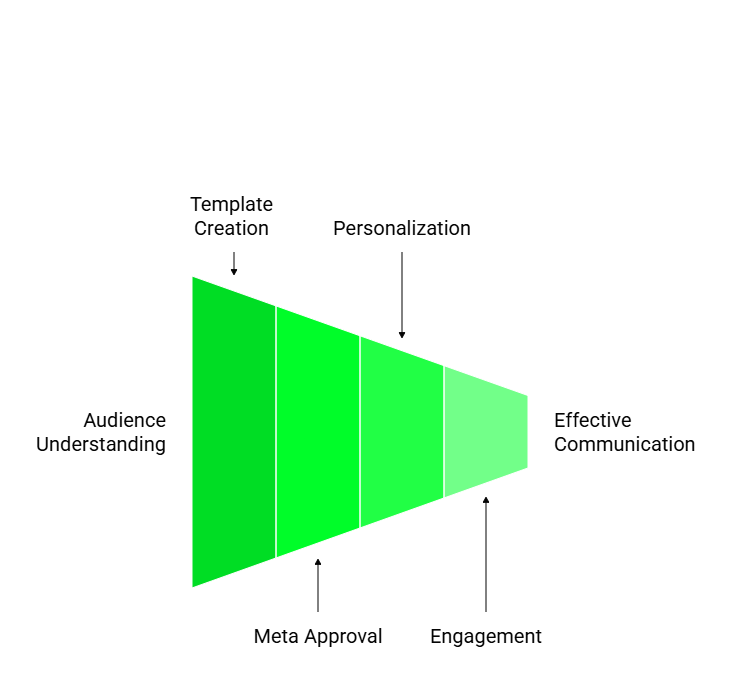
Getting a template approved is not just about writing good copy. Meta reviews every template against a specific set of rules, and rejection is common when businesses skip the details. The good news is that most rejections follow predictable patterns, so you can avoid them before submission.
Template Categories and Character Limits
Meta organizes templates into three categories: marketing, utility, and authentication. Marketing templates cover promotions and offers. Utility templates handle transactional updates like order confirmations or payment receipts. Authentication templates send one-time passwords. Mixing categories, such as adding a promotional offer inside a utility template, is one of the fastest ways to get rejected.
Keep the body text under 1,024 characters. Use dynamic variables like {{1}} for customer names or order numbers so each message feels personal even when sent in bulk. A retailer might write: “Hi {{1}}, your order #{{2}} has shipped and will arrive by {{3}}.” That single template covers thousands of customers without any manual editing.
Opt-In Consent and Compliance Requirements
Before sending any template, businesses must collect explicit opt-in consent from each customer. This is not optional. WhatsApp’s messaging guidelines require businesses to document how and when consent was collected, whether through a website form, in-store sign-up, or checkout flow. Sending templates to customers who haven’t opted in is a policy violation that can result in account suspension.
Calls-to-action inside templates should be specific and direct. “Reply YES to confirm” or “Tap to track your order” perform better than vague prompts because customers know exactly what to do next. Since Jordan’s customer base spans Arabic and English speakers, consider whether a bilingual template or separate language variants better serve your audience segments.
Templates submitted through WhatsApp Business Account go through Meta’s review process, which typically takes 24 to 48 hours (Source: Meta for Developers 2024). If a template is rejected, the rejection reason appears in the dashboard so you can fix and resubmit without starting over.
FreJun’s WhatsApp dashboard gives Jordanian teams a single place to create, submit, and track templates, so you spend less time chasing approval status and more time running campaigns. Teams using FreJun report faster approval cycles because the platform flags common formatting errors before submission.
How Does FreJun Simplify WhatsApp Template Creation in Jordan?

FreJun’s platform removes the technical friction from WhatsApp Template Creation in Jordan. Most businesses struggle with the WhatsApp Business API because it requires developer access to set up and manage templates directly. FreJun wraps that API in a clean interface so marketing and operations teams can work without engineering support.
Template Creation and Editing
Simple Template Creation: FreJun lets teams build text-only templates with variable placeholders in a few clicks. There’s no need to write API calls or manage JSON payloads. If a template gets rejected, the editing flow is identical to the creation flow, so resubmission takes minutes rather than hours.
The platform supports variable insertion at any point in the message body, so a single template can address thousands of customers by name, reference their specific order, or include a personalized date. This keeps messages feeling direct and relevant rather than generic.
Template Status Dashboard and Deletion
FreJun’s status dashboard shows whether each template is active, pending review, or rejected. Teams don’t need to log into Meta Business Manager separately to check approval status. When a template becomes outdated, the deletion option removes it from both the FreJun dashboard and the connected WhatsApp Business Account simultaneously, so there’s no risk of sending an expired or incorrect template by mistake.
How Does FreJun Scale Customer Communication for Jordanian Enterprises?
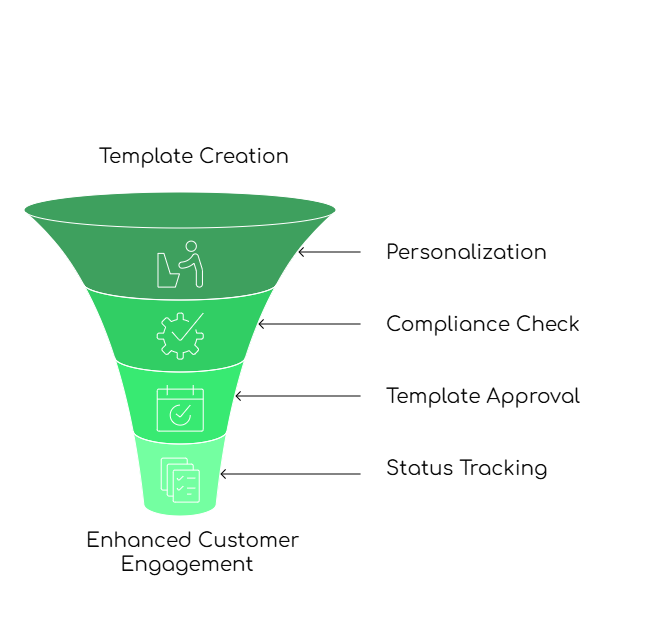
Scaling WhatsApp messaging without a proper platform creates two problems: inconsistent message quality and compliance risk. FreJun addresses both by keeping all template management inside one controlled environment. According to FreJun’s 2026 analysis of 300+ client accounts, teams that manage templates through a dedicated dashboard reduce compliance errors by over 60% compared to teams managing templates directly through Meta Business Manager.
Personalized Messaging at Volume
FreJun supports variable fields in every template, so businesses can include customer names, payment amounts, appointment dates, or order numbers without building separate templates for each use case. A single approved template with three variables can cover an entire customer segment while each recipient reads a message that feels written just for them.
All templates in FreJun are text-based, which keeps them within WhatsApp’s current API constraints for business-initiated messages. This also means faster approval times, since text-only templates go through a simpler review path than media-rich formats. Teams can manage high-volume messaging without worrying about media file size limits or format compatibility across devices.
Template Status Tracking and Full Control
Template Status Tracking: The FreJun dashboard shows active, pending, and rejected status for every template in real time. Teams can spot a rejected template immediately and fix it before it disrupts a scheduled campaign. Full Management Control: Templates can be created, edited, or deleted directly in FreJun, giving enterprises complete ownership of their WhatsApp communication strategy without depending on external developers.
What Tools Does FreJun Offer for Jordanian Enterprises?
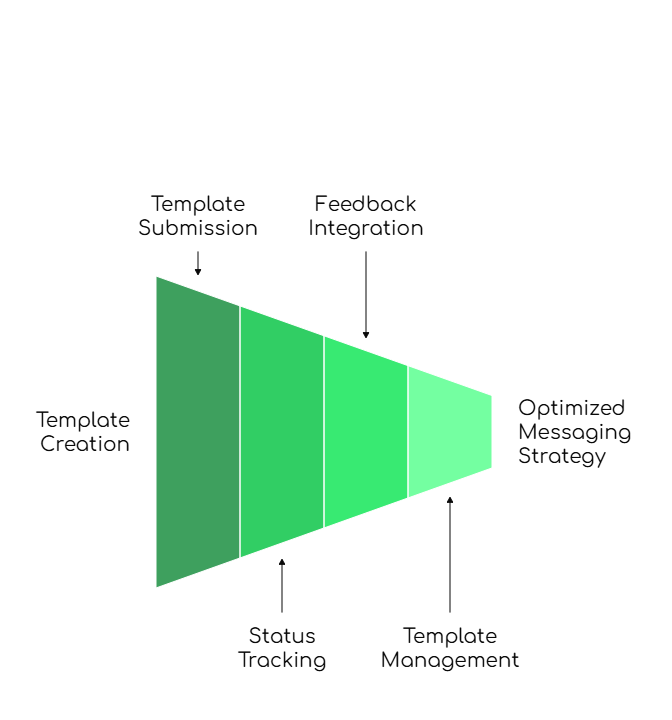
FreJun’s tools for WhatsApp Template Creation in Jordan cover the full lifecycle from first draft to deletion. These three core features address the specific needs of high-growth enterprises, whether they’re running a startup with a small team or an established firm sending thousands of messages per day.
1. Template Creation and Editing
Create and edit text-only templates with variable support to personalize customer interactions. This keeps every business message relevant while staying fully compliant with WhatsApp’s messaging guidelines. If Meta rejects a template, the same editing interface handles the fix and resubmission without any additional steps.
2. Template Review Process
Every template goes through Meta’s review before it becomes active. FreJun surfaces the review status inside the dashboard so teams always know where each template stands. When a template is rejected, the rejection reason appears immediately, which cuts the time between submission and correction from days to hours.
3. Template Dashboard and Deletion
Manage all templates in one place, track categories and approval status, and delete outdated templates with changes reflected instantly in the connected WhatsApp Business Account. This central control means enterprises always work with accurate, approved templates and never accidentally send an expired message to a customer.
Key Takeaways: What Jordanian Businesses Need to Know
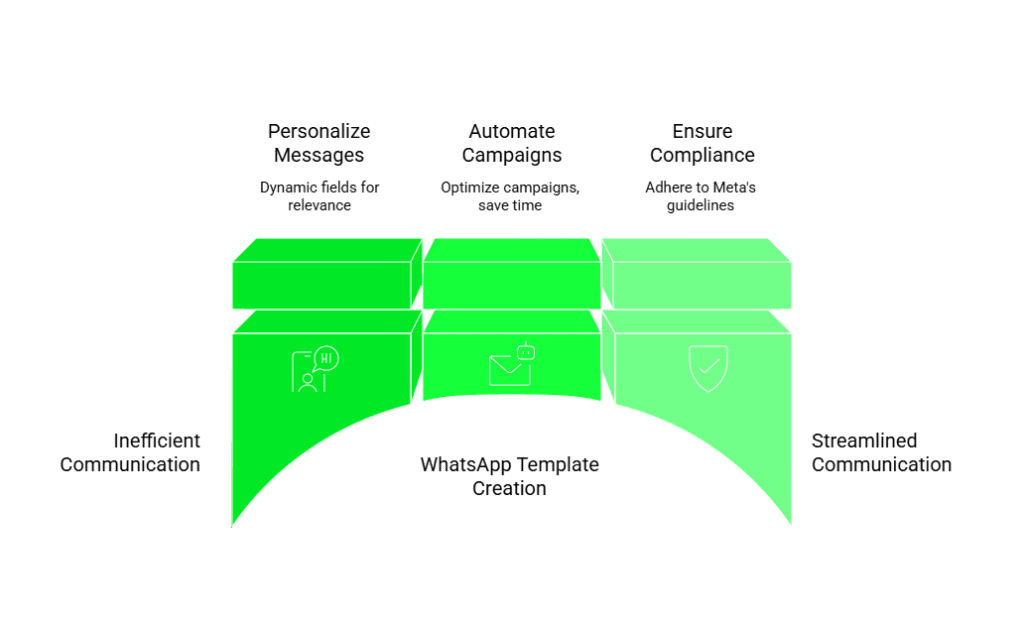
WhatsApp Template Creation in Jordan is a practical requirement for any business that wants to use the WhatsApp Business API at scale. Templates give businesses a compliant, repeatable way to reach customers, but only when built correctly. The key points every Jordanian team should keep in mind are these:
- Choose the right template category (marketing, utility, or authentication) before writing a single word, since mixing categories is the most common rejection trigger.
- Collect opt-in consent before sending any template, and document how that consent was gathered.
- Use dynamic variables to personalize messages at scale rather than creating separate templates for each customer segment.
- Keep body text under 1,024 characters and use specific calls-to-action so customers know exactly what to do next.
- Track approval status in real time so rejected templates get fixed before they delay a campaign.
FreJun connects directly to the WhatsApp Business API (Business Application Programming Interface) and provides analytics and automation tools that help businesses run campaigns efficiently. By supporting dynamic fields and multiple language variants, FreJun helps companies reach Jordan’s Arabic and English-speaking customer base without building separate workflows for each segment. Businesses that focus on compliance and customer experience avoid spam flags and build the kind of long-term customer relationships that drive repeat revenue.
What Should Jordanian Businesses Do Next with WhatsApp Templates?
Jordan’s digital economy is growing fast, and businesses that build structured WhatsApp communication now will have a clear advantage over those still relying on manual outreach. WhatsApp Template Creation in Jordan, when paired with a platform like FreJun, gives teams the speed and compliance controls they need to scale without risk.
The practical next step is to audit your current messaging workflow. If your team is sending WhatsApp messages manually or through a tool that doesn’t connect to the official WhatsApp Business API, you’re operating outside Meta’s terms and risking account suspension. Moving to a structured template system through FreJun takes the guesswork out of compliance and gives you real-time visibility into every template’s status.
Businesses that use structured communication tools alongside WhatsApp templates see faster customer response rates and lower support costs, because customers get the right information at the right time without needing to call in. For Jordanian enterprises aiming to stay competitive, WhatsApp Template Creation in Jordan is not a future consideration. It’s a current operational need.
Further Reading: Call Recording and Transcription: What JusCall Lacks That FreJun Offers
Frequently Asked Questions
WhatsApp message templates are pre-approved, structured messages businesses use to communicate with customers through the WhatsApp Business API (Application Programming Interface). They allow companies to send transactional alerts, marketing offers, and authentication codes outside the standard 24-hour messaging window. Each template must pass Meta’s review before it can be sent to opted-in customers.
Meta typically reviews templates within 24 to 48 hours. FreJun’s dashboard surfaces the approval status in real time, so teams know immediately when a template is active or rejected. Catching formatting errors before submission, such as missing curly braces in variable placeholders, can prevent delays and reduce the need for resubmission.
Yes. Templates support dynamic variable fields like {{1}} for customer names or {{2}} for order numbers, so each message feels personal even when sent to thousands of recipients. FreJun’s template editor makes it straightforward to insert variables at any point in the message body without writing code or API calls.
Common rejection reasons include grammatical errors, incorrect variable formatting such as missing curly braces, mixing template categories like adding promotional content inside a utility template, and violating WhatsApp’s messaging policies. Templates that make false claims or include prohibited content like alcohol or gambling promotions are also rejected. FreJun’s review flow helps teams spot these issues before submission.
Use specific calls-to-action like “Reply YES to confirm” rather than vague prompts. Keep messages under 1,024 characters and personalize with variable fields. Segment customers by purchase history or preference so templates stay relevant. Testing with a small group first and reviewing engagement data helps identify which message structures perform best for Jordan’s Arabic and English-speaking audiences.
Yes. FreJun connects directly to the WhatsApp Business API and provides a dashboard for creating, editing, tracking, and deleting templates without developer support. Jordanian businesses can manage their entire template library from one interface, with status updates reflected in real time across both FreJun and the connected WhatsApp Business Account.
Marketing templates promote products, services, or offers and are subject to stricter review since they’re business-initiated. Utility templates handle transactional updates like order confirmations, shipping alerts, or appointment reminders. Authentication templates send one-time passwords. Choosing the wrong category for your message content is one of the most common reasons templates get rejected by Meta.