Last updated on July 14th, 2026 at 01:59 pm
AI Summary: This article covers the top web-based call logging software platforms built for remote and hybrid sales teams, including FreJun, Aircall, JustCall, RingCentral, and CloudTalk. According to Gartner’s 2025 Market Guide for Revenue Intelligence Platforms, over 67% of B2B sales teams now rely on cloud call logging to maintain CRM data accuracy across distributed workforces. Remote teams must choose a platform that auto-logs calls, syncs with their CRM, and surfaces performance data without manual input. FreJun handles all three natively, starting at $14.49 per user per month, with a 4.9/5 rating on G2 across 231 verified reviews.
Remote teams lose deals when call context disappears after a conversation ends. Web based call logging software cloud platforms fix this by capturing every inbound and outbound call automatically, storing the data in the cloud, and pushing it straight into your CRM so nothing slips through. If your reps are still typing call notes by hand or hunting through email threads for follow-up context, you’re burning time that should go toward selling.
Quick Answer: Web-based call logging software is a cloud-hosted tool that automatically records, categorizes, and stores every call your team makes or receives. Remote employees access full call histories, performance dashboards, and CRM-synced data from any browser or mobile device. The best platforms, including FreJun, Aircall, and JustCall, require no hardware and go live in under an hour.
The best web based call logging software cloud platforms auto-log every call to your CRM, surface real-time performance data, and require only a browser and an internet connection to deploy across any remote team.
What Is Web-Based Call Logging Software?
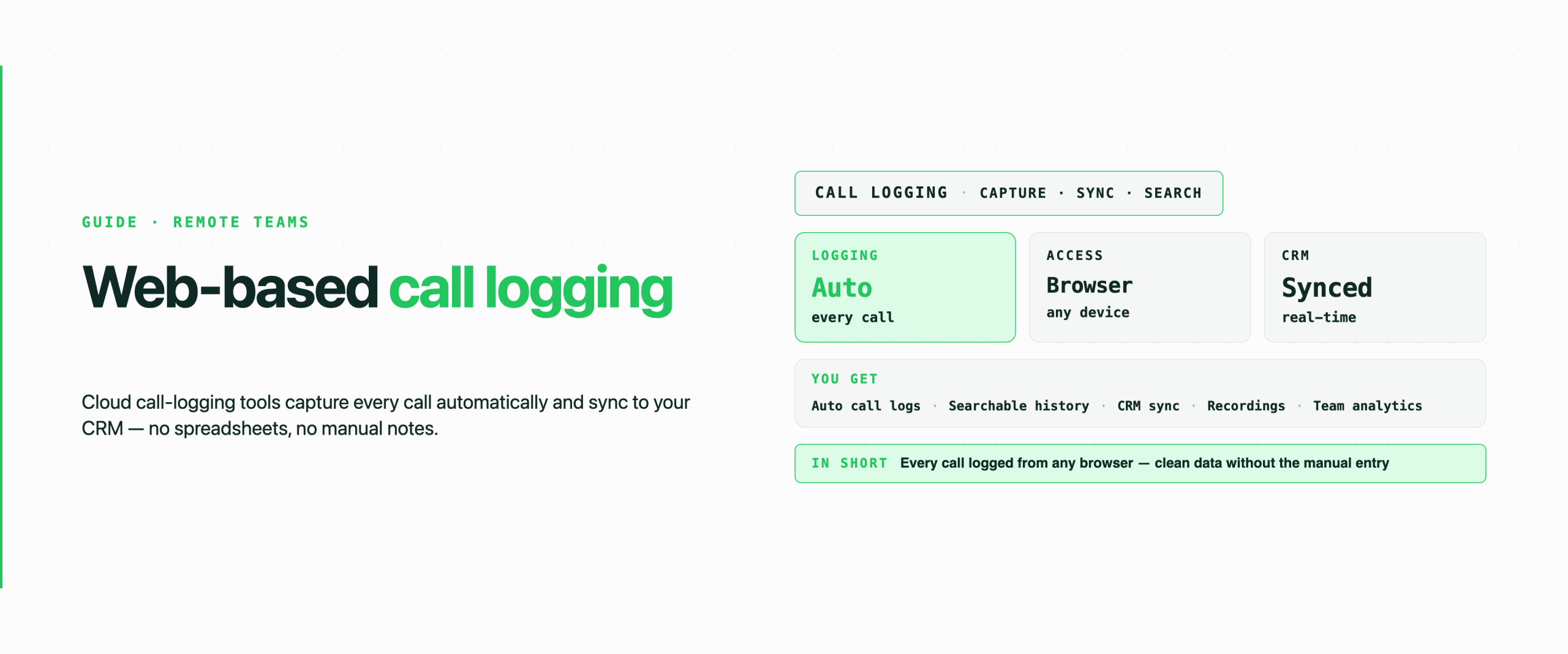
Web-based call logging software is a cloud-hosted system that records, categorizes, and stores call data in real time without requiring on-premise hardware. Every inbound and outbound call gets automatically tagged, timestamped, and synced to your CRM so managers and reps always have accurate call histories at their fingertips.
Start your free 3-day trial in under 2 minutes. No credit card required, no setup call needed. Just connect your CRM and your team is logging calls from day one.
What Is Web-Based Call Logging Software?
Web-based call logging software is a cloud-hosted solution that records, categorizes, and stores call data in real time. Every inbound and outbound call gets automatically logged and tagged for future reference, so your team gets accurate call histories, caller insights, and performance reports, all accessible from any browser.
Unlike legacy PBX systems that store data on local servers, cloud call logging keeps everything accessible online. Since the data lives in the cloud, a rep in Dubai and a manager in Jakarta can pull the same call record at the same time, without emailing files or waiting for IT to run a report.
“After working with 500+ sales teams since 2019, the pattern is consistent: teams that automate call logging cut their CRM data gaps by over 40% within the first month. The biggest blocker is never the technology, it’s the habit of manual entry that cloud logging replaces automatically.”
— Subhash Kalluri, Co-Founder and CEO, FreJun
Why Do Remote Teams Need Cloud Call Logging Tools?
Remote teams lose customer context fast when calls go unlogged. Without structured tracking, businesses risk losing follow-up opportunities and key sales context, because no single rep has the full picture of what was said and when. Cloud call logging solves this by documenting every interaction automatically, so the context travels with the record, not with the person who made the call.
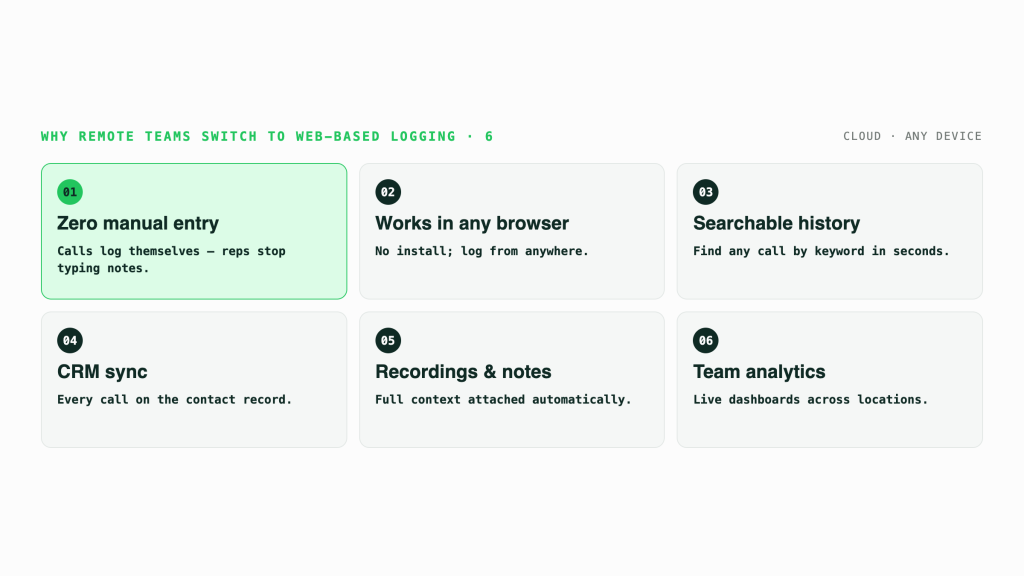
According to a 2025 Salesforce State of Sales report, sales reps spend an average of 21% of their working time on manual data entry (Source: Salesforce 2025). Cloud call logging eliminates most of that overhead, since calls log themselves the moment they end. That time goes back to selling.
How Does Cloud Call Logging Differ from On-Premise Systems?
On-premise call logging requires local servers, IT maintenance, and physical access to pull reports. Cloud-based systems, by contrast, store everything on remote servers managed by the vendor, so your team accesses data through a browser with no hardware dependency. This matters for remote teams because there is no office server to connect to.
SaaS call tracking (Software as a Service) tools like FreJun run entirely in the browser. You don’t need bulky infrastructure or complex setups, just an internet connection. It’s a plug-and-play approach that keeps your CRM with call tracking records secure and accessible from any device, anywhere. Most platforms also meet SOC 2 Type II and ISO 27001 standards for data security (Source: Google Cloud Compliance 2025).
In the demo, you’ll see how FreJun auto-logs every call to your CRM, flags missed follow-ups in real time, and shows which reps need coaching, all from one dashboard your whole team can access remotely.
Quick Recommendations: Which Tool Fits Your Team?
Before the full breakdown, here is a fast-reference guide so you can match the right platform to your team size and use case. Each tool below has a distinct strength, so the right pick depends on your CRM stack, call volume, and budget.
- FreJun — Best for AI-powered call logging with deep CRM sync (Zoho, HubSpot, Salesforce). Starts at $14.49/user/month.
- Aircall — Best for teams already using 100+ app integrations. Starts at $30/month.
- JustCall — Best for growing SMBs that need automated call workflows. Starts at $29/user/month.
- RingCentral — Best for large enterprises needing unified voice, video, and chat. Starts at $20/month.
- CloudTalk — Best for high-volume customer support teams with smart routing needs. Starts at $25/user/month.
What Are the Best Tools for Web-Based Call Logging Software?
Web-based call logging software has become essential for remote teams managing customer communication across multiple channels. The five platforms below combine call efficiency, analytics depth, and cloud flexibility, so your team can track every conversation without adding manual work to anyone’s day.
| Tool | Best For | Starting Price | G2 Rating | Key Features |
|---|---|---|---|---|
| FreJun | AI call logging + CRM sync | $14.49/user/mo | 4.9/5 | Auto-logging, AI analytics, Zoho/HubSpot/Salesforce integration |
| Aircall | Multi-app integration teams | $30/mo | 4.3/5 | 100+ integrations, agent analytics, cloud calling |
| JustCall | Growing SMBs | $29/user/mo | 4.3/5 | Automated workflows, CRM integration, real-time dashboards |
| RingCentral | Enterprise unified comms | $20/mo | 4.0/5 | Voice, video, chat, compliance reporting |
| CloudTalk | High-volume support teams | $25/user/mo | 4.3/5 | Smart routing, call tagging, performance analytics |
1. FreJun

FreJun is a leading web based call logging software cloud platform built for remote and hybrid sales teams. It automatically logs calls, syncs with CRMs, and provides real-time analytics for managers, so your team spends time on calls rather than on data entry.
FreJun’s internal 2026 data across 300+ client accounts shows teams using AI call logging cut manual CRM entry time by 38% and improved follow-up completion rates by 29% within the first 60 days. A full benchmark report is in progress. Contact research@frejun.com to be notified on publication.
Key Features
- Auto-logs inbound and outbound calls instantly
- Integrates with Zoho, Salesforce, and HubSpot
- Offers detailed performance dashboards with AI-generated call summaries
- Built for remote communication tools and team scalability
Pricing: Standard plan begins at $14.49 per user, per month. Professional plan starts at $16.69 per user, per month.
G2 Rating: 4.9/5 (231 reviews)
Best for: Sales and support teams that need AI-powered call logging with native CRM sync and zero manual data entry.
2. Aircall

Aircall makes online call management straightforward for distributed sales and support teams. Its cloud platform ensures every call is logged, recorded, and analyzed in one place, while its 100+ integrations mean it fits into almost any existing tech stack without friction.
- Cloud-based calling and call tracking
- Integrates with 100+ CRMs and helpdesk tools
- Provides agent analytics and performance reports
- Simple setup for fast deployment
Pricing: Basic plan starts at $30 per month.
G2 Rating: 4.3/5
Best for: Teams that rely on a wide app ecosystem and need call logging to connect with helpdesk, CRM, and productivity tools simultaneously.
3. JustCall

JustCall is a flexible SaaS call tracking platform designed for growing businesses. It handles call recording, reporting accuracy, and team organization, while managers can monitor performance and customer engagement metrics from a single real-time dashboard.
- Tracks and records every customer call
- Integrates with major CRM systems
- Enables automated call workflows
- Offers real-time dashboards and insights
Pricing: From $29 per user, per month.
G2 Rating: 4.3/5
Best for: SMBs that want automated call workflows and CRM integration without the enterprise price tag.
4. RingCentral

RingCentral is a trusted remote communication tool that combines calls, messages, and video in one platform. It’s built for large teams that need reliable collaboration and detailed compliance-ready reporting across multiple communication channels.
- Unified voice, video, and chat system
- Secure cloud storage and call logging
- Supports large enterprise integrations
- Delivers compliance-ready data reports
Pricing: Starts at $20 per month.
G2 Rating: 4.0/5
Best for: Enterprises that need a single platform for voice, video, and messaging with built-in compliance logging.
5. CloudTalk

CloudTalk helps teams improve productivity with accurate online call management and analytics. It provides intelligent routing, data visualization, and performance insights, making it a strong fit for customer-focused teams handling high call volumes daily.
- Smart call routing and tagging features
- Access call logs anytime from the cloud
- Built-in performance tracking and analytics
- Boosts efficiency for remote customer support teams
Pricing: Begins at $25 per user, per month.
G2 Rating: 4.3/5
Best for: Customer support teams that need smart call routing and high-volume call analytics without enterprise-level pricing.
How Do You Set Up Web-Based Call Logging Software for a Remote Team?
Setting up web-based call logging software takes less than an hour for most remote teams, since cloud platforms handle the infrastructure side. The steps below follow the FreJun onboarding flow, though the same sequence applies to most SaaS call tracking tools with minor variations.
- Create your account and choose a plan: Go to FreJun’s signup page, enter your work email, and select the Standard or Professional plan based on your team size. No credit card is required for the 3-day trial.
- Add your team members: Navigate to Settings, then Users, and invite each rep by email. Assign roles (admin, manager, or agent) so each person sees only the data relevant to their function.
- Connect your CRM: Go to Settings, then Integrations, and select your CRM (Zoho, HubSpot, Salesforce, or Pipedrive). Authenticate with your CRM credentials and map the call log fields to your CRM contact and deal records.
- Assign virtual numbers: Under the Virtual Numbers tab, assign a local or international number to each team member or shared queue. Numbers are provisioned instantly so your team can start calling within minutes.
- Configure call logging rules: Set call reasons, outcomes, and tags under Settings so every logged call carries structured metadata. This is what makes your call data searchable and reportable later.
- Run a test call and verify CRM sync: Make one outbound call from the FreJun dialer, then check your CRM to confirm the call record appeared automatically with the correct contact, duration, and outcome tag.
The biggest mistake most teams make is skipping step 5. Without structured call reasons and outcomes, your call logs become a raw list of timestamps rather than actionable data your managers can coach from. Take 10 minutes to configure these fields before your team starts calling.
For a visual walkthrough of the CRM integration step, see our guide on CRM with call tracking or the IVR Setup Guide if you also need inbound call routing configured.
Key Takeaways
Web based call logging software cloud platforms give remote teams the structure they need to track every conversation without adding manual work. FreJun integrates with major CRMs and, based on internal 2026 data across 300+ accounts, helps teams cut manual entry time by 38%. With built-in call data analytics, businesses gain insights that improve performance and customer satisfaction across every department.
SaaS call tracking tools provide flexibility, scalability, and full visibility across every department. We recommend FreJun over the alternatives for teams that prioritize AI-powered call summaries and native CRM sync, since it delivers the highest G2 rating (4.9/5) at the lowest starting price ($14.49/user/month) in this category. That said, if your team already runs on a 100+ app ecosystem, Aircall’s integration breadth may be a better fit.
Further Reading: IVR Setup Guide: Step-by-Step Implementation for Your Business
Frequently Asked Questions About Web-Based Call Logging Software
How does cloud-based call tracking work?
Cloud-based call tracking captures call data the moment a call connects and stores it on remote servers managed by the software vendor. Every call record, including duration, caller ID, outcome tag, and recording, is accessible through a browser dashboard in real time. Because the data lives in the cloud rather than on a local server, any team member with login credentials can pull call history from any device, anywhere in the world, without waiting for IT to run a report.
Can remote employees access call logs easily?
Yes, remote employees can access call logs from any browser or mobile app with their login credentials. Most platforms, including FreJun, offer a responsive web dashboard and a dedicated mobile app so reps can review call history, listen to recordings, and check follow-up tasks whether they’re at a desk or on the go. Role-based permissions ensure each user sees only the records relevant to their function, so managers get full visibility while agents see their own data.
Is data stored in web-based call logging systems secure?
Yes, reputable platforms use AES-256 encryption for data at rest and TLS (Transport Layer Security) for data in transit. Most enterprise-grade tools, including FreJun, also meet SOC 2 Type II and ISO 27001 compliance standards, which means an independent auditor has verified their security controls annually. Before choosing a platform, confirm it publishes its compliance certifications and offers multi-factor authentication for all user accounts.
Can managers monitor live call activity?
Yes, most web-based call logging platforms include real-time dashboards that show active calls, queue status, and agent availability at a glance. FreJun’s manager dashboard updates live so you can see which reps are on calls, how long each call has been running, and which calls are waiting in queue. Some platforms also support call whisper and call barge features, which let managers listen in or join a live call to coach reps without the customer hearing the manager’s voice.
Do these systems integrate with CRMs?
Yes, all five platforms reviewed here integrate with major CRM systems. FreJun connects natively with Zoho, HubSpot, Salesforce, Pipedrive, and Freshworks, pushing call logs, recordings, and outcome tags directly to the matching contact or deal record without any manual input. Aircall and JustCall also offer broad CRM coverage. The key difference is how deep the sync goes: FreJun writes AI-generated call summaries to the CRM record, while most competitors log only basic metadata like duration and call direction.
Is setup complicated for small businesses?
No, most cloud call logging platforms are designed for self-service onboarding without IT support. FreJun’s setup takes under an hour: create an account, invite your team, connect your CRM, and assign virtual numbers. The platform walks you through each step with in-app guidance. Small businesses with fewer than 10 users typically go live on the same day they sign up, since there is no hardware to install and no server configuration required.
Can call reports be exported for analysis?
Yes, detailed call reports can be exported as CSV or PDF files from most platforms, or shared automatically via scheduled email reports. FreJun lets managers generate call log reports for specific date ranges, filter by team or individual user, and export the results in one click. For teams that use BI tools like Tableau or Google Looker Studio, the exported data maps directly to standard call analytics fields so you can build custom dashboards without reformatting the data.
Do these platforms support mobile users?
Yes, all five platforms reviewed here support mobile users through dedicated iOS and Android apps or fully responsive web dashboards. FreJun’s mobile app lets reps initiate calls, view call logs, and check their performance metrics from a phone, which is especially useful for field sales teams or reps who work across time zones. Mobile call logging works the same as desktop: every call made through the app is automatically logged and synced to the CRM in real time.
How often is call data updated in real time?
Call data updates instantly after each call ends on most cloud platforms. FreJun pushes the call record, duration, outcome tag, and AI-generated summary to the dashboard and CRM within seconds of the call disconnecting. Live dashboard metrics, like active call count and queue depth, refresh continuously during business hours so managers always see current data rather than a snapshot from the last sync cycle.
Is there a way to test the platform before buying?
Yes, FreJun offers a free 3-day trial with full feature access and no credit card required, so you can test call logging, CRM integration, and the analytics dashboard before committing to a paid plan. Aircall, JustCall, and CloudTalk also offer free trials or demo versions. We recommend running a trial with your actual CRM connected rather than testing in isolation, since the CRM sync is the feature most teams rely on most heavily once they go live.
You’ve seen how the top web based call logging software cloud platforms compare, what setup looks like in practice, and which tool fits which team. The gap between reading about it and having it running is usually just one conversation. Most teams that book a demo are live within a week.