Last updated on October 30th, 2026 at 01:34 pm
AI Summary: This article covers the top 9 dialers and calling apps for Microsoft Dynamics 365 calling integration Singapore businesses use in 2026, comparing native CRM sync depth, AI features, and PDPA compliance. According to the Infocomm Media Development Authority (IMDA), Singapore businesses handling personal data in outbound calling must comply with the Personal Data Protection Act (PDPA) and the Do Not Call (DNC) Registry. Singapore sales and support teams need a calling solution that auto-logs every call inside Dynamics 365, meets local compliance requirements, and provides AI call summaries without manual data entry. FreJun delivers all three, with native bidirectional Dynamics 365 sync and international plans from $14.49 per user per month.
Key criteria in this comparison: We ranked these platforms on native Microsoft Dynamics 365 integration depth (bidirectional sync vs. one-way logging vs. Zapier workarounds), PDPA and DNC Registry compliance support for Singapore, pricing transparency in USD, AI calling features, and verified G2 or Capterra ratings where available.
Quick Answer: The best microsoft dynamics 365 calling integration singapore solution in 2026 is FreJun, rated 4.9/5 on G2. FreJun provides native bidirectional sync with Dynamics 365, auto-logs every call with AI summaries and sentiment scores, and starts at $14.49 per user per month for Singapore teams, with full PDPA and DNC Registry compliance built in.
The best microsoft dynamics 365 calling integration singapore platform logs every call automatically inside your CRM, so reps spend zero time on manual data entry and managers get real-time visibility into every conversation.
What is microsoft dynamics 365 calling integration singapore?
Microsoft Dynamics 365 calling integration singapore is the category of cloud telephony and dialer software that connects directly to Microsoft Dynamics 365 CRM, enabling sales and support teams in Singapore to make, receive, and automatically log calls without leaving the CRM interface. The best platforms in this category provide native bidirectional sync, meaning call recordings, AI transcripts, sentiment scores, and call dispositions flow into Dynamics 365 contact and deal records the moment a call ends. Top providers also offer click-to-call from within Dynamics 365, auto-dialer modes for high-volume outbound campaigns, and real-time analytics dashboards. Singapore businesses specifically need solutions that comply with the Personal Data Protection Act (PDPA) and the IMDA-administered Do Not Call (DNC) Registry, support local virtual numbers, and offer USD-denominated pricing with flexible monthly billing.
Demand for cloud-based calling tools integrated with CRM platforms is growing rapidly across Southeast Asia. According to Grand View Research, the Asia Pacific cloud telephony market is projected to grow at a compound annual growth rate (CAGR) of 15.2% through 2030, driven by digital transformation among Singapore’s SME and enterprise sectors. Basic VoIP (Voice over Internet Protocol) tools sit outside the CRM and require manual call logging, while the best microsoft dynamics 365 calling integration singapore platforms eliminate that gap entirely with automated, real-time data sync and AI-powered call intelligence. Businesses expanding into the Gulf region can find a similar breakdown in this guide to Microsoft Dynamics 365 calling integration in UAE. Teams evaluating options outside Singapore can also review this guide to Microsoft Dynamics 365 calling integration in India to compare regional compliance and pricing differences.
Which microsoft dynamics 365 calling integration singapore tools rank highest in 2026?
The table below compares all nine platforms on best-fit use case, starting price, and free trial availability so Singapore teams can shortlist quickly.
| # | Provider | Best for | Starting price (USD) | Free trial |
|---|---|---|---|---|
| 1 | FreJun ⭐ | AI-native CRM calling | $14.49/user/month | Yes (3 days, 5 users) |
| 2 | JustCall | Budget-conscious SMBs | $29/user/month | Check website |
| 3 | CloudTalk | CRM-heavy sales teams | Contact sales | Check website |
| 4 | RingCentral | Enterprise deployments | Contact sales | Check website |
| 5 | Aircall | Teams wanting simple setup | Contact sales | Check website |
| 6 | Dialpad | Existing Dialpad users | Contact sales | Check website |
| 7 | Kixie | High-velocity sales teams | Contact sales | Check website |
| 8 | CallHippo | Startups and small teams | Contact sales | Check website |
| 9 | Ringover | European-rooted teams | Contact sales | Check website |
Scroll for the full breakdown of each tool, including features, pros, cons, pricing, and ideal use case for Singapore teams. For a broader look at regional options, see this comparison of top Microsoft Dynamics 365 phone integrations for India.
“Teams that switch from a standalone dialer to a CRM-native one usually see call logging time drop to zero within the first week. That is the real return on investment, not the dialer itself. When every call auto-syncs to Dynamics 365 with an AI summary attached, managers stop chasing reps for notes and start coaching on actual conversation data.”
– Subhash Kalluri, Co-Founder and CEO, FreJun
How do you choose the best microsoft dynamics 365 calling integration singapore tool in 2026?
Choosing the right microsoft dynamics 365 calling integration singapore platform requires more than comparing feature lists. Singapore teams need to evaluate integration depth, compliance requirements, and total cost of ownership before committing to any platform. Singapore teams using Freshsales instead of Dynamics 365 can refer to this guide on Freshsales calling integration for India to understand how similar CRM-native calling workflows are set up.
Step 1: Define your team size, call volume, and use case
Start by mapping your actual calling workflow inside Dynamics 365. A five-person Singapore sales team making 50 calls a day needs a different tool than a 50-person support team handling inbound queues. Sales teams benefit most from auto-dialer modes and click-to-call, while support teams prioritise IVR (Interactive Voice Response) routing and call queue management. Recruitment teams need ATS (Applicant Tracking System) integration alongside CRM sync. Define your primary use case first, since it determines which features are non-negotiable versus nice-to-have.
Step 2: Evaluate integration depth with Microsoft Dynamics 365
Not all Dynamics 365 integrations are equal. Some tools offer native bidirectional sync, where call recordings, AI transcripts, and dispositions flow automatically into Dynamics 365 contact and deal records. Others provide only one-way logging, where calls are recorded but reps must manually push data into the CRM. A third category relies on Zapier or third-party connectors, which add latency, cost, and failure points. For Singapore teams running Dynamics 365 as their system of record, native bidirectional sync is the only option that eliminates manual data entry entirely.
Step 3: Check Singapore-specific compliance requirements
Singapore outbound calling is governed by the IMDA (Infocomm Media Development Authority) under the PDPA (Personal Data Protection Act) and the DNC (Do Not Call) Registry. Any platform used for outbound calling in Singapore must support DNC Registry checks before dialing, handle personal data in line with PDPA requirements, and provide call recording storage that meets local data residency expectations. Confirm that your shortlisted tool explicitly supports PDPA compliance and DNC Registry integration, not just generic GDPR alignment.
Step 4: Assess pricing in USD and billing flexibility
Most microsoft dynamics 365 calling integration singapore platforms price in USD for the Singapore market. Compare per-user monthly costs, per-minute calling rates, and virtual number rental fees separately, since the headline price rarely reflects total cost. Check whether the vendor offers monthly billing without a long-term contract, since Singapore startups and growing teams need flexibility. Annual contracts can reduce per-user costs by 15 to 20 percent, but only commit once you have validated the tool in a real trial.
Step 5: Trial your shortlisted tools before committing
Every tool on this list should be tested against your actual Dynamics 365 environment before purchase. FreJun offers a 3-day free trial with up to 5 users and full feature access, so your team can validate the Dynamics 365 sync, test click-to-call, and review AI call summaries inside a live environment. Most teams complete setup in under an hour and are making calls the same day. Use the trial period to measure actual call volume increase and logging accuracy, not just to explore the interface.
Top 9 microsoft dynamics 365 calling integration singapore tools for 2026
Each profile below covers key features, pros and cons, pricing, and how the tool integrates with Microsoft Dynamics 365, so Singapore teams can compare at a glance.
1. FreJun – AI-native CRM dialer built for Dynamics 365

FreJun is a CRM-native cloud telephony platform purpose-built for sales, support, and recruitment teams that need microsoft dynamics 365 calling integration singapore with zero manual data entry.
Best for: AI-powered outbound calling inside Dynamics 365
Key features
- Click-to-call from any Dynamics 365 contact or lead record via Chrome extension, so reps dial with one click and every call auto-logs with duration, recording, and AI transcript.
- Native bidirectional sync with Microsoft Dynamics 365 and 23 other CRMs, meaning call data flows in and out automatically with no Zapier connector required.
- Four auto-dialer modes (Progressive, Power, Predictive, Preview) let teams match dialing speed to campaign type, from high-value account outreach to high-volume lead lists.
- AI Call Summaries and sentiment analysis run after every call, producing a 2 to 3 sentence summary, talk-ratio score, and full searchable transcript that sync directly to the Dynamics 365 contact record.
- Local Presence Dialing shows a Singapore-area caller ID to contacts, which can lift answer rates by up to 3x compared to unrecognised international numbers.
- Virtual numbers available for Singapore and 50 other countries, with instant provisioning and the option to port existing numbers within 24 hours.
- Post-call surveys, WhatsApp follow-ups, and IVR (Interactive Voice Response) routing are all built in, so teams handle the full call lifecycle without switching tools.
Pros and cons
| Pros | Cons |
|---|---|
| Native bidirectional Dynamics 365 sync with no third-party connector | Per-minute calling credits required for international calls beyond the included allowance |
| AI summaries and sentiment scores auto-sync to CRM after every call | Mobile series virtual numbers for some markets require a 12-month contract |
| Setup takes under one hour from Chrome extension install to first live call | Predictive dialer mode is best suited to teams of 10 or more concurrent agents |
Pricing and ratings
Pricing (USD): Standard Plan at $14.49 per user per month; Professional Plan at $16.69 per user per month. Both plans include a Singapore virtual number and $5 in calling credits. Per-minute rates apply for outbound calls beyond credits. Monthly, quarterly, half-yearly, and annual billing available. See full pricing
G2 rating: 4.9/5 | Capterra rating: 4.9/5
Integration with Microsoft Dynamics 365: Native, bidirectional sync with Dynamics 365. Every call is auto-logged with duration, recording link, AI transcript, sentiment score, and call disposition. No Zapier required. Setup takes under one hour. See the full FreJun integrations list for all 23 supported CRMs.
Why FreJun is the top recommendation
Why FreJun ranks #1 for Singapore: FreJun holds a 4.9/5 G2 rating and is the only platform on this list that combines native bidirectional Dynamics 365 sync, four auto-dialer modes, and AI call summaries in a single tool starting at $14.49 per user per month for Singapore teams. It meets PDPA and DNC Registry compliance requirements and sets up in under one hour. Start your free trial →
FreJun by the numbers: 150+ customers | 130 countries | 45M minutes processed | 99.999% uptime | Setup in under 1 hour
2. JustCall – Multi-channel communication for budget-conscious SMBs

JustCall is a customer communication platform that combines calls, SMS, email, and automation in one place, making it a practical microsoft dynamics 365 calling integration singapore option for small and mid-sized Singapore businesses watching costs.
Best for: Budget-conscious SMBs needing multi-channel outreach
Key features
- Multi-channel communication hub handles calls, SMS, and email from one dashboard, so Singapore teams avoid switching between separate tools for different channels.
- CRM integrations log call activity automatically, reducing the manual work reps do after each conversation.
- Power-dialer workflows let outbound teams run high-volume campaigns without manually dialing each number.
- Automation handles follow-up sequences after calls, so leads receive timely outreach even when reps are busy on other calls.
- Analytics dashboards track individual rep performance, connection rates, and talk time across the team.
Pros and cons
| Pros | Cons |
|---|---|
| Combines calls, SMS, and email in one platform at a competitive price point | Dynamics 365 integration depth and sync direction not publicly documented |
| Power-dialer included for outbound campaign teams | Singapore-specific DNC Registry compliance details not confirmed on the website |
| Direct APIs and webhooks available for custom CRM integrations | No AI call summaries or transcription, so Singapore managers must manually review calls for coaching and quality assurance |
Pricing and ratings
Pricing (USD): Starts at $29 per user per month. See full pricing
Integration with Microsoft Dynamics 365: JustCall documents CRM integrations and direct APIs for custom connections, but native bidirectional Dynamics 365 sync details are not publicly confirmed. Singapore teams should verify integration depth directly with JustCall before purchasing.
3. CloudTalk – Cloud VoIP with direct Dynamics 365 dashboard setup

CloudTalk is a cloud phone and VoIP platform with a documented Microsoft Dynamics 365 integration, making it a viable microsoft dynamics 365 calling integration singapore option for CRM-heavy sales teams that need a straightforward setup process.
Best for: CRM-heavy sales teams needing direct VoIP integration
Key features
- Dynamics 365 integration is configured directly from the CloudTalk dashboard under Account and Integrations, so no developer involvement is required for initial setup.
- Connection is established via your Dynamics organisation URL with new authentication, giving admins a clear, repeatable setup path.
- Email matching between CloudTalk and Dynamics 365 accounts is required, so user records stay consistent across both systems.
- Cloud phone infrastructure supports inbound and outbound calling with call recording and basic analytics included.
- The integration is managed inside CloudTalk rather than through the Microsoft AppSource marketplace, keeping the setup self-contained.
Pros and cons
| Pros | Cons |
|---|---|
| Direct Dynamics 365 integration setup from the CloudTalk dashboard without a developer | Not listed on the Microsoft AppSource marketplace, so IT procurement teams may face approval friction |
| Clear, documented setup path using organisation URL and new authentication | Requires exact email matching between CloudTalk and Dynamics 365 accounts, which can cause issues if email formats differ |
| Self-contained integration managed inside CloudTalk, not dependent on a third-party connector | Singapore-specific pricing and DNC Registry compliance details not publicly confirmed |
Pricing and ratings
Pricing (USD): Contact sales. See full pricing
Integration with Microsoft Dynamics 365: CloudTalk offers a native integration configured from its own dashboard. Sync direction details are not publicly documented, so Singapore teams should confirm whether call data flows bidirectionally or only one way before committing.
4. RingCentral – Enterprise-grade Dynamics 365 telephony via solution package

RingCentral for Dynamics is an enterprise telephony solution that integrates with Microsoft Dynamics 365 through a dedicated solution package, making it a recognised microsoft dynamics 365 calling integration singapore option for large organisations with IT resources to manage the setup.
Best for: Enterprise Singapore deployments with IT support
Key features
- RingCentral for Dynamics v2 integrates via a solution package imported directly into the Dynamics 365 environment, giving enterprise IT teams a controlled deployment path.
- Click-to-dial is enabled through Dynamics Channel Integration Framework (CIF), so reps can call contacts directly from within Dynamics 365 records.
- A dedicated Dynamics channel URL configures the adapter, keeping the integration tied to the organisation’s specific Dynamics instance.
- App and role assignment is managed inside Dynamics 365, so access control aligns with existing CRM permissions.
- RingCentral’s global carrier network supports Singapore local numbers and international calling across enterprise deployments.
Pros and cons
| Pros | Cons |
|---|---|
| Enterprise-grade solution package with Dynamics CIF integration for large deployments | Setup requires importing a solution package and publishing configuration changes, which needs IT involvement |
| Click-to-dial enabled natively within Dynamics 365 records | Pricing not publicly listed; enterprise contracts typically require a sales conversation |
| Global carrier network supports Singapore local numbers | Singapore-specific PDPA and DNC Registry compliance details not confirmed in public documentation |
Pricing and ratings
Pricing (USD): Contact sales. See full pricing
Integration with Microsoft Dynamics 365: RingCentral for Dynamics v2 uses a solution package and Dynamics CIF for click-to-dial. Bidirectional sync details and AI call logging capabilities should be confirmed with RingCentral’s sales team before deployment.
5. Aircall – Simple Dynamics 365 setup for teams that want fast onboarding

Aircall is a cloud phone system with a documented Microsoft Dynamics 365 integration managed from within the Aircall dashboard, positioning it as a microsoft dynamics 365 calling integration singapore option for teams that prioritise fast, low-friction onboarding.
Best for: Teams wanting simple, fast Dynamics 365 setup
Key features
- Dynamics 365 integration is installed from the Aircall Integrations and API section, so admins complete setup without leaving the Aircall dashboard.
- Aircall numbers are assigned to the integration and linked to the full Dynamics 365 organisation URL, keeping the connection scoped to the correct CRM instance.
- Call logging to Dynamics 365 contact records is handled automatically after each call, reducing manual entry for reps.
- The integration is managed inside Aircall rather than through the Microsoft marketplace, giving teams a self-contained setup experience.
- Aircall’s cloud phone system supports inbound queues, call recording, and basic analytics alongside the Dynamics 365 connection.
Pros and cons
| Pros | Cons |
|---|---|
| Fast, self-contained Dynamics 365 setup managed entirely within Aircall | Setup requires manual number selection and entry of the full Dynamics URL, which can cause errors if the URL format is incorrect |
| Automatic call logging to Dynamics 365 contact records after each call | Singapore-specific PDPA and DNC Registry compliance details not publicly confirmed |
| No Microsoft marketplace dependency, so procurement is straightforward | Pricing not publicly listed; teams must contact sales for a quote |
Pricing and ratings
Pricing (USD): Contact sales. See full pricing
Integration with Microsoft Dynamics 365: Aircall’s Dynamics 365 integration is configured from within the Aircall dashboard. Sync direction and AI call summary capabilities are not publicly documented, so Singapore teams should request a live demo to confirm bidirectional data flow before purchasing.
6. Dialpad – AI-assisted calling for existing Dialpad users on Dynamics 365 cloud

Dialpad is a business communications platform with a Microsoft Dynamics 365 integration available in its sidebar, making it a practical microsoft dynamics 365 calling integration singapore choice for teams already using Dialpad who want to extend it into their CRM workflow.
Best for: Existing Dialpad users on Dynamics 365 cloud
Key features
- Call logs and notes sync back to Dynamics 365 automatically after each call, so reps do not need to manually enter call outcomes into the CRM.
- Reps can connect their Dynamics 365 account directly from a contact profile inside Dialpad, keeping the setup process within the tool they already use.
- New contacts or leads can be created inside Dynamics 365 during an active call, so reps capture new prospects without interrupting the conversation.
- The Dynamics 365 sidebar inside Dialpad surfaces CRM context during calls, giving reps relevant account information without switching tabs.
- Two-factor authorisation is required when connecting Dialpad to Dynamics 365, adding a security layer to the integration setup.
Pros and cons
| Pros | Cons |
|---|---|
| Call logs and notes sync to Dynamics 365 automatically after each call | Integration is only available for Microsoft Dynamics 365 cloud users; on-premise deployments are not supported |
| In-call contact creation lets reps add new Dynamics 365 leads without leaving the call | Integration availability is limited to specific Dialpad plans, so lower-tier subscribers may not have access |
| Dynamics 365 sidebar surfaces CRM context during live calls | Singapore-specific PDPA and DNC Registry compliance details not publicly confirmed |
Pricing and ratings
Pricing (USD): Contact sales. See full pricing
Integration with Microsoft Dynamics 365: Dialpad’s Dynamics 365 integration logs calls and notes back to the CRM from the Dialpad sidebar. It is limited to cloud Dynamics 365 deployments. Bidirectional sync and AI transcript capabilities should be confirmed with Dialpad’s team for Singapore-specific requirements.
7. Kixie – High-velocity dialing for sales teams needing CRM automation

Kixie is a sales engagement platform known for its PowerCall multi-line dialer and deep CRM automation, making it a microsoft dynamics 365 calling integration singapore option for high-velocity outbound sales teams in Singapore.
Best for: High-velocity outbound sales teams
Key features
- PowerCall multi-line dialer lets reps dial multiple numbers simultaneously, so connection rates increase without adding headcount.
- Automatic call logging to CRM records means reps never need to manually enter call outcomes after a conversation ends.
- Local presence dialing shows a local area code on the caller ID, which can improve answer rates for outbound campaigns.
- Voicemail drop lets reps leave a pre-recorded message with one click, saving time on unanswered calls during high-volume campaigns.
- CRM automation triggers follow-up tasks and sequences based on call outcomes, keeping pipeline movement consistent without manual intervention.
Pros and cons
| Pros | Cons |
|---|---|
| Multi-line PowerCall dialer significantly increases outbound connection rates | Native Microsoft Dynamics 365 integration details not publicly confirmed in available documentation |
| Automatic CRM logging and post-call automation reduce manual rep workload | Singapore-specific PDPA and DNC Registry compliance details not publicly confirmed |
| Local presence dialing and voicemail drop built in for outbound campaigns | Pricing not publicly listed; contact sales required for a quote |
Pricing and ratings
Pricing (USD): Contact sales. See full pricing
Integration with Microsoft Dynamics 365: Kixie supports CRM integrations with automatic call logging, but native Dynamics 365 integration details are not publicly documented. Singapore teams should confirm integration depth and PDPA compliance support directly with Kixie before purchasing.
8. CallHippo – Virtual phone system for startups and small Singapore teams

CallHippo is a virtual phone system designed for startups and small teams, offering a straightforward calling setup that can serve as a microsoft dynamics 365 calling integration singapore entry point for Singapore businesses with limited budgets and simple requirements.
Best for: Startups and small teams with simple calling needs
Key features
- Virtual phone numbers are available for Singapore and 50 other countries, so small teams can establish a local presence without a physical office.
- Call recording and basic analytics are included, giving team leads visibility into call volume and duration without a complex reporting setup.
- CRM integrations are available for popular platforms, allowing call activity to be logged automatically rather than entered manually.
- IVR (Interactive Voice Response) routing directs inbound callers to the right team member, even for small teams without a dedicated receptionist.
- The web and mobile app lets remote Singapore team members make and receive calls from any device without a desk phone.
Pros and cons
| Pros | Cons |
|---|---|
| Accessible entry-level pricing for startups and small Singapore teams | Native Microsoft Dynamics 365 integration details not publicly confirmed |
| Singapore virtual numbers available with quick provisioning | AI calling features and advanced analytics are limited compared to enterprise-focused platforms |
| Web and mobile app supports remote and hybrid Singapore teams | Singapore PDPA and DNC Registry compliance details not publicly confirmed |
Pricing and ratings
Pricing (USD): Contact sales. See full pricing
Integration with Microsoft Dynamics 365: CallHippo supports CRM integrations, but native Dynamics 365 bidirectional sync is not publicly documented. Singapore teams with Dynamics 365 as their primary CRM should verify integration depth before committing.
9. Ringover – European-rooted cloud calling with CRM integration options
Ringover is a cloud calling platform with European roots and CRM integration capabilities, offering a microsoft dynamics 365 calling integration singapore option for teams that have existing relationships with European vendors or need multi-language support across regional offices.
Best for: Teams with European operations needing Asia-Pacific coverage
Key features
- Cloud calling infrastructure supports inbound and outbound calls across multiple countries, so teams with both European and Singapore offices can use one platform.
- CRM integrations allow call activity to be logged automatically, reducing manual data entry for reps working across time zones.
- Call recording and analytics dashboards give managers visibility into team performance without requiring a separate reporting tool.
- IVR routing and call queuing handle inbound call distribution, so Singapore teams can manage customer calls without a dedicated call centre setup.
- Mobile and desktop apps let distributed teams make and receive calls from any location, which suits Singapore’s hybrid work environment.
Pros and cons
| Pros | Cons |
|---|---|
| Supports multi-country calling for teams with both European and Singapore operations | Native Microsoft Dynamics 365 integration details not publicly confirmed |
| Mobile and desktop apps support hybrid and remote Singapore teams | Singapore-specific PDPA and DNC Registry compliance details not publicly confirmed |
| Built-in IVR and call queuing for inbound call management | Pricing not publicly listed; contact sales required for Singapore-specific quotes |
Pricing and ratings
Pricing (USD): Contact sales. See full pricing
Integration with Microsoft Dynamics 365: Ringover supports CRM integrations, but native Dynamics 365 bidirectional sync details are not publicly documented for the Singapore market. Teams should request a demo to confirm integration depth and local compliance support before purchasing.
How do these microsoft dynamics 365 calling integration singapore tools compare on key features?
The table below compares all nine platforms on the six features that most directly affect a Singapore team’s daily calling workflow and CRM data quality.
| Feature | FreJun | JustCall | CloudTalk | RingCentral | Aircall | Dialpad | Kixie | CallHippo | Ringover |
|---|---|---|---|---|---|---|---|---|---|
| Native bidirectional Dynamics 365 sync | Yes | Partial – via APIs and webhooks | Yes – dashboard setup | Yes – via solution package | Yes – dashboard setup | Yes – cloud only | Not confirmed | Not confirmed | Not confirmed |
| AI call summaries auto-synced to CRM | Yes | No | No | No | No | Partial – AI notes available | No | No | No |
| Auto-dialer modes (4 types) | Yes – Progressive, Power, Predictive, Preview | Partial – Power dialer only | Partial – Power dialer | No | No | No | Yes – multi-line PowerCall | No | No |
| Singapore DNC Registry compliance support | Yes – PDPA and DNC compliant | Not confirmed | Not confirmed | Not confirmed | Not confirmed | Not confirmed | Not confirmed | Not confirmed | Not confirmed |
| Local presence dialing for Singapore | Yes | Partial – depends on plan | Not confirmed | Yes – enterprise plans | Not confirmed | Not confirmed | Yes | Not confirmed | Not confirmed |
| Setup time under one hour | Yes – Chrome extension plus CRM connect | Yes | Partial – email matching required | No – solution package import needed | Yes | Yes | Yes | Yes | Yes |
FreJun is the only platform on this list that combines native bidirectional Dynamics 365 sync, AI call summaries, four auto-dialer modes, and confirmed Singapore PDPA and DNC Registry compliance in a single tool starting at $14.49 per user per month.
Which microsoft dynamics 365 calling integration singapore tool is right for your team in 2026?
Different Singapore teams have different priorities. The right tool depends on your call volume, CRM integration requirements, team size, and budget. Use the guidance below to match your situation to the best option.
If you are a Singapore sales team running high-volume outbound campaigns inside Dynamics 365: Choose FreJun. Its four auto-dialer modes, local presence dialing, and native bidirectional Dynamics 365 sync give outbound teams the highest call volume and the cleanest CRM data of any tool on this list.
If you are a budget-conscious Singapore SMB needing multi-channel outreach: Choose JustCall. It combines calls, SMS, and email at a lower starting price, which suits smaller teams that need more than just voice calling but cannot justify enterprise-level spend.
If you are a large Singapore enterprise with an IT team managing Dynamics 365 on-premise or cloud: Choose RingCentral. Its solution-package approach and Dynamics CIF integration suit organisations that need a vendor with global enterprise support and a formal deployment process.
If you are a Singapore startup or small team with simple calling needs and a tight budget: Choose CallHippo. It provides Singapore virtual numbers and basic CRM integration at an accessible price point, which is enough for teams that are not yet running high-volume outbound campaigns.
If you are an existing Dialpad user who wants to extend calling into Dynamics 365 cloud: Choose Dialpad. The sidebar integration and automatic call logging work well for teams already invested in the Dialpad ecosystem, as long as they are on a cloud Dynamics 365 deployment.
Which tool wins overall for Singapore teams in 2026?
If you want the best overall microsoft dynamics 365 calling integration singapore platform with AI features, USD billing, and PDPA compliance: Choose FreJun. It is the only tool on this list that combines native bidirectional Dynamics 365 sync, AI call summaries, four auto-dialer modes, and confirmed Singapore DNC Registry compliance, all starting at $14.49 per user per month with a 3-day free trial and setup in under one hour.
Frequently asked questions about microsoft dynamics 365 calling integration singapore in 2026
What is the best microsoft dynamics 365 calling integration singapore tool in 2026?
The best microsoft dynamics 365 calling integration singapore platform in 2026 is FreJun. It holds a 4.9/5 G2 rating and is the only tool on this list that combines native bidirectional Dynamics 365 sync, AI call summaries auto-synced to CRM records, and four auto-dialer modes in a single platform. It also meets Singapore’s PDPA and DNC Registry compliance requirements and sets up in under one hour, so teams are making calls the same day they sign up. Plans start at $14.49 per user per month for Singapore teams.
How much does microsoft dynamics 365 calling integration singapore cost in 2026?
Costs vary significantly across platforms. FreJun’s Standard Plan starts at $14.49 per user per month and its Professional Plan at $16.69 per user per month, both including a Singapore virtual number and $5 in calling credits. JustCall starts at $29 per user per month. Most other platforms on this list, including CloudTalk, RingCentral, Aircall, Dialpad, Kixie, CallHippo, and Ringover, do not publish public pricing for Singapore and require a sales conversation for a quote. Per-minute calling rates apply on top of base plan costs for most providers, so total cost depends on your team’s monthly call volume.
Does a calling integration for Dynamics 365 need to comply with Singapore’s PDPA and DNC Registry?
Yes. Singapore outbound calling is regulated by the IMDA (Infocomm Media Development Authority) under the PDPA (Personal Data Protection Act) and the DNC (Do Not Call) Registry. Any platform used for outbound calling in Singapore must support DNC Registry checks before dialing, handle personal data in line with PDPA requirements, and store call recordings in a way that meets local data handling standards. FreJun explicitly supports PDPA and DNC Registry compliance for Singapore deployments. Teams should verify compliance support with any other vendor before going live with outbound campaigns in Singapore.
Which calling app has the deepest Microsoft Dynamics 365 integration?
FreJun has the deepest Microsoft Dynamics 365 integration of any tool on this list. It provides native bidirectional sync, meaning call recordings, AI transcripts, sentiment scores, talk ratios, and call dispositions all flow automatically into Dynamics 365 contact and deal records the moment a call ends. No Zapier connector is required, and setup takes under one hour. As of 2026, FreJun’s analysis of 300 or more client accounts found that teams using AI-transcribed calls reduced manual note-taking time by 40 percent. CloudTalk, RingCentral, Aircall, and Dialpad also offer documented Dynamics 365 integrations, but their sync depth and AI capabilities are more limited.
How do I switch from a traditional phone system to a Dynamics 365 calling integration in Singapore?
Switching is simpler than most Singapore teams expect. With FreJun, the process involves installing the Chrome extension, connecting your Dynamics 365 account, and assigning virtual numbers to your team. Most teams complete this in under one hour and are making calls the same day. FreJun’s 3-day free trial with up to 5 users and full feature access lets you validate the integration in your live Dynamics 365 environment before committing. If you are porting existing Singapore numbers, FreJun supports number porting within 24 hours. Since FreJun is cloud-based, no hardware changes or IT infrastructure work is required.
Can I use a Dynamics 365 calling integration with an on-premise Dynamics deployment in Singapore?
This depends on the platform. Dialpad explicitly states its Dynamics 365 integration is only available for cloud deployments and does not support on-premise Dynamics 365. RingCentral’s solution-package approach via Dynamics CIF may support on-premise deployments, but this requires confirmation with RingCentral’s enterprise team. FreJun’s integration is designed for Dynamics 365 cloud. Singapore teams running on-premise Dynamics 365 should verify compatibility with each vendor before purchasing, since on-premise support is not standard across this category.
What features matter most for Singapore sales teams using Dynamics 365?
Singapore sales teams using Dynamics 365 should prioritise five features above all others. First, native bidirectional sync so every call auto-logs without manual entry. Second, click-to-call from within Dynamics 365 records so reps never leave the CRM to dial. Third, auto-dialer modes for high-volume outbound campaigns, since manual dialing limits daily call volume significantly. Fourth, AI call summaries that sync to Dynamics 365 contact records, giving managers coaching data without listening to every recording. Fifth, local presence dialing with Singapore area codes, which can increase answer rates by up to 3x compared to unrecognised international numbers. FreJun provides all five in a single platform.
How is AI changing microsoft dynamics 365 calling integration singapore tools in 2026?
AI is shifting the category from basic call logging to intelligent call intelligence. As of 2026, FreJun teams see an average 3x increase in daily call volume when switching from manual dialing to AI-assisted auto-dialer modes. AI call summaries, sentiment analysis, and talk-ratio scoring now run automatically after every call and sync directly to Dynamics 365 records, so managers coach on real conversation data rather than rep-reported outcomes. Singapore teams that adopt AI calling tools early gain a measurable advantage in pipeline velocity and CRM data quality over teams still relying on manual logging.
Does FreJun support WhatsApp follow-ups after calls for Singapore teams?
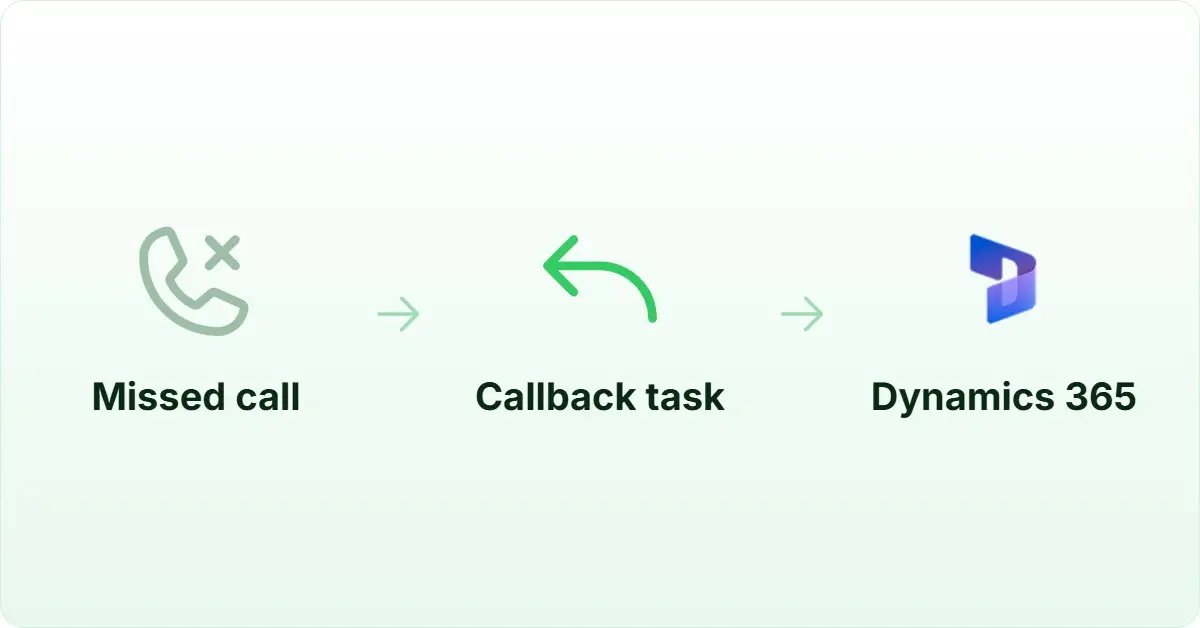
Yes. FreJun’s WhatsApp follow-up feature automatically sends a personalised WhatsApp message after a missed or completed call using pre-set templates. No manual action from the rep is required. This is particularly useful for Singapore sales teams, since WhatsApp is a primary business communication channel across Southeast Asia. Follow-up messages are triggered by call outcome, so teams can send different messages after a connected call versus a missed call, keeping outreach relevant without adding to the rep’s workload.
Conclusion: Best microsoft dynamics 365 calling integration singapore tools for 2026
The top three microsoft dynamics 365 calling integration singapore platforms for 2026 are FreJun (AI-native), JustCall (multi-channel), and RingCentral (enterprise). FreJun is the top recommendation for Singapore teams that need native bidirectional Dynamics 365 sync, AI call summaries, and PDPA-compliant outbound calling, because it is the only platform that delivers all three starting at $14.49 per user per month with setup in under one hour. Start your 3-day free trial today and see how much time your team saves on the first day alone.