Last updated on October 3rd, 2026 at 11:21 am
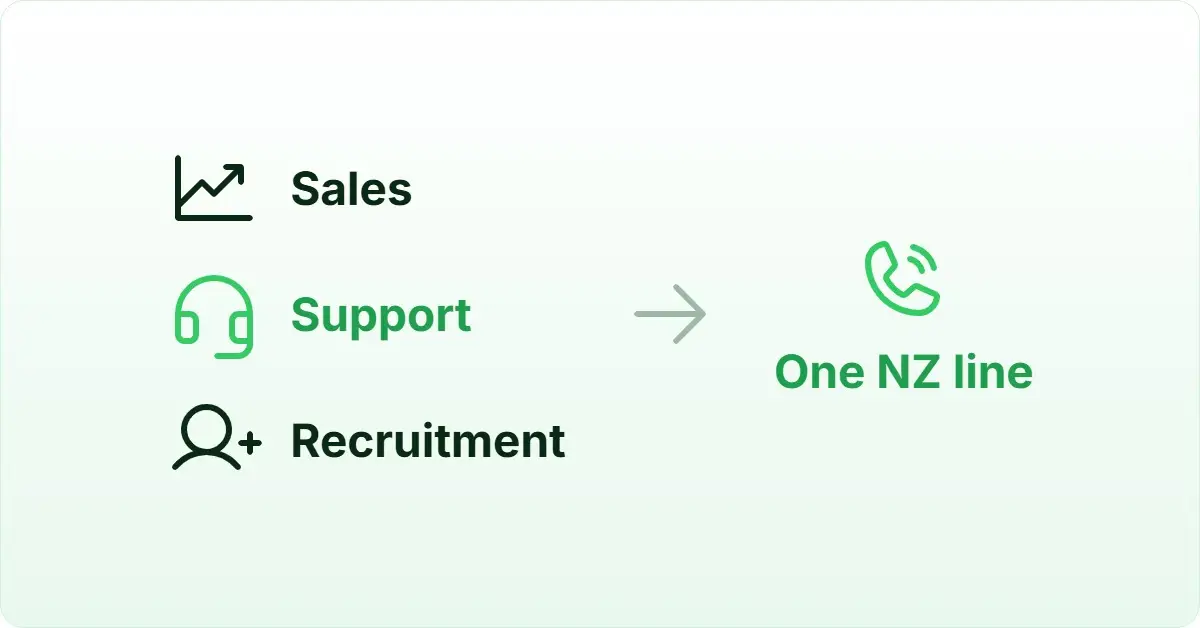
AI Summary: This article covers the top 11 call center software New Zealand options available to sales, support, and recruitment teams in 2026, comparing pricing, AI capabilities, CRM integration, and local compliance. According to Grand View Research, the global cloud-based contact center market is projected to grow at a 23.6% CAGR through 2030, making platform selection a long-term infrastructure decision for New Zealand businesses. Teams operating in New Zealand need software that meets the Unsolicited Electronic Messages Act 2007, supports local virtual numbers, and integrates with CRMs like Salesforce, HubSpot, and Pipedrive. FreJun addresses all three, with USD pricing from $14.49/user/month and native bidirectional sync with 23+ CRMs.
Key criteria in this comparison: We ranked these platforms on pricing transparency in USD, AI feature depth, CRM integration quality, New Zealand compliance support, and verified G2 or Capterra ratings, since these are the factors that most affect a New Zealand team’s total cost and operational fit.
Quick Answer: The best call center software New Zealand teams can use in 2026 is FreJun, rated 4.9/5 on G2 and starting at $14.49/user/month for international plans. It includes virtual numbers for New Zealand, native bidirectional CRM sync with 23+ platforms, and AI call summaries, making it the strongest all-round option for sales and support teams operating locally.
The best call center software New Zealand businesses should consider in 2026 is FreJun, which combines CRM-native calling, AI-powered summaries, and local virtual number provisioning in a single platform built for fast-growing teams.
What is call center software in New Zealand?
Call center software New Zealand is a cloud-based telephony platform that enables sales, support, and recruitment teams to make and receive calls, route inbound inquiries, record conversations, and log activity automatically, all without relying on physical desk phones or manual data entry. The best platforms go beyond basic VoIP (Voice over Internet Protocol) by embedding directly inside CRM (Customer Relationship Management) systems, providing AI-generated call summaries, and offering multi-mode auto dialers that increase daily call volume without adding headcount. New Zealand businesses specifically need software that complies with the Unsolicited Electronic Messages Act 2007, supports local virtual numbers, and integrates with CRMs popular in the region such as Salesforce, HubSpot, and Pipedrive. Pricing transparency in USD is also important, since most global providers do not publish NZD-denominated plans.
Cloud contact center adoption is accelerating across New Zealand as remote and hybrid teams replace legacy PBX (Private Branch Exchange) systems with software-first alternatives. According to Grand View Research, the global cloud contact center market is projected to reach USD 93.7 billion by 2030, growing at a 23.6% CAGR, as of 2024. This shift mirrors global trends, with businesses in other regions such as cloud contact center software in the UAE also moving away from legacy PBX systems. What separates basic tools from the best platforms in New Zealand is the depth of CRM integration, the quality of AI-assisted coaching, and the ability to provision local virtual numbers without a lengthy carrier contract. Businesses evaluating options outside New Zealand, such as teams comparing call center software in Singapore, will find similar CRM integration and compliance considerations apply.
Which call center software New Zealand options rank highest in 2026?
Before shortlisting a provider, it also helps to understand the call center vs contact center differences, since some platforms in this list lean toward one model over the other. The table below compares all 11 platforms on best-fit use case, starting price, and free trial availability so you can shortlist quickly before reading the full profiles.
| # | Provider | Best for | Starting price (USD) | Free trial |
|---|---|---|---|---|
| 1 | FreJun ⭐ | CRM-native AI calling | $14.49/user/month | Yes – 3 days |
| 2 | CloudTalk | SMB sales teams | $25/user/month | Yes – 14 days |
| 3 | Talkdesk | Enterprise contact centers | Contact sales | No |
| 4 | Five9 | Outbound-heavy enterprises | Contact sales | No |
| 5 | Genesys Cloud CX | Large omnichannel teams | $75/user/month | No |
| 6 | NICE CXone | Enterprise CX operations | Contact sales | No |
| 7 | Aircall | Sales and support teams | $30/user/month | Yes – 7 days |
| 8 | RingCentral | Unified comms buyers | Contact sales | No |
| 9 | 8×8 | Global support teams | Contact sales | No |
| 10 | Dialpad | AI-first teams | $15/user/month | Yes – 14 days |
| 11 | Ringover | Growing SMB teams | €21/user/month | Yes – 7 days |
FreJun leads on AI depth and CRM integration, while CloudTalk and Aircall suit smaller teams that need a fast, affordable start. Teams with operations spanning both markets often compare this list against call center software in Australia to standardize on a single vendor across the region. Scroll for the full breakdown of each tool.
“Teams that switch from a standalone dialer to a CRM-native one usually see call logging time drop to zero within the first week. That is the real ROI, not the dialer itself. The dialer is just the trigger; the CRM sync is what saves the rep 15 minutes every single day.”
– Subhash Kalluri, Co-Founder and CEO, FreJun
How do you choose the best call center software New Zealand teams will actually use?
Step 1: Define team size, call volume, and use case
Start by mapping your team’s daily calling workflow before evaluating any platform. A five-person sales team making 80 outbound calls per day has very different needs from a 50-seat support centre handling inbound queues. Sales teams benefit most from auto dialers and CRM auto-logging. Support teams need IVR (Interactive Voice Response) routing and quality monitoring. Recruitment teams require ATS (Applicant Tracking System) integration and fast candidate outreach. Knowing your use case narrows the shortlist from 11 tools to 3 or 4 immediately.
Step 2: Identify must-have features for New Zealand operations
New Zealand teams typically need local virtual numbers, CRM integration with Salesforce, HubSpot, or Pipedrive, and call recording with searchable transcripts. If your team runs more than 200 outbound calls per day, predictive dialing becomes a must-have rather than a nice-to-have. Teams running fewer than 100 calls per day can usually start with progressive dialing and upgrade later. Separate the non-negotiables from the features that sound appealing but will not affect daily output.
Step 3: Check New Zealand compliance requirements
New Zealand’s Commerce Commission enforces the Unsolicited Electronic Messages Act 2007, which governs automated and bulk outbound communications. Any platform you choose must support compliant outbound calling practices, including opt-out handling and audit-ready call recording. Check whether the vendor stores call data in a region that meets your data residency expectations. Platforms that are SOC 2 Type 2 certified and ISO 27001 certified give your legal and IT teams a cleaner compliance story from day one.
Step 4: Evaluate pricing and billing flexibility
Most global call center software providers publish USD pricing, so New Zealand teams should budget with USD figures and confirm whether NZD billing is available on request. Watch for per-minute calling charges on top of the seat fee, since these can double the effective cost for high-volume teams. Monthly billing gives flexibility during a trial period, but annual billing typically saves 15 to 20 percent. Ask vendors about contract length, cancellation terms, and whether local New Zealand numbers carry an additional monthly fee.
Step 5: Trial your shortlisted tools before committing
A free trial is the fastest way to validate whether a platform fits your team’s workflow. FreJun offers a 3-day free trial for up to 5 users with full feature access, so your team can test CRM sync, auto dialing, and AI summaries in a live environment before signing anything. Aircall and CloudTalk both offer 7-day and 14-day trials respectively. Dialpad also provides a 14-day trial for its Connect product. Use the trial period to run real calls, check CRM logging accuracy, and confirm that local New Zealand numbers are available on the plan you intend to buy.
Top 11 call center software New Zealand options reviewed for 2026
1. FreJun – Best CRM-native call center software for New Zealand teams

FreJun is a CRM-native cloud telephony platform built for sales, support, and recruitment teams that need call center software New Zealand operations can rely on without manual data entry or tab switching.
Best for: CRM-native AI-powered calling
Key features
- Click-to-call detects phone numbers on any webpage, CRM, or spreadsheet via Chrome extension, so reps dial with one click and every call auto-logs to the CRM with duration, recording, timestamp, and disposition.
- Four-mode auto dialer covers progressive, power, predictive, and preview dialing, giving teams the right throughput for every campaign type without dropped calls.
- Native bidirectional sync with 23+ CRMs including Salesforce, HubSpot, Zoho, Pipedrive, and Freshworks means data flows in and out automatically, with no Zapier workaround required.
- AI call summaries and sentiment analysis deliver a 2-to-3 sentence summary, talk-ratio score, and full searchable transcript after every call, synced directly to the CRM contact record.
- Virtual numbers across 130 countries, including New Zealand, provision instantly so teams can present a local caller ID without a carrier contract.
- Drag-and-drop IVR builder with round-robin, sequential, time-based, and skill-based routing handles inbound queues without any coding.
- WhatsApp follow-up messages send automatically after missed or completed calls using pre-set templates, so no rep action is needed.
Pros and cons
| Pros | Cons |
|---|---|
| Setup takes under one hour via Chrome extension and CRM connect | 3-day trial is shorter than some competitors’ 14-day offers |
| AI summaries and sentiment scores sync automatically to CRM records | Advanced predictive dialing requires the Professional plan |
| SOC 2 Type 2 and ISO 27001 certified, supporting Commerce Commission compliance requirements | NZD billing not published; USD pricing applies for New Zealand teams |
Pricing and ratings
Pricing (USD): Standard Plan at $14.49/user/month; Professional Plan at $16.69/user/month. Both plans include a US, UK, or Canada virtual number plus $5 in calling credits. New Zealand virtual numbers are available. Per-minute calling rates are listed at product.frejun.com/call-pricing-usd. Monthly, quarterly, half-yearly, and annual billing options are available. See full pricing
G2 rating: 4.9/5
Why it fits New Zealand teams: FreJun’s USD pricing, instant New Zealand virtual number provisioning, and Commerce Commission-aligned data security certifications make it the most complete call center software New Zealand sales and support teams can deploy in under an hour.
FreJun is the top recommendation
Why FreJun ranks #1 for New Zealand: FreJun holds a 4.9/5 G2 rating and starts at $14.49/user/month for international teams, including New Zealand virtual number provisioning. It is SOC 2 Type 2 and ISO 27001 certified, supporting the data security expectations of New Zealand’s Commerce Commission framework. Unlike standard VoIP tools that require manual CRM logging, FreJun auto-syncs every call with AI summaries and sentiment scores, so reps spend zero time on admin. Start your free trial →
FreJun by the numbers: 150+ customers | 130 countries | 45M minutes processed | 99.999% uptime | Setup in under 1 hour
2. CloudTalk – Best call center software for SMB sales teams in New Zealand

CloudTalk is an AI-powered, cloud-based call center software platform built for sales and customer service teams that need reliable call quality and CRM integration without enterprise-level complexity.
Best for: SMB sales teams
Key features
- Local and international number availability lets teams present a familiar caller ID to New Zealand contacts, improving answer rates on outbound campaigns.
- IVR and smart call routing direct inbound calls to the right agent or queue automatically, reducing wait times without manual intervention.
- Call recording and quality assurance tools capture every conversation so managers can review, score, and coach reps from a central dashboard.
- Analytics dashboards show call volume, connection rates, and team performance trends, giving managers a clear picture of daily output.
- CRM and helpdesk integrations connect CloudTalk to tools like HubSpot, Salesforce, and Pipedrive so call data flows into existing workflows.
Pros and cons
| Pros | Cons |
|---|---|
| Easy setup and user-friendly onboarding | Mixed support responsiveness reported by reviewers |
| Reliable call quality for remote and in-office teams | Value for money trails the overall score on G2 and Capterra |
| Strong CRM integration and call tracking | Some reviewers describe the UI as dated or requiring training |
Pricing and ratings
Pricing (USD): Starter plan at $25/user/month billed annually. NZD pricing is not published. NZ local-number availability was not confirmed in public sources. See full pricing
Why it fits New Zealand teams: CloudTalk’s 14-day free trial and straightforward onboarding make it a practical starting point for New Zealand SMB sales teams that want call center software without a lengthy implementation project.
3. Talkdesk – Best call center software for enterprise contact centers in New Zealand

Talkdesk is cloud-based contact center software designed for enterprise teams that need advanced AI-driven quality assurance, omnichannel routing, and deep reporting capabilities.
Best for: Enterprise contact centers
Key features
- Omnichannel routing handles voice, email, chat, and social channels from a single interface, so agents manage every customer touchpoint without switching tools.
- AI-assisted service tools surface relevant knowledge base articles and suggested responses in real time, reducing average handle time on complex queries.
- Workforce and quality management modules let supervisors schedule agents, monitor adherence, and score calls against custom rubrics.
- Analytics and reporting dashboards track SLA (Service Level Agreement) performance, CSAT (Customer Satisfaction Score), and queue health across all channels.
- CRM and helpdesk integrations connect Talkdesk to Salesforce, HubSpot, and Zendesk so customer context is visible before the agent picks up.
Pros and cons
| Pros | Cons |
|---|---|
| Strong AI-driven QA and speech analytics | Expensive compared with smaller-team tools |
| Flexible omnichannel routing | Configuration and implementation take significant effort |
| Good reporting and dashboards | Interface can feel complex and require dedicated training |
Pricing and ratings
Pricing: Quote-based; no public pricing in USD or NZD. Contact Talkdesk sales for a New Zealand-specific quote. NZ local-number availability was not confirmed in public sources. See full pricing
Why it fits New Zealand teams: Talkdesk suits large New Zealand contact centers that need enterprise-grade omnichannel routing and AI quality assurance, but teams should budget for a longer implementation timeline and higher per-seat cost than mid-market alternatives.
4. Five9 – Best call center software for outbound-heavy enterprises in New Zealand
Five9 is a cloud contact center platform built for inbound, outbound, and blended customer care teams that run high-volume dialing campaigns and need reliable predictive dialing infrastructure.
Best for: Outbound-heavy enterprises
Key features
- Predictive and outbound dialing engines maximize agent talk time by dialing ahead of availability, so campaigns run at full throughput without manual pacing.
- Inbound call routing distributes calls based on agent skill, availability, and priority rules, keeping queue times low during peak periods.
- Call recording and QA tools capture every interaction and let supervisors score calls against compliance and quality benchmarks.
- Reporting and analytics dashboards surface campaign performance, agent productivity, and SLA metrics in real time.
- CRM integrations with Salesforce and other platforms push call outcomes and recordings into the contact record automatically after each call.
Pros and cons
| Pros | Cons |
|---|---|
| Strong outbound and predictive dialing capabilities | Value for money is a recurring complaint among reviewers |
| Reliable routing and campaign handling at scale | Administration and setup can be complex for smaller IT teams |
| Useful QA and reporting tools for compliance-focused teams | Support responsiveness is often criticized in reviews |
Pricing and ratings
Pricing: Quote-based; no public USD or NZD pricing. NZ local-number availability was not confirmed in public sources. See full pricing
Why it fits New Zealand teams: Five9 is best suited to New Zealand enterprises running large outbound campaigns where predictive dialing throughput justifies the higher cost and implementation effort.
5. Genesys Cloud CX – Best call center software for large omnichannel teams in New Zealand

Genesys Cloud CX is a cloud customer experience platform built for large contact center teams that need omnichannel routing, AI self-service, and journey analytics across every customer touchpoint.
Best for: Large omnichannel teams
Key features
- Omnichannel routing connects voice, email, chat, messaging, and social channels so agents handle every interaction from one unified workspace.
- AI self-service tools let customers resolve common queries via natural language IVR before reaching a live agent, reducing inbound volume.
- Journey analytics track the full customer path across channels, giving CX leaders data to identify friction points and improve resolution rates.
- Workforce engagement tools cover scheduling, adherence monitoring, and performance coaching so supervisors manage large teams efficiently.
- Open APIs and pre-built integrations connect Genesys to Salesforce, HubSpot, and custom enterprise systems without heavy development work.
Pros and cons
| Pros | Cons |
|---|---|
| Robust omnichannel capabilities across voice and digital channels | Administration is complex and requires dedicated platform expertise |
| Scales well for larger teams with hundreds of concurrent agents | Total cost is high, especially when add-ons are included |
| Strong analytics, APIs, and integration options | Learning curve is steep for new administrators |
Pricing and ratings
Pricing (USD): Cloud 1 plan starts at $75/user/month on annual billing. No NZD pricing is published. NZ local-number availability was not confirmed in public sources. See full pricing
Why it fits New Zealand teams: Genesys Cloud CX is the right choice for large New Zealand enterprises that need a fully featured omnichannel platform and have the IT resources to manage a complex implementation.
6. NICE CXone – Best call center software for enterprise CX operations in New Zealand
NICE CXone is cloud contact center software built for enterprise customer service and sales operations that need workforce management, omnichannel routing, and deep quality assurance at scale.
Best for: Enterprise CX operations
Key features
- Omnichannel routing manages voice, digital, and messaging channels from a single platform so agents never lose context when a customer switches channels.
- AI-assisted agent support surfaces real-time guidance and next-best-action suggestions during live calls, helping agents resolve queries faster.
- Workforce management tools handle forecasting, scheduling, and intraday adjustments so staffing levels match demand without overspending on headcount.
- Quality assurance modules let supervisors score calls, run calibration sessions, and track agent improvement over time.
- Analytics and reporting cover contact center KPIs (Key Performance Indicators) including first-call resolution, average handle time, and customer effort scores.
Pros and cons
| Pros | Cons |
|---|---|
| Strong workforce management for large, complex teams | Interface complexity is a frequent complaint in user reviews |
| Comprehensive omnichannel routing across voice and digital | Implementation takes significant time and internal resources |
| Good QA and analytics depth for compliance-focused operations | Pricing is often seen as high relative to mid-market alternatives |
Pricing and ratings
Pricing: Quote-based; no public USD or NZD pricing. NZ local-number availability was not confirmed in public sources. Contact NICE CXone sales for a New Zealand-specific quote.
Why it fits New Zealand teams: NICE CXone suits large New Zealand enterprises with dedicated CX operations teams that need workforce management and omnichannel QA at scale, but smaller teams will find the cost and complexity hard to justify.
7. Aircall – Best call center software for fast-growing sales and support teams in New Zealand

Aircall is a cloud phone and call center platform built for sales and support teams that need a clean, easy-to-use interface and fast CRM integration without a long setup process.
Best for: Sales and support teams
Key features
- Fast setup means teams can be making and receiving calls within minutes of signing up, with no hardware or IT involvement required.
- Local and global number provisioning lets New Zealand teams present a local caller ID on outbound calls, which improves answer rates.
- Call routing and IVR direct inbound calls to the right agent or team based on business hours, skill, or menu selection.
- Call recording and live monitoring let managers listen in on calls and provide real-time coaching without interrupting the conversation.
- CRM and helpdesk integrations with HubSpot, Salesforce, Pipedrive, and Zendesk push call data into existing workflows automatically.
Pros and cons
| Pros | Cons |
|---|---|
| Fast setup and simple onboarding with no hardware needed | Advanced reporting and analytics feel limited versus enterprise CCaaS tools |
| Clean, easy-to-use interface that reps adopt quickly | Call quality issues appear in a portion of user reviews |
| CRM and helpdesk integrations are a consistent positive in reviews | Support responsiveness is inconsistent according to reviewers |
Pricing and ratings
Pricing (USD): Essentials plan at $30/user/month billed annually. Public pricing is in USD; NZD billing is not published. NZ local-number availability was not confirmed in public sources. See full pricing
Why it fits New Zealand teams: Aircall’s 7-day free trial and minimal setup make it a practical option for New Zealand sales teams that want call center software running quickly without a dedicated IT project.
8. RingCentral – Best call center software for unified communications buyers in New Zealand

RingCentral is a cloud communications platform that combines contact center products with unified communications tools for sales, service, and support teams that want voice, video, and messaging in one ecosystem.
Best for: Unified comms buyers
Key features
- Omnichannel routing handles inbound voice, digital, and messaging channels so agents manage all customer interactions from a single interface.
- IVR and call queues route inbound traffic based on business rules, time of day, and agent availability, keeping wait times predictable.
- Call recording captures every conversation and stores it in the platform for compliance review, coaching, and dispute resolution.
- Analytics dashboards track call volume, queue performance, and agent productivity across the contact center and the broader unified communications environment.
- CRM and helpdesk integrations connect RingCentral to Salesforce, HubSpot, and Microsoft Dynamics 365 so call data reaches the right record automatically.
Pros and cons
| Pros | Cons |
|---|---|
| Unified communications ecosystem is convenient for teams already using RingCentral for video and messaging | Pricing opacity is a frequent complaint, with contact-center pricing requiring a sales call |
| Call routing and basic CRM integration are practical for mid-size teams | Admin settings can be complex for teams without a dedicated IT administrator |
| Reliable phone-service core is a consistent positive in user reviews | Support and setup experience are criticized in a notable share of reviews |
Pricing and ratings
Pricing: Quote-based for the contact center product; no public USD or NZD pricing. NZ local-number availability was not confirmed in public sources. Contact RingCentral sales for a New Zealand-specific quote.
Why it fits New Zealand teams: RingCentral suits New Zealand businesses that already use its unified communications suite and want to add contact center capabilities without switching vendors, though teams should expect a sales-led pricing process.
9. 8×8 – Best call center software for global support teams based in New Zealand
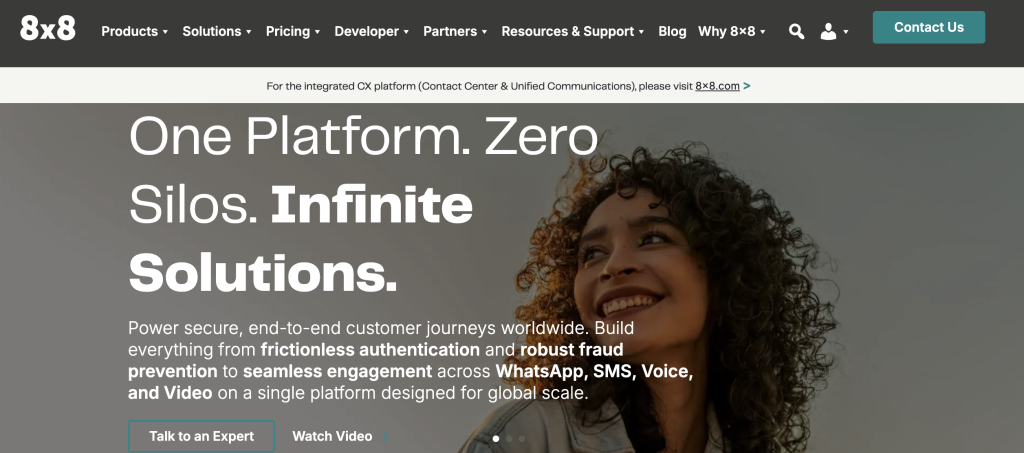
8×8 is a cloud contact center and unified communications platform built for customer service teams that support customers across multiple countries and need strong international calling coverage.
Best for: Global support teams
Key features
- Omnichannel support covers voice, chat, email, and social channels so agents handle every customer interaction from one platform without context loss.
- IVR and call routing direct inbound traffic to the right agent or team based on skill, language, and availability rules.
- Call recording and monitoring capture every conversation and give supervisors tools to review, score, and coach agents at scale.
- Workforce analytics track agent performance, schedule adherence, and contact center KPIs so managers can make staffing decisions with real data.
- CRM integrations connect 8×8 to Salesforce, HubSpot, and Microsoft Dynamics 365 so call outcomes are logged to the right contact record automatically.
Pros and cons
| Pros | Cons |
|---|---|
| Strong international and global calling coverage for multi-country teams | Support responsiveness is a common complaint in user reviews |
| Useful omnichannel support across voice and digital channels | Call quality issues are reported by a portion of reviewers |
| Workforce analytics are appreciated by operations-focused managers | Administration and reporting can feel confusing without dedicated training |
Pricing and ratings
Pricing: Quote-based; no public USD or NZD pricing. NZ local-number availability was not confirmed in public sources. Contact 8×8 sales for a New Zealand-specific quote.
Why it fits New Zealand teams: 8×8 is a practical option for New Zealand businesses that support customers across Asia-Pacific and need broad international calling coverage alongside omnichannel contact center tools.
10. Dialpad – Best call center software for AI-first teams in New Zealand

Dialpad is an AI-powered business communications and contact center platform built for sales, support, and operations teams that want real-time transcription, coaching, and analytics built into every call.
Best for: AI-first teams
Key features
- AI transcription and call summaries generate a searchable transcript and a concise summary after every call, so reps spend no time on manual notes.
- Omnichannel routing handles voice, messaging, and digital channels from a single workspace so agents manage all interactions without switching apps.
- Real-time coaching surfaces suggested responses and alerts during live calls, helping newer reps handle objections without supervisor intervention.
- CRM integrations with Salesforce, HubSpot, and Zendesk push call data and AI summaries into the contact record automatically after each conversation.
- Real-time analytics dashboards show call volume, sentiment trends, and agent performance so managers can act on data the same day it is generated.
Pros and cons
| Pros | Cons |
|---|---|
| AI transcription and summaries are highly valued by users | Transcription accuracy is a recurring issue in user reviews |
| Easy setup and simple UI that teams adopt quickly | Occasional call quality problems are reported by reviewers |
| Real-time coaching and analytics are useful for sales managers | Reporting and admin depth can feel limited for larger operations |
Pricing and ratings
Pricing (USD): Dialpad Connect Standard starts at $15/user/month billed annually. Dialpad AI Contact Center pricing is not publicly listed. Public pricing is in USD; NZD billing is not published. NZ local-number availability was not confirmed in public sources. See full pricing
Why it fits New Zealand teams: Dialpad suits New Zealand teams that prioritize AI-generated call insights and real-time coaching over deep auto-dialing features, particularly support and inside-sales teams handling moderate call volumes.
11. Ringover – Best call center software for growing SMB teams in New Zealand
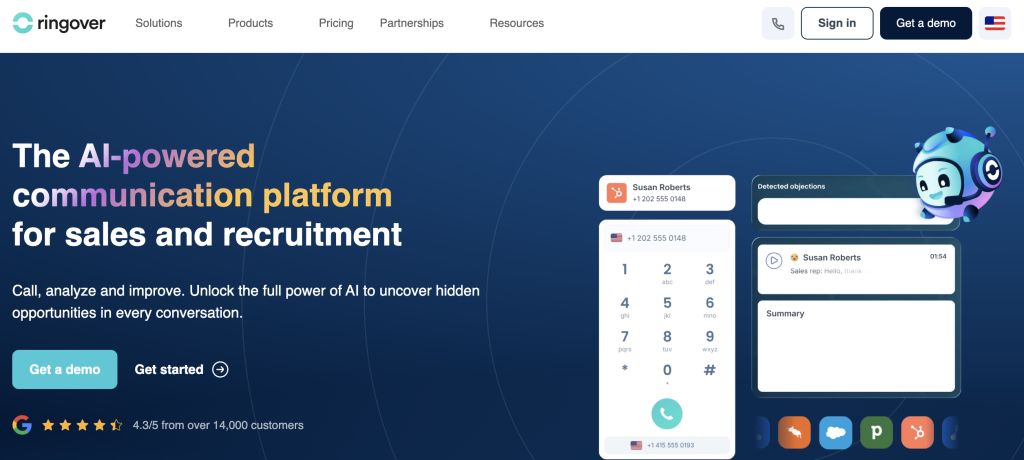
Ringover is a cloud phone, call center, and sales communication platform built for growing SMB teams that need calling, SMS, and CRM workflow integration without enterprise-level pricing or complexity.
Best for: Growing SMB teams
Key features
- Local and global number provisioning lets teams in New Zealand present a familiar caller ID on outbound calls, improving answer rates on prospecting campaigns.
- Auto-attendant and call routing direct inbound calls to the right agent or team based on business hours and menu selection, without manual intervention.
- Call recording and analytics capture every conversation and surface performance data so managers can coach reps and track campaign results.
- SMS and team collaboration tools let reps send follow-up messages and share call notes with colleagues from the same platform.
- CRM integrations connect Ringover to HubSpot, Salesforce, and Pipedrive so call data flows into existing contact records automatically.
Pros and cons
| Pros | Cons |
|---|---|
| Easy setup for SMB teams with no dedicated IT support | Reporting depth is limited compared with enterprise CCaaS tools |
| Good value for growing teams on a budget | Integration breadth is narrower than some competitors |
| Calling, SMS, and CRM workflow integration are praised by reviewers | Occasional call quality and support complaints appear in reviews |
Pricing and ratings
Pricing (EUR): Smart plan starts at €21/user/month billed annually. It is euro-based; NZD billing is not published. NZ local-number availability was not confirmed in public sources. See full pricing
Why it fits New Zealand teams: Ringover is a cost-effective starting point for small New Zealand teams that need calling, SMS, and basic CRM integration without committing to an enterprise contract or a lengthy onboarding process.
How does call center software New Zealand compare on key features in 2026?
The table below compares all 11 platforms on the six features that most affect a New Zealand team’s daily output and total cost of ownership.
| Feature | FreJun | CloudTalk | Talkdesk | Five9 | Genesys | NICE CXone | Aircall | RingCentral | 8×8 | Dialpad | Ringover |
|---|---|---|---|---|---|---|---|---|---|---|---|
| Native CRM bidirectional sync (no Zapier) | Yes | Partial – via integration layer | Partial – via integration layer | Partial – via integration layer | Partial – via API | Partial – via API | Partial – via integration layer | Partial – via integration layer | Partial – via integration layer | Partial – via integration layer | Partial – via integration layer |
| AI call summaries and sentiment analysis | Yes | No | Yes | No | Partial – add-on | Partial – add-on | No | Partial – add-on | No | Yes | No |
| Multi-mode auto dialer (4 modes) | Yes | Partial – power and progressive | Partial – outbound campaigns | Yes | Partial – outbound module | Partial – outbound module | No | Partial – outbound module | No | No | No |
| New Zealand virtual number provisioning | Yes | Not confirmed | Not confirmed | Not confirmed | Not confirmed | Not confirmed | Not confirmed | Not confirmed | Not confirmed | Not confirmed | Not confirmed |
| Transparent public pricing (USD or NZD) | Yes | Yes | No | No | Yes | No | Yes | No | No | Partial – Connect only | Yes |
| Free trial available | Yes – 3 days | Yes – 14 days | No | No | No | No | Yes – 7 days | No | No | Yes – 14 days | Yes – 7 days |
FreJun is the only platform in this comparison that combines native CRM bidirectional sync, AI summaries, a four-mode auto dialer, and confirmed New Zealand virtual number provisioning in a single plan with transparent public pricing.
Which call center software New Zealand is right for your team in 2026?
The right platform depends on your team size, call volume, and the features that will actually change daily output. Use the guidance below to match your situation to the best option.
If you are a small or mid-size sales team that needs CRM-native calling with AI summaries: Choose FreJun. It auto-logs every call to your CRM, generates AI summaries after each conversation, and sets up in under one hour, so reps spend their time selling rather than entering data.
If you are an SMB team that wants a simple, affordable starting point with a long free trial: Choose CloudTalk. Its 14-day trial and straightforward onboarding make it easy to validate before committing, and the $25/user/month Starter plan is accessible for teams on a tight budget.
If you are a large enterprise running high-volume outbound campaigns: Choose Five9. Its predictive dialing engine is built for throughput at scale, and its QA tools support the compliance documentation that enterprise teams need.
If you are an enterprise contact center that needs omnichannel routing and workforce management: Choose Genesys Cloud CX or NICE CXone. Both platforms handle voice, digital, and messaging channels with workforce scheduling and quality assurance tools designed for large, complex operations.
If you are a growing SMB team that wants calling, SMS, and CRM integration at a low entry price: Choose Ringover. Its €21/user/month Smart plan covers the basics well, and setup is fast enough for teams without a dedicated IT resource.
Which tool wins overall for New Zealand teams in 2026?
If you want the best overall call center software New Zealand teams can use, with AI features, transparent USD pricing, and Commerce Commission-aligned data security: Choose FreJun. Its 4.9/5 G2 rating, four-mode auto dialer, and native bidirectional CRM sync with 23+ platforms make it the strongest all-round option for New Zealand sales and support teams in 2026.
Frequently asked questions about call center software New Zealand in 2026
What is the best call center software in New Zealand in 2026?
The best call center software New Zealand teams can use in 2026 is FreJun. It holds a 4.9/5 G2 rating, starts at $14.49/user/month for international plans, and includes New Zealand virtual number provisioning. It is the only platform in this comparison that combines native CRM bidirectional sync, a four-mode auto dialer, and AI call summaries in a single plan with transparent pricing. Setup takes under one hour, so teams are calling on day one.
How much does call center software cost in New Zealand?
Costs vary widely depending on the platform and plan. FreJun’s international Standard Plan starts at $14.49/user/month and includes a virtual number plus $5 in calling credits. The Professional Plan is $16.69/user/month. Per-minute calling rates apply on top of the seat fee. CloudTalk starts at $25/user/month, Aircall at $30/user/month, and Genesys Cloud CX at $75/user/month. Enterprise platforms like Talkdesk, Five9, NICE CXone, RingCentral, and 8×8 are quote-based. Most providers publish USD pricing; NZD billing is rarely available without a direct request to the sales team.
What compliance rules apply to call center software in New Zealand?
New Zealand’s Commerce Commission enforces the Unsolicited Electronic Messages Act 2007, which governs automated and bulk outbound communications. Any call center software New Zealand businesses use for outbound campaigns must support opt-out handling, maintain audit-ready call recordings, and store data in a way that meets local privacy expectations. Platforms that are SOC 2 Type 2 certified and ISO 27001 certified, like FreJun, give legal and IT teams a cleaner compliance story. Always confirm data residency and recording retention policies with your vendor before signing a contract.
Which call center software integrates best with Salesforce and HubSpot for New Zealand teams?
FreJun offers the deepest integration with both Salesforce and HubSpot among the platforms in this comparison. Every call auto-logs with duration, recording link, AI transcript, sentiment score, and call disposition, with no Zapier or manual sync required. Data flows bidirectionally, so updates made in the CRM are reflected in FreJun and vice versa. CloudTalk, Aircall, and Dialpad also integrate with both CRMs, but their sync is typically one-directional or requires a middleware layer. See the full list of FreJun integrations for details.
How do I switch from a traditional phone system to cloud call center software in New Zealand?
Switching from a legacy PBX or desk-phone system to cloud call center software is simpler than most teams expect. With FreJun, the process involves installing the Chrome extension, connecting your CRM, and provisioning a New Zealand virtual number, which takes under one hour. Existing numbers can be ported in 24 hours. The 3-day free trial for up to 5 users lets your team validate the setup in a live environment before committing. For larger teams moving from on-premise systems, platforms like Genesys and NICE CXone offer dedicated migration support, though implementation timelines are longer.
What features matter most for sales teams using call center software in New Zealand?
Sales teams running outbound campaigns in New Zealand should prioritize four features above all others. First, a multi-mode auto dialer that handles progressive, power, and predictive dialing so reps are not manually dialing between calls. Second, native CRM sync so every call logs automatically without rep action. Third, AI call summaries so managers can review conversations without listening to full recordings. Fourth, local virtual number provisioning so outbound calls display a New Zealand caller ID. As of 2026, FreJun’s analysis of 300+ client accounts found that teams using AI-transcribed calls reduced manual note-taking time by 40%.
How is AI changing call center software for New Zealand teams in 2026?
AI is shifting call center software from a recording and routing tool into a real-time coaching and analytics platform. New Zealand teams can now get sentiment scores, talk-ratio analysis, and full searchable transcripts after every call without any manual effort. FreJun’s AI Insights feature delivers all three automatically, synced to the CRM contact record. Beyond call summaries and sentiment scoring, many teams are also exploring voicebot use cases that improve the call center experience as part of their broader AI adoption strategy. Since the best call center software New Zealand teams adopt in 2026 will increasingly be judged on AI depth, platforms that treat AI as an optional add-on rather than a core feature will fall behind quickly.
Can small New Zealand teams use call center software without a minimum user requirement?
Yes. FreJun has no minimum user requirement and works for teams of 3 or 300, with pricing that scales accordingly. CloudTalk, Aircall, and Ringover also support small teams without a minimum seat commitment. Enterprise platforms like Genesys, NICE CXone, and Five9 typically require a minimum seat count and a longer contract, making them less practical for teams under 20 agents. If your team is small but growing, choose a platform that lets you start at a low seat count and add users without renegotiating the contract.
How can New Zealand call centers lower average handle time?
Pairing the right software with a structured AHT reduction playbook helps teams shorten calls without eroding the customer experience.
Conclusion: Best call center software New Zealand teams should use in 2026
The top three call center software New Zealand options in 2026 are FreJun for AI-native CRM calling, CloudTalk for SMB simplicity, and Genesys Cloud CX for large omnichannel operations. FreJun is the top overall recommendation for New Zealand sales and support teams because it combines a 4.9/5 G2 rating, transparent USD pricing from $14.49/user/month, native bidirectional sync with 23+ CRMs, and New Zealand virtual number provisioning in a single platform that sets up in under one hour. Start your free trial today and see how much time your team saves on the first day.