Last updated on October 3rd, 2026 at 02:56 pm
AI Summary: This article covers the top 9 business phone systems in New Zealand for 2026, comparing features, pricing in USD, CRM integration depth, and compliance with New Zealand’s Unsolicited Electronic Messages Act 2007. According to Grand View Research, the global cloud telephony market is projected to grow at a 14.5% CAGR through 2030, making platform selection a long-term infrastructure decision for New Zealand businesses. Teams operating in New Zealand need a system that supports local and international virtual numbers, integrates natively with CRMs like HubSpot, Salesforce, and Pipedrive, and handles outbound calling compliantly. FreJun meets all three requirements, with international plans from $14.49 per user per month and bidirectional sync with 23 or more CRMs.
Key criteria in this comparison: We ranked these platforms on pricing transparency in USD, CRM integration depth, AI calling features, New Zealand compliance support, and verified user ratings, since these are the factors that most affect a New Zealand team’s total cost and day-to-day fit.
Quick Answer: The best business phone systems in New Zealand in 2026 is FreJun, rated 4.9/5 on G2. It offers international plans from $14.49 per user per month, native bidirectional CRM sync with 23 or more platforms, and a 4-mode auto dialer that helps New Zealand sales teams make three times more calls per day without manual logging.
The best business phone systems New Zealand teams can use in 2026 combine cloud calling, CRM integration, and AI-powered call summaries in one platform, so reps spend time selling rather than entering data.
What are business phone systems in New Zealand?
Business phone systems in New Zealand are cloud-based VoIP (Voice over Internet Protocol) platforms that replace traditional desk phones with software-driven calling, routing, and analytics tools accessible from any device. The best providers give teams local and international virtual numbers, IVR (Interactive Voice Response) call routing, call recording, and direct integration with CRM (Customer Relationship Management) software so every conversation is logged automatically. New Zealand businesses specifically need platforms that support local NZ numbers, comply with the Unsolicited Electronic Messages Act 2007, and offer pricing in USD with no hidden compliance surcharges. Teams using Salesforce, HubSpot, or Pipedrive should prioritise systems with native bidirectional sync rather than one-way Zapier workarounds.
Cloud business phone adoption in New Zealand is accelerating as remote and hybrid work becomes standard across Auckland, Wellington, and Christchurch. According to Grand View Research, the global cloud telephony market is projected to reach USD 47.2 billion by 2030, growing at a 14.5% CAGR as of 2024. What separates basic VoIP tools from the best platforms in New Zealand is the depth of CRM integration, the availability of AI call summaries, and transparent per-user pricing with no surprise overage fees. Businesses expanding across borders often compare setups side by side, and teams evaluating a business phone system in India will find similar priorities around CRM integration depth and transparent per-user pricing.
Which business phone systems New Zealand teams rate highest in 2026?
The table below compares all nine platforms on best-fit use case, starting price, and free trial availability so you can shortlist quickly before reading the full profiles.
| # | Provider | Best for | Starting price (USD) | Free trial |
|---|---|---|---|---|
| 1 | FreJun ⭐ | CRM-native AI calling | $14.49/user/month | Yes, 3 days |
| 2 | RingCentral | Growing multi-location teams | $20/user/month | Yes, 14 days |
| 3 | 8×8 | Unified communications teams | From $15/user/month | Check website |
| 4 | CallHippo | Sales teams needing local numbers | Contact sales | Check website |
| 5 | Aircall | Sales and support teams | Contact sales | Check website |
| 6 | Dialpad | AI-first internal teams | Contact sales | Yes, 14 days |
| 7 | Vonage | Programmable communications teams | Contact sales | Check website |
| 8 | Zoom Phone | Zoom-centric organisations | Contact sales | Check website |
| 9 | 2talk | NZ budget-conscious SMBs | Contact sales | Check website |
FreJun leads on CRM integration depth and AI features, while 2talk is the only provider on this list built specifically for the New Zealand market. Scroll for the full breakdown of each tool. For a broader look at cloud calling options beyond this shortlist, see our full roundup of VoIP providers in New Zealand.
“Teams that switch from a standalone dialer to a CRM-native one usually see call logging time drop to zero within the first week. That is the real ROI, not the dialer itself. When every call auto-logs with a recording, AI summary, and disposition, reps stop dreading admin and start making more calls.”
– Subhash Kalluri, Co-Founder and CEO, FreJun
How do you choose the best business phone systems New Zealand teams will actually use?
Step 1: Define team size, call volume, and use case
Start by mapping how your team actually uses the phone. A five-person sales team making 80 outbound calls per day has different needs from a 50-person support team handling inbound queues. Sales teams benefit most from auto dialers and CRM auto-logging. Support teams need IVR routing, call queuing, and quality monitoring. Recruitment teams need ATS (Applicant Tracking System) integration so candidate calls log directly to the hire record. Getting this right before evaluating tools saves weeks of re-evaluation later.
Step 2: Identify must-have features for New Zealand operations
New Zealand teams typically need local NZ virtual numbers so customers see a familiar area code, not an overseas number. Beyond that, the must-have list usually includes call recording for QA, mobile app access for remote staff, and CRM integration with HubSpot, Salesforce, or Pipedrive, since these are the most widely used platforms across New Zealand businesses. Nice-to-haves include AI call summaries, predictive dialing, and WhatsApp follow-up automation. Separate the two lists before you start demos, because vendors will always show you the nice-to-haves first. Companies with a regional presence sometimes need to compare setups beyond New Zealand, and those researching a business phone system in the UAE will find the same emphasis on local numbers and CRM-native calling.
Step 3: Check New Zealand compliance requirements
New Zealand outbound calling is governed by the Unsolicited Electronic Messages Act 2007, administered by the Commerce Commission. This Act covers commercial electronic messages including automated calls and SMS, so any platform you choose must support consent-based outbound campaigns and honour opt-out requests. If your team also calls into Australia, check ACMA (Australian Communications and Media Authority) compliance and the Australian Do Not Call Register. Platforms that offer built-in DNC (Do Not Call) list management save your compliance team significant manual work. Teams operating across Asia-Pacific often run parallel evaluations, and those comparing options for a business phone system in Singapore will find similar CRM integration and compliance considerations apply.
Step 4: Evaluate pricing and billing flexibility
Most business phone systems in New Zealand are priced in USD. Watch for three cost layers: the per-user monthly licence, the per-minute calling rate for outbound calls, and the cost of local virtual numbers. Some providers advertise a low headline price but charge separately for call recording, analytics, and SMS. Ask vendors for a total cost estimate based on your actual call volume before signing. Monthly billing gives flexibility, but annual plans typically save 15 to 20 percent.
Step 5: Trial shortlisted tools before committing
A live trial reveals things a demo never shows: call quality on your actual internet connection, how long CRM sync takes, and whether the mobile app works reliably on New Zealand networks. FreJun offers a 3-day free trial for up to 5 users with full feature access, so your team can test click-to-call, CRM auto-logging, and AI summaries on real calls before paying anything. RingCentral and Dialpad both offer 14-day trials. Use the trial period to run at least 50 real calls and check the CRM sync on every one.
Top 9 business phone systems New Zealand teams use in 2026
1. FreJun – CRM-native AI calling platform for New Zealand sales and support teams

FreJun is a CRM-native cloud telephony platform built for sales, support, and recruitment teams running business phone systems in New Zealand who need every call auto-logged, AI-summarised, and synced to their CRM without manual entry.
Best for: CRM-native AI-powered outbound calling
Key features
- Click-to-Call via Chrome extension: FreJun detects phone numbers on any webpage, CRM, or spreadsheet tab, so reps dial with one click and every call auto-logs to the CRM with duration, recording link, timestamp, and disposition. New Zealand teams using this feature see an average 3x increase in daily call volume as of 2026, according to FreJun internal data.
- 4-mode auto dialer: Progressive mode dials one at a time with zero dropped calls. Power mode runs high-volume campaigns. Predictive mode dials ahead of agent availability for maximum throughput. Preview mode lets reps review a contact before dialling, which suits high-value accounts.
- 23-plus CRM integrations with bidirectional sync: Native sync with HubSpot, Salesforce, Zoho, Pipedrive, Freshworks, Microsoft Dynamics 365, and 17 more. Data flows in and out automatically, so no Zapier workaround is needed. See the full FreJun integrations list for all supported platforms.
- AI call summaries and sentiment analysis: After every call, FreJun generates a sentiment score, talk-ratio breakdown, 2 to 3 sentence AI summary, and a full searchable transcript with speaker labels. As of 2026, FreJun’s analysis of 300-plus client accounts found that teams using AI-transcribed calls reduced manual note-taking time by 40%.
- Drag-and-drop IVR and call routing: Build multi-level IVR menus without coding. Route calls by round-robin, time of day, or skill-based rules so New Zealand callers always reach the right person.
- Virtual numbers for 130 countries: New Zealand teams can provision local NZ numbers instantly, plus numbers for Australia, the US, the UK, and 126 other countries, all from one account.
- WhatsApp follow-up automation: FreJun auto-sends a personalised WhatsApp message after missed or completed calls using pre-set templates, so no follow-up falls through the cracks.
Pros and cons
| Pros | Cons |
|---|---|
| Native bidirectional CRM sync with 23-plus platforms, no Zapier required | 3-day trial is shorter than some competitors’ 14-day trials |
| 4-mode auto dialer covers every outbound calling scenario from high-volume campaigns to high-value preview calls | Advanced predictive dialing and AI features require the Professional plan |
| Setup takes under 1 hour via Chrome extension install and CRM connect, so teams are calling the same day they sign up | India-specific TRAI compliance features are not relevant to NZ-only teams |
Pricing and ratings
Pricing (USD): Standard Plan at $14.49 per user per month. Professional Plan at $16.69 per user per month. Both international plans include a US, UK, or Canada virtual number plus $5 in calling credits. Per-minute calling rates are listed at product.frejun.com/call-pricing-usd. New Zealand teams use the international USD pricing. Billing is available monthly, quarterly, half-yearly, or annually. See full pricing
G2 rating: 4.9/5
Why it fits New Zealand teams: FreJun’s international plan covers New Zealand operations with virtual numbers, USD billing, and compliance-ready outbound calling that respects the Unsolicited Electronic Messages Act 2007. For a deeper breakdown of how FreJun’s business phone system for New Zealand teams handles local numbers and CRM sync, see the dedicated product page.
FreJun is the top recommendation
Why FreJun ranks #1 for New Zealand: FreJun holds a 4.9/5 G2 rating and is the only platform on this list that lives natively inside your CRM, auto-logging every call with an AI summary and sentiment score without any manual input from the rep. International plans start at $14.49 per user per month, which is lower than RingCentral’s Core plan, and setup takes under 1 hour. Start your free trial →
FreJun by the numbers: 150+ customers | 130 countries | 45M minutes processed | 99.999% uptime | Setup in under 1 hour
2. RingCentral – Cloud phone and unified communications for multi-location teams

RingCentral is a cloud business phone and VoIP platform that combines calling, messaging, video meetings, and customer engagement in one system, making it a strong fit for business phone systems New Zealand teams with multiple offices or remote staff.
Best for: Growing multi-location teams
Key features
- IVR call routing: Route callers through multi-level menus so every call reaches the right team or person without manual transfers.
- Desktop and mobile calling: Answer and make calls from a desktop app, browser, or mobile device, so remote New Zealand staff stay reachable on any network.
- SMS and team messaging: Manage business SMS and internal team chat from the same platform, reducing the need for separate messaging tools.
- Customisable analytics dashboards: Reviewers highlight real-time dashboards for monitoring team call activity, connection rates, and queue performance.
- Professional business number: Keep a dedicated business number separate from personal mobile numbers, which matters for brand consistency across New Zealand customer calls.
Pros and cons
| Pros | Cons |
|---|---|
| Reviewers praise customisable dashboards for real-time team monitoring | Invoices can run higher than advertised once compliance fees, extra numbers, and usage overages are added |
| Users report clear call quality with no dropped audio and easy web-based access from anywhere | SMS caps on entry plans push teams toward paid add-ons |
| Calling, transferring, texting, and voicemail all work from one web-based system | Trustpilot complaints focus on billing disputes and cancellation difficulty |
Pricing and ratings
Pricing (USD): Core plan starts at $20 per user per month billed annually.
Why it fits New Zealand teams: RingCentral suits New Zealand businesses that need a well-known unified communications platform with video, messaging, and calling in one place, but teams should request a full cost breakdown including compliance fees before signing.
3. 8×8 – All-in-one collaboration hub for secure unified communications
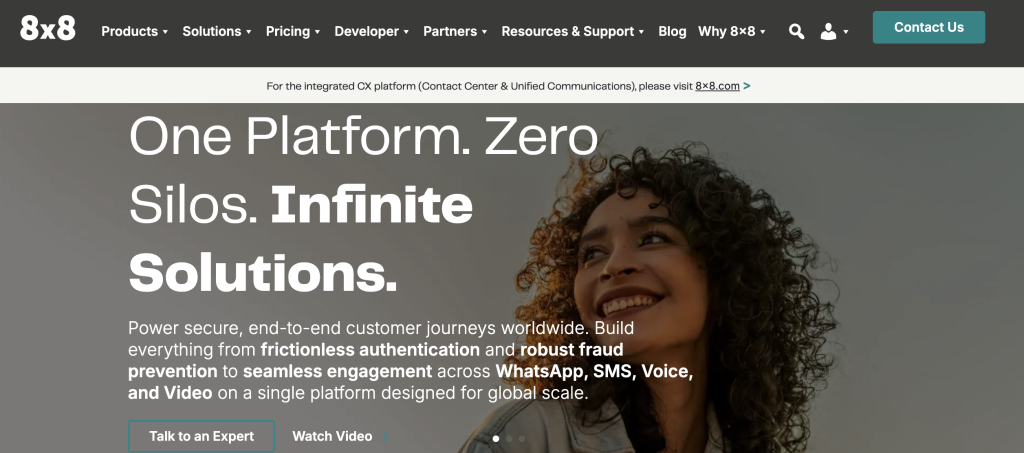
8×8 Work is an all-in-one collaboration platform combining voice, video, and messaging for business phone systems New Zealand teams that prioritise security and cross-device flexibility.
Best for: Unified communications teams
Key features
- Voice, video, and messaging in one workspace: Teams handle calls, video meetings, and chat from a single app, so there is no need to switch between tools during a customer interaction.
- Cross-device support: Reviewers specifically praise the desktop and mobile apps for letting remote staff stay connected on any device without quality loss.
- Centralised call queues and routing: Manage inbound call queues and routing rules from one admin panel, which suits New Zealand support teams handling high inbound volumes.
- Secure communications: 8×8 positions its platform on enterprise-grade security, which matters for New Zealand financial services and healthcare teams with data handling obligations.
- Performance reporting: Review call volume, queue wait times, and agent performance through built-in reporting dashboards.
Pros and cons
| Pros | Cons |
|---|---|
| Users praise intuitive setup and simple navigation | Multiple reviews cite poor customer support experiences |
| Cross-device functionality with reliable desktop and mobile apps | Billing and contract terms are described as opaque, complicating renewals and cancellations |
| Reviewers report clear voice quality and reliable video conferencing | Reviewers report glitches, dropped calls, and a dated admin UI |
Pricing and ratings
Pricing (USD): From $15 per user per month. Official pricing is not publicly posted in full detail, so request a quote for your team size.
Why it fits New Zealand teams: 8×8 suits New Zealand teams that need a single platform for voice, video, and messaging, but the opaque billing model means you should get a written cost breakdown before committing.
4. CallHippo – Virtual phone system for sales teams needing local and international numbers

CallHippo is a virtual phone system for sales and support teams that need local or international business numbers and structured call management as part of their business phone systems New Zealand setup.
Best for: Sales teams needing local numbers
Key features
- Local and international virtual numbers: Provision numbers across 50-plus countries, including New Zealand local numbers, so prospects see a familiar area code when your team calls.
- Native CRM integrations: Reviewers highlight direct integrations with HubSpot, Salesforce, Zoho, Slack, and Zapier, which covers the most common CRM stacks used by New Zealand sales teams.
- Intelligent call routing: Route inbound calls to the right rep based on availability, skill, or time zone, so New Zealand customers are not left waiting in a queue.
- Call recording for QA: Record conversations automatically and store them for quality assurance reviews, though call recording is gated behind higher-tier plans.
- Team performance tracking: Monitor individual rep stats including call volume, connection rate, and talk time from a central dashboard.
Pros and cons
| Pros | Cons |
|---|---|
| G2 and Capterra reviewers praise ease of use, call quality, and quick setup | Trustpilot complaints centre on billing and refunds, with a very poor Trustpilot score flagged in review summaries |
| Native integrations with HubSpot, Salesforce, Zoho, Slack, and Zapier | Call transfer and call recording are gated behind higher-tier plans |
| Global virtual numbers across 50-plus countries, including NZ local numbers | AI features, predictive dialing, and SMS overages are charged separately, which adds up fast |
Pricing and ratings
Why it fits New Zealand teams: CallHippo works for New Zealand sales teams that need local NZ numbers and basic CRM integration, but review the tier structure carefully since key features like call recording require a plan upgrade.
5. Aircall – Cloud phone system for sales and support teams with shared calling workflows

Aircall is a cloud phone system for sales and support teams that want shared calling workflows and deep CRM integrations as part of their business phone systems New Zealand stack.
Best for: Sales and support teams
Key features
- Shared numbers across the team: Multiple reps can answer calls from one business number, so no inbound call goes unanswered when one agent is busy.
- HubSpot and Salesforce integration: Reviewers specifically praise the HubSpot and Salesforce setup, including automatic call logging and easy conversation follow-up directly from the CRM record.
- Intelligent call routing: Route calls based on availability, skills, or business hours so New Zealand customers always reach a live agent during operating hours.
- Call recordings and transcripts: Reviewers say recordings and transcripts help managers coach reps and review calls without sitting in on every conversation.
- Call analytics: Monitor team call volume, missed call rate, and average handle time from a central dashboard to spot performance gaps early.
Pros and cons
| Pros | Cons |
|---|---|
| Interface is simple and intuitive for non-technical teams | Users report slow load times, UI lag, and a half-baked workspace experience |
| HubSpot and Salesforce setup is praised for automatic call logging and easy follow-up | Texts do not sync, advanced integrations require upgrades, and transcript accuracy can be poor |
| Call recordings and transcripts help reps move through cold calls faster than CRM-native calling alone | Users report frequent call drops and poor performance even on good internet connections |
Pricing and ratings
Why it fits New Zealand teams: Aircall suits New Zealand sales teams already using HubSpot or Salesforce who want a simple shared-number setup, but test call quality on your local network during the trial since drop rates are a recurring complaint.
6. Dialpad – AI-first business phone system for voice, messaging, and video

Dialpad Connect is a business phone system that puts voice, messaging, meetings, and video on any device, making it a solid option for business phone systems New Zealand teams that want built-in AI transcription without a separate tool.
Best for: AI-first internal teams
Key features
- AI transcription and live notes: Dialpad transcribes calls in real time and generates automated summaries, so reps capture key details without writing notes during the call.
- Voice, messaging, meetings, and video in one app: Users describe the interface as clean and straightforward, which reduces onboarding time for New Zealand teams switching from legacy phone systems.
- Automatic call routing: Route calls to the right agent or department automatically, with rules configurable from the admin panel without developer help.
- Desktop and mobile calling: Reviewers specifically praise the ability to move calls between desktop and mobile without interruption, which suits hybrid New Zealand teams.
- Call quality analytics: Monitor call quality metrics and agent performance from a central dashboard to identify issues before they affect customer experience.
Pros and cons
| Pros | Cons |
|---|---|
| AI transcription and automated summaries save time and help capture call details without manual notes | Review summaries repeatedly flag call-quality issues and an unreliable underlying telephony layer |
| Clean, straightforward interface across calling, messaging, and video | One G2 reviewer reported that SMS never worked properly on a business line even after multiple support contacts |
| Calls move between desktop and mobile without interruption | Billing can overshoot after unused licences are not downgraded, and Trustpilot complaints mention auto-renewals and contract friction |
Pricing and ratings
Pricing (USD): Contact sales for current plan pricing. A 14-day free trial is available. See full pricing
Why it fits New Zealand teams: Dialpad suits New Zealand teams that want AI transcription built into their phone system, but verify call quality on your local network during the trial since telephony reliability is a recurring concern in reviews.
7. Vonage – Cloud communications platform for programmable calling and messaging workflows
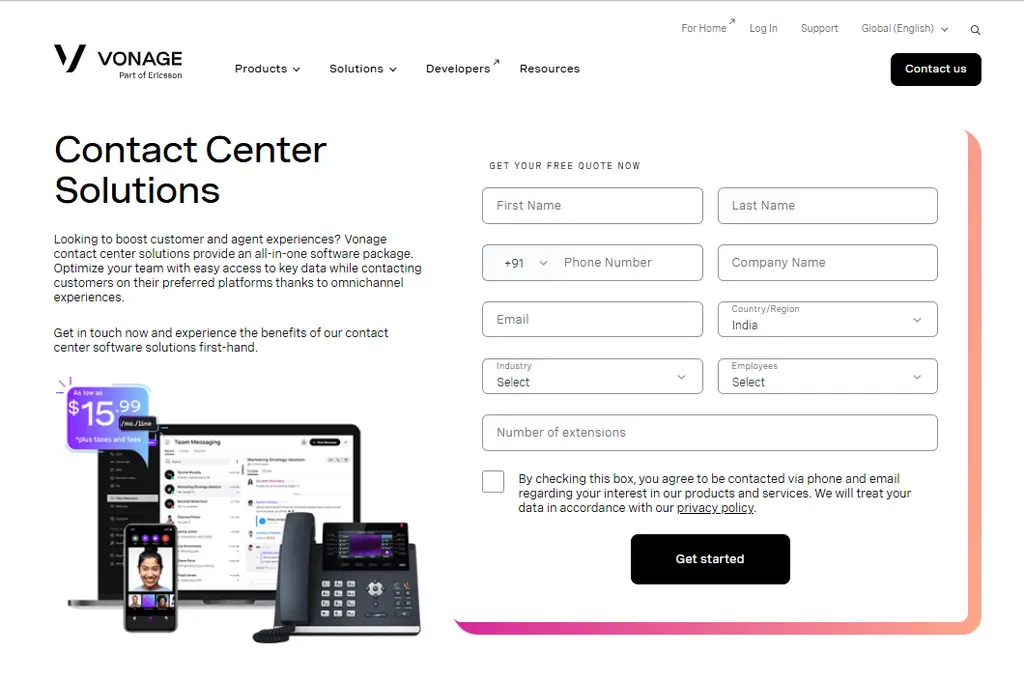
Vonage Business Communications is a cloud platform for business calling, messaging, and programmable workflows, suited to business phone systems New Zealand teams that need API-level customisation alongside standard calling features.
Best for: Programmable communications teams
Key features
- Business calling and SMS from one platform: Run outbound and inbound calling alongside business SMS so customer communications stay in one place rather than across separate tools.
- Call routing to the right person: Configure routing rules so inbound calls reach the correct team or individual based on time, availability, or caller ID.
- Desktop and mobile access: Staff can take and make calls from a desktop app or mobile device, which suits New Zealand teams with field-based or remote workers.
- API and integration support: Add custom integrations or connect Vonage to existing workflows via its API layer, which gives technical teams flexibility to build bespoke call flows.
- Usage and quality tracking: Monitor call volume, quality metrics, and usage patterns from the admin dashboard to manage costs and performance.
Pros and cons
| Pros | Cons |
|---|---|
| API layer gives technical teams flexibility to build custom call flows and integrations | Support and setup experiences are reported as inconsistent across user reviews |
| Combines calling, SMS, and programmable workflows in one platform | Pricing requires a sales conversation, which slows down evaluation for smaller New Zealand teams |
| Desktop and mobile access suits hybrid and remote New Zealand teams | No transparent per-agent pricing, making budget planning harder for growing teams |
Pricing and ratings
Why it fits New Zealand teams: Vonage suits New Zealand businesses that need programmable call flows and API access alongside standard calling, but smaller teams should weigh the setup complexity against simpler out-of-the-box alternatives.
8. Zoom Phone – Cloud phone service for organisations already using Zoom

Zoom Phone is a cloud phone service built for organisations already using Zoom for meetings and collaboration, making it a natural extension for business phone systems New Zealand teams that run Zoom as their primary communications platform.
Best for: Zoom-centric organisations
Key features
- Calling inside the Zoom ecosystem: Make and receive calls from the same Zoom app your team already uses for meetings, so there is no separate app to install or learn.
- Call-to-meeting transfer: Transfer a live phone call into a Zoom video meeting with one click, which is useful for New Zealand sales teams that need to escalate a call to a screen share.
- Call routing and forwarding: Set routing and forwarding rules so calls reach the right person whether they are at their desk or working remotely.
- Voicemail transcription: Zoom Phone transcribes voicemails automatically so reps can read messages rather than listening to each one, saving time during busy periods.
- Centralised user management: Manage all phone users from the same Zoom admin panel used for meetings, which reduces admin overhead for IT teams.
Pros and cons
| Pros | Cons |
|---|---|
| Seamless fit for teams already using Zoom, with no extra app required | Calling features can feel less feature-rich than dedicated PBX vendors for high-volume outbound teams |
| Call-to-meeting escalation works with one click, which suits consultative sales calls | Pricing requires a sales conversation, which adds friction for smaller New Zealand teams evaluating quickly |
| Centralised admin panel reduces IT overhead for organisations already managing Zoom licences | Heavy dependency on Zoom means teams that switch platforms lose all phone functionality |
Pricing and ratings
Why it fits New Zealand teams: Zoom Phone is the right choice for New Zealand organisations already paying for Zoom that want to add calling without managing a separate platform, but teams with high outbound call volumes should compare its dialing features against dedicated options.
9. 2talk – New Zealand VoIP phone service for budget-conscious SMBs
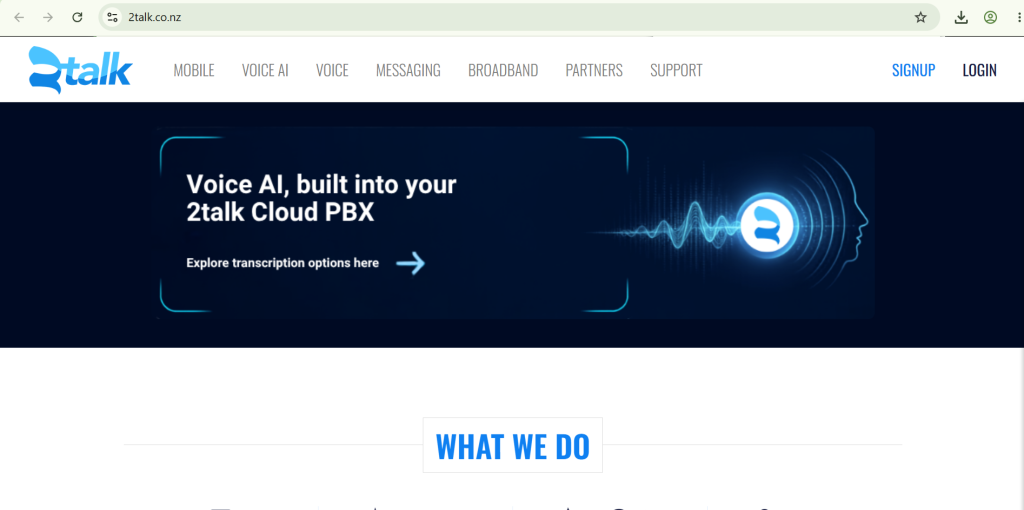
2talk is a New Zealand-based VoIP phone service for businesses that want cloud calling and local number management as part of a lean business phone systems New Zealand setup without international platform pricing.
Best for: NZ budget-conscious SMBs
Key features
- Local NZ numbers: 2talk provisions New Zealand local numbers directly, so your business presents a local caller ID to NZ customers without routing through an overseas provider.
- Call routing and forwarding: Set routing rules and forward calls to mobile or landline numbers so staff stay reachable even when away from their desk.
- Hunt groups: Ring multiple team members simultaneously or in sequence until someone answers, which suits small New Zealand teams without a dedicated receptionist.
- Voicemail to email: Receive voicemail recordings as email attachments so messages are accessible from any device without logging into a separate portal.
- Lean telephony costs: 2talk is positioned as a cost-effective option for New Zealand SMBs that need basic cloud calling without the per-user pricing of larger international platforms.
Pros and cons
| Pros | Cons |
|---|---|
| Built specifically for the New Zealand market with local NZ number provisioning | The interface can feel dated compared to international cloud phone platforms |
| Lean pricing suits small New Zealand businesses that need basic calling without enterprise features | Limited AI features and CRM integration depth compared to platforms like FreJun or Dialpad |
| Hunt groups and voicemail-to-email cover the core needs of a small NZ team without complex setup | Scaling beyond basic calling may require switching to a more feature-rich platform |
Pricing and ratings
Why it fits New Zealand teams: 2talk is the right starting point for New Zealand SMBs that need local numbers and basic cloud calling at a low cost, but teams planning to scale or add CRM integration should evaluate more capable platforms early.
Business phone systems New Zealand feature comparison: 2026
| Feature | FreJun | RingCentral | 8×8 | CallHippo | Aircall | Dialpad | Vonage | Zoom Phone | 2talk |
|---|---|---|---|---|---|---|---|---|---|
| Native CRM bidirectional sync | Yes | Partial, via integration | Partial, via integration | Partial, via Zapier for some | Yes, HubSpot and Salesforce | Partial, via integration | Partial, via API | No | No |
| AI call summaries and transcription | Yes | Partial, add-on | No | No | Partial, transcript accuracy varies | Yes | No | Partial, voicemail only | No |
| Auto dialer (multi-mode) | Yes, 4 modes | No | No | Partial, outbound automation | No | No | No | No | No |
| Local New Zealand virtual numbers | Yes | Check website | Check website | Yes, 50-plus countries | Check website | Check website | Check website | Check website | Yes, NZ-native |
| IVR and call routing builder | Yes, drag-and-drop | Yes | Yes | Yes | Yes | Yes | Yes | Yes | Yes, basic |
| Free trial available | Yes, 3 days full access | Yes, 14 days | No | No | No | Yes, 14 days | No | No | No |
FreJun is the only platform on this list that combines native CRM bidirectional sync, multi-mode auto dialing, and AI call summaries in a single plan starting at $14.49 per user per month.
Also Read: Top 7 Best Click to Call Software in New Zealand
Which business phone systems New Zealand tool is right for your team in 2026?
Different teams have different priorities. The right platform depends on your call volume, CRM stack, and whether you need AI features or just reliable cloud calling. Use the guidance below to match your situation to the best option.
If you are a New Zealand sales team making 50 or more outbound calls per day: Choose FreJun. The 4-mode auto dialer and CRM auto-logging eliminate manual data entry and let reps focus on conversations rather than admin.
If you are a multi-location New Zealand business that needs calling, video, and messaging in one platform: Choose RingCentral. Its unified communications suite covers all three channels, though you should request a full cost breakdown before signing.
If you are a small New Zealand SMB that needs basic cloud calling with local NZ numbers at a low cost: Choose 2talk. It is the only provider on this list built specifically for the New Zealand market, with local number provisioning and lean pricing.
If you are a New Zealand team already running Zoom for meetings and want to add calling without a new app: Choose Zoom Phone. It extends your existing Zoom licence with calling features and centralised admin, so there is no extra platform to manage.
If you are a New Zealand team that wants AI transcription built into the phone system: Choose Dialpad. Its real-time transcription and automated summaries work across calls, messages, and meetings, though verify call quality on your local network during the trial.
Which tool wins overall in New Zealand?
If you want the best overall business phone systems New Zealand platform with AI features, USD billing, and compliance with the Unsolicited Electronic Messages Act 2007: Choose FreJun. It is the only platform on this list that lives natively inside your CRM, auto-logs every call with an AI summary, and starts at $14.49 per user per month with a 3-day free trial that gives your whole team full access from day one.
Frequently asked questions about business phone systems New Zealand in 2026
What is the best business phone system in New Zealand in 2026?
The best business phone systems New Zealand teams can use in 2026 is FreJun, rated 4.9/5 on G2. Three concrete reasons stand out: first, it is the only platform on this list with native bidirectional CRM sync that auto-logs every call with an AI summary and sentiment score, so reps never enter call data manually. Second, international plans start at $14.49 per user per month, which is lower than RingCentral’s Core plan. Third, setup takes under 1 hour via a Chrome extension install and CRM connect, so teams are making calls the same day they sign up.
How much do business phone systems in New Zealand cost?
Pricing for business phone systems in New Zealand varies widely. FreJun’s international Standard Plan costs $14.49 per user per month and includes a virtual number plus $5 in calling credits. The Professional Plan is $16.69 per user per month. RingCentral’s Core plan starts at $20 per user per month billed annually. 8×8 starts from $15 per user per month, while CallHippo, Aircall, Vonage, Zoom Phone, and 2talk all require a sales conversation for pricing. Most platforms price in USD since there is no NZ-dollar billing option. Watch for per-minute calling rates and virtual number costs on top of the base licence fee.
What compliance rules apply to business phone systems in New Zealand?
New Zealand outbound calling is governed by the Unsolicited Electronic Messages Act 2007, administered by the Commerce Commission. This Act covers commercial electronic messages including automated calls and SMS, so any platform you use for outbound campaigns must support consent-based calling and honour opt-out requests. If your team also calls into Australia, you must comply with ACMA (Australian Communications and Media Authority) rules and check the Australian Do Not Call Register before dialling. Platforms with built-in DNC list management reduce the manual compliance burden for New Zealand teams running outbound campaigns.
Which business phone system integrates best with HubSpot and Salesforce for New Zealand teams?
FreJun offers the deepest integration with both HubSpot and Salesforce for New Zealand teams. Every call auto-logs to the CRM contact or deal record with duration, recording link, AI transcript, sentiment score, and call disposition, all without any manual input from the rep. The sync is native and bidirectional, so data flows in and out automatically without a Zapier workaround. Aircall also integrates with HubSpot and Salesforce and reviewers praise its automatic call logging, but transcript accuracy and advanced integration features require a plan upgrade. For teams where CRM data quality is a priority, FreJun’s native sync is the more reliable option.
How do I switch from a traditional phone system to a cloud business phone system in New Zealand?
Switching from a traditional PBX (Private Branch Exchange) or desk phone system to a cloud platform in New Zealand is simpler than most teams expect. Start by porting your existing business numbers to the new provider, which typically takes 24 to 48 hours. Then install the provider’s desktop app or Chrome extension and connect it to your CRM. FreJun’s setup takes under 1 hour via a Chrome extension install and CRM connect, and the 3-day free trial for up to 5 users lets your team test the full platform on real calls before committing. Since FreJun is a cloud platform, there is no hardware to install and no IT project required.
Do business phone systems in New Zealand support local NZ virtual numbers?
Yes, several platforms on this list support local New Zealand virtual numbers. 2talk is the only provider built specifically for the NZ market and provisions local NZ numbers directly. FreJun supports virtual numbers across 130 countries, including New Zealand, with instant provisioning and the option to port existing numbers within 24 hours. CallHippo also offers numbers across 50-plus countries including New Zealand. RingCentral, 8×8, Dialpad, Vonage, and Zoom Phone may support NZ numbers but their availability is not publicly confirmed, so check directly with each vendor before signing.
How is AI changing business phone systems in New Zealand in 2026?
AI is shifting business phone systems in New Zealand from passive call-logging tools to active coaching and productivity platforms. As of 2026, FreJun’s analysis of 300-plus client accounts found that teams using AI-transcribed calls reduced manual note-taking time by 40%. Real-time transcription, sentiment analysis, and automated call summaries are now available at the per-user plan level rather than as expensive enterprise add-ons. New Zealand teams should look for platforms where AI features are built into the core product rather than bolted on as a separate module, since the latter approach typically adds cost and complexity without improving the rep’s daily workflow.
Can small New Zealand businesses use enterprise-grade business phone systems?
Yes. Most cloud business phone systems in New Zealand have no minimum user requirement, so a team of three can access the same features as a team of 300. FreJun works for teams of any size, with per-user pricing that scales as the team grows and no long-term contract required on monthly billing. 2talk is specifically positioned for small NZ businesses that need basic calling at a low cost. The key difference between small-team and enterprise use is not the platform itself but the features you activate: small teams typically start with click-to-call and CRM sync, then add auto dialing and AI summaries as call volume grows.
Which virtual phone providers serve New Zealand businesses?
Virtual phone systems run over the internet and typically bundle features like auto-attendants, call forwarding, voicemail-to-email, and mobile apps so teams can work from anywhere. To see how the leading virtual phone systems in NZ stack up against each other, check this focused roundup.
Conclusion: Best business phone systems New Zealand teams should use in 2026
The top three business phone systems New Zealand teams should evaluate in 2026 are FreJun (best for CRM-native AI calling), RingCentral (best for unified communications across multiple locations), and 2talk (best for NZ-native SMB calling). FreJun is the top recommendation for New Zealand sales and support teams because it is the only platform that lives inside your CRM, auto-logs every call with an AI summary, and starts at $14.49 per user per month with a 3-day free trial. Start your trial today and have your team making CRM-logged calls within the hour.