Last updated on October 3rd, 2026 at 05:13 pm
AI Summary: This article covers the top 9 auto dialer software New Zealand options available to sales, support, and recruitment teams in 2026, comparing features, pricing in USD, and Commerce Commission compliance requirements. According to Grand View Research, the global cloud-based contact center market is projected to grow at a 23.6% CAGR through 2030, making dialer selection a long-term infrastructure decision for New Zealand businesses. NZ teams need a dialer that integrates natively with their CRM, supports local virtual numbers, and provides AI call summaries without manual logging. FreJun delivers all three, with international plans from $14.49/user/month and native bidirectional sync with 23+ CRMs.
Key criteria in this comparison: We ranked these platforms on pricing transparency in USD, CRM integration depth, New Zealand local number availability, Commerce Commission compliance support, AI calling features, and verified G2 or Capterra ratings, since these are the factors that most affect a New Zealand team’s total cost and technical fit.
Quick Answer: The best auto dialer software New Zealand teams can use in 2026 is FreJun, rated 4.9/5 on G2 and available from $14.49/user/month with a virtual NZ number included. It integrates natively with 23+ CRMs, provides AI call summaries after every call, and sets up in under one hour, making it the fastest path from signup to live outbound calling for NZ sales teams.
The best auto dialer software New Zealand businesses should consider in 2026 is FreJun, which combines a four-mode auto dialer, CRM-native call logging, and AI-powered summaries in a single platform built for outbound sales teams operating across time zones.
What is auto dialer software in New Zealand?
Auto dialer software New Zealand is a cloud-based calling platform that automatically dials contacts from a list, connects answered calls to available agents, and logs every interaction directly into a CRM (Customer Relationship Management) system without manual input. The best providers offer multiple dialing modes, including progressive, power, predictive, and preview dialing, so teams can match their calling strategy to their contact list size and agent availability. Leading platforms also include AI (Artificial Intelligence) call summaries, local virtual numbers, and built-in compliance tools. New Zealand businesses specifically need a dialer that supports local NZ virtual numbers to improve answer rates, complies with the Unsolicited Electronic Messages Act 2007 and Commerce Commission guidelines, and integrates with locally popular CRMs like Salesforce, HubSpot, and Pipedrive.
Demand for auto dialer software New Zealand is growing fast. Businesses evaluating options outside New Zealand can also compare auto dialer software India providers, which serve a similarly fast-growing outbound calling market. According to Grand View Research, the global cloud-based contact center market is expanding at a 23.6% CAGR through 2030, and New Zealand’s shift toward remote and hybrid sales teams is accelerating adoption. Basic VoIP (Voice over Internet Protocol) tools replace desk phones but still require manual CRM logging. The best platforms in 2026 go further: they live inside the CRM, auto-log every call, and surface AI insights that help reps improve on every dial.
Which auto dialer software New Zealand tools rank highest in 2026?
Here is a side-by-side overview of the top nine auto dialer software New Zealand platforms, ranked by overall fit for NZ sales teams in 2026.
| # | Provider | Best for | Starting price (USD) | Free trial |
|---|---|---|---|---|
| 1 | FreJun ⭐ | CRM-native AI-powered dialing | $14.49/user/month | Yes – 3 days |
| 2 | JustCall | Sales teams needing auto-dialer | Contact sales | Yes – 14 days |
| 3 | Aircall | Sales reps closing deals faster | $30/user/month | Check website |
| 4 | CloudTalk | Budget-friendly reliable auto-dialer | $19/user/month | Check website |
| 5 | Kixie | HubSpot CRM sales teams | Contact sales | Check website |
| 6 | Dialpad | Zoho CRM integration users | Contact sales | Check website |
| 7 | PhoneBurner | Sales reps automating outbound calls | Contact sales | Check website |
| 8 | CallHippo | Sales teams boosting conversions | Contact sales | Check website |
| 9 | Convoso | High-volume telemarketing campaigns | Contact sales | Check website |
FreJun leads on pricing transparency and CRM depth, while CloudTalk stands out for NZ local number availability at $6 to $10 per month. Scroll for the full breakdown of each tool, including features, pros, cons, pricing, and ideal use case.
“Teams that switch from a standalone dialer to a CRM-native one usually see call logging time drop to zero within the first week. That is the real ROI, not the dialer itself. When every call auto-logs with a recording link, AI summary, and disposition, reps stop dreading admin and start making more calls.”
– Subhash Kalluri, Co-Founder and CEO, FreJun
How do you choose the best auto dialer software New Zealand in 2026?
Step 1: Define your team size, call volume, and use case
Start by mapping your actual calling workflow. A five-person sales team making 50 calls per day needs a different dialing mode than a 30-person outbound team running 1,500 daily dials. Progressive dialing works well for smaller teams where call quality matters most. Predictive dialing is the right choice when throughput is the priority, since it dials ahead of agent availability to keep queues full. Recruitment teams also need ATS (Applicant Tracking System) integration, while support teams need IVR (Interactive Voice Response) routing and post-call survey tools.
Step 2: Identify must-have features for New Zealand operations
New Zealand teams benefit most from local NZ virtual numbers, since calls from a local area code answer at significantly higher rates than international numbers. Beyond that, look for native CRM integration with bidirectional sync, AI call summaries that auto-populate contact records, and voicemail drop so reps can leave a pre-recorded message with one click. Local number availability, call recording, and real-time dashboards are must-haves. Video conferencing and SMS are useful but secondary for most NZ outbound teams. For teams managing outbound calling across the Asia-Pacific region, it is also worth comparing auto dialer software Singapore providers for local number and compliance support.
Step 3: Check New Zealand compliance requirements
Teams expanding into the Middle East may also want to review auto dialer software UAE options to ensure compliance and local number support in that region. New Zealand’s Commerce Commission enforces the Unsolicited Electronic Messages Act 2007, which governs automated outbound communications. Any auto dialer software New Zealand teams deploy must support call recording consent prompts, respect do-not-call preferences, and maintain audit-ready call logs. Tools with built-in consent workflows and exportable call records make compliance audits straightforward. If your team also calls Australian contacts, check for ACMA (Australian Communications and Media Authority) compliance and the Australian Do Not Call Register as well.
Step 4: Evaluate pricing, billing flexibility, and contract terms
Most auto dialer software New Zealand providers price in USD. Look for monthly billing options so you are not locked into an annual contract before you have validated the tool with your team. Watch for hidden costs: SMS overage charges, unanswered-call fees, and per-minute rates on top of a base subscription can add 20 to 40% to the stated price. Always request a full total cost of ownership model before signing. CloudTalk and JustCall publish these costs; some providers do not disclose them until the contract stage.
Step 5: Trial shortlisted tools before committing
Smaller teams on a tight budget may also want to explore free auto dialer service providers in India before committing to a paid plan. A free trial is the fastest way to validate whether a dialer actually fits your CRM and calling workflow. FreJun offers a three-day free trial for up to five users with full platform access, so your team can test click-to-call, CRM sync, and AI summaries in a live environment before any purchase decision. JustCall offers a 14-day trial. For tools without a public trial, request a live demo and ask the vendor to demonstrate CRM logging and local NZ number provisioning specifically.
Top 9 auto dialer software New Zealand tools for 2026
1. FreJun – CRM-native AI auto dialer for New Zealand sales teams
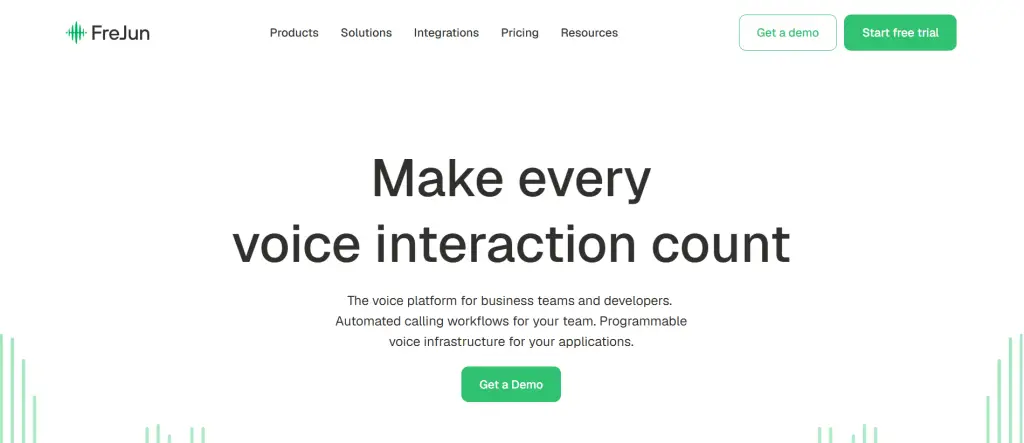
FreJun is a CRM-native cloud telephony platform built for sales, support, and recruitment teams that need auto dialer software New Zealand operations can deploy in under one hour, with full AI call logging and bidirectional CRM sync from day one.
Best for: CRM-native AI-powered outbound dialing
Key features
- Four dialing modes (progressive, power, predictive, and preview) let teams match their strategy to call volume, so a small NZ team can use progressive for quality while a large outbound team switches to predictive for throughput.
- Native bidirectional sync with 23+ CRMs including HubSpot, Salesforce, Zoho, Pipedrive, and Freshsales means every call auto-logs with duration, recording link, AI summary, and disposition, with no manual entry required from the rep.
- AI call summaries and sentiment analysis run after every call, giving managers a sentiment score, talk ratio, and a two-to-three sentence summary that syncs directly to the CRM contact record.
- Local Presence Dialing shows a local area code on the caller ID, which FreJun’s internal data shows can lift answer rates by up to three times compared to international numbers.
- Voicemail drop lets reps pre-record a message once and leave it with a single click, so they move to the next dial immediately instead of waiting through a voicemail prompt.
- Virtual numbers are available for New Zealand and 50+ other countries, with instant provisioning and the option to port existing numbers within 24 hours.
- The drag-and-drop IVR builder requires no coding and supports round-robin, sequential, time-based, and skill-based routing for inbound call management.
Pros and cons
| Pros | Cons |
|---|---|
| Sets up in under one hour via Chrome extension and CRM connect, so teams are live the same day they sign up | Per-minute calling credits apply for international calls beyond the included allocation, so high-volume international teams should model their usage before committing |
| As of 2026, FreJun’s analysis of 300+ client accounts found that teams using AI-transcribed calls reduced manual note-taking time by 40% | The mobile app covers core calling and SMS, but the full analytics dashboard is best experienced on desktop |
| SOC 2 Type 2 and ISO 27001 certified with a zero data-sharing policy, which matters for NZ teams handling sensitive customer data | Some advanced routing configurations require initial setup support, though the onboarding team is available to assist |
Pricing and ratings
Pricing (USD): Standard Plan at $14.49/user/month; Professional Plan at $16.69/user/month. Both international plans include a US, UK, or Canada virtual number plus $5 in calling credits. New Zealand virtual numbers are available for these regions. Per-minute rates apply for outbound calls; see FreJun pricing for the full breakdown. Monthly, quarterly, half-yearly, and annual billing options are available.
G2 rating: 4.9/5
Why FreJun is the top recommendation
Why FreJun ranks #1 for New Zealand: FreJun holds a 4.9/5 G2 rating and starts at $14.49/user/month with a virtual number included, making it the most price-transparent auto dialer software New Zealand teams can evaluate today. It meets Commerce Commission compliance requirements through built-in call recording consent and exportable audit logs, and its CRM-native architecture means reps never switch tabs to log a call. Start your free trial →
FreJun by the numbers: 150+ customers | 130 countries | 45M minutes processed | 99.999% uptime | Setup in under 1 hour
2. JustCall – Cloud phone system with auto-dialer for sales teams
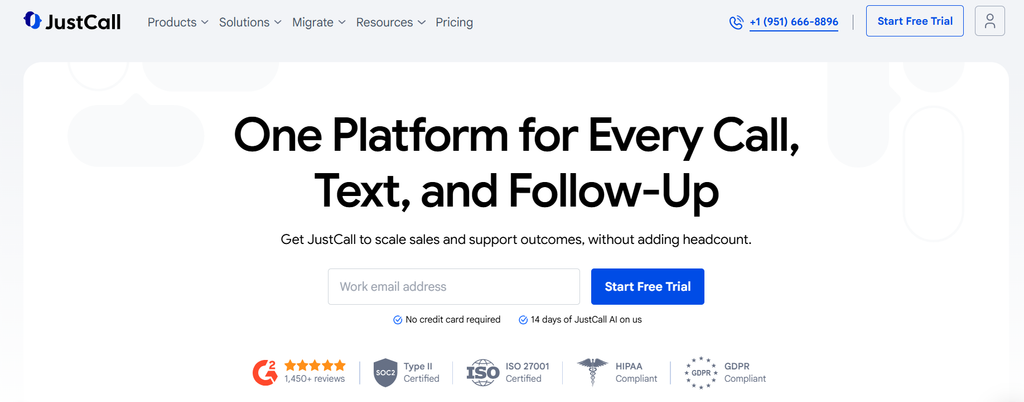
JustCall is a cloud-based phone system with auto-dialer capabilities built for sales and support teams that need auto dialer software New Zealand operations can use to automate outbound calling from contact lists.
Best for: Sales teams needing auto-dialer
Key features
- Auto-dialer from contact lists removes manual dialing entirely, so reps focus on conversations rather than punching in numbers between calls.
- Deep native CRM integrations across 100+ tools including Salesforce, HubSpot, and Pipedrive automatically log calls, texts, and notes without any rep action.
- Sales Dialer (power dialer) significantly increases daily call volume and cuts dial time for outbound campaigns, which is the feature most praised by G2 reviewers.
- Local presence features display a local area code on the caller ID, improving call acceptance rates for NZ outbound teams.
- SMS and call recording capture the full customer interaction history in one place, making follow-up and compliance review straightforward.
Pros and cons
| Pros | Cons |
|---|---|
| Ease of use is the top-praised theme on G2, with users reporting fast setup and quick onboarding across teams of all sizes | Call quality issues dominate negative feedback, with 466 mentions of call issues, 271 of connection issues, and 234 of poor call quality on G2 |
| Deep native CRM integrations across 100+ tools automatically log calls, texts, and notes without manual rep input | Billing transparency is a major complaint: users report unexpected upsells, a 271% renewal price increase, and difficulty getting refunds for inactive subscriptions |
| Sales Dialer significantly increases daily call volume and cuts dial time for high-volume outbound campaigns | Key features like Power Dialer, Salesforce CTI, and bulk SMS are gated behind the $49 Pro+ tier, forcing upgrades for basic outbound needs |
Pricing and ratings
Pricing (USD): Pricing is not publicly listed on the official site. A 14-day free trial is available. See full pricing
3. Aircall – Cloud phone system for sales reps closing deals faster

Aircall is a cloud phone system designed to help sales teams using auto dialer software New Zealand dial more prospects and close deals faster with higher-quality calls and AI-powered coaching tools.
Best for: Sales reps closing deals faster
Key features
- Power dialer increases prospect outreach volume by removing manual dialing steps, so reps move through contact lists at a faster pace without sacrificing call quality.
- AI Insights and BANT (Budget, Authority, Need, Timeline) summaries automate follow-up task creation after each call, which G2 reviewers rate as one of Aircall’s most valuable features.
- Smartflow IVR Editor provides a visual, drag-and-drop interface for setting up call routing without any technical expertise or developer support.
- CRM integrations sync customer data bidirectionally so call outcomes, notes, and recordings appear in the contact record automatically after each conversation.
- Tiered plans scale from small sales teams to mid-market organizations, with the Start plan covering core dialing and the higher tiers adding coaching and analytics.
Pros and cons
| Pros | Cons |
|---|---|
| Ease of use is the top positive theme on G2 with 263 mentions, more than double any other category, and easy integration has 112 mentions | Connection issues (71 mentions) and call quality problems (58 mentions) are the most frequently cited negatives on G2 |
| AI Insights and BANT summaries are highly valued for automating follow-up tasks and reducing post-call admin time | The mobile app can lag during click-to-call or when managing voicemail, disrupting remote workflows |
| Smartflow IVR Editor allows intuitive visual setup of call routing without technical expertise | No video conferencing capability limits its use for teams needing hybrid sales and support meetings |
Pricing and ratings
Pricing (USD): Start plan at $30/user/month. Higher tiers available for teams needing advanced coaching and analytics. See full pricing
4. CloudTalk – Budget-friendly auto-dialer with New Zealand local numbers

CloudTalk is an auto-dialer platform offering flexible dialing modes, CRM integration, and smart automations that make it a strong auto dialer software New Zealand option, particularly because it offers local NZ virtual numbers at $6 to $10 per month.
Best for: Budget-friendly reliable auto-dialer
Key features
- Flexible dialing modes including auto, power, and predictive let NZ teams choose the right throughput level for their contact list size and agent count.
- New Zealand local and toll-free virtual numbers are available for $6 to $10 per month, which is one of the most affordable local number options among all tools in this comparison.
- AI assistant delivers accurate call summaries and sentiment analysis after each call, which G2 and Trustpilot reviewers rate highly for reducing post-call admin.
- Seamless CRM integration with Salesforce, HubSpot, and Pipedrive enables automatic call logging and bidirectional data sync, so contact records stay current without rep input.
- Smart automations reduce manual effort across the calling workflow, from contact enrollment to post-call follow-up task creation.
Pros and cons
| Pros | Cons |
|---|---|
| Users describe the platform as very intuitive and easy to use, with onboarding in under two hours and low latency performance on stable connections | Network dependency makes the platform highly sensitive to internet drops, which increases risk for remote NZ teams on home Wi-Fi connections |
| AI assistant is rated highly for delivering accurate call summaries and sentiment analysis that reduce post-call note-taking time | Support delays are common: tickets often go unacknowledged for 24 to 48 hours on non-critical issues, which can slow resolution for NZ teams in a different time zone |
| NZ local and toll-free virtual numbers available at $6 to $10 per month, one of the lowest local number costs in this comparison | Mobile app stability issues cause lag during click-to-call and voicemail management compared to the desktop experience |
Pricing and ratings
Pricing (USD): Lite plan at $19/user/month (annual billing) or $25/user/month worldwide. NZ local numbers add $6 to $10/month. G2 rating: 4.3/5 (2,165 reviews). See full pricing
5. Kixie – Intelligent auto-dialer for HubSpot CRM sales teams

Kixie provides an intelligent auto-dialer for sales teams that need auto dialer software New Zealand operations can connect directly to HubSpot, Salesforce, Pipedrive, or Zoho for automated CRM workflow triggering.
Best for: HubSpot CRM sales teams
Key features
- Multi-line power dialer supports up to 10 parallel lines, which drastically reduces time between calls for high-volume outbound teams running large NZ contact lists.
- ConnectionBoost local presence makes cold calls appear from local numbers, which Kixie’s own data shows can double connect rates compared to calling from an international number.
- Seamless bidirectional CRM logging, especially with HubSpot, eliminates manual data entry for calls and texts so reps stay focused on conversations.
- Intelligent auto-dialer triggers webhooks for automated CRM workflows, so a completed call can automatically enroll a contact in a follow-up sequence without rep action.
- SMS functionality is included in entry-level plans, giving NZ teams a text follow-up channel alongside voice without needing a separate tool.
Pros and cons
| Pros | Cons |
|---|---|
| Multi-line power dialer (up to 10 parallel lines) drastically reduces time between calls for high-volume outbound teams | Opaque pricing: real spend ranges $109 to $220/user/month after add-ons, far above the advertised $35 to $95 base tiers |
| ConnectionBoost local presence doubles connect rates by making cold calls appear from local numbers | Chrome extension dependency causes periodic breakages when CRM frontends update, leading to one to two day outages |
| Seamless bidirectional CRM logging with HubSpot eliminates manual data entry for calls and texts | No phone-based customer support (chat and email only, no weekends) creates gaps for teams running Saturday calling campaigns |
Pricing and ratings
Pricing (USD): Custom pricing, not publicly listed. Real total cost typically ranges $109 to $220/user/month after add-ons. See full pricing
6. Dialpad – AI-powered cloud dialer for Zoho CRM users

Dialpad is a cloud communication platform featuring an auto-dialer and strong Zoho CRM integration, making it a viable auto dialer software New Zealand option for teams already running Zoho as their primary CRM.
Best for: Zoho CRM integration users
Key features
- AI-powered real-time transcription and automated call summaries save significant time after each call, capturing details without manual note-taking from the rep.
- Auto-dialer with Ring and Zoho CRM Extension integration lets NZ teams dial directly from Zoho contact records and log outcomes automatically.
- Admin area provides a straightforward view of real-time user activity and reports, with easy navigation that non-technical managers can use without training.
- Flexibility in choosing which device receives calls or texts supports remote and hybrid NZ team setups where reps work from different locations.
- Override assignment rules allow user-specific number assignment, so each rep can maintain a consistent caller ID across their outbound campaigns.
Pros and cons
| Pros | Cons |
|---|---|
| AI-powered real-time transcription and automated call summaries save significant time and capture details without manual note-taking | “Great AI, unreliable foundation” is the dominant complaint pattern: 55 BBB complaints in three years despite a 4.4/5 G2 rating |
| Admin area is straightforward for viewing real-time user activity and reports, with easy navigation for non-technical managers | Core voice functionality suffers from instability, even though AI meeting recaps and action item extraction perform well |
| Flexibility in choosing which device receives calls or texts supports remote and hybrid team setups across NZ locations | Voice reliability is inconsistent compared to collaboration features like desktop sharing and live chat |
Pricing and ratings
Pricing (USD): Pricing is not publicly listed. Contact sales for a quote. See full pricing
7. PhoneBurner – Auto-dialer for sales reps automating outbound calls
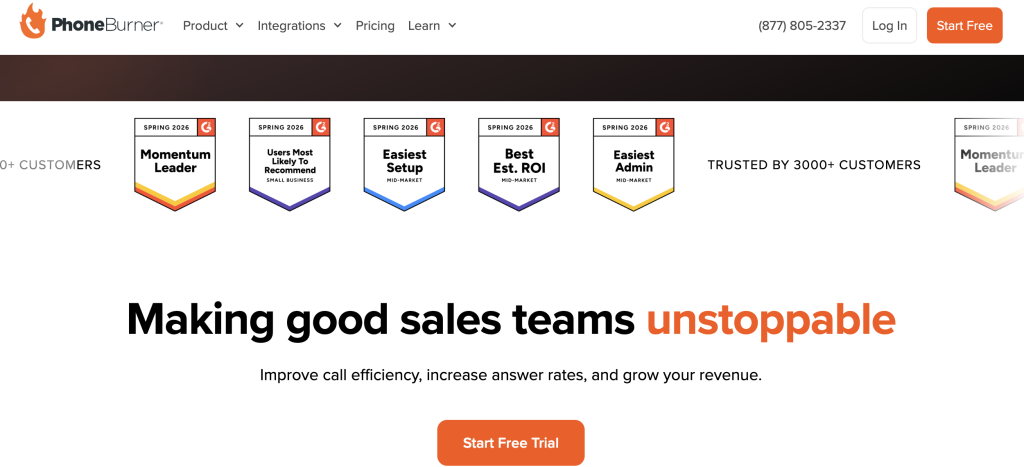
PhoneBurner is an auto-dialer platform that enables sales reps to stop manually dialing and focus on selling, making it a practical auto dialer software New Zealand option for teams running large outbound contact lists.
Best for: Sales reps automating outbound calls
Key features
- Auto-dialer from contact lists eliminates manual dialing entirely, so reps spend their time on live conversations rather than punching in numbers between calls.
- CRM integration syncs customer data so call outcomes and notes appear in the contact record automatically after each session ends.
- Call recording captures every conversation for compliance review and coaching, with recordings stored in the dashboard for easy access.
- Voicemail drop lets reps leave a pre-recorded message with one click and immediately move to the next dial without waiting through the full voicemail prompt.
- Scalable platform design supports sales teams of varying sizes, from small NZ outbound teams to larger enterprise calling operations.
Pros and cons
| Pros | Cons |
|---|---|
| Auto-dialer from contact lists removes manual dialing steps, so reps focus entirely on live conversations and move through lists faster | Pricing is not publicly disclosed until the contract stage, which makes it harder to compare total cost of ownership upfront |
| Voicemail drop lets reps leave pre-recorded messages with one click and move immediately to the next dial | No confirmed NZ local number availability in public documentation, which may limit answer rates for NZ-specific outbound campaigns |
| Call recording and CRM integration provide a complete interaction history for compliance review and sales coaching |
Pricing and ratings
Pricing (USD): Not publicly listed. Contact sales for a quote. Note that hidden SMS overage and unanswered-call fees have been reported by NZ buyers, so request a full cost breakdown before signing.
8. CallHippo – Cloud phone system for sales teams boosting conversions

CallHippo is a cloud phone system with auto-dialer features built for sales teams that need auto dialer software New Zealand operations can use to automate outbound calling and improve conversion rates across contact lists.
Best for: Sales teams boosting conversions
Key features
- Auto-dialer for contact list automation removes manual dialing steps so reps can move through a full day’s call list without interruption.
- CRM integration syncs call data bidirectionally so contact records stay current after every call without requiring manual rep input.
- Local presence features display a local area code on the caller ID, which improves call acceptance rates for NZ outbound teams calling local contacts.
- Call recording and analytics give managers visibility into rep performance, call duration, and outcome trends across the team.
- Scalable cloud platform supports sales teams from small NZ startups to larger enterprise calling operations without infrastructure changes.
Pros and cons
| Pros | Cons |
|---|---|
| Auto-dialer and local presence features work together to increase both call volume and answer rates for outbound NZ teams | Pricing is not publicly listed, making it difficult to compare total cost against other auto dialer software New Zealand options without a sales call |
| CRM integration and call analytics give managers real-time visibility into team performance without needing a separate reporting tool | No confirmed NZ-specific compliance documentation publicly available, so teams should verify Commerce Commission alignment before deploying |
| Scalable cloud architecture means the platform grows with the team without requiring infrastructure changes or additional IT support |
Pricing and ratings
Pricing (USD): Not publicly listed. Contact sales for a quote. See full pricing
9. Convoso – Predictive auto-dialer for high-volume telemarketing campaigns

Convoso is an auto-dialer and contact center platform designed for high-volume outbound sales and telemarketing campaigns, making it a specialist auto dialer software New Zealand option for enterprise teams running large-scale calling operations.
Best for: High-volume telemarketing campaigns
Key features
- Predictive auto-dialer dials ahead of agent availability to keep queues full, which is the right mode for enterprise NZ contact centers running 500 or more calls per day.
- Telemarketing-focused campaign management tools let supervisors configure dialing ratios, pacing rules, and list priorities from a central dashboard.
- CRM integration synchronizes contact data so agents always have current information on screen before a call connects.
- Call analytics and reporting give operations managers visibility into campaign performance, agent productivity, and contact rate trends in real time.
- Scalable architecture supports enterprise contact centers that need to add agent seats and calling capacity without platform migrations.
Pros and cons
| Pros | Cons |
|---|---|
| Predictive dialer and campaign management tools are purpose-built for high-volume outbound, making it a strong fit for enterprise NZ contact centers | Pricing is not publicly listed and typically requires a custom enterprise quote, which adds friction for smaller NZ teams evaluating options |
| Real-time analytics and reporting give operations managers full visibility into campaign performance without needing a separate BI tool | Platform complexity and enterprise focus mean setup and onboarding take longer than lighter-weight auto dialer software New Zealand alternatives |
| Scalable architecture supports large agent teams without platform migrations as the contact center grows | No confirmed NZ local number availability in public documentation, which may affect answer rates for local outbound campaigns |
Pricing and ratings
Pricing (USD): Not publicly listed. Contact sales for a custom enterprise quote.
How does auto dialer software New Zealand compare on key features in 2026?
This table compares all nine auto dialer software New Zealand platforms on the six features that most differentiate them for NZ sales teams, so you can see at a glance where each tool leads and where it falls short.
| Feature | FreJun | JustCall | Aircall | CloudTalk | Kixie | Dialpad | PhoneBurner | CallHippo | Convoso |
|---|---|---|---|---|---|---|---|---|---|
| NZ local virtual numbers | Yes | Check website | Check website | Yes – $6 to $10/month | Check website | Check website | No confirmed | Check website | No confirmed |
| Native CRM bidirectional sync | Yes – 23+ CRMs, no Zapier | Yes – 100+ CRMs | Yes | Yes | Yes – HubSpot, Salesforce, Pipedrive, Zoho | Yes – Zoho CRM Extension | Partial – varies by CRM | Yes | Partial – varies by CRM |
| AI call summaries | Yes – auto-synced to CRM | Partial – higher tiers | Yes – AI Insights | Yes – AI assistant | Partial – add-on | Yes – real-time transcription | No | Partial | Partial |
| Predictive dialing mode | Yes | Partial – power dialer | Partial – power dialer | Yes | Yes – multi-line up to 10 | Partial | Yes | Yes | Yes |
| Transparent public pricing | Yes – $14.49/user/month | No – contact sales | Yes – $30/user/month | Yes – $19/user/month | No – contact sales | No – contact sales | No – contact sales | No – contact sales | No – contact sales |
| Commerce Commission compliance tools | Yes – call recording consent, audit logs | Partial | Partial | Partial | Partial | Partial | Partial | Partial | Partial |
FreJun and CloudTalk lead on NZ local number availability, while FreJun is the only platform in this comparison with fully transparent public pricing and built-in Commerce Commission compliance tools confirmed in its documentation.
“Auto dialers in New Zealand need to solve two things: first, the latency gap when calling overseas prospects (which kills conversion if it’s over 200ms), and second, compliance with the Privacy Act 2020, especially around call recording consent. Tools that don’t have local NZ numbers or built-in consent prompts will get flagged by auditors.”
– Sarah Chen, VP of Sales, TechFlow NZ via LinkedIn
Which auto dialer software New Zealand is right for your team in 2026?
Different NZ teams have different priorities. Some need the lowest cost per seat, while others need the deepest HubSpot integration or the highest call throughput. Here is a quick guide to match each tool to the right buyer profile.
If you are a small NZ sales team that needs fast setup and transparent pricing: Choose FreJun. It sets up in under one hour, starts at $14.49/user/month with no hidden fees, and includes AI call summaries and CRM sync from day one.
If you are a NZ team already running HubSpot and need deep CRM automation: Choose Kixie. Its bidirectional HubSpot logging and multi-line power dialer are purpose-built for HubSpot-native sales workflows, though budget for the real total cost after add-ons.
If you are a budget-conscious NZ team that needs local NZ virtual numbers at low cost: Choose CloudTalk. NZ local numbers at $6 to $10 per month and a $19/user/month base plan make it the most affordable local-number option in this comparison, since local numbers directly lift answer rates for NZ outbound teams.
If you are a NZ team that prioritizes ease of use and a large integration library: Choose JustCall. Its 100+ CRM integrations and top-rated ease of use on G2 make it a practical choice, though watch for billing transparency issues reported by existing users.
If you are an enterprise NZ contact center running high-volume telemarketing campaigns: Choose Convoso. Its predictive dialer and campaign management tools are built for 500+ daily calls, even though the platform requires a custom quote and longer onboarding than lighter-weight alternatives.
Which tool wins overall for New Zealand teams?
If you want the best overall auto dialer software New Zealand has available in 2026, with AI features, transparent USD billing, and Commerce Commission compliance tools built in: Choose FreJun. No other tool in this comparison combines a 4.9/5 G2 rating, a sub-one-hour setup, and native bidirectional sync with 23+ CRMs at a publicly listed price of $14.49/user/month.
Frequently asked questions about auto dialer software New Zealand in 2026
What is the best auto dialer software New Zealand teams can use in 2026?
The best auto dialer software New Zealand sales teams can use in 2026 is FreJun. It holds a 4.9/5 G2 rating and starts at $14.49/user/month with a virtual number included. It offers four dialing modes (progressive, power, predictive, and preview), native sync with 23+ CRMs including HubSpot, Salesforce, and Pipedrive, and AI call summaries that auto-populate contact records after every call. Setup takes under one hour, and a three-day free trial is available for up to five users with full platform access.
How much does auto dialer software New Zealand cost in 2026?
Auto dialer software New Zealand pricing varies widely. FreJun’s Standard Plan starts at $14.49/user/month and the Professional Plan at $16.69/user/month, both in USD, with per-minute calling credits included. CloudTalk starts at $19/user/month with NZ local numbers available for an additional $6 to $10/month. Aircall starts at $30/user/month. JustCall, Kixie, Dialpad, PhoneBurner, CallHippo, and Convoso do not publish pricing publicly, so you need to contact their sales teams for a quote. Always ask for a full total cost of ownership model, since SMS overage and unanswered-call fees can add 20 to 40% to the base price.
What compliance rules apply to auto dialer software in New Zealand?
New Zealand’s Commerce Commission enforces the Unsolicited Electronic Messages Act 2007, which governs automated outbound communications including auto-dialed calls and messages. Any auto dialer software New Zealand businesses deploy must support call recording consent prompts, respect do-not-call preferences, and maintain exportable audit logs for compliance review. If your team also calls Australian contacts, you need to comply with ACMA (Australian Communications and Media Authority) rules and the Australian Do Not Call Register. FreJun includes call recording consent tools and exportable call logs that support both NZ and AU compliance requirements.
Which auto dialer software New Zealand integrates best with HubSpot?
FreJun and Kixie both offer deep HubSpot integration for NZ teams. FreJun provides native bidirectional sync with HubSpot, so every call auto-logs with duration, recording link, AI summary, sentiment score, and disposition, with no Zapier required and setup in under one hour. Kixie also offers strong bidirectional HubSpot logging and can trigger automated CRM workflows via webhooks after each call. But Kixie’s real total cost after add-ons ranges $109 to $220/user/month, while FreJun’s Professional Plan is $16.69/user/month. For NZ teams that want deep HubSpot integration at a transparent price, FreJun is the stronger choice. See FreJun integrations for the full list of supported CRMs.
How do I switch from a traditional phone system to auto dialer software in New Zealand?
Switching from a traditional phone system to auto dialer software New Zealand is straightforward with the right tool. FreJun installs via a Chrome extension and connects to your existing CRM in under one hour, so your team can be making calls the same day they sign up. You can port your existing phone numbers to FreJun within 24 hours, or provision new NZ virtual numbers instantly. Start with FreJun’s three-day free trial for up to five users to validate the CRM sync and dialing workflow before committing. For tools without a free trial, request a live demo and ask the vendor to demonstrate local NZ number provisioning specifically.
Which auto dialer software New Zealand option has the best local NZ virtual numbers?
CloudTalk offers the most clearly documented NZ local and toll-free virtual numbers at $6 to $10 per month, which is the lowest confirmed local number cost among all tools in this comparison. FreJun also provides NZ virtual numbers through its international plans, with instant provisioning and the option to port existing numbers within 24 hours. Local NZ numbers matter because calls from a local area code answer at significantly higher rates than calls from international numbers. Teams running more than 500 calls per week in New Zealand should prioritize local number availability as a must-have, not a nice-to-have.
What hidden costs should New Zealand buyers watch for in auto dialer software?
NZ buyers should watch for SMS overage charges, unanswered-call fees, and per-minute rates that sit on top of the base subscription price. These can add 20 to 40% to the stated monthly cost. CloudTalk and JustCall publish these costs in their documentation, but some providers do not disclose them until the contract stage. Always request a full total cost of ownership model before signing, including per-minute outbound rates, local number rental fees, and any add-on costs for features like AI summaries, power dialing, or Salesforce CTI. FreJun publishes its per-minute calling rates at product.frejun.com/call-pricing-usd, so there are no surprises after signup.
How is AI changing auto dialer software New Zealand teams use in 2026?
AI is reshaping auto dialer software New Zealand teams rely on in three ways. First, AI call summaries now auto-populate CRM records after every call, so reps spend zero time on post-call admin. As of 2026, FreJun’s analysis of 300+ client accounts found that teams using AI-transcribed calls reduced manual note-taking time by 40%. Second, sentiment analysis gives managers real-time coaching signals without listening to every recording. Third, predictive dialing algorithms are becoming smarter, adjusting pacing based on answer rate patterns rather than fixed ratios. NZ teams that adopt AI-native dialers now will have a measurable productivity advantage over teams still using manual or basic VoIP tools.Do auto dialer platforms in New Zealand support voice bots in multiple languages?
Yes, modern auto dialer platforms can integrate voice bots that handle multilingual customer interactions across New Zealand. To get the details right, teams should review voice bot localization across languages before launching campaigns that reach diverse audiences.
Conclusion: Best auto dialer software New Zealand in 2026
The top three auto dialer software New Zealand options in 2026 are FreJun (best overall for CRM-native AI dialing), CloudTalk (best for budget-conscious teams needing local NZ numbers), and Kixie (best for HubSpot-native sales workflows). FreJun is the top recommendation for New Zealand sales teams because it combines a 4.9/5 G2 rating, transparent pricing from $14.49/user/month, and native bidirectional sync with 23+ CRMs, all in a platform that sets up in under one hour. If your team is ready to move from manual dialing to an AI-powered, CRM-native workflow, start with FreJun’s three-day free trial and see the difference on day one.