Last updated on August 6th, 2026 at 09:22 pm
AI Summary: This article covers the top 9 dialers and calling apps for Microsoft Dynamics 365 calling integration UAE in 2026, comparing native CRM sync depth, AI features, pricing, and UAE TRA compliance for sales and support teams. According to IMARC Group, the UAE cloud telephony market is projected to grow at over 12% CAGR through 2029, making the right calling integration a long-term infrastructure decision. UAE teams need a dialer that auto-logs every call inside Dynamics 365, meets DNCR (Do Not Call Registry) requirements, and provides AI call summaries without manual data entry. FreJun delivers all three, with native bidirectional Dynamics 365 sync, UAE DNCR compliance, and plans starting at $14.49 per user per month.
Key criteria in this comparison: We ranked these platforms on native Microsoft Dynamics 365 integration depth, UAE TRA and DNCR compliance support, pricing transparency, AI calling features, and ease of setup, since these are the factors that most affect a UAE team’s total cost and operational fit.
Quick Answer: The best dialer for Microsoft Dynamics 365 calling integration UAE is FreJun, rated 4.9/5 on G2. FreJun provides native bidirectional sync with Dynamics 365, auto-logs every call with AI summaries and sentiment scores, and is UAE DNCR compliant. Plans start at $14.49 per user per month with a 3-day free trial for up to 5 users.
The best microsoft dynamics 365 calling integration uae option in 2026 is FreJun, which lives inside your CRM and auto-logs every call with zero manual entry, making it the top choice for UAE sales and support teams running Dynamics 365.
What is microsoft dynamics 365 calling integration uae?
Microsoft Dynamics 365 calling integration UAE is the connection between a cloud telephony or dialer platform and Microsoft Dynamics 365 CRM, configured specifically for businesses operating in the United Arab Emirates. The best providers offer native bidirectional sync, meaning every call made or received is automatically logged inside Dynamics 365 with duration, recording, AI transcript, and call outcome, without any manual input from the rep. Top platforms also embed a click-to-call dialer directly inside the Dynamics 365 interface, so agents never leave the CRM to make a call. UAE businesses specifically need a solution that complies with TRA (Telecommunications and Digital Government Regulatory Authority) regulations and the DNCR (Do Not Call Registry), supports Arabic-language workflows, and provides UAE virtual numbers for local caller ID.
UAE teams evaluating this category alongside other markets can also review the Microsoft Dynamics 365 calling integration India breakdown for how requirements differ by region. Demand for microsoft dynamics 365 calling integration uae is accelerating as UAE enterprises shift from on-premise PBX systems to cloud-first sales stacks. According to IMARC Group, the UAE cloud telephony market is projected to grow at over 12% CAGR through 2029, driven by digital transformation mandates across Dubai and Abu Dhabi. What separates basic VoIP tools from the best platforms in UAE is the depth of CRM sync: basic tools log a call record, while leading platforms sync AI summaries, sentiment scores, and deal-stage updates back to Dynamics 365 automatically.
Which microsoft dynamics 365 calling integration uae tools rank highest in UAE in 2026?
For a broader look beyond this UAE-focused list, see the full roundup of top VoIP integrations for Microsoft Dynamics 365 available across markets in 2026. Here is a side-by-side overview of the top 9 dialers and calling apps for Dynamics 365 in UAE, ranked by integration depth, AI features, and pricing transparency.
| # | Provider | Best for | Starting price (USD) | Free trial |
|---|---|---|---|---|
| 1 | FreJun ⭐ | AI-native Dynamics 365 sync | $14.49/user/month | Yes (3 days, 5 users) |
| 2 | JustCall | Sales outreach teams | Contact sales | Check website |
| 3 | CloudTalk | Dashboard-configured Dynamics setup | Contact sales | Check website |
| 4 | RingCentral | Enterprise Microsoft users | Contact sales | Check website |
| 5 | Aircall | Distributed sales teams | Contact sales | Check website |
| 6 | Dialpad | AI-assisted sales teams | Contact sales | Check website |
| 7 | Kixie | Outbound sales teams | Contact sales | Check website |
| 8 | Ziwo | Regional contact centers | Contact sales | Check website |
| 9 | Ringover | SMB sales teams | Contact sales | Check website |
Scroll for the full breakdown of each tool, covering features, pros, cons, pricing, and ideal use case for UAE teams.
“Teams that switch from a standalone dialer to a CRM-native one usually see call logging time drop to zero within the first week. That is the real ROI, not the dialer itself. In UAE, where sales cycles move fast and CRM data quality directly affects pipeline forecasting, this matters more than any single feature.”
– Subhash Kalluri, Co-Founder and CEO, FreJun
How do you choose the best microsoft dynamics 365 calling integration uae for your team?
Choosing the right microsoft dynamics 365 calling integration uae requires more than comparing feature lists. UAE teams need to weigh integration depth, compliance requirements, and total cost of ownership before committing to a platform.
Step 1: Define team size, call volume, and use case
Start by mapping your team’s daily call volume and primary use case. A 5-person sales team making 50 calls per day has very different needs from a 50-seat contact center handling inbound support. Sales teams benefit most from click-to-call, auto dialer modes, and AI call summaries synced to Dynamics 365 deal records. Support teams need IVR (Interactive Voice Response) routing, post-call surveys, and queue management. Recruitment teams need ATS (Applicant Tracking System) integration alongside CRM sync. Knowing your use case first prevents overpaying for features you will never use. Teams using Freshsales instead of Dynamics 365 can explore the dedicated Freshsales calling integration India guide for a similar CRM-native setup.
Step 2: Evaluate integration depth with Microsoft Dynamics 365
Not all Dynamics 365 integrations are equal. The weakest integrations log a basic call record with a timestamp. Mid-tier integrations add call recordings and contact matching. Native bidirectional sync, the gold standard, pushes AI summaries, sentiment scores, call dispositions, and deal-stage updates back into Dynamics 365 automatically, with no Zapier or third-party connector required. Ask each vendor whether their integration is native or connector-dependent, and whether data flows both ways or only one way. For UAE teams using Dynamics 365 as their primary CRM, native sync is not optional.
Step 3: Confirm UAE TRA and DNCR compliance
UAE outbound calling is regulated by the TRA (Telecommunications and Digital Government Regulatory Authority). Any dialer used for outbound sales or marketing calls must support DNCR (Do Not Call Registry) compliance, meaning the platform must allow teams to screen contact lists against the registry before dialing. Failure to comply can result in fines and reputational damage. Confirm that your shortlisted platform explicitly supports UAE DNCR compliance, not just generic international compliance. Also verify that the platform can provision UAE virtual numbers so your caller ID shows a local UAE number, which significantly improves answer rates. Businesses expanding across the region may also want to compare how Microsoft Dynamics 365 calling integration Singapore requirements differ from UAE’s TRA and DNCR rules.
Step 4: Assess pricing in USD, billing flexibility, and contract terms
Most calling platforms serving UAE price in USD. Look beyond the per-seat headline price and factor in per-minute calling rates, UAE virtual number rental costs, and whether calling credits are included or billed separately. Monthly billing gives flexibility for growing teams, while annual contracts typically offer 15 to 20 percent savings. Avoid platforms that require a minimum 12-month commitment before you have validated the integration with your Dynamics 365 instance. Ask specifically about UAE pay-as-you-go calling rates, since these vary significantly across providers.
Step 5: Trial shortlisted tools before committing
A free trial is the only reliable way to verify that a calling platform integrates correctly with your specific Dynamics 365 instance. FreJun offers a 3-day free trial for up to 5 users with full feature access, so your team can test click-to-call, auto-logging, and AI summaries inside your live Dynamics 365 environment before signing a contract. Most other platforms on this list offer demos rather than self-serve trials, which means you will need to involve a sales rep before seeing the product in action. Prioritise platforms that let you test the actual integration, not just a sandbox demo.
Top 9 microsoft dynamics 365 calling integration uae tools for 2026
1. FreJun – Best AI-native Dynamics 365 calling integration for UAE
FreJun is a CRM-native cloud telephony platform built for sales, support, and recruitment teams that need microsoft dynamics 365 calling integration uae with zero manual logging and full AI call intelligence.
Best for: AI-native Dynamics 365 sync in UAE
Key features
- Click-to-call from any Dynamics 365 contact or lead record via Chrome extension, so reps dial in one click and every call auto-logs with duration, recording, and disposition.
- Native bidirectional sync with Microsoft Dynamics 365, meaning AI summaries, sentiment scores, and call outcomes push back into the CRM automatically with no Zapier required. See the full FreJun integrations list for all 23+ supported CRMs.
- Four auto dialer modes (Progressive, Power, Predictive, Preview) so UAE teams can match dialing pace to campaign type and call volume.
- AI call summaries and sentiment analysis after every call, with a full searchable transcript, talk-ratio score, and keyword tagging synced to the Dynamics 365 contact record.
- UAE DNCR-compliant calling with local UAE virtual number provisioning, so your caller ID shows a UAE number and your contact lists are screened against the registry.
- IVR and call routing with a drag-and-drop builder, supporting round-robin, time-based, and skill-based routing with no coding required.
- WhatsApp follow-up automation that sends a personalized message after missed or completed calls using pre-set templates, with no manual action from the rep.
Pros and cons
| Pros | Cons |
|---|---|
| Native bidirectional Dynamics 365 sync with no third-party connector | UAE calling uses pay-as-you-go per-minute rates, so high-volume teams should model costs carefully |
| AI summaries, sentiment scores, and transcripts auto-synced to CRM after every call | Full AI features require the Professional plan, not the Standard plan |
| Setup under 1 hour via Chrome extension and CRM connect, no IT team needed | Mobile app covers core calling but advanced analytics are best accessed on desktop |
Pricing and ratings
Pricing (USD): Standard Plan at $14.49/user/month. Professional Plan at $16.69/user/month. Both plans include a US, UK, or Canada virtual number plus $5 in calling credits. UAE calling is pay-as-you-go and DNCR compliant. UAE-specific plan details are available at knowledge.frejun.com/frejun-uae-plans-and-pricing. Billing is available monthly, quarterly, half-yearly, or annually. See full pricing
G2 rating: 4.9/5 | Capterra rating: 4.9/5
Integration with Microsoft Dynamics 365: Native, bidirectional sync with Dynamics 365. Every call is auto-logged with duration, recording link, AI transcript, sentiment score, and call disposition. No Zapier required. Setup takes under an hour via the Chrome extension and CRM connect flow.
Why FreJun is the top recommendation
Why FreJun ranks #1 for UAE: FreJun holds a 4.9/5 G2 rating and is the only platform on this list that combines native bidirectional Dynamics 365 sync, UAE DNCR compliance, and four-mode auto dialing in a single product starting at $14.49/user/month. As of 2026, FreJun’s analysis of 300+ client accounts found that teams using AI-transcribed calls reduced manual note-taking time by 40%, a result that standard VoIP tools cannot replicate because they require manual CRM logging. Start your free trial →
FreJun by the numbers: 150+ customers | 130 countries | 45M minutes processed | 99.999% uptime | Setup in under 1 hour
2. JustCall – Cloud calling for sales outreach teams

JustCall is a cloud calling platform designed for sales outreach teams that need microsoft dynamics 365 calling integration uae alongside multi-channel communication tools.
Best for: Sales outreach teams
Key features
- Cloud-based calling with CRM integration so sales reps can dial contacts and log call outcomes without switching between tools.
- Multi-channel outreach combining calls, SMS, and email sequences so teams can follow up across channels from one platform.
- Call recording and analytics dashboard so managers can review rep performance and identify coaching opportunities.
- Auto dialer functionality for outbound campaigns, reducing idle time between calls for high-volume sales teams.
- Team inbox and shared number support so multiple reps can manage inbound calls from a single business number.
Pros and cons
| Pros | Cons |
|---|---|
| Multi-channel outreach (calls, SMS, email) from one platform | Dynamics 365 integration depth is not publicly documented in detail |
| Auto dialer reduces idle time for outbound sales campaigns | Pricing is not publicly listed, requiring a sales conversation before trialing |
| Shared team inbox supports collaborative inbound call handling | UAE-specific compliance documentation is limited on the public website |
Pricing and ratings
Integration with Microsoft Dynamics 365: JustCall supports CRM integrations including Dynamics 365, but native bidirectional sync depth should be confirmed directly with the vendor before purchase. See full pricing
3. CloudTalk – Dashboard-configured Dynamics 365 integration

CloudTalk is a cloud calling platform that connects to Microsoft Dynamics 365 Sales through its own dashboard, making it a practical microsoft dynamics 365 calling integration uae option for teams comfortable with a manual setup flow.
Best for: Sales and support teams needing dashboard-configured Dynamics setup
Key features
- Dynamics 365 integration configured directly inside CloudTalk’s dashboard using URL-based authentication, so no code is required from the admin.
- Multi-account instance naming so teams managing multiple Dynamics 365 environments can keep them organized inside CloudTalk.
- Exact email matching for account alignment, ensuring the CloudTalk user and Dynamics 365 user are correctly linked for accurate call logging.
- Workflow settings control inside CloudTalk so admins can define how calls are logged and which Dynamics records are updated.
- Call recording and analytics so managers can review call quality and rep performance across the team.
Pros and cons
| Pros | Cons |
|---|---|
| Dynamics 365 setup is direct inside CloudTalk, no third-party connector needed | The integration is not yet listed on the Microsoft AppSource marketplace, so setup is less plug-and-play |
| Multi-account instance support for teams managing multiple Dynamics environments | Exact email matching requirement between CloudTalk and Dynamics accounts can create setup friction |
| Dashboard-based configuration keeps setup accessible for non-technical admins | Pricing is not publicly listed |
Pricing and ratings
Integration with Microsoft Dynamics 365: Native setup configured inside CloudTalk’s dashboard. CloudTalk notes that the integration is not yet listed on the Microsoft marketplace, so teams should follow CloudTalk’s own setup documentation carefully. Email addresses must match exactly across both platforms. See full pricing
4. RingCentral – Unified communications for enterprise Microsoft users
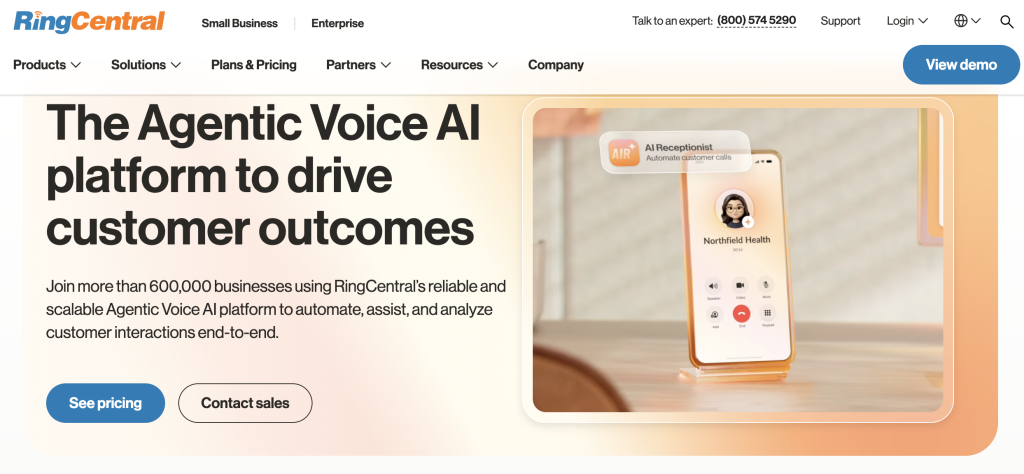
RingCentral is a unified communications platform with documented Microsoft Dynamics 365 integration, making it a recognized microsoft dynamics 365 calling integration uae option for large enterprises already invested in the Microsoft ecosystem.
Best for: Enterprise Microsoft users
Key features
- Microsoft Dynamics 365 integration using Channel Integration Framework (CIF) support, so the dialer embeds inside the Dynamics 365 Unified Interface without a separate browser tab.
- Unified Interface app support so agents access calling controls directly inside their Dynamics 365 workspace during live calls.
- Email and UPN (User Principal Name)-based identity matching so RingCentral user accounts link correctly to Dynamics 365 user records.
- Reauthentication flow tied to both the RingCentral account and Dynamics user identity, keeping sessions secure across long shifts.
- Broad unified communications suite covering voice, video, messaging, and fax from a single platform for enterprise teams.
Pros and cons
| Pros | Cons |
|---|---|
| CIF-based Dynamics 365 embedding keeps the dialer inside the CRM interface | Exact email matching across RingCentral, Dynamics 365, and the identity provider creates setup friction for large teams |
| Broad unified communications suite covers voice, video, and messaging in one platform | Enterprise pricing and contract terms are not publicly listed |
| Well-documented Microsoft integration with published setup guides | Platform complexity can be excessive for small or mid-sized UAE sales teams |
Pricing and ratings
Integration with Microsoft Dynamics 365: Native integration using CIF and Unified Interface support. RingCentral’s setup requires exact email matching across RingCentral, Dynamics 365, and the identity provider. The app must be included in the Unified Interface and CIF setup before agents can use it. See full pricing
5. Aircall – URL-authenticated Dynamics 365 integration for distributed teams
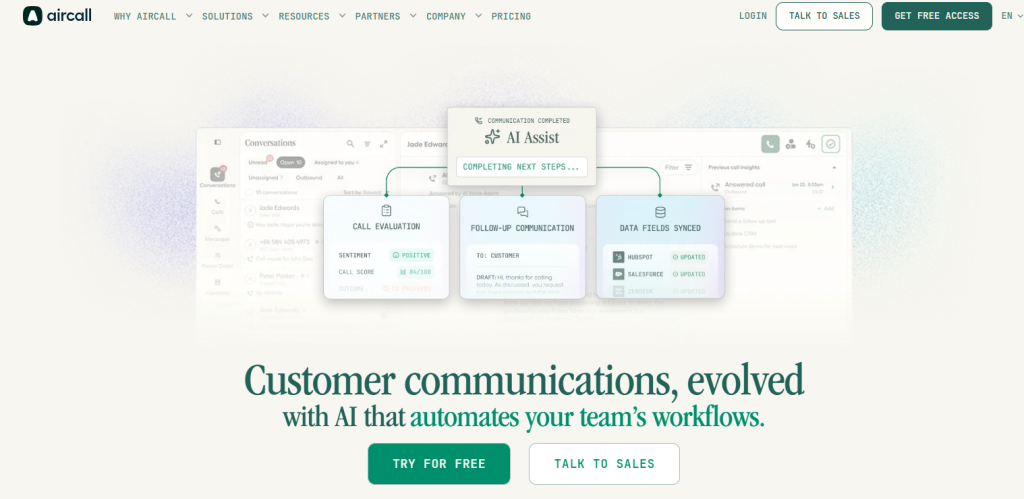
Aircall is a cloud calling platform that connects to Microsoft Dynamics 365 through a URL-based authentication flow, offering a practical microsoft dynamics 365 calling integration uae path for distributed sales teams.
Best for: Distributed sales teams
Key features
- Dynamics 365 connection via URL-based authentication, so admins enter the full Dynamics org URL and the system handles the login redirect automatically.
- Browser redirect into Microsoft login when the agent is not already authenticated, keeping the sign-in flow smooth for remote teams.
- CRM connection without code-heavy setup, so non-technical admins can configure the integration through Aircall’s support flow.
- Call recording and analytics so managers can monitor call quality and rep activity across distributed teams in multiple locations.
- Shared call inbox and team number support so distributed teams can collaborate on inbound call handling without a physical office.
Pros and cons
| Pros | Cons |
|---|---|
| URL-based Dynamics authentication is straightforward for non-technical admins | Setup requires exact email matching between Aircall and Dynamics accounts, which can cause errors |
| Distributed team support with shared numbers and call inbox | Pricing is not publicly listed |
| No code-heavy setup required for the Dynamics 365 connection | AI calling features are limited compared to purpose-built AI dialers |
Pricing and ratings
Integration with Microsoft Dynamics 365: Native setup through Aircall’s support flow. The full Microsoft Dynamics URL is required during setup, and Aircall and Dynamics email addresses must match exactly. Setup is handled through Aircall support rather than a self-serve marketplace install. See full pricing
6. Dialpad – AI-assisted calling with in-call Dynamics 365 sidebar

Dialpad is a calling platform with a documented Microsoft Dynamics 365 integration that lets agents create or connect CRM records during a live call, making it a capable microsoft dynamics 365 calling integration uae option for AI-assisted sales teams.
Best for: AI-assisted sales teams
Key features
- Admin-enabled Dynamics 365 setup with a two-factor account connection, so the integration is activated at the admin level before agents connect their individual accounts.
- In-call Dynamics 365 sidebar so agents can view, connect, or create Contact and Lead records without leaving the active call screen.
- Call logging directly from the call screen, so call outcomes are recorded in Dynamics 365 as soon as the call ends.
- AI-powered call transcription and real-time coaching so managers can see live call summaries and flag coaching moments without listening to full recordings.
- Create new Contacts or Leads from the Dynamics sidebar during a live call, so new prospects are captured in the CRM immediately.
Pros and cons
| Pros | Cons |
|---|---|
| In-call Dynamics 365 sidebar lets agents manage CRM records without leaving the call | Each agent must connect their own Dynamics account after admin enables the feature, adding setup steps per user |
| AI transcription and real-time coaching built into the platform | Pricing is not publicly listed |
| Create new Contacts or Leads from the sidebar during a live call | Full Dynamics integration depth depends on the plan tier selected |
Pricing and ratings
Integration with Microsoft Dynamics 365: Native integration documented in Dialpad’s help center. The admin enables the Dynamics feature first, then each agent connects their own Dynamics account. Agents can log calls, connect existing records, and create new Contacts or Leads from the in-call sidebar. See full pricing
7. Kixie – Power dialer for outbound sales teams
Kixie is a sales dialer platform built for outbound teams that need high call volume and CRM integration, positioning it as a microsoft dynamics 365 calling integration uae option for teams prioritizing outbound throughput.
Best for: Outbound sales teams
Key features
- Power dialer that automatically moves to the next contact after each call ends, so reps spend more time talking and less time manually dialing.
- CRM integration for call logging so call outcomes, recordings, and notes are pushed to the CRM record after each call.
- Local presence dialing that displays a local area code on the caller ID, which typically improves answer rates for outbound campaigns.
- Call recording and voicemail drop so reps can leave a pre-recorded message with one click instead of recording a new voicemail each time.
- Live call coaching so managers can listen in, whisper to the rep, or join a call as a third party during active conversations.
Pros and cons
| Pros | Cons |
|---|---|
| Power dialer maximizes outbound call volume for high-activity sales teams | Dynamics 365 integration depth is not publicly documented in detail |
| Local presence dialing improves answer rates for UAE outbound campaigns | Pricing is not publicly listed |
| Live call coaching supports real-time manager intervention during calls | UAE-specific compliance documentation is limited on the public website |
Pricing and ratings
Integration with Microsoft Dynamics 365: Kixie supports CRM integrations, but native Dynamics 365 sync depth should be confirmed directly with the vendor. See full pricing
8. Ziwo – Cloud contact center built for the MENA region

Ziwo is a cloud contact center platform built specifically for the MENA region, making it a regionally relevant microsoft dynamics 365 calling integration uae option for UAE contact centers that need local infrastructure and Arabic-language support.
Best for: Regional contact centers in UAE and MENA
Key features
- MENA-region cloud infrastructure so UAE contact centers benefit from low-latency local call routing without routing traffic through European or US data centers.
- CRM integration support so call records and agent activity can be logged to connected CRM platforms including Dynamics 365.
- IVR and call routing built for high-volume contact center environments, supporting multi-level menus and queue management.
- Real-time agent monitoring so supervisors can track live call queues, agent status, and call outcomes from a central dashboard.
- Arabic-language interface and support, which is a practical advantage for UAE teams managing bilingual agent workforces.
Pros and cons
| Pros | Cons |
|---|---|
| MENA-region infrastructure reduces latency for UAE contact centers | Dynamics 365 integration depth is not publicly documented in detail |
| Arabic-language interface supports bilingual UAE agent teams | Pricing is not publicly listed |
| Built-in IVR and queue management for high-volume contact center use cases | AI calling features are less developed than purpose-built AI dialer platforms |
Pricing and ratings
Integration with Microsoft Dynamics 365: Ziwo supports CRM integrations for contact center environments, but native Dynamics 365 sync depth should be confirmed directly with the vendor. See full pricing
9. Ringover – Cloud phone system for SMB sales teams

Ringover is a cloud phone system designed for SMB sales teams that need a straightforward microsoft dynamics 365 calling integration uae without the complexity of enterprise-grade unified communications platforms.
Best for: SMB sales teams
Key features
- Cloud phone system with CRM integration so SMB teams can log calls to Dynamics 365 without maintaining on-premise PBX hardware.
- Click-to-call from CRM contact records so reps dial directly from Dynamics 365 without switching to a separate dialer application.
- Call recording and voicemail so managers can review call quality and reps can leave pre-recorded messages for unanswered calls.
- Analytics dashboard showing call volume, duration, and outcome data so SMB managers can track team performance without a dedicated analytics tool.
- Mobile app for iOS and Android so remote and field sales reps can make and receive calls from their business number on any device.
Pros and cons
| Pros | Cons |
|---|---|
| Simple setup suitable for SMB teams without dedicated IT resources | Dynamics 365 integration depth is not publicly documented in detail |
| Mobile app supports remote and field sales reps on any device | Pricing is not publicly listed |
| Click-to-call from CRM records reduces manual dialing for small teams | Advanced AI calling features are limited compared to purpose-built AI dialer platforms |
Pricing and ratings
Integration with Microsoft Dynamics 365: Ringover supports CRM integrations including Dynamics 365, but native sync depth should be confirmed directly with the vendor before purchase. See full pricing
How do these microsoft dynamics 365 calling integration uae tools compare on key features?
| Feature | FreJun | JustCall | CloudTalk | RingCentral | Aircall | Dialpad | Kixie | Ziwo | Ringover |
|---|---|---|---|---|---|---|---|---|---|
| Native bidirectional Dynamics 365 sync | Yes | Partial – confirm with vendor | Yes – via CloudTalk dashboard | Yes – via CIF | Yes – via URL auth | Yes – admin-enabled | Partial – confirm with vendor | Partial – confirm with vendor | Partial – confirm with vendor |
| AI call summaries auto-synced to CRM | Yes | Partial | No | No | No | Yes | No | No | No |
| Four-mode auto dialer (Progressive, Power, Predictive, Preview) | Yes | Partial – auto dialer available | No | No | No | No | Partial – power dialer | No | No |
| UAE DNCR compliance support | Yes | Partial – confirm with vendor | Partial – confirm with vendor | Partial – confirm with vendor | Partial – confirm with vendor | Partial – confirm with vendor | Partial – confirm with vendor | Yes – MENA focus | Partial – confirm with vendor |
| UAE virtual number provisioning | Yes | Partial – confirm with vendor | Partial – confirm with vendor | Yes | Partial – confirm with vendor | Partial – confirm with vendor | Partial – confirm with vendor | Yes | Partial – confirm with vendor |
| Setup under 1 hour, no IT team required | Yes | Partial | Partial | No – enterprise setup required | Partial | Partial | Partial | No – contact center setup | Yes |
Readers comparing options outside the UAE can also check the list of top Microsoft Dynamics 365 phone integrations built specifically for India. FreJun leads on native bidirectional sync, AI call summaries, and four-mode auto dialing. RingCentral and CloudTalk offer documented native Dynamics 365 connections, while most other platforms require vendor confirmation on sync depth before purchase.
Which microsoft dynamics 365 calling integration uae is right for your team in UAE?
Different UAE teams have different priorities. The right calling integration depends on your team size, call volume, and how deeply you need Dynamics 365 data to flow both ways. Here is a practical guide to matching each tool to the right buyer profile.
If you are a UAE sales team running Dynamics 365 and need zero manual logging: Choose FreJun. Native bidirectional sync, AI summaries, and four-mode auto dialing make it the only platform on this list that eliminates manual CRM data entry entirely.
If you are a large UAE enterprise already deep in the Microsoft ecosystem: Choose RingCentral. Its CIF-based Dynamics 365 embedding and unified communications suite suit enterprise IT environments with existing Microsoft infrastructure.
If you are a UAE contact center needing MENA-region infrastructure and Arabic-language support: Choose Ziwo. Its regional cloud infrastructure and Arabic interface are practical advantages that global platforms cannot match for local contact centers.
If you are a distributed UAE sales team needing a simple Dynamics 365 connection without enterprise complexity: Choose Aircall. Its URL-based authentication flow is straightforward for non-technical admins managing remote teams across multiple locations.
If you are a UAE SMB sales team that needs a cloud phone system with basic Dynamics 365 logging: Choose Ringover. Its simple setup and mobile app suit small teams without dedicated IT resources or high call volumes.
Which tool wins overall in UAE?
If you want the best overall microsoft dynamics 365 calling integration uae for UAE with AI features, USD billing, and UAE DNCR compliance: Choose FreJun. It is the only platform on this list that combines native bidirectional Dynamics 365 sync, AI call summaries auto-synced to CRM, four-mode auto dialing, and UAE DNCR compliance in a single product starting at $14.49 per user per month, with setup under one hour and a 3-day free trial.
Frequently asked questions about microsoft dynamics 365 calling integration uae
What is the best microsoft dynamics 365 calling integration uae in 2026?
The best microsoft dynamics 365 calling integration uae in 2026 is FreJun. It holds a 4.9/5 G2 rating and is the only platform on this list that provides native bidirectional Dynamics 365 sync with no Zapier required, AI call summaries auto-synced to CRM records, and UAE DNCR compliance built in. Setup takes under one hour via the Chrome extension and CRM connect flow, and plans start at $14.49 per user per month with a 3-day free trial for up to 5 users.
How much does microsoft dynamics 365 calling integration uae cost in UAE?
Pricing varies significantly across platforms. FreJun’s Standard Plan starts at $14.49 per user per month and the Professional Plan at $16.69 per user per month, both billed in USD. UAE calling is pay-as-you-go and DNCR compliant. UAE-specific plan details are available at knowledge.frejun.com/frejun-uae-plans-and-pricing. Most other platforms on this list, including JustCall, CloudTalk, RingCentral, Aircall, Dialpad, Kixie, Ziwo, and Ringover, do not publish public pricing and require a sales conversation before you can see a number.
Does a Dynamics 365 calling integration need to comply with UAE TRA and DNCR rules?
Yes. Any outbound calling platform used in the UAE must comply with TRA (Telecommunications and Digital Government Regulatory Authority) regulations and support DNCR (Do Not Call Registry) screening. The DNCR requires that businesses check contact lists against the registry before dialing, and calling a registered number can result in fines. FreJun explicitly supports UAE DNCR compliance. Other platforms on this list should be asked directly about DNCR support before purchase, since not all publicly document their UAE compliance posture.
Which calling platform has the deepest Microsoft Dynamics 365 integration?
FreJun has the deepest Dynamics 365 integration among the platforms on this list. Its native bidirectional sync pushes AI summaries, sentiment scores, call recordings, talk-ratio data, and call dispositions back into Dynamics 365 automatically after every call, with no manual input from the rep. RingCentral and CloudTalk also offer documented native Dynamics 365 connections, but neither includes AI summary sync or four-mode auto dialing as part of the integration. Dialpad adds an in-call Dynamics sidebar, which is useful but still requires per-agent account connection after admin setup.
How do I switch from a traditional phone system to a Dynamics 365 calling integration in UAE?
Switching from a traditional PBX or desk phone system to a cloud calling integration is simpler than most UAE teams expect. With FreJun, the process is: install the Chrome extension, connect your Dynamics 365 account, and configure your UAE virtual number. The whole setup takes under one hour and your team can start making calls the same day. FreJun’s 3-day free trial for up to 5 users lets you validate the Dynamics 365 integration in your live environment before committing. For enterprise teams on RingCentral, the CIF-based setup requires more IT involvement and should be planned over several days.
Can I use a Dynamics 365 calling integration for both inbound and outbound calls in UAE?
Yes. Most platforms on this list support both inbound and outbound calling. FreJun handles inbound calls through its call routing and IVR system, with round-robin, time-based, and skill-based routing options. Outbound calling uses click-to-call from Dynamics 365 records or one of four auto dialer modes depending on campaign type. Since FreJun’s plans include unlimited inbound calling, UAE teams with high inbound volumes benefit from predictable monthly costs rather than per-minute billing on every incoming call.
How is AI changing microsoft dynamics 365 calling integration uae in 2026?
AI is shifting the microsoft dynamics 365 calling integration uae category from basic call logging to full call intelligence. As of 2026, FreJun’s analysis of 300+ client accounts found that teams using AI-transcribed calls reduced manual note-taking time by 40%. The next wave of AI features includes real-time sentiment scoring during live calls, automatic deal-stage updates triggered by call outcomes, and AI-generated follow-up tasks synced to Dynamics 365. UAE teams that adopt AI calling integrations now are building a data advantage that compounds over time as the AI models learn from their specific sales conversations.
Do I need a UAE virtual number to use a Dynamics 365 calling integration in UAE?
A UAE virtual number is not technically required, but it significantly improves answer rates for outbound calls. When your caller ID shows a UAE number rather than an international number, prospects are more likely to answer. FreJun provisions UAE virtual numbers as part of its UAE plan, and its virtual numbers feature covers 130 countries including UAE. Ziwo also provisions UAE numbers as part of its MENA-region infrastructure. Other platforms on this list should be asked directly about UAE number availability before purchase.
Conclusion: Best microsoft dynamics 365 calling integration uae for 2026
The top three tools for microsoft dynamics 365 calling integration uae in 2026 are FreJun (best overall AI-native sync), RingCentral (best for enterprise Microsoft environments), and Ziwo (best for MENA-region contact centers). FreJun is the top recommendation for UAE sales and support teams running Dynamics 365 because it is the only platform that combines native bidirectional CRM sync, AI call summaries, four-mode auto dialing, and UAE DNCR compliance in a single product starting at $14.49 per user per month. Start your 3-day free trial today and have your team calling from inside Dynamics 365 within the hour.