Last updated on August 6th, 2026 at 05:56 pm
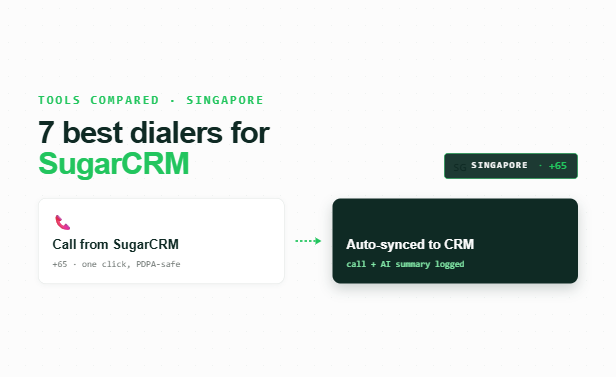
AI Summary: This article covers the top 7 sugarcrm calling integration singapore platforms available to sales, support, and recruitment teams in Singapore in 2026, comparing native sync depth, pricing, and compliance. According to the Infocomm Media Development Authority (IMDA), Singapore businesses must comply with the Personal Data Protection Act (PDPA) and the Do Not Call (DNC) Registry when conducting outbound calling campaigns. Singapore teams need a calling solution that logs every call automatically inside SugarCRM, respects DNC Registry rules, and provides AI-powered call summaries without manual data entry. FreJun delivers all three, with native bidirectional SugarCRM sync, PDPA-aligned data handling, and plans starting at $14.49 per user per month.
Key criteria in this comparison: We ranked these platforms on native SugarCRM integration depth (bidirectional sync vs. one-way logging vs. third-party connector), pricing transparency in USD, Singapore PDPA and DNC Registry compliance support, AI calling features, and G2 rating, since these are the factors that most affect a Singapore team’s total cost and technical fit.
Quick Answer: The best sugarcrm calling integration singapore tool in 2026 is FreJun, rated 4.9/5 on G2. FreJun provides native bidirectional sync with SugarCRM, auto-logs every call with AI summaries and sentiment scores, and starts at $14.49 per user per month, making it the most complete option for Singapore sales teams that need PDPA-compliant calling inside their CRM.
The best sugarcrm calling integration singapore platform combines native CRM sync, AI call intelligence, and local compliance support so Singapore teams can call more contacts and log zero data manually.
What is sugarcrm calling integration singapore?
SugarCRM calling integration Singapore is the practice of connecting a cloud-based dialer or calling app directly to SugarCRM so that every outbound and inbound call is automatically logged, recorded, and synced to the correct contact or deal record without manual input. The best platforms go beyond basic call logging: they provide click-to-call from inside SugarCRM, bidirectional data sync, AI-generated call summaries, and real-time analytics that feed back into CRM workflows. For Singapore businesses specifically, the right solution must also comply with the PDPA (Personal Data Protection Act) and the DNC (Do Not Call) Registry administered by IMDA, since unsolicited outbound calls to registered numbers carry regulatory risk. Singapore teams running SugarCRM typically pair it with HubSpot or Salesforce-style workflows, so integration depth and automation quality matter as much as raw call volume capacity.
Demand for sugarcrm calling integration singapore tools is rising as Singapore’s digital economy expands. The Asia-Pacific cloud communications market is projected to grow at a 14.2% CAGR through 2030, according to Grand View Research, driven by SME adoption of CRM-native calling tools. What separates basic VoIP from the best platforms in Singapore is not call quality alone: it is whether the tool lives inside SugarCRM or sits outside it, requiring manual sync and tab-switching that costs reps 15 to 20 minutes per day. Teams evaluating options across the region may also want to compare this guide with SugarCRM calling integration for India to see how compliance and pricing requirements differ by market. Businesses expanding into the Gulf market can review SugarCRM calling integration in the UAE for a breakdown of compliance and pricing considerations specific to that region.
Which sugarcrm calling integration singapore tools rank highest in Singapore in 2026?
The table below compares all seven platforms on best-fit use case, starting price, and free trial availability so you can shortlist quickly before reading the full profiles.
| # | Provider | Best for | Starting price (USD) | Free trial |
|---|---|---|---|---|
| 1 | FreJun ⭐ | CRM-native AI calling | $14.49/user/month | Yes, 3 days |
| 2 | JustCall | CRM-first sales teams | Contact sales | Check website |
| 3 | CloudTalk | Mid-market phone teams | Contact sales | Check website |
| 4 | Ringover | SMB sales calling | Contact sales | Check website |
| 5 | Aircall | Sales and support teams | Contact sales | Check website |
| 6 | Dialpad | AI calling teams | Contact sales | Check website |
| 7 | Kixie | Outbound sales teams | Contact sales | Check website |
FreJun is the only platform in this list that offers a confirmed starting price, native bidirectional SugarCRM sync, and a structured free trial, which makes it the easiest to evaluate before committing.
↓ Scroll for full breakdown of each tool – features, pros, cons, pricing, and ideal use case.
“Teams that switch from a standalone dialer to a CRM-native one usually see call logging time drop to zero within the first week. That is the real ROI, not the dialer itself. When every call auto-syncs with duration, recording, and AI summary into SugarCRM, reps stop spending 20 minutes a day on admin and start spending it on the next call.”
– Subhash Kalluri, Co-Founder and CEO, FreJun
How do you choose the best sugarcrm calling integration singapore tool in 2026?
Choosing the right sugarcrm calling integration singapore platform requires more than comparing feature lists. The steps below help Singapore teams cut through the noise and focus on what actually affects daily call performance and CRM data quality. Teams running Freshsales instead of SugarCRM can find a comparable breakdown in our guide to Freshsales calling integration in India.
Step 1: Define your team size, call volume, and use case
Start by mapping your actual calling workflow. A five-person Singapore sales team making 50 calls a day needs a different setup than a 30-person support team handling inbound queues. Sales teams benefit most from auto dialers and local presence dialing. Support teams need IVR (Interactive Voice Response) routing and post-call surveys. Recruitment teams need ATS (Applicant Tracking System) sync alongside CRM logging. Knowing your use case before evaluating tools prevents paying for features you will never use.
Step 2: Identify must-have integration features for SugarCRM
Not all SugarCRM integrations are equal. Native bidirectional sync means data flows in and out automatically: calls logged, contacts updated, deal stages changed, all without a rep touching the keyboard. One-way logging only pushes call records into SugarCRM but does not pull contact data back into the dialer. Zapier-based connectors add a third-party dependency, which introduces latency and failure points. For Singapore teams running SugarCRM as their system of record, native bidirectional sync is the only integration worth paying for.
Step 3: Check Singapore-specific compliance requirements
Singapore outbound calling is regulated by IMDA under the PDPA and the DNC Registry. Any platform you choose must support DNC Registry checks before dialing, so your team never calls a registered number. PDPA also requires that call recordings and personal data are stored securely, with clear data retention policies. Ask every vendor for their data residency policy and whether they are SOC 2 Type 2 or ISO 27001 certified before signing a contract.
Step 4: Evaluate pricing in USD, billing flexibility, and contract terms
Most sugarcrm calling integration singapore vendors price in USD for Singapore customers. Check whether the plan includes calling credits or charges per minute on top of the seat fee. Monthly billing gives flexibility for growing teams, while annual contracts typically offer 15 to 20 percent savings. Avoid vendors who require a minimum of 10 or more seats if your team is smaller, since that locks you into paying for unused capacity from day one.
Step 5: Trial shortlisted tools before committing
A free trial is the fastest way to validate whether a tool actually works with your SugarCRM instance. FreJun offers a 3-day free trial for up to 5 users with full feature access, so your team can test click-to-call, auto-logging, and AI summaries inside SugarCRM before spending a dollar. Most other platforms on this list require a sales call to access a trial, which adds days to your evaluation timeline. Prioritise tools that let you test the SugarCRM connection yourself, not just watch a demo.
Top 7 sugarcrm calling integration singapore tools in 2026
If your team runs SugarCRM and needs a calling solution that integrates directly, the profiles below give you everything you need to compare: features, pros, cons, pricing, and how each tool connects to SugarCRM specifically.
1. FreJun – CRM-native AI dialer built for SugarCRM teams
FreJun is a CRM-native cloud telephony platform purpose-built for sales, support, and recruitment teams that need sugarcrm calling integration singapore with zero manual logging and full AI call intelligence.
Best for: CRM-native AI calling in Singapore
Key features
- Click-to-call detects phone numbers on any SugarCRM page, spreadsheet, or browser tab via Chrome extension, so reps dial with one click and every call auto-logs with duration, recording link, timestamp, and disposition.
- Native bidirectional sync with SugarCRM means call data flows in and out automatically, with no Zapier connector required and no manual entry from the rep.
- Auto dialer runs in four modes: Progressive for zero dropped calls, Power for high-volume campaigns, Predictive for maximum throughput, and Preview for high-value accounts where the rep reviews the contact before dialing.
- AI call summaries and sentiment analysis generate a 2 to 3 sentence summary, a talk-ratio score, and a positive/neutral/negative sentiment tag after every call, all synced automatically to the SugarCRM contact record.
- Local presence dialing shows a Singapore local area code on the caller ID, which lifts answer rates by up to 3x compared to calling from an unrecognised international number.
- Virtual numbers for Singapore are provisioned instantly, with 130 countries covered and the option to port existing numbers within 24 hours.
- IVR and call routing use a drag-and-drop builder with round-robin, sequential, time-based, and skill-based routing modes, so inbound calls reach the right rep without coding.
Pros and cons
| Pros | Cons |
|---|---|
| Native bidirectional SugarCRM sync with no third-party connector needed | Teler/developer API features are separate from the core FreJun product |
| 4.9/5 G2 rating with SOC 2 Type 2 and ISO 27001 certification for PDPA-aligned data handling | India-specific mobile number series requires a 12-month contract, though Singapore plans are month-to-month |
| Setup takes under one hour: Chrome extension install plus CRM connect, then the team is calling | Predictive dialer mode is best suited for teams making 200 or more calls per day, so smaller teams may not use it |
Pricing and ratings
Pricing (USD): Standard Plan at $14.49/user/month. Professional Plan at $16.69/user/month. Both plans include a Singapore virtual number and $5 in calling credits. Per-minute rates apply for outbound calls; see full rates at product.frejun.com/call-pricing-usd. Monthly, quarterly, half-yearly, and annual billing available. See full pricing
G2 rating: 4.9/5
Integration with SugarCRM: Native, bidirectional sync with SugarCRM. Every call is auto-logged with duration, recording, AI transcript, sentiment score, and call disposition. No Zapier required. Setup takes under an hour. See all FreJun integrations.
Why FreJun is the top recommendation
Why FreJun ranks #1 for sugarcrm calling integration singapore: FreJun holds a 4.9/5 G2 rating and starts at $14.49/user/month for Singapore teams, with SOC 2 Type 2 and ISO 27001 certification that supports PDPA and DNC Registry compliance. Its native bidirectional SugarCRM sync, four-mode auto dialer, and AI call summaries are features no standard VoIP tool offers out of the box. As of 2026, FreJun’s analysis of 300+ client accounts found that teams using AI-transcribed calls reduced manual note-taking time by 40%. Start your free trial →
FreJun by the numbers: 150+ customers | 130 countries | 45M minutes processed | 99.999% uptime | Setup in under 1 hour
2. JustCall – Cloud communications platform with official SugarCRM integration
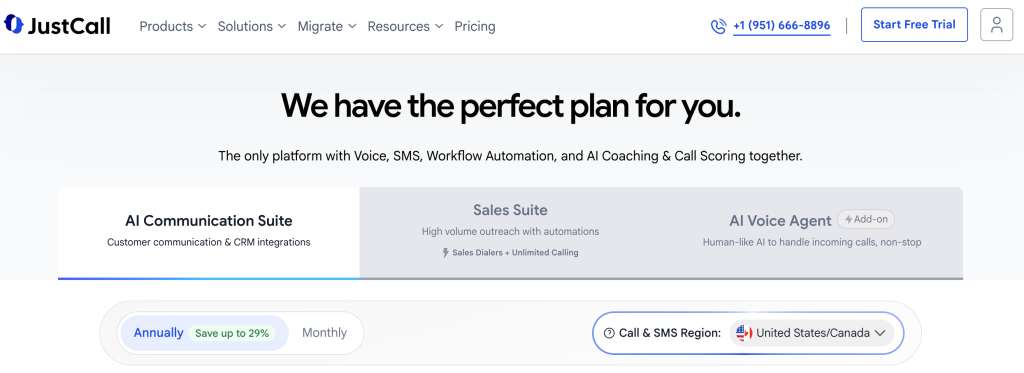
JustCall is a cloud communications platform for sales and support teams that offers official SugarCRM integration documentation, making it a credible sugarcrm calling integration singapore option for CRM-first teams.
Best for: CRM-first sales teams
Key features
- Connects to SugarCRM using account credentials, so the setup process is documented and repeatable for IT administrators.
- Auto-logs calls to SugarCRM with duration and outcome, reducing the manual data entry burden on sales reps after each call.
- Bulk-imports contacts from SugarCRM into calling campaigns, so reps can dial a full list without copying and pasting records.
- Syncs SMS events to SugarCRM contact timelines, giving managers a single view of every touchpoint per contact.
- Uses APIs and webhooks for CRM event syncing, which allows technical teams to build custom automation on top of the core integration.
Pros and cons
| Pros | Cons |
|---|---|
| Official SugarCRM integration documentation exists, so setup is guided rather than improvised | Setup is credential-heavy: the docs require site URL, consumer key, consumer secret, username, and password, which can slow down non-technical admins |
| SMS sync to SugarCRM timelines gives a complete multi-channel contact history | A formal bidirectional-sync claim is not documented, so data flow direction should be confirmed before purchase |
| API and webhook support lets technical teams extend the integration beyond the default feature set | API and webhook setup requires developer resources, making advanced automation inaccessible to non-technical teams without additional costs |
Pricing and ratings
Integration with SugarCRM: Native integration with official documentation. Call auto-logging, contact bulk import, and SMS sync are all supported. Bidirectional sync direction should be confirmed with the JustCall team before purchase. See full pricing
3. CloudTalk – Business phone system with SugarCRM sync and workflow automation
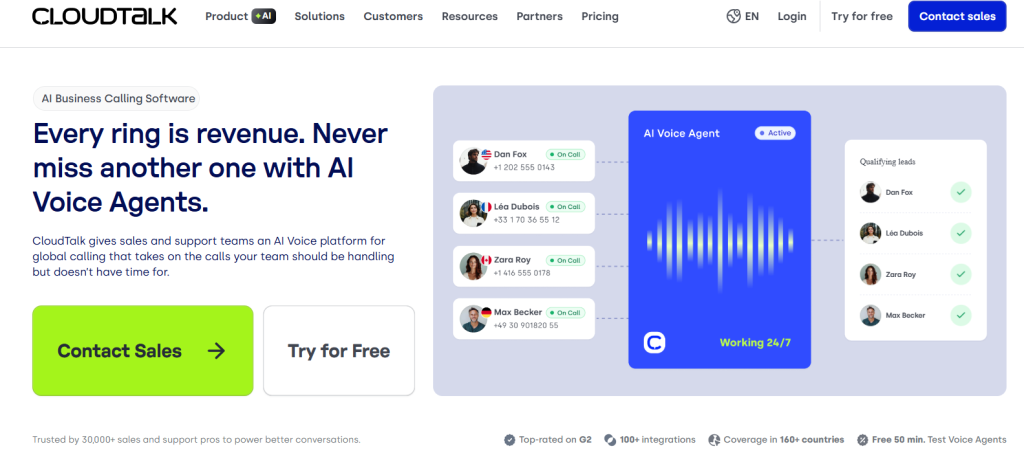
CloudTalk is a business phone system with an official SugarCRM integration page and broad CRM, help-desk, and automation connectivity, making it a solid sugarcrm calling integration singapore choice for mid-market teams.
Best for: Mid-market phone teams
Key features
- Keeps SugarCRM synced and logged in real time, so contact records reflect the latest call activity without manual updates from reps.
- Supports custom field mapping between CloudTalk and SugarCRM, so teams can push call outcome data into the exact CRM fields their workflow depends on.
- SMS synchronisation to SugarCRM means text-based outreach appears on the same contact timeline as voice calls.
- Workflow automation triggers inside SugarCRM based on call events, such as moving a deal stage after a completed call or creating a follow-up task after a missed call.
- Connects to a broader CRM, help-desk, and automation stack beyond SugarCRM, so teams using multiple tools can centralise their communication data.
Pros and cons
| Pros | Cons |
|---|---|
| Official SugarCRM integration page with documented feature set including custom field mapping | Pricing is not publicly listed, so Singapore teams must contact sales to get a quote before evaluating cost |
| Workflow automation triggers inside SugarCRM reduce manual follow-up task creation after calls | Sync direction (bidirectional vs. one-way) is not formally documented in available sources |
| Broad integration ecosystem beyond SugarCRM suits teams running multiple CRM or help-desk tools | No native support for multi-CRM conflict resolution, which can cause data inconsistencies when the same contact exists across multiple tools in the stack |
Pricing and ratings
Integration with SugarCRM: Native integration with an official SugarCRM page. Custom field mapping, SMS sync, and workflow automation are all supported. Confirm bidirectional sync capability directly with CloudTalk before purchase. See full pricing
4. Ringover – VoIP dialer with SugarCRM integration on Business and Advanced plans
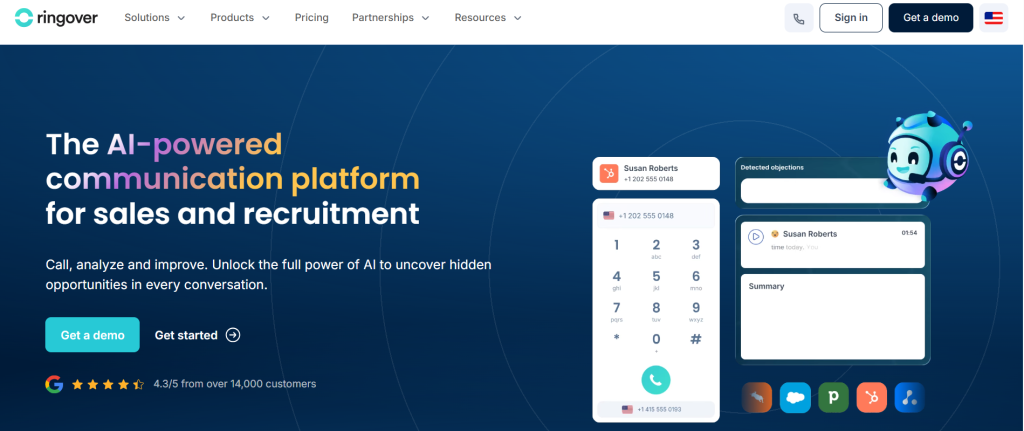
Ringover is a business VoIP and dialer platform with a SugarCRM phone-system integration included in its higher-tier plans, making it a viable sugarcrm calling integration singapore option for SMB sales teams already on Ringover’s Business or Advanced tier.
Best for: SMB sales calling
Key features
- Activates the SugarCRM integration directly from the Ringover admin panel, so IT administrators can enable it without external configuration tools.
- Connects using SugarCRM admin credentials, keeping the authentication process straightforward for teams with an existing SugarCRM admin account.
- Lets admins customise integration settings after activation, so call logging behaviour and field mapping can be adjusted to match the team’s SugarCRM workflow.
- Includes the SugarCRM integration in Business and Advanced plans with no extra integration fee, which keeps the total cost predictable.
- Provides standard VoIP calling features including call recording, call transfer, and voicemail, which complement the SugarCRM sync for teams needing a full phone system.
Pros and cons
| Pros | Cons |
|---|---|
| No extra integration fee for SugarCRM on Business and Advanced plans | SugarCRM integration is not available on the lowest entry-tier plan, so teams on the base plan must upgrade to access it |
| Admin-panel activation makes enabling the integration straightforward for non-technical users | Pricing is not publicly listed for Singapore, so cost must be confirmed with the sales team |
| Customisable integration settings allow field mapping to match existing SugarCRM workflows | Initial field mapping configuration can be time-consuming and may require technical knowledge to set up correctly |
Pricing and ratings
Integration with SugarCRM: Native integration included in Business and Advanced plans. Admin-panel activation with customisable settings. No extra integration fee on qualifying plans. Confirm whether your current Ringover plan tier includes SugarCRM access before purchasing. See full pricing
5. Aircall – Cloud phone platform for sales and support with broad CRM workflow features
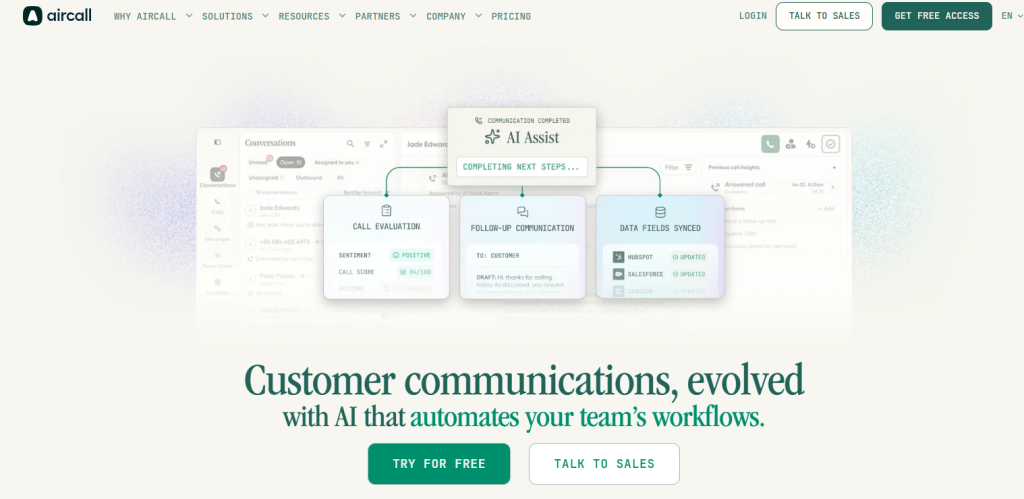
Aircall is a cloud-based phone and communication platform for sales and support teams with a 250-plus tool integration ecosystem, though its sugarcrm calling integration singapore support is not formally documented in current public sources.
Best for: Sales and support teams
Key features
- Automatically logs calls to connected CRM platforms, reducing the manual data entry burden on reps after each conversation.
- Syncs contacts from CRM to the Aircall dialer, so reps always call from an up-to-date contact list without manual imports.
- Shows caller context on screen before the rep picks up, giving support agents the account history they need to handle the call without asking the customer to repeat themselves.
- Triggers CRM workflows based on call events, such as creating a follow-up task or updating a deal stage automatically after a completed call.
- Connects to 250-plus tools in its integration ecosystem, which suits teams running complex multi-tool stacks beyond SugarCRM alone.
Pros and cons
| Pros | Cons |
|---|---|
| 250-plus tool integration ecosystem suits teams running multi-tool stacks | SugarCRM-specific integration support is not confirmed in current public documentation, so verify directly with Aircall before purchase |
| Caller context display helps support teams handle inbound calls without asking customers to repeat account details | Pricing is not publicly listed for Singapore, requiring a sales conversation to get a quote |
| CRM workflow triggers automate post-call task creation and deal stage updates | Workflow trigger customization may require technical setup or admin configuration, adding onboarding complexity for smaller teams |
Pricing and ratings
Integration with SugarCRM: SugarCRM-specific integration is not confirmed in current public sources. Aircall supports broad CRM connectivity, but Singapore teams should verify native SugarCRM support directly with the Aircall team before committing. See full pricing
6. Dialpad – AI calling platform with SugarCRM connection via Albato

Dialpad is an AI-powered calling platform that connects to SugarCRM through the Albato no-code automation platform, making it a sugarcrm calling integration singapore option for teams comfortable with third-party connectors.
Best for: AI calling teams
Key features
- Uses Albato triggers and actions to connect Dialpad call events to SugarCRM records, so teams can route call data into CRM workflows without writing code.
- Supports field mapping between Dialpad and SugarCRM via Albato, so call outcome data lands in the correct CRM fields rather than a generic notes field.
- Enables no-code data transfer between Dialpad and SugarCRM, which suits operations teams who need automation without engineering support.
- Routes call events into SugarCRM workflows, such as creating a new contact record when Dialpad logs a call from an unknown number.
- Dialpad’s native AI features include real-time transcription and call coaching, which add value for teams focused on rep performance alongside CRM data quality.
Pros and cons
| Pros | Cons |
|---|---|
| No-code Albato connector means non-technical teams can set up the SugarCRM integration without engineering help | SugarCRM connection relies on a third-party Albato connector, not a native Dialpad-SugarCRM app, which adds a dependency and potential failure point |
| Native AI transcription and call coaching features are strong for teams focused on rep performance | Pricing is not publicly listed for Singapore, so cost must be confirmed with the Dialpad sales team |
| Field mapping via Albato allows customised data routing into specific SugarCRM fields | Albato is a paid third-party service, so the total integration cost includes both Dialpad and Albato subscription fees |
Pricing and ratings
Integration with SugarCRM: Connection is via Albato, a third-party no-code automation platform, not a native Dialpad-SugarCRM app. Teams should factor in Albato subscription costs and confirm sync direction before purchase. See full pricing
7. Kixie – Sales engagement and power-dialing platform for outbound teams
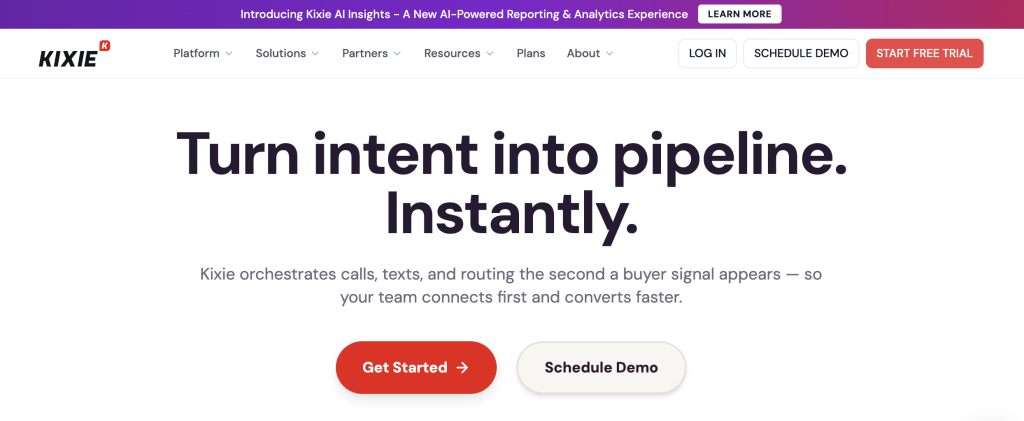
Kixie is a sales engagement and power-dialing platform built for outbound revenue teams, offering power dialing, local presence, and CRM logging features relevant to sugarcrm calling integration singapore use cases.
Best for: Outbound sales teams
Key features
- Power dialing automatically moves through a contact list and connects reps only when a live person answers, so reps spend time talking rather than waiting through rings and voicemails.
- Local presence dialing displays a local area code on the caller ID, which increases answer rates for outbound campaigns where unknown international numbers are typically ignored.
- SMS outreach runs alongside voice calling from the same platform, so reps can follow up a missed call with a text message without switching tools.
- Call recording captures every conversation automatically, giving managers the material they need for coaching and quality assurance without asking reps to record manually.
- CRM logging pushes call records into connected CRM platforms after each call, reducing the manual data entry that slows down high-volume outbound teams.
Pros and cons
| Pros | Cons |
|---|---|
| Power dialing and local presence dialing are strong features for high-volume outbound Singapore teams | Native SugarCRM integration support is not confirmed in current public documentation, so verify directly with Kixie before purchase |
| Combined voice and SMS outreach from one platform reduces tool-switching for outbound reps | Pricing is not publicly listed, requiring a sales conversation before evaluation |
| Automatic call recording supports manager coaching and QA without additional setup | Singapore-specific compliance and DNC Registry support should be confirmed with the Kixie team |
Pricing and ratings
Integration with SugarCRM: Native SugarCRM integration is not confirmed in current public sources. Singapore teams should verify SugarCRM sync depth and DNC Registry compliance support directly with Kixie before committing. See full pricing
How do these sugarcrm calling integration singapore tools compare on key features?
The table below compares all seven platforms on the six features that most affect a Singapore team’s daily call performance and CRM data quality. Use it to identify which tools meet your non-negotiable requirements before reading the full profiles above.
| Feature | FreJun | JustCall | CloudTalk | Ringover | Aircall | Dialpad | Kixie |
|---|---|---|---|---|---|---|---|
| Native SugarCRM integration | Yes | Yes | Yes | Yes | Not confirmed | No – via Albato | Not confirmed |
| Bidirectional CRM sync | Yes | Partial – direction not formally documented | Partial – confirm with vendor | Partial – confirm with vendor | Not confirmed | Partial – via Albato field mapping | Not confirmed |
| AI call summaries and sentiment | Yes | No | No | No | No | Partial – transcription only | No |
| Auto dialer (multiple modes) | Yes – 4 modes | Partial – check website | Partial – check website | No | No | No | Yes – power dialer |
| PDPA and DNC Registry compliance support | Yes – SOC 2 Type 2, ISO 27001 | Check website | Check website | Check website | Check website | Check website | Check website |
| Transparent public pricing | Yes – from $14.49/user/month | No | No | No | No | No | No |
FreJun is the only platform in this comparison that confirms native bidirectional SugarCRM sync, AI call summaries, a four-mode auto dialer, PDPA-aligned certifications, and transparent public pricing, all in one product.
Which sugarcrm calling integration singapore tool is right for your team in Singapore?
Different teams have different priorities. The recommendations below match each buyer profile to the tool most likely to fit their specific constraints, so you can shortlist faster without reading every profile in full.
If you are a Singapore sales team that runs SugarCRM and needs zero manual logging: Choose FreJun. Native bidirectional sync, AI summaries, and a four-mode auto dialer mean reps spend time selling, not updating CRM records.
If you are a CRM-first team that needs documented SugarCRM setup guidance: Choose JustCall. Official SugarCRM integration documentation and API/webhook support make it a reliable choice for teams with a technical admin who can follow a structured setup process.
If you are a mid-market team that needs custom field mapping and workflow automation inside SugarCRM: Choose CloudTalk. Its custom field mapping and workflow trigger features suit operations teams that have already built complex SugarCRM workflows and need a calling tool that fits into them.
If you are an SMB already on Ringover’s Business or Advanced plan: Choose Ringover. The SugarCRM integration is included at no extra cost on those tiers, so there is no reason to switch tools if you are already paying for a qualifying plan.
If you are a high-volume outbound team focused on power dialing and local presence: Choose Kixie. Its power dialer and local presence dialing features are built for teams making hundreds of outbound calls per day, though SugarCRM integration depth should be confirmed before purchase.
Which tool wins overall in Singapore?
If you want the best overall sugarcrm calling integration singapore tool for Singapore with AI features, USD billing, and PDPA and DNC Registry compliance: Choose FreJun. It is the only platform that combines native bidirectional SugarCRM sync, a four-mode auto dialer, AI call summaries synced to CRM, and a confirmed starting price of $14.49/user/month, all with SOC 2 Type 2 and ISO 27001 certification that supports Singapore’s PDPA requirements.
Frequently asked questions about sugarcrm calling integration singapore in 2026
What is the best sugarcrm calling integration singapore tool in 2026?
The best sugarcrm calling integration singapore tool in 2026 is FreJun, rated 4.9/5 on G2. Three reasons stand out. First, FreJun provides native bidirectional SugarCRM sync with no Zapier connector required, so every call auto-logs with duration, recording, AI transcript, and sentiment score. Second, it starts at $14.49/user/month with transparent public pricing, which is the only confirmed starting price among all seven tools in this comparison. Third, FreJun holds SOC 2 Type 2 and ISO 27001 certification, supporting Singapore’s PDPA and DNC Registry compliance requirements.
How much does sugarcrm calling integration singapore cost in Singapore?
Pricing for sugarcrm calling integration singapore tools varies widely. FreJun is the only platform with publicly listed pricing: the Standard Plan starts at $14.49/user/month and the Professional Plan at $16.69/user/month, both in USD, both including a Singapore virtual number and $5 in calling credits. Per-minute outbound rates apply on top of the seat fee. All other platforms in this comparison, including JustCall, CloudTalk, Ringover, Aircall, Dialpad, and Kixie, do not publish pricing publicly and require a sales conversation to get a quote.
What compliance rules apply to outbound calling in Singapore?
Singapore outbound calling is regulated by IMDA under the PDPA (Personal Data Protection Act) and the DNC (Do Not Call) Registry. Businesses must check the DNC Registry before calling any Singapore number, since calling a registered number without consent carries regulatory penalties. Call recordings and personal data must be stored securely, with clear retention policies. Any sugarcrm calling integration singapore platform you choose should support DNC Registry checks and hold recognised security certifications such as SOC 2 Type 2 or ISO 27001 to demonstrate PDPA-aligned data handling.
Which sugarcrm calling integration singapore tool has the deepest SugarCRM integration?
FreJun has the deepest confirmed SugarCRM integration among the tools in this comparison. It provides native bidirectional sync, meaning call data flows in and out of SugarCRM automatically: calls are logged with duration, recording link, AI transcript, sentiment score, and call disposition, all synced to the correct contact or deal record without manual input. JustCall and CloudTalk also offer native SugarCRM integrations with documented features, but bidirectional sync direction should be confirmed with each vendor. Dialpad connects via Albato, a third-party connector, which adds a dependency not present in FreJun’s native integration.
How do I switch from a traditional phone system to a sugarcrm calling integration singapore tool?
Switching from a traditional phone system to a sugarcrm calling integration singapore platform is faster than most teams expect. With FreJun, the process takes under one hour: install the Chrome extension, connect your SugarCRM account using your CRM credentials, and your team is making calls with auto-logging active. FreJun’s 3-day free trial for up to 5 users with full feature access lets you test the SugarCRM connection before committing. For teams porting existing Singapore numbers, FreJun completes number porting within 24 hours. Traditional VoIP setups can take days or weeks to configure, since they sit outside the CRM and require manual sync rules to be built separately.
Does a sugarcrm calling integration singapore tool need a native integration or will Zapier work?
Native integration is strongly preferred over Zapier or third-party connectors for sugarcrm calling integration singapore. A native integration syncs data in real time with no additional subscription cost and no third-party failure point. Zapier-based connections introduce latency, since data syncs on a polling schedule rather than instantly, and they add a monthly Zapier cost on top of the calling platform fee. Dialpad’s SugarCRM connection via Albato is a real example of this trade-off: the no-code setup is convenient, but teams pay for both Dialpad and Albato, and any Albato outage breaks the CRM sync. FreJun’s native bidirectional sync avoids all of these issues. For teams using Zoho instead of SugarCRM, our guide on how to integrate international calling into Zoho CRM covers a similar native-sync approach.
How is AI changing sugarcrm calling integration singapore tools in 2026?
AI is shifting sugarcrm calling integration singapore from basic call logging to intelligent call intelligence. As of 2026, FreJun teams see an average 3x increase in daily call volume because AI auto-logging eliminates the 15 to 20 minutes per day reps previously spent on manual CRM updates. AI call summaries, sentiment analysis, and searchable transcripts give managers real coaching data without listening to recordings. Singapore teams evaluating new calling tools should look for AI features that sync directly to SugarCRM records, not just surface inside the calling app, since that is where the productivity gain actually lands. Readers whose stack is built around HubSpot rather than SugarCRM can find answers to common setup questions in our HubSpot calling in India FAQ.
Conclusion: Best sugarcrm calling integration singapore tools in 2026
The top three sugarcrm calling integration singapore tools in 2026 are FreJun (native AI-powered CRM sync), JustCall (documented SugarCRM setup for CRM-first teams), and CloudTalk (custom field mapping for mid-market workflows). FreJun is the top recommendation for Singapore teams that need a complete sugarcrm calling integration singapore solution because it is the only platform that combines native bidirectional SugarCRM sync, a four-mode auto dialer, AI call summaries, PDPA-aligned certifications, and transparent pricing at $14.49/user/month. Start your 3-day free trial today and have your team calling inside SugarCRM within the hour.