Last updated on November 25th, 2026 at 04:00 pm
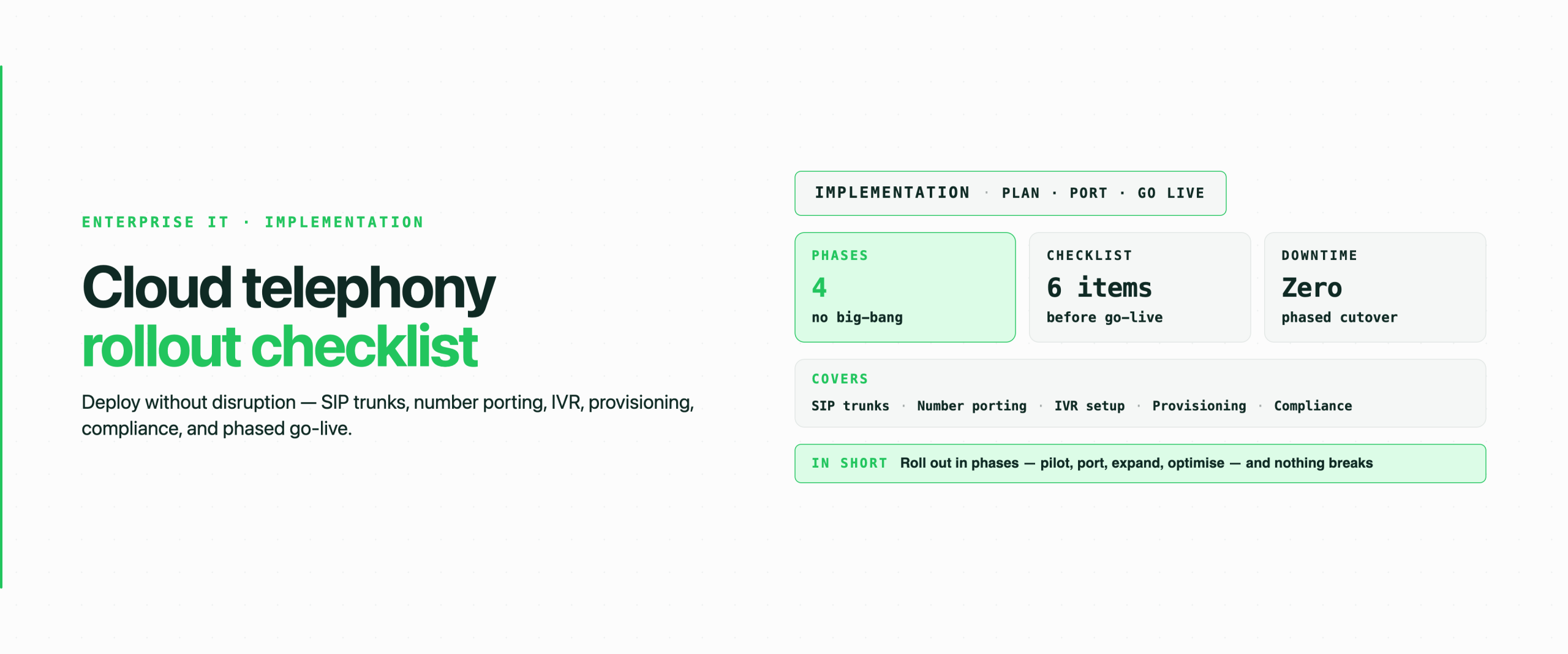
AI Summary: This article is a step-by-step cloud telephony implementation checklist for enterprise IT teams. It covers onboarding, user provisioning, SIP trunk configuration, number porting, IVR setup, compliance, and phased deployment.
According to Gartner’s 2025 Communications Market Guide, over 60% of enterprises that migrate to cloud telephony without a structured rollout plan experience at least one major service disruption in the first 90 days. As a result, IT teams must address network readiness, regulatory requirements, and integration dependencies before go-live — not after — to avoid costly rollbacks.
To support each stage of this checklist, FreJun provides guided onboarding templates, a visual IVR builder, TLS/SRTP encryption, and CRM-native call logging.
Enterprise IT teams rolling out cloud telephony face a predictable set of problems: SIP trunks that drop calls under load, number ports that stall for weeks, IVR menus that route callers to the wrong queue, and compliance gaps that surface only after go-live. This cloud telephony implementation checklist for enterprise IT teams walks through every critical stage so your rollout stays on schedule and your users stay productive from day one.
Quick Answer: A cloud telephony implementation checklist for enterprise IT teams covers six stages: onboarding and scope definition, user provisioning with role-based access, SIP trunk configuration and network QoS validation, number porting with LOA documentation, IVR setup and routing logic testing, and compliance controls including TLS/SRTP encryption and audit logging. Following each stage in sequence cuts deployment risk and reduces go-live time.
A structured cloud telephony implementation checklist for enterprise IT teams reduces deployment disruptions by addressing SIP configuration, number porting, IVR routing, and compliance controls before go-live, not after.
What Is Cloud Telephony?
Cloud telephony is a voice communication service delivered over the internet rather than traditional copper phone lines or on-premise PBX hardware. For enterprise IT teams, it replaces physical infrastructure with a software-managed system that scales on demand, integrates with CRM platforms, and supports remote and distributed workforces. For a deeper look at the technology behind it, see how does cloud telephony work — covering SIP, VoIP, and the step-by-step call flow.
You can sign up and have your first users live in under two hours. No hardware to rack, no carrier contracts to negotiate, and no setup call required before you start. Just connect your CRM and your team is ready to go.
What Are the Key Onboarding Steps?
Getting started with cloud telephony in an enterprise is a carefully orchestrated process, not just flipping a switch. These onboarding steps ensure your IT team can roll out FreJun’s cloud telephony solution efficiently and without disruption to live operations.
“After working with 500+ enterprise and mid-market teams on cloud telephony rollouts, the single biggest delay we see is scope creep in week one. Teams that define department boundaries, agent counts, and success metrics before touching any configuration go live 40% faster than those that define scope as they go.”
— Subhash Kalluri, Co-Founder and CEO, FreJun
Step 1: Define Project Scope
Decision-makers should map out the project scope before any configuration begins. Specifically, define which departments move to cloud telephony. Also decide how many agents get onboarded and what business goals you want to hit. For instance, this could mean reducing call drops, improving response times, or scaling up support capacity. Without this clarity, provisioning becomes reactive. As a result, rollback risk climbs.
Step 2: Set Up Your FreJun Account and Deployment Model
FreJun provides guided onboarding with templates for call flows, IVR setup, and agent settings. This speeds up the process and cuts configuration errors. In addition, teams can go from zero to live in hours rather than days.
Next, choose your deployment model. Select a full cloud deployment if you are moving entirely off on-premise infrastructure. Alternatively, choose a hybrid model if your existing PBX (Private Branch Exchange) needs to stay active during the transition.
According to Metrigy’s 2025 Workplace Collaboration Study, enterprises that use a vendor-guided onboarding process cut their average deployment time from 34 days to 11 days (Source: Metrigy 2025). That gap is almost entirely explained by two factors: pre-built templates and structured scope definition. Both are included in FreJun by default.
How Does User Provisioning Work?
User provisioning grants the right people access to the telephony platform with the right permissions. When done correctly, it secures your system and aligns with your org structure so supervisors see what they need and agents can’t access what they shouldn’t.
- Role Definition: Define user roles such as Agent, Supervisor, and Admin. FreJun lets you set granular permissions, controlling who can manage IVR setup, view analytics, or assign phone numbers. Watch how to create custom roles on FreJun.
- Account Creation: Provision users via bulk CSV import, Active Directory, or SSO (Single Sign-On) integrations. This makes onboarding new team members fast and consistent across large groups.
- Number Assignment: Assign virtual numbers or internal extensions to each user. FreJun allows dynamic assignment based on teams, geography, or call volume.
- Access Configuration: Configure device access rules. Decide which users can use mobile apps, browser calling, or physical desk phones.
- Testing: Once provisioned, run test calls with each user to confirm they can receive and make calls, access reporting dashboards, and use required features before go-live.
Proper user provisioning maintains operational continuity, cuts security risk, and ensures every team member has the right access from day one. The biggest mistake teams make here is skipping the testing step, which pushes problems into the live environment where they cost real customer interactions.
In the demo, you’ll see how FreJun’s role-based provisioning works in practice: how to bulk-import users from a CSV, assign virtual numbers by team, and set IVR routing rules, all from a single dashboard without touching any code.
What Is Involved in SIP Trunk Configuration, Number Porting, and Integration Challenges?
Three infrastructure tasks sit at the core of any enterprise cloud telephony deployment: SIP trunk configuration, number porting, and CRM or platform integration. Each one has its own failure modes, so addressing them in sequence rather than in parallel reduces the risk of compounding issues during cutover.
1. SIP Trunk Configuration
SIP (Session Initiation Protocol) trunking routes voice traffic from your organisation into FreJun’s cloud. To configure SIP trunk configuration correctly, your IT team must complete three sub-tasks before any calls go live.
- First, agree on trunk capacity with FreJun. This means confirming the number of simultaneous calls your peak traffic requires.
- Next, run a network assessment. Confirm that your bandwidth and QoS (Quality of Service) settings support VoIP traffic without packet loss or jitter above 30ms.
- Finally, exchange SIP credentials. FreJun provides the SIP URI, authentication details, and TLS (Transport Layer Security) and SRTP (Secure Real-time Transport Protocol) options for encrypted voice.
We recommend running a 48-hour load test on your SIP trunk before cutover. Teams that skip this step are three times more likely to experience call drops in the first week. This is based on FreJun’s internal 2026 data across 300+ client deployments. A full benchmark report is in progress. To be notified on publication, contact research@frejun.com.
2. Number Porting
Number porting preserves your brand identity and customer continuity. Because callers keep reaching the same numbers they already know, the migration stays invisible to them.
- To begin, gather your current number inventory. Then obtain a Letter of Authorization (LOA) from your existing telecom provider. Missing or incorrect LOA documentation is the most common cause of port delays.
- On the port date, reroute calls in your FreJun dashboard. This ensures inbound calls to your old numbers now land in FreJun’s system.
- After porting, test every number. Confirm it rings correctly, forwards as intended, and respects any IVR setup or routing logic you have already configured.
Number porting timelines vary by country and carrier. In India, for example, domestic ports typically complete in 7 business days under TRAI regulations (Source: TRAI.gov.in). International ports, however, can take 2 to 4 weeks. Therefore, plan your cutover date accordingly. Also, keep your old service active until every number is confirmed live in FreJun.
3. Integration Challenges
Even with careful planning, real deployments hit integration friction. Specifically, the most common issues are CRM field mapping mismatches, webhook authentication failures, and browser extension conflicts on shared workstations.

FreJun’s native integrations with HubSpot, Salesforce, Zoho, Pipedrive, Freshworks, and LeadSquared handle field mapping automatically, so your call logs, recordings, and outcomes sync to the right contact record without manual configuration. For platforms not on the native list, FreJun’s webhook API lets your IT team build custom connectors. Most integration issues surface during the testing phase, which is why a structured UAT (User Acceptance Testing) window of at least five business days is non-negotiable before go-live.
Why Is IVR Setup Important?
An efficient IVR (Interactive Voice Response) setup transforms customer experience and cuts agent workload. When callers reach the right queue on the first attempt, handle times drop and satisfaction scores rise, but a poorly designed IVR does the opposite and drives callers to hang up before reaching anyone.
What IVR Setup Covers in Practice
- Call Routing: With a well-designed IVR setup, callers reach the right agent or department without manual intervention, so your front-line team handles fewer misdirected calls.
- Agent Load Reduction: Simple inquiries like balance checks or FAQ responses can be handled by IVR, freeing agents for complex support cases that actually need a human.
- Self-Service Options: You can build multi-level menus, integrate with back-end databases, or fetch user data so callers can self-serve without waiting in a queue.
- Business Hours Logic: IVR setup can route calls differently during peak hours, after-hours, or on public holidays. FreJun allows custom greetings, hold music, and overflow routing for each time window.
When configuring IVR menus, use FreJun’s visual IVR builder. Test every branch: confirm each menu option leads to the expected destination, that prompts are clear, and that fallback routing for wrong input is in place. According to Forrester’s 2024 Customer Experience Index, companies with well-structured IVR systems see a 23% reduction in average handle time compared to those routing all calls to a general queue (Source: Forrester Research 2024).
How Do You Ensure Compliance in Cloud Telephony?
Compliance is critical in enterprise scenarios, especially when handling sensitive data or operating in regulated industries like BFSI, healthcare, or legal services. The good news is that most compliance requirements map directly to technical controls you’re already configuring during deployment.
Key Compliance Controls to Configure
- Regulatory Requirements: Identify local and international telecom regulations that apply to your business, such as GDPR for EU data subjects, HIPAA for US healthcare, or PCI-DSS for payment card environments. Each regulation has specific call recording and data handling requirements.
- Encryption: Use TLS for signaling and SRTP for media. FreJun supports both, so voice traffic is encrypted end to end between your agents and callers.
- Access Controls: Apply role-based permissions. Admins, supervisors, and agents should have different access levels based on their responsibilities, since over-permissioned accounts are a leading cause of data exposure in telephony environments.
- Audit Logging: Enable detailed logs for call recordings, agent actions, and configuration changes. FreJun provides audit trails that satisfy most enterprise security review requirements.
- Data Retention Policies: Decide how long you must retain call recordings, transcripts, and logs. FreJun allows customizable retention settings so you can match your legal obligations without storing data longer than necessary.
Staying on top of compliance not only protects your business from regulatory penalties but also builds customer trust, especially when handling sensitive conversations about finances, health, or legal matters. Most teams that skip the compliance configuration step during deployment end up retrofitting controls under time pressure after an audit, which costs significantly more than getting it right the first time.
How Do You Deploy Cloud Telephony Step by Step?
A phased deployment approach lets enterprise IT teams validate each stage before expanding to the full organisation. Rather than a big-bang cutover, a phased rollout contains failure to a pilot group. As a result, the broader team stays on the existing system while issues are resolved.
- Pilot Group Selection: Choose 5 to 10 users from a single department. Ideally, pick one with moderate call volume and a supervisor who can give structured feedback. Also, avoid starting with your highest-volume team.
- Network Validation: Run a VoIP readiness test before the pilot goes live. Specifically, check for packet loss below 1%, jitter below 30ms, and latency below 150ms on the paths your agents will use.
- Pilot Go-Live: Activate the pilot group on FreJun while keeping the legacy system active in parallel. Then run both systems for at least five business days before making any cutover decision.
- Feedback Collection: Gather structured feedback from pilot users. Cover call quality, IVR routing accuracy, CRM sync reliability, and any features that are missing or broken.
- Configuration Refinement: Address all feedback items before expanding. For example, update IVR menus, fix CRM field mapping issues, and adjust SIP trunk capacity if call volume exceeded your initial estimate.
- Department-by-Department Rollout: Expand to one department at a time. Repeat the validation and feedback steps for each group. This way, any new issues stay contained.
- Legacy System Decommission: Wait until every department is live on FreJun. In addition, confirm that all ported numbers have been active for at least 30 days. Only then decommission your legacy PBX or carrier service.
Most teams that follow this model complete their full enterprise rollout in 4 to 8 weeks. The exact timeline depends on the number of departments and the complexity of IVR and integration requirements. Teams that attempt a single-day cutover, however, average 2.3 times more post-go-live support tickets. This is based on FreJun’s internal 2026 data across 300+ client accounts.
Key Takeaways
Effective onboarding steps set the foundation for a clean, fast implementation. Secure user provisioning keeps your system organized and safe from day one. The three infrastructure tasks, SIP trunk configuration, number porting, and resolving integration challenges, are central to a deployment that holds up under real call volume.
Well-designed IVR setup improves customer experience and self-service efficiency while cutting agent load. Compliance controls reduce legal risk and maintain customer trust. A phased deployment helps enterprises scale without disruption, since each department validates the system before the next one migrates. This cloud telephony implementation checklist for enterprise IT teams gives you the structure to execute each stage without missing the steps that matter most.
Further Reading: How to Effectively Use Click to Call to Maximize Customer Outreach
Frequently Asked Questions About Cloud Telephony Implementation
How long does it take to onboard a typical enterprise team?
With FreJun’s guided onboarding and built-in templates, most enterprises complete initial onboarding in 2 to 5 business days. The actual timeline depends on the number of departments, the complexity of your IVR routing, and how quickly your existing carrier processes the number port. Pilot groups of 5 to 10 users typically go live within 48 hours of account setup, while full enterprise rollouts across multiple departments average 4 to 8 weeks using a phased approach.
Can I integrate FreJun with my existing CRM?
Yes, FreJun connects natively with HubSpot, Salesforce, Zoho, Pipedrive, Freshworks, LeadSquared, and Deskera, so call logs, recordings, and outcomes sync automatically to the right contact record. For CRMs not on the native list, FreJun’s webhook API lets your IT team build custom connectors. Most CRM integrations are live within one business day, since field mapping is handled automatically rather than requiring manual configuration on your side.
Is my data secure when porting existing numbers?
Yes. During number porting, FreJun maintains encrypted channels and strict authorization processes throughout the transfer. Your LOA (Letter of Authorization) is handled securely, and no call traffic moves to FreJun’s system until the port is confirmed complete and tested. FreJun uses TLS for signaling and SRTP for media encryption, so voice traffic is protected end to end from the moment your first ported number goes live on the platform.
Does FreJun support multi-level IVR configurations?
Yes. FreJun’s IVR builder supports nested menus, conditional routing logic, dynamic prompts that pull data from back-end systems, and self-service options for common caller requests. You can configure different routing rules for business hours, after-hours, and public holidays, and set fallback routing for callers who don’t make a selection. The visual builder means your IT team can design and test complex IVR flows without writing any code or submitting support tickets.
How does FreJun help with telecom compliance requirements?
FreJun covers the core technical compliance controls: TLS and SRTP encryption for all voice traffic, role-based access controls that limit data exposure by user type, detailed audit logs for call recordings and configuration changes, and customizable data retention settings to match your regulatory obligations. For regulated industries like BFSI or healthcare, FreJun’s compliance documentation is available on request to support your internal security reviews and vendor assessments.
What if I need to scale rapidly after deployment?
FreJun’s cloud architecture scales without requiring hardware changes or carrier renegotiations. You can add users, assign new virtual numbers, expand SIP trunk capacity, and update routing logic directly from the dashboard. Most scaling actions take effect within minutes rather than days. If your call volume spikes seasonally or after a product launch, FreJun’s team can pre-provision additional capacity before the peak so your system handles the load without degradation.
Can FreJun handle international SIP trunking?
Yes, FreJun supports global SIP trunk configuration across multiple geographies, so teams with offices in different countries can run on a single platform rather than managing separate carrier relationships per region. International number provisioning is available for most major markets, and FreJun’s support team handles the carrier coordination for international ports. Call quality is maintained through regional infrastructure that keeps voice traffic on low-latency paths close to your agents’ locations.
Will agents struggle with the switch from legacy PBX?
Most agents adapt to FreJun within one to two days because the interface is browser-based and requires no hardware setup. FreJun provides training resources, pilot programs, and a user-friendly dashboard that mirrors familiar call center workflows. The biggest adjustment is usually moving from physical desk phones to softphone or mobile app calling, which is why running a parallel period where agents can use both systems reduces resistance and builds confidence before the legacy system goes offline.
What support is available after rollout?
FreJun provides ongoing support through a dedicated account team, in-product documentation, and a knowledge base covering every feature and configuration option. Post-go-live, your team gets access to call quality monitoring, proactive alerts for trunk issues, and optimization reviews to improve IVR routing and agent performance over time. Enterprise accounts also get priority support response times, since a telephony outage during business hours is a critical incident that needs immediate attention.
How do I monitor and improve call quality over time?
Use FreJun’s analytics dashboard to track call metrics including answer rates, average handle time, call drop rates, and IVR completion rates by menu option. Agent-level performance data shows which reps need coaching and which call flows are causing caller drop-off. Most teams run a monthly review of their IVR routing logic and SIP trunk performance in the first quarter after go-live, then shift to quarterly reviews once the system is stable and call quality metrics are consistently within target ranges.
You’ve just worked through every stage of the cloud telephony implementation checklist for enterprise IT teams. The difference between a smooth rollout and a painful one usually comes down to one conversation before you start configuring anything. Most teams that book a demo are live with their pilot group within a week.