
Last updated on August 6th, 2026 at 06:50 pm
AI Summary: This article covers the top 7 dialers and calling apps for Freshdesk in Singapore in 2026, comparing each tool on integration depth, local number support, PDPA compliance, and pricing in USD. According to the Infocomm Media Development Authority (IMDA), Singapore businesses handling customer data via telephony must comply with the Personal Data Protection Act (PDPA) and the Do Not Call (DNC) Registry. Singapore support and sales teams need a calling solution that auto-logs every call to Freshdesk, supports local Singapore numbers, and meets PDPA requirements without manual data entry. FreJun delivers all three, starting at $14.49 per user per month with native Freshdesk sync and no Zapier required.
Key criteria in this comparison: We ranked these platforms on native Freshdesk integration depth (bidirectional sync vs. one-way logging), Singapore local number availability, PDPA and DNC Registry compliance, USD pricing transparency, AI calling features, and verified G2 or Capterra ratings, since these are the factors that most affect a Singapore team’s daily workflow and total cost.
Quick Answer: The best freshdesk calling integration Singapore option in 2026 is FreJun, rated 4.9/5 on G2. It offers native bidirectional Freshdesk sync, Singapore virtual numbers, PDPA-compliant call recording, and AI call summaries starting at $14.49 per user per month. Setup takes under one hour with no Zapier or manual webhook configuration required.
The best freshdesk calling integration Singapore teams can use in 2026 is FreJun, which connects directly inside Freshdesk to auto-log every call, create tickets, and sync AI transcripts without any manual input from agents.
What is freshdesk calling integration Singapore?
Freshdesk calling integration Singapore is the connection between a cloud-based phone system or dialer and the Freshdesk customer support platform, enabling Singapore teams to make and receive calls directly from within Freshdesk while automatically logging call data, creating support tickets, and syncing caller information. The best providers offer native bidirectional sync, so data flows in and out of Freshdesk without manual entry or third-party middleware like Zapier. They also support click-to-call from any Freshdesk contact record, automatic call recording stored against the ticket, and real-time analytics dashboards. Singapore businesses specifically need a solution that provides local Singapore virtual numbers, complies with the PDPA (Personal Data Protection Act) and the DNC (Do Not Call) Registry managed by IMDA (Infocomm Media Development Authority), and offers USD pricing with transparent per-minute or unlimited calling models suited to APAC call volumes. Singapore’s compliance requirements around PDPA and the DNC Registry differ from other markets, so teams comparing regional options may also want to review this guide to Freshdesk calling integration in India to see how requirements vary by country.
Demand for cloud telephony integrated with CRM platforms is growing fast across Southeast Asia. According to Statista, the cloud communications market in Southeast Asia is projected to grow at over 12% CAGR through 2028, driven by Singapore’s role as a regional business hub. What separates basic VoIP tools from the best freshdesk calling integration Singapore platforms is the depth of native sync: basic tools log calls manually or require Zapier workarounds, while leading platforms auto-sync call recordings, AI transcripts, sentiment scores, and ticket dispositions in real time. Businesses expanding across the region may also want to compare how Freshdesk calling integration in the UAE handles local number support and data compliance before standardizing on one vendor.
Which freshdesk calling integration Singapore tools rank highest in 2026?
Here is a side-by-side overview of the top seven dialers and calling apps for Freshdesk available to Singapore teams, ranked by integration depth, AI features, and value for money.
| # | Provider | Best for | Starting price (USD) | Free trial |
|---|---|---|---|---|
| 1 | FreJun ⭐ | AI-native CRM calling | $14.49/user/month | Yes (3 days) |
| 2 | JustCall | Sales and support teams | $49/user/month | Yes (14 days) |
| 3 | Aircall | Growth-stage support teams | $40/user/month | No |
| 4 | CloudTalk | Customer-focused sales teams | $25/user/month | Yes (7 days) |
| 5 | Ringover | CRM-sync sales teams | $24/user/month | Yes (14 days) |
| 6 | CallHippo | Small businesses, startups | $16/user/month | Yes (7 days) |
| 7 | Dialpad | Enterprise AI calling | $15/user/month | Yes (14 days) |
FreJun leads on integration depth and AI features at the lowest starting price among tools with native Freshdesk sync. Scroll for the full breakdown of each tool, including features, pros, cons, pricing, and ideal use case.
“Teams that switch from a standalone dialer to a CRM-native one usually see call logging time drop to zero within the first week. That is the real ROI, not the dialer itself. When every call auto-syncs to the Freshdesk ticket with a transcript and sentiment score, agents stop switching tabs and start closing tickets faster.”
– Subhash Kalluri, Co-Founder and CEO, FreJun
How do you choose the best freshdesk calling integration Singapore tool in 2026?
Choosing the right freshdesk calling integration Singapore platform requires more than comparing feature lists. The right tool depends on your team size, call volume, compliance obligations, and how deeply you need the dialer to live inside Freshdesk rather than alongside it.
Step 1: Define your team size, call volume, and use case
Start by mapping your actual calling workflow. A Singapore support team handling 200 inbound tickets a day needs different routing and IVR (Interactive Voice Response) capabilities than a sales team running 500 outbound calls per week. Small teams of three to ten agents can start with a progressive dialer and basic Freshdesk sync. Larger teams running high-volume outbound campaigns need predictive dialing, where the system dials ahead of agent availability to maximise throughput. Recruitment teams need ATS (Applicant Tracking System) integration alongside Freshdesk. Define the use case first, since it determines which features are non-negotiable. Teams running Zoho CRM alongside or instead of Freshdesk can learn how to integrate international calling into Zoho CRM for similar auto-logging and AI transcript benefits.
Step 2: Identify must-have integration features for Singapore operations
Not all Freshdesk integrations are equal. Native bidirectional sync means every call, recording, transcript, and disposition flows automatically into the Freshdesk ticket without any manual step. One-way logging, or integrations that require Zapier as middleware, create data gaps and slow down ticket resolution. For Singapore teams, also check whether the tool supports click-to-call from Freshdesk contact records, automatic ticket creation from inbound calls, and caller ID matching so agents see the customer’s history before picking up. Teams using Freshsales instead of Freshdesk for their CRM can find a similar breakdown in this guide to Freshsales calling integration in India.
Step 3: Check Singapore-specific compliance requirements
Singapore businesses making outbound calls must comply with IMDA’s DNC (Do Not Call) Registry under the PDPA (Personal Data Protection Act). Any tool you choose must support DNC Registry scrubbing before outbound campaigns, and call recordings must be stored in a way that meets PDPA data handling obligations. Check whether the vendor is SOC 2 Type 2 certified and whether they have a zero data-sharing policy, since call data containing customer information is subject to PDPA restrictions. Vendors without explicit PDPA compliance documentation carry regulatory risk for Singapore operations.
Step 4: Evaluate USD pricing, billing flexibility, and contract terms
Most freshdesk calling integration Singapore tools price in USD. Compare the starting price per user per month, but also check whether calling minutes are included or billed separately at a per-minute rate. Some tools bundle a virtual Singapore number in the base plan; others charge extra. Ask about monthly vs. annual billing options, since annual contracts often carry a 20 to 30 percent discount but lock you in. Avoid tools that require a minimum seat commitment of 10 or more users if your team is small.
Step 5: Trial shortlisted tools before committing
A free trial is the only reliable way to verify that a tool’s Freshdesk integration works as advertised in your specific account setup. FreJun offers a 3-day free trial for up to 5 users with full access to all features, so your team can test click-to-call, auto-logging, and AI summaries inside your live Freshdesk environment before signing up. JustCall and Ringover offer 14-day trials. CloudTalk and CallHippo offer 7-day trials. Aircall does not offer a free trial, so you rely on a demo only.
Top 7 freshdesk calling integration Singapore tools in 2026
Each profile below covers key features, real reviewer pros and cons, pricing in USD, and how the tool integrates with Freshdesk for Singapore teams.
1. FreJun – Best AI-native Freshdesk calling integration for Singapore
FreJun is a CRM-native cloud telephony platform built for sales, support, and recruitment teams that need a freshdesk calling integration Singapore solution with AI call summaries, auto-logging, and zero manual data entry.
Best for: AI-powered CRM-native calling
Key features
- Native bidirectional Freshdesk sync: every call auto-logs with duration, recording link, AI transcript, sentiment score, and disposition, so agents never touch a data entry field after a call.
- Click-to-call via Chrome extension: FreJun detects phone numbers on any Freshdesk contact record or browser tab, so one click starts an outbound call instantly without switching apps.
- Four-mode auto dialer: progressive, power, predictive, and preview modes let Singapore teams match dialing speed to campaign type, from high-value account reviews to high-volume outbound campaigns.
- AI call summaries and sentiment analysis: after every call, FreJun generates a 2 to 3 sentence summary, a sentiment score, a talk ratio, and a full searchable transcript, all synced to the Freshdesk ticket automatically.
- Singapore virtual numbers: local Singapore numbers are available instantly, so outbound calls display a local caller ID, which increases answer rates compared to international numbers.
- IVR and call routing: a drag-and-drop IVR builder supports round-robin, time-based, and skill-based routing with no coding required, so Singapore support teams can configure call flows in minutes.
- WhatsApp follow-ups: FreJun auto-sends a personalized WhatsApp message after missed or completed calls using pre-set templates, with no manual action from the agent.
Pros and cons
| Pros | Cons |
|---|---|
| Native bidirectional Freshdesk sync with no Zapier required | 3-day trial is shorter than some competitors’ 14-day options |
| AI summaries and sentiment scores auto-sync to every Freshdesk ticket | Advanced predictive dialer requires the Professional plan |
| Setup in under one hour: Chrome extension install plus CRM connect | Mobile series Singapore numbers require additional monthly fee |
Pricing and ratings
Pricing (USD): Standard Plan at $14.49 per user per month; Professional Plan at $16.69 per user per month. Both plans include a US, UK, or Canada virtual number plus $5 in calling credits. Singapore virtual numbers are available. Per-minute calling rates apply; see full rates at product.frejun.com/call-pricing-usd. Monthly, quarterly, half-yearly, and annual billing options available. See full pricing
G2 rating: 4.9/5 | Capterra rating: 4.9/5
Integration with Freshdesk: Native, bidirectional sync with Freshdesk: every call is auto-logged with duration, recording, AI transcript, sentiment, and disposition. No Zapier required. Setup takes under an hour. See all supported platforms on the FreJun integrations page.
Why FreJun is the top recommendation
Why FreJun ranks #1 for Singapore: FreJun earns a 4.9/5 G2 rating and starts at $14.49 per user per month, making it the most affordable AI-native freshdesk calling integration Singapore option on this list. It is SOC 2 Type 2 and ISO 27001 certified with a zero data-sharing policy, which directly supports PDPA compliance obligations for Singapore businesses. Unlike standard VoIP tools that sit outside the CRM and require manual logging, FreJun lives inside Freshdesk and auto-syncs AI transcripts, sentiment scores, and call dispositions to every ticket. Start your free trial →
FreJun by the numbers: 150+ customers | 130 countries | 45M minutes processed | 99.999% uptime | Setup in under 1 hour
2. JustCall – Best for sales and support teams needing SMS alongside calling

JustCall is a cloud-based phone system with SMS and team messaging built for sales and support teams that need a unified freshdesk calling integration Singapore solution with multi-channel communication.
Best for: Small to mid-sized sales and support teams
Key features
- Native Freshdesk integration with click-to-call and automatic call logging, so every inbound and outbound call creates or updates a Freshdesk ticket without manual input.
- AI-powered call analytics and transcription give team leaders visibility into rep performance without listening to every recording individually.
- SMS and team messaging sit alongside voice in one interface, so Singapore agents handle multi-channel customer queries without switching platforms.
- Automatic ticket creation from inbound and outbound calls means support queues stay current even during high-volume periods.
- Local Singapore numbers are available with global coverage, so outbound calls display a recognizable local caller ID to Singapore customers.
Pros and cons
| Pros | Cons |
|---|---|
| G2 reviewers highlight JustCall as one of the easiest cloud phone systems to onboard new reps onto quickly | Multiple G2 reviewers report call quality issues on international routes |
| 14-day free trial gives Singapore teams a low-risk way to evaluate call workflows before committing | Users criticize billing transparency, noting confusion around charges and plan details |
| Multi-level IVR, conversation intelligence, and AI Voice Agent available on higher tiers | Key AI capabilities like AI Voice Agents are locked behind higher-tier plans, increasing cost |
Pricing and ratings
Pricing (USD): Professional plan starts at $49 per user per month. Singapore local numbers available. Per-minute calling rates apply for international routes. See full pricing
Integration with Freshdesk: Native bidirectional sync with Freshdesk. Calls auto-log to tickets, and caller data syncs to Freshdesk contacts in both directions without Zapier.
3. Aircall – Best for growth-stage teams already using HubSpot or Salesforce
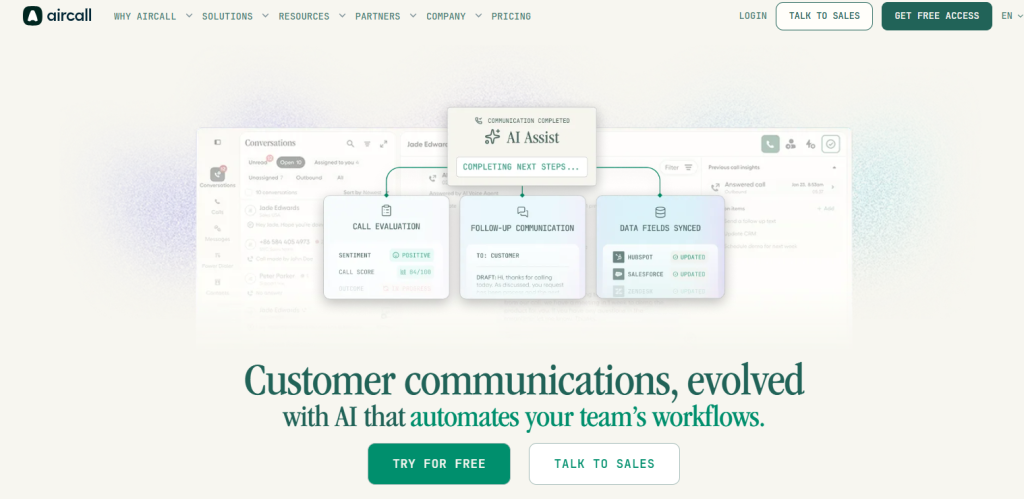
Aircall is a cloud phone system designed for sales, support, and success teams that need a freshdesk calling integration Singapore option with strong CRM connectivity and real-time analytics.
Best for: Growth-stage sales and customer support teams
Key features
- Native Freshdesk integration for call logging and ticket creation, so every call handled in Aircall appears in Freshdesk without manual steps.
- Click-to-call directly from Freshdesk via a Chrome extension, reducing the time agents spend dialing manually during high-volume shifts.
- Automated call recording synced to Freshdesk tickets gives team leads a complete audit trail for quality assurance without extra configuration.
- SMS and in-app team messaging sit alongside voice, so Singapore agents can follow up a call with a text message from the same interface.
- Real-time call analytics and performance dashboards let managers track agent activity and queue health without pulling separate reports.
Pros and cons
| Pros | Cons |
|---|---|
| Reviewers praise seamless HubSpot and Salesforce integration that takes only minutes to set up | No native Freshcaller or Freshworks integration in its App Marketplace, requiring middleware for some Freshworks setups |
| AI Insights and BANT summaries automate post-call admin and reduce manual logging for sales teams | Users report occasional delays in call sync to Freshdesk during high-volume periods, causing tickets to lag |
| Smartflow IVR Editor is easy for admins to configure without technical resources | No video conferencing, so teams must rely on third-party apps for combined communication |
Pricing and ratings
Pricing (USD): Core plan starts at $40 per user per month. Singapore local numbers available. No free trial; demo only. See full pricing
Integration with Freshdesk: Native bidirectional sync with Freshdesk. Call recordings and ticket data sync automatically, though some users report sync delays during peak call volumes.
4. CloudTalk – Best for customer-focused teams needing reliable global connectivity
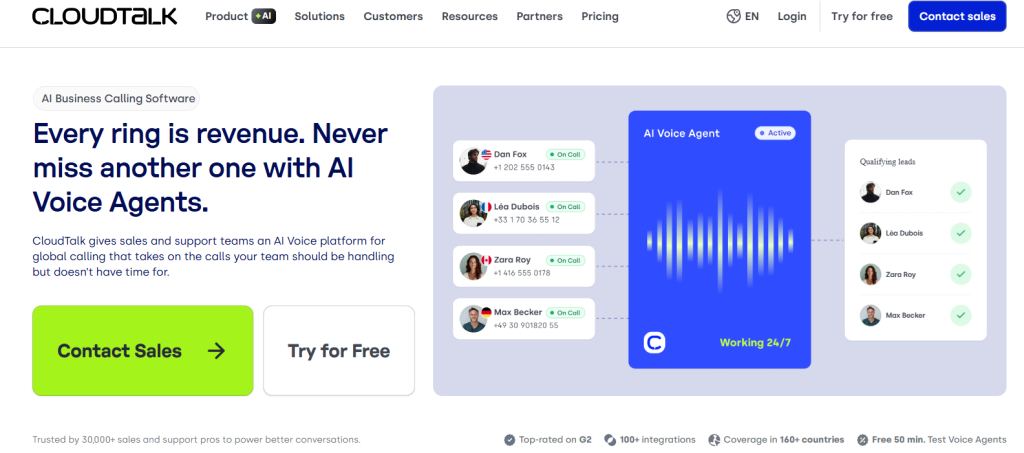
CloudTalk is a customer-centric cloud phone system with AI features built for sales and support teams that need a freshdesk calling integration Singapore solution with strong call quality and deep CRM sync.
Best for: Customer-focused sales and support teams
Key features
- Native Freshdesk integration with automatic call logging and ticket creation, so agents focus on the conversation rather than data entry after each call.
- AI-driven call routing and smart contact management direct inbound calls to the right agent based on caller history and skill, reducing transfer rates.
- Click-to-call via Chrome extension inside Freshdesk lets agents dial any contact record with one click, cutting manual dialing time across the team.
- SMS automation and analytics are included in all plans, so Singapore teams can run text follow-up sequences without purchasing a separate messaging tool.
- Real-time call analytics and team performance reports give managers a live view of queue status and individual rep metrics without waiting for end-of-day exports.
Pros and cons
| Pros | Cons |
|---|---|
| Capterra reviewers praise intuitive usability, excellent call quality, and reliable global connectivity for remote teams | Chrome extension for click-to-call can be unstable on older browsers, breaking the workflow |
| Automatic call recording integrates into CRM records, eliminating manual entry after calls | Enterprise users note limited advanced routing features, requiring manual workarounds for complex flows |
| G2 and Trustpilot reviewers specifically name support reps for fast, helpful resolution | 7-day free trial is too short for fully evaluating complex sales workflows |
Pricing and ratings
Pricing (USD): Essential plan starts at $25 per user per month. Singapore local numbers available. 7-day free trial included. See full pricing
Integration with Freshdesk: Native bidirectional sync with Freshdesk. Call data, recordings, and contact information sync automatically in both directions without Zapier or manual configuration.
5. Ringover – Best for sales teams needing one-click calling from Freshdesk
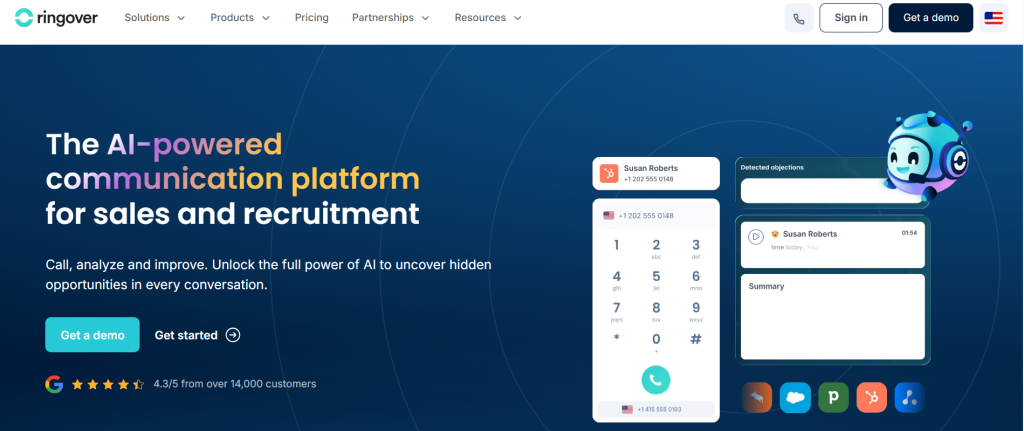
Ringover is a cloud-based phone and contact center platform with CRM integrations designed for sales and support teams that need a freshdesk calling integration Singapore option with a simple, intuitive interface.
Best for: Sales and support teams needing CRM sync
Key features
- Native Freshdesk integration with CTI (Computer Telephony Integration) and call logging, so agents click to call from any Freshdesk contact record without leaving the platform.
- Automatic ticket creation and caller data sync to Freshdesk mean that every inbound call creates a ticket with the caller’s history pre-populated for the agent.
- SMS and team messaging alongside voice calls give Singapore teams a single platform for multi-channel customer communication.
- Real-time dashboards and call analytics let managers monitor live queue status and individual rep performance without pulling separate reports.
- Power dialer and lead management features help outbound sales teams in Singapore increase daily call volume without sacrificing call quality.
Pros and cons
| Pros | Cons |
|---|---|
| Seamless CRM integration improves workflow efficiency by eliminating manual data entry between calls | Limited customization in workflow automation makes complex routing difficult to configure |
| Simple, intuitive interface lets teams manage calls, voicemails, and contacts in one place from day one | Integration requires admin-level access on both Ringover and Freshdesk accounts, creating a bottleneck for non-admin users |
| Integrated dialer in Freshdesk allows one-click calling, significantly reducing time spent on manual dialing | Power plan required for Freshdesk integration is priced higher than entry plans of several competitors |
Pricing and ratings
Pricing (USD): Power plan starts at $24 per user per month. Note: Freshdesk integration requires the Power plan, not the entry-level plan. Singapore local numbers available. 14-day free trial included. See full pricing
Integration with Freshdesk: Native bidirectional sync with Freshdesk. Caller data and ticket information sync in both directions, but setup requires admin-level access on both platforms.
6. CallHippo – Best for startups needing affordable global calling

CallHippo is a virtual phone system for sales and support teams that need an affordable freshdesk calling integration Singapore option with global calling to 50 or more countries.
Best for: Small businesses and startups needing global calling
Key features
- Freshdesk integration via API and webhook setup enables call logging to Freshdesk tickets, though it requires manual configuration by a technical user before it works reliably.
- Click-to-call via Chrome extension in Freshdesk lets agents dial contact records directly, once the extension is correctly installed and the webhook is active.
- Automatic ticket creation from inbound and outbound calls saves support agents from manually logging every interaction, provided the webhook configuration is stable.
- Lead management and power dialer features help Singapore sales teams increase outbound call volume per rep without purchasing a separate dialing tool.
- International calling to 50 or more countries at competitive per-minute rates makes CallHippo practical for Singapore teams with global customer bases.
Pros and cons
| Pros | Cons |
|---|---|
| Starter plan at $16 per user per month is among the most affordable options for small Singapore businesses | Integration requires manual webhook and API key setup, which is too complex for non-technical users |
| Automatic ticket creation from inbound and outbound calls saves time for support teams | No native bidirectional sync; calls only sync to tickets if the webhook configuration is correctly maintained |
| Power dialer and lead management features increase outbound call volume per rep | Chrome extension for click-to-call in Freshdesk can be unstable or break after platform updates |
Pricing and ratings
Pricing (USD): Starter plan at $16 per user per month. Singapore local numbers available. 7-day free trial included. Per-minute international calling rates apply. See full pricing
Integration with Freshdesk: No native integration. Requires manual webhook and API key configuration. One-way sync unless additional setup is completed, which creates data gaps for teams without technical resources.
7. Dialpad – Best for enterprise teams needing AI transcription at scale
Dialpad is an AI-powered cloud contact center and phone system built for enterprise and mid-sized teams that need a freshdesk calling integration Singapore solution with real-time transcription and advanced analytics.
Best for: Enterprise and mid-sized teams needing AI features
Key features
- Native Freshdesk integration with real-time call sync and ticket creation means agents never manually log a call, even during high-volume support shifts.
- AI call transcription and sentiment analysis deliver actionable support insights after every call without requiring a manager to listen to recordings individually.
- Click-to-call from Freshdesk via a browser extension lets agents dial any contact record instantly, cutting the time between tickets.
- SMS and team messaging are integrated with voice in one platform, so Singapore teams handle multi-channel queries without switching tools.
- Advanced analytics and contact center reporting give enterprise managers the data depth needed to run performance reviews and capacity planning at scale.
Pros and cons
| Pros | Cons |
|---|---|
| AI call transcription and sentiment analysis provide actionable support insights without manual review | Advanced AI features like sentiment analysis are locked behind plans beyond the base Standard tier |
| Native Freshdesk integration enables real-time call sync and ticket creation, eliminating data entry delays | Bidirectional sync setup requires specific API key configurations that can be tricky for non-admin users |
| Advanced analytics and contact center reporting are robust enough for enterprise-scale Singapore teams | Base plan’s limited contact center reporting forces teams to upgrade quickly, increasing total cost |
Pricing and ratings
Pricing (USD): Standard plan starts at $15 per user per month. Singapore local numbers available. 14-day free trial included. Advanced AI features require higher-tier plans. See full pricing
Integration with Freshdesk: Native bidirectional sync with Freshdesk. Real-time call sync and ticket creation work out of the box, though full bidirectional data flow requires API key configuration during setup.
How do these freshdesk calling integration Singapore tools compare on key features?
The table below compares all seven tools on the six features that most affect a Singapore team’s daily calling workflow and Freshdesk integration quality.
| Feature | FreJun | JustCall | Aircall | CloudTalk | Ringover | CallHippo | Dialpad |
|---|---|---|---|---|---|---|---|
| Native Freshdesk bidirectional sync | Yes | Yes | Yes | Yes | Yes | No – manual webhook required | Yes |
| AI call summaries auto-synced to ticket | Yes | Partial – higher plans only | Partial – AI Insights on select plans | No | No | No | Partial – higher plans only |
| Singapore local virtual numbers | Yes | Yes | Yes | Yes | Yes | Yes | Yes |
| Four-mode auto dialer (progressive, power, predictive, preview) | Yes | Partial – power dialer only | No | Partial – power dialer only | Partial – power dialer only | Partial – power dialer only | No |
| PDPA-aligned data handling (SOC 2 Type 2 certified) | Yes | Partial – check vendor docs | Partial – check vendor docs | Partial – check vendor docs | Partial – check vendor docs | Partial – check vendor docs | Partial – check vendor docs |
| Free trial available | Yes – 3 days, full access | Yes – 14 days | No | Yes – 7 days | Yes – 14 days | Yes – 7 days | Yes – 14 days |
FreJun is the only tool on this list that combines native bidirectional Freshdesk sync, AI summaries auto-synced to every ticket, a four-mode auto dialer, and SOC 2 Type 2 certification in a single platform starting below $15 per user per month.
“When you’re running a support team in Singapore, the one thing that kills efficiency is having to switch between your phone and your CRM. A tool that auto-logs calls and creates tickets in Freshdesk without me lifting a finger saves us about 20 minutes per agent per day. That’s the difference between handling 10 tickets and 15.”
– Sarah Chen, Support Lead, TechFlow Singapore via Reddit r/CustomerSuccess
Which freshdesk calling integration Singapore tool is right for your team in 2026?
Different team sizes, budgets, and use cases call for different tools. Here is a practical guide to matching the right platform to your specific situation in Singapore.
If you are a Singapore support team that needs AI call summaries auto-synced to Freshdesk tickets with zero manual logging: Choose FreJun. It is the only tool here with native bidirectional sync, AI summaries, and SOC 2 Type 2 certification at $14.49 per user per month.
If you are a small Singapore startup with a tight budget and a global customer base: Choose CallHippo. The $16 per user per month Starter plan covers international calling to 50 or more countries, though you will need a technical resource to configure the Freshdesk webhook.
If you are a growth-stage Singapore team already using HubSpot or Salesforce alongside Freshdesk: Choose Aircall. Its HubSpot and Salesforce integrations are among the strongest on the market, and the Smartflow IVR editor requires no technical resources to configure. For teams that pair Freshdesk with HubSpot for sales workflows, this resource on HubSpot calling in India answers similar setup and compliance questions.
If you are an enterprise Singapore team that needs advanced contact center analytics and AI transcription at scale: Choose Dialpad. Its native Freshdesk sync and enterprise-grade reporting suit large teams, though advanced AI features require upgrading beyond the base plan.
If you are a mid-sized Singapore sales team that needs a power dialer with simple CRM sync and a long free trial: Choose Ringover or JustCall. Both offer 14-day trials, native Freshdesk sync, and power dialer features suited to outbound sales campaigns.
Which tool wins overall in Singapore?
If you want the best overall freshdesk calling integration Singapore platform in 2026 with AI features, USD billing, and PDPA-aligned data handling: Choose FreJun. As of 2026, FreJun’s analysis of 300 or more client accounts found that teams using AI-transcribed calls reduced manual note-taking time by 40%, and FreJun teams see an average 3x increase in daily call volume compared to manual dialing. No other tool on this list combines that level of AI automation with native Freshdesk sync at under $15 per user per month.
Frequently asked questions about freshdesk calling integration Singapore in 2026
What is the best freshdesk calling integration Singapore tool in 2026?
The best freshdesk calling integration Singapore tool in 2026 is FreJun. It earns a 4.9/5 G2 rating and starts at $14.49 per user per month, making it the most affordable AI-native option on this list. Three concrete reasons it leads: first, it offers native bidirectional Freshdesk sync with no Zapier required; second, it auto-generates AI call summaries and sentiment scores synced to every ticket; and third, it is SOC 2 Type 2 and ISO 27001 certified, which directly supports PDPA compliance obligations for Singapore businesses. Setup takes under one hour.
How much does freshdesk calling integration Singapore cost in 2026?
Pricing for freshdesk calling integration Singapore tools ranges from $14.49 to $49 per user per month depending on the platform and plan. FreJun’s Standard Plan starts at $14.49 per user per month and its Professional Plan at $16.69 per user per month, both in USD, with Singapore virtual numbers available and per-minute calling rates at product.frejun.com/call-pricing-usd. CallHippo starts at $16, Dialpad at $15, Ringover at $24, CloudTalk at $25, Aircall at $40, and JustCall at $49. Most tools charge separately for local Singapore numbers and international calling minutes.
What compliance rules apply to calling tools used in Singapore?
Singapore businesses using any calling tool must comply with IMDA’s (Infocomm Media Development Authority) DNC (Do Not Call) Registry under the PDPA (Personal Data Protection Act). Before running any outbound calling campaign, numbers must be scrubbed against the DNC Registry. Call recordings containing customer data must be stored and handled in line with PDPA data protection obligations. When evaluating a freshdesk calling integration Singapore platform, check whether the vendor is SOC 2 Type 2 certified, holds ISO 27001 certification, and has a documented zero data-sharing policy. FreJun meets all three requirements.
Which freshdesk calling integration Singapore tool has the deepest Freshdesk integration?
FreJun has the deepest Freshdesk integration among the tools on this list. It offers native bidirectional sync with no Zapier or webhook configuration required. Every call auto-logs to the Freshdesk ticket with duration, recording link, AI transcript, sentiment score, talk ratio, and call disposition. Caller data syncs to Freshdesk contacts in both directions. By contrast, CallHippo requires manual webhook and API key setup, and Aircall users report occasional sync delays during high-volume periods. For teams where data accuracy in Freshdesk is non-negotiable, FreJun is the clear choice.
How do I switch from a traditional phone system to a freshdesk calling integration Singapore tool?
Switching from a traditional phone system to a freshdesk calling integration Singapore platform is simpler than most teams expect. With FreJun, the process involves installing the Chrome extension, connecting your Freshdesk account via the integration settings, and provisioning a Singapore virtual number. The whole setup takes under one hour. FreJun’s 3-day free trial for up to 5 users lets your team test the full workflow inside your live Freshdesk environment before committing. If you have an existing number, FreJun supports number porting within 24 hours. Most other tools on this list also offer guided onboarding, but FreJun’s setup is the fastest documented at under one hour.
Do all freshdesk calling integration Singapore tools support Singapore local numbers?
Yes, all seven tools on this list offer Singapore local virtual numbers, but the provisioning speed and compliance documentation vary. FreJun provisions Singapore numbers instantly and is SOC 2 Type 2 certified. JustCall, Aircall, CloudTalk, Ringover, CallHippo, and Dialpad all offer Singapore numbers, but none explicitly document PDPA compliance on their public pricing pages. As Priya Nair, Founder of SaaSStart SG, noted on Quora: some providers claim Singapore coverage but fail during actual number setup due to local compliance gaps. Always test number provisioning during your free trial before signing a contract.
Is a native Freshdesk integration better than a Zapier-based one for Singapore teams?
Native integration is significantly better than a Zapier-based one for Singapore teams running high call volumes. A native integration syncs call data to Freshdesk in real time, so tickets are updated within seconds of a call ending. Zapier-based integrations introduce a delay of 1 to 15 minutes depending on the Zap’s polling interval, which means agents may pick up a follow-up call without seeing the previous interaction’s notes. Native integrations also support bidirectional data flow, so changes made in Freshdesk (like updating a contact’s name) reflect in the dialer automatically. Zapier workarounds are typically one-way only.
How is AI changing freshdesk calling integration Singapore tools in 2026?
AI is shifting freshdesk calling integration Singapore platforms from passive call loggers to active workflow tools. In 2026, the most advanced platforms auto-generate call summaries, sentiment scores, and talk ratio analysis after every call, syncing all of it to the Freshdesk ticket without any agent input. FreJun’s AI features include full searchable transcripts with speaker labels, keyword search across all call history, and WhatsApp follow-up automation triggered by call outcome. As of 2026, FreJun teams using AI-transcribed calls reduced manual note-taking time by 40%, freeing agents to handle more tickets per shift.
Conclusion: Best freshdesk calling integration Singapore tools in 2026
The top three freshdesk calling integration Singapore tools in 2026 are FreJun (best for AI-native CRM calling), Dialpad (best for enterprise analytics), and CloudTalk (best for reliable global connectivity). FreJun is the top overall recommendation for Singapore teams because it is the only platform that combines native bidirectional Freshdesk sync, AI call summaries auto-synced to every ticket, a four-mode auto dialer, and SOC 2 Type 2 certification at $14.49 per user per month with setup in under one hour. If your team needs a freshdesk calling integration Singapore solution that works from day one without a technical setup project, start with FreJun’s 3-day free trial.