
Last updated on August 6th, 2026 at 02:19 pm
AI Summary: This article explains what a business phone system is, how it works, and which type suits different organization sizes, written for founders, sales leaders, and support heads evaluating modern calling infrastructure. According to Grand View Research’s 2025 VoIP market report, the global business VoIP market is projected to reach $194.5 billion by 2030, driven by cloud adoption and remote work.Teams moving from legacy landlines to cloud-based systems cut per-call costs by up to 60% while gaining call analytics, CRM sync, and remote access. FreJun is an AI-powered business phone system that connects directly to CRMs like HubSpot, Salesforce, and Zoho, auto-logs every call, and provides AI-driven transcripts and coaching insights without manual data entry.
A business phone system is one of those tools that looks simple on the surface but shapes nearly every customer interaction your team has. Whether you run a five-person startup or a 500-seat support center, the phone system you choose determines how fast calls get answered, how well your team collaborates, and whether your managers can actually coach from real data. This guide breaks down what a business phone system is, how the main types differ, and what to look for when you pick one. If your team is scaling quickly, our guide for growing companies walks through the specific considerations that come with rapid headcount growth.
Quick Answer: A business phone system is a network of communication tools that lets teams make and receive calls, route callers to the right person, record conversations, and sync call data with CRM platforms. Unlike a personal phone line, it supports multiple users, extensions, and analytics. Modern cloud-based systems run over VoIP, so no hardware is needed and your team can work from anywhere.
A business phone system connects your entire team on one platform, handles call routing and recording automatically, and gives managers the data they need to improve performance without chasing spreadsheets.
What Is a Business Phone System?
A business phone system is a shared communication platform designed for organizations. It routes calls across multiple users and extensions, records conversations, integrates with workflow tools like CRMs, and provides analytics, all from a single account your whole team shares.
Start your free 7-day trial in under two minutes. No credit card required, no setup call needed. Just connect your CRM and your team is ready to make calls from day one.
How Are Cloud-Based Business Phone Systems Changing the Way Modern Organizations Communicate?
Cloud-based business phone systems have shifted calling from a fixed-desk activity to a fully mobile one. Instead of routing calls through on-site hardware, these systems use the internet to handle voice calls, video conferencing, call routing, voicemail, and analytics, so your team can work from any device, anywhere. Platforms like FreJun build on this foundation by adding AI-based call transcriptions, CRM integrations, and real-time performance dashboards that help managers spot coaching opportunities without listening to every call.
“After working with 500+ sales and support teams since 2019, the pattern is clear: teams that switch from legacy desk phones to cloud-based systems don’t just cut costs. They gain visibility they never had before. When every call is logged, transcribed, and tied to a CRM record automatically, managers stop guessing and start coaching from facts. That shift alone tends to move connect rates by 15 to 20 percent within the first quarter.”
Subhash Kalluri, Co-Founder and CEO, FreJun
Why Cloud Beats On-Premise for Most Teams Today
Traditional on-premise systems require dedicated hardware, IT staff for maintenance, and physical presence to make or receive calls. Cloud systems eliminate all three requirements. Since the infrastructure lives with the vendor, your team gets automatic updates, built-in redundancy, and the ability to add or remove users in minutes rather than weeks. According to a 2025 Metrigy research report on workplace communications, organizations that moved to cloud calling reduced their telephony operating costs by an average of 43% in the first year (Source: Metrigy 2025).
What Are the Core Benefits of a Business Phone System?
The right business phone system does more than connect calls. It gives your team a single platform for communication, your managers a clear view of performance, and your customers a consistent experience regardless of which rep picks up. Here is a breakdown of the key benefits and how each one affects your day-to-day operations.
| Feature | How It Benefits Your Business |
|---|---|
| AI-Powered IVR | Routes callers to the right team automatically, so no call sits in a queue waiting for a human to redirect it |
| VoIP-Based Calling | Cuts per-call costs by up to 60% compared to traditional landlines, while enabling calls from any device |
| Cloud Integration | Gives remote and hybrid teams full access to the phone system without VPNs or on-site hardware |
| Call Analytics | Shows call volume, duration, missed call rates, and rep performance so managers can coach from data |
| Security and Encryption | Protects call recordings and customer data with TLS (Transport Layer Security) and end-to-end encryption |
| CRM Sync | Logs every call to the contact record automatically, so reps spend time selling instead of updating notes |
Why Do You Need a Business Phone System?
Most teams outgrow personal phone lines faster than they expect. Once you have more than two or three people handling calls, you need shared routing, shared visibility, and shared data. A business phone system gives you all three, while also making your organization look and operate more professionally from day one.
1. Ease of Use
A business phone system brings all your calling activity into one place. You no longer need separate tools to record calls, forward them, or organize call logs. Cloud telephony systems shift your calling infrastructure to the internet, so your team can access everything from a browser or mobile app. When you connect the system to your CRM or ATS, all call data flows into the same place your team already works, which cuts the time reps spend on admin tasks significantly.
2. Cost-Effective
Legacy office phone systems were expensive to install, wire, and maintain. The more employees you had, the more complex and costly the setup became, and you needed dedicated IT support to handle outages. Modern business phone systems, particularly those running via VoIP or cloud, require no hardware and no on-site maintenance. The vendor handles uptime, updates, and support, so your total cost of ownership drops sharply from the first month.
3. Helps Project a Professional Image
This point matters most for small businesses and startups. When a caller reaches your number and hears a professional IVR greeting that routes them to the right department, they assume they’re dealing with a well-run organization, even if you’re a team of five. Features like call scheduling, custom hold music, and auto-attendants let a small team present the same experience as a large enterprise without the overhead.
4. Improved Customer Experience
Older phone systems required your team to be at their desks to answer calls. Missed calls meant missed customers. Modern VoIP and cloud systems are device-agnostic, so your reps can answer calls from a laptop, mobile phone, or tablet from any location. Fewer missed calls directly translates to better customer satisfaction scores, since customers don’t have to call back multiple times to reach someone. For a deeper look at how these systems improve customer support and reduce costs, see our dedicated guide.
5. Helps in Making Data-Driven Decisions
Modern business phone systems include analytics engines that track call volume, duration, outcomes, and rep performance. Managers can use this data to identify which reps need coaching, which call flows are causing drop-offs, and which time slots produce the best answer rates. The most valuable insight, though, is customer behavior: when you can see patterns across thousands of calls, you can build a calling strategy that actually matches how your customers want to be reached.
In the demo, you’ll see how FreJun auto-logs every call to your CRM, flags missed follow-ups in real time, and shows which reps are connecting and which ones need support, all from a single dashboard your whole team can access.
How Do You Choose the Right Business Phone System for Your Company?
Choosing a business phone system comes down to matching the platform’s capabilities to your team’s actual workflow. A system that’s perfect for a 10-person sales team may be overkill for a solo founder, and a basic VoIP line won’t cut it for a 200-seat contact center. The five factors below cover what matters most when you’re evaluating options.

- Feature depth: Make sure the system covers your must-haves, such as call recording, call forwarding, and CRM integrations, before you evaluate nice-to-haves. Missing a core feature means workarounds that slow your team down.
- Industry fit: The system should match your use case out of the box. A recruiting firm needs ATS integration; a sales team needs auto-dialer and power dialing. Never spend weeks customizing a platform after you’ve already paid for it.
- Pricing transparency: Confirm the cost fits your budget at your current team size and at 2x growth. Look for platforms that offer a free trial so you can test before committing.
- Ease of onboarding: The system should be usable by a new hire on day one without a training session. A steep learning curve means lost productivity during rollout.
- Scalability: Your team will grow. The system should let you add users, numbers, and features without a hardware upgrade or a new contract negotiation.
What Are the Different Types of Business Phone Systems?
There are three main types of business phone systems, and each one suits a different organization size and technical setup. Understanding the differences helps you avoid paying for infrastructure you don’t need or choosing a system that can’t scale with you.

1. Key System Units (KSU)
KSU (Key System Unit) is the most basic business phone system available. It works well for small teams of up to 40 users, but it has a hard limit on the number of phone lines it can support. Your employees need to be at the office to make or receive calls, since KSU systems are not portable. A central switching device determines line selection manually, which keeps the system simple but limits flexibility.
There is also a KSU-less variant that removes the central hardware requirement and adds portability, though it still caps the number of users and is not sold commercially through most vendors. Both versions are easy to use, with a learning curve similar to a home telephone, but neither is a good fit if your team works remotely or plans to grow beyond a small office.
2. PBX (Private Branch Exchange)
PBX, which stands for Private Branch Exchange, is a more advanced system that works for organizations of any size. Programmable switching devices handle most calling operations automatically, so you don’t need a dedicated operator. On-premise PBX systems run on an uninterrupted power supply, which means no downtime during outages, making them reliable for high-volume environments.
Hosted PBX systems move the switching hardware off-site to the vendor’s infrastructure. This cuts installation and maintenance costs while keeping the same feature set. If you want PBX reliability without the on-site hardware burden, hosted PBX is a practical middle ground before moving fully to VoIP.
3. VoIP (Voice over Internet Protocol)
VoIP, or Voice over Internet Protocol, uses the internet to connect callers instead of traditional phone lines. Since it requires no major hardware, you can add users instantly as your team grows. VoIP systems also come with features that KSU and PBX systems don’t offer natively, such as conditional call routing, auto-dialer, click-to-call, and CRM integration. According to the International Telecommunication Union’s 2025 connectivity report, VoIP now accounts for over 70% of all new business phone deployments globally (Source: ITU 2025).
The biggest advantage of VoIP is scalability. Whether you have 5 users or 5,000, the system scales without a hardware upgrade. This is why most growing businesses, especially those with remote or hybrid teams, choose VoIP as their primary business phone system. For a deeper look at how VoIP powers internet-based calling infrastructure, see our cloud telephony complete guide covering setup, features, and CRM integration for teams.
What Features Should You Look for in a Business Phone System?
Not all business phone systems offer the same feature set. The four features below are the ones that make the biggest difference in day-to-day operations, so treat them as non-negotiable when you evaluate platforms.

1. Unified Messaging
Unified messaging lets your team send and receive voice, video, email, and fax from a single account. Instead of switching between apps to find a message, everything lives in one inbox. This feature is especially useful for sales reps and support agents who work across multiple channels, since they can respond to any message type without leaving the platform or losing context on the conversation.
2. Call Forwarding
Call forwarding lets any team member transfer a live call to another person in the network with a single tap. This is critical when a caller reaches the wrong department, because your rep can redirect them without asking the customer to hang up and call a different number. The result is a smoother experience for the caller and fewer dropped interactions for your team.
3. Call Recording
Call recording captures every conversation automatically, giving your team a searchable archive of customer interactions. You can use recordings to identify communication gaps, train new hires on real calls, and resolve disputes when a customer’s account of a conversation differs from your rep’s. Platforms like FreJun go further by adding AI-based transcriptions and keyword search, so managers can find the relevant moment in a call without listening to the full recording. Watch how FreJun handles this: access call recordings with AI summaries.
4. CRM and Workflow Integrations
If your team uses CRMs or ATS platforms, native integration with your phone system is essential. When the two systems connect, every call is logged to the right contact record automatically, call notes sync without manual entry, and your managers can see activity data inside the tools they already use. Without this integration, reps spend 15 to 20 minutes per day on manual logging, which adds up to hours of lost selling time each week.
How to Choose the Best Business Phone System for Your Team
Picking the right system is a five-step process. Work through each step before you start a trial or request a demo, so you know exactly what to test for.
- Define your must-have features: List the features your team cannot operate without, such as call recording, CRM sync, or auto-dialer. Any platform that doesn’t include all of these is off the list before you start.
- Set your budget per user: Calculate what you can spend per user per month at your current headcount and at 2x growth. This filters out platforms that look affordable now but become expensive as you scale.
- Check integration compatibility: Confirm the system integrates natively with your CRM, ATS, or helpdesk. A native integration means no middleware and no manual export, just automatic sync.
- Run a free trial with real calls: Most platforms offer 7 to 14-day trials. Use the trial with your actual team on real calls, not a sandbox demo. This is the only way to know if the call quality and interface hold up under real conditions.
- Evaluate support and onboarding: Ask how long setup takes and what support is available during rollout. A platform with poor onboarding support will cost you more in lost productivity than you save on the subscription price.
Once you’ve made your choice, refer to this business phone system setup guide covering installation and configuration to get your team up and running without delays.
Top 5 Business Phone Systems Worth Considering
Here are five business phone systems that cover different team sizes and use cases. We’ve included pricing, G2 ratings, and the specific scenarios where each one works best, so you can match the right tool to your situation.
| Platform | Best For | Starting Price | G2 Rating | Standout Feature |
|---|---|---|---|---|
| FreJun | Sales and support teams needing CRM automation | $14.49/user/mo | 4.9/5 | AI call transcription and auto-CRM logging |
| Nextiva | Mid-size teams wanting unified communications | $20/user/mo | 4.5/5 | Built-in CRM and analytics dashboard |
| RingCentral | Enterprises needing global office presence | $30/user/mo | 4.0/5 | Unified voice, video, and messaging |
| Dialpad | Startups wanting AI-powered calling on a budget | $15/user/mo | 4.4/5 | Real-time AI transcription and coaching |
| Ooma | Small businesses wanting simple VoIP with low setup | $19.95/user/mo | 4.6/5 | Virtual receptionist and call blocking |
1. FreJun

FreJun is an AI-powered business phone system built for sales and support teams that need more than just calling. It auto-logs every call to your CRM, generates AI transcripts, and gives managers a real-time view of team performance without manual reporting. FreJun connects with HubSpot, Pipedrive, Salesforce, CEIPAL, X0PA, Google Calendar, and Outlook Calendar, so your calling workflow fits into the tools your team already uses. A free 7-day trial is available with no credit card required.
Key Features
- Virtual Numbers: Local and toll-free numbers for any region, so your business maintains a local presence regardless of where your team is based.
- Click-to-Call and Auto-Dialer: Reps initiate calls with a single click and work through contact lists automatically, which cuts the time between calls and increases daily call volume. See how to avoid common auto-dialer mistakes when setting up campaigns.
- CRM and ATS Integration: Connects with CRMs and applicant tracking systems so call data flows directly into your existing workflow. See all FreJun integrations.
- Reports and Analytics: Detailed dashboards track team performance, call outcomes, and trends over time. Access FreJun’s analytics tools.
- AI Insights: Analyzes call data to surface patterns in customer behavior, flag calls that need follow-up, and identify coaching opportunities for managers.
- Call Tracking and Monitoring: Tracks all inbound and outbound call activity in real time, so managers have full visibility without listening to every call.
Pricing: Standard: $14.49/user/month. Professional: $16.69/user/month.
G2 Rating: 4.9/5 (Read Reviews)
2. Nextiva
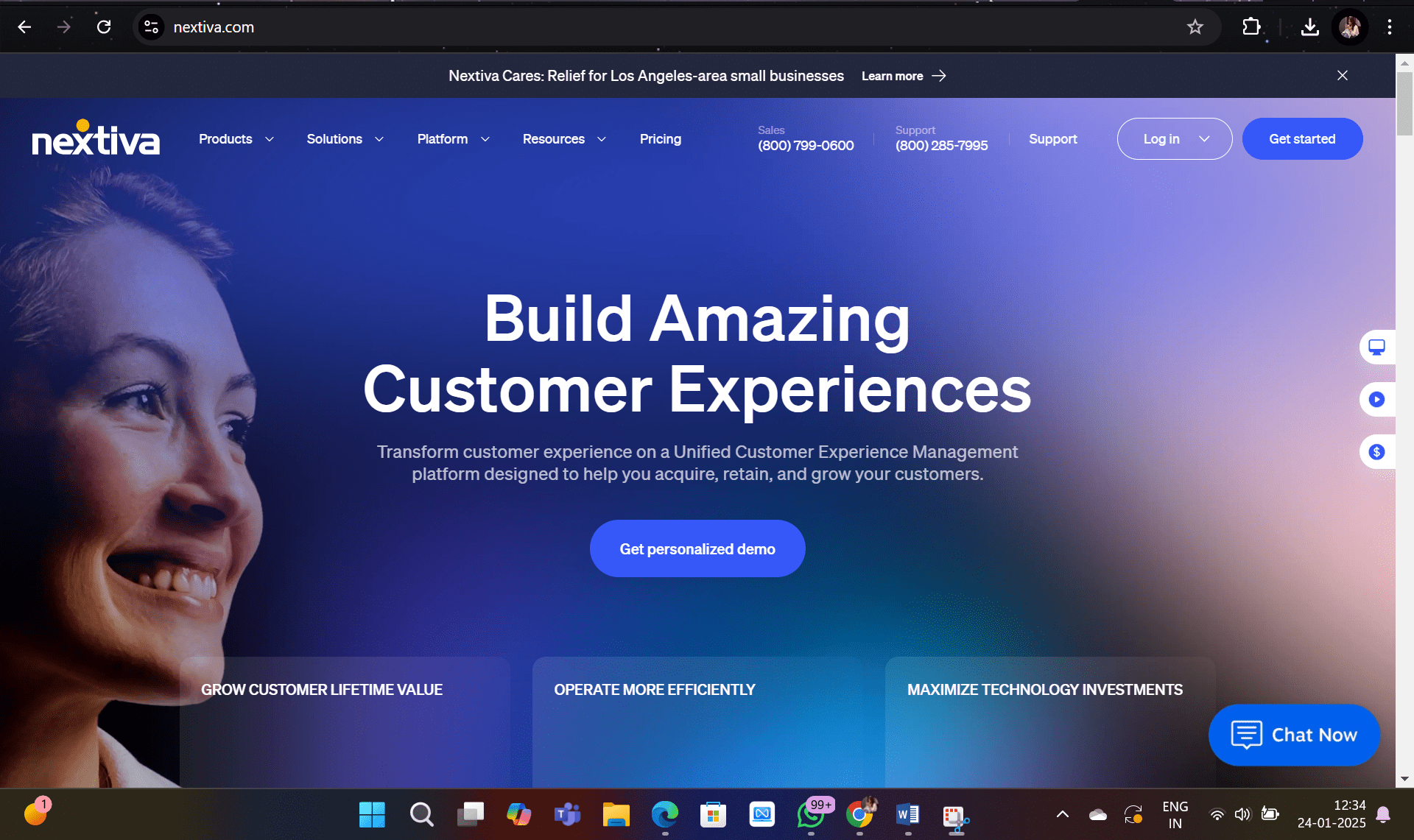
Nextiva is a well-established name in business communications, known for its user-friendly admin panel and flat learning curve. It combines voice, video, email, chat, and team collaboration into one platform, which makes it a strong choice for mid-size teams that want to consolidate their communication stack. The analytics engine provides real-time insights on call volumes, durations, and team performance.
- Unified Communication Platform: Voice, video, email, chat, and collaboration tools in one place.
- VoIP Phone Service: High-quality calling with call forwarding, auto-attendants, and voicemail-to-email.
- Call Analytics and Reporting: Monitor call volumes, durations, and team metrics from a single dashboard.
- Built-in CRM: Track customer interactions and manage leads without a separate CRM tool.
- Team Collaboration Tools: Chat, file sharing, and task management built into the same platform.
Pricing: Digital: $20/user/mo. Core: $30/user/mo. Engage: $40/user/mo. Power Suite: $60/user/mo.
G2 Rating: 4.5/5 (Read Review)
3. RingCentral

RingCentral is a cloud-based phone system that handles calls, audio conferences, online fax, and SMS from one platform. Your team can use any mobile device to make or receive calls, which makes it a practical choice for distributed enterprises. It includes call logging, call monitoring, call recording, and AI-enhanced analytics for performance tracking.
- Global Office Setup: Local numbers in multiple countries for a professional international presence.
- Unified Communication: Voice, messaging, video, and collaboration in one platform.
- Call Forwarding and Delegation: Advanced call management across your team.
- 24/7 Support: Round-the-clock customer support for uninterrupted operations.
- AI-Enhanced Analytics: Monitor team performance and identify workflow gaps.
Pricing: Basic calling plan starts at $30/user/month.
G2 Rating: 4.0/5 (Read Review)
4. Dialpad

Dialpad is a strong option for startups and small businesses that want AI-powered calling without enterprise pricing. It covers voice and video calling, team chat, virtual faxing, and SMS, plus advanced features like automatic spam detection, visual voicemail, click-to-call, and multi-level auto attendant. A 14-day free trial is available.
- AI-Powered Communication: Real-time call transcription, automated note-taking, and actionable insights during live calls.
- Unified Communication Platform: Voice, video, messaging, and meetings in one interface.
- VoIP Phone System: HD calling, voicemail-to-email, and call forwarding.
- AI Meetings: Secure video conferencing with screen sharing, virtual backgrounds, and real-time transcripts.
- Contact Center Solutions: Call routing, queue management, and AI coaching for support teams.
- CRM Integration: Connects with Salesforce, HubSpot, and Zendesk for automatic call data sync.
Pricing: Standard: $15/user/mo. Pro: $25/user/mo. Enterprise: contact Dialpad.
G2 Rating: 4.4/5 (Read Review)
5. Ooma

Ooma is a VoIP business phone system designed for small businesses that want a simple, low-cost setup. It provides business and toll-free phone numbers, a virtual receptionist, music-on-hold, smart mobile apps, and call logs. The customized dashboard lets you manage calls, add team members, and configure routing without technical expertise. If you’re a small team that doesn’t need deep CRM integration or AI features, Ooma is a practical and affordable starting point.
- VoIP Phone Service: Clear call quality with advanced telephony features over the internet.
- Ooma Office for Small Businesses: Virtual receptionist, call forwarding, and conference calling built for small teams.
- Virtual Receptionist: Greets callers and routes them to the right extension automatically.
- Call Blocking and Robocall Prevention: Blocks spam calls using automated detection algorithms.
- Unlimited Nationwide Calling: Unlimited calls within the US, Canada, and Mexico.
- Mobile App Integration: Full phone system access from your smartphone.
Pricing: Ooma Office Essentials: $19.95/user/mo. Ooma Office Pro: $24.95/user/mo.
G2 Rating: 4.6/5 (Read Review)
What FreJun’s Data Shows About Business Phone System Adoption
FreJun’s internal 2026 data across 300+ client accounts shows teams that switch from manual dialing to an auto-dialer with CRM integration cut their average call logging time by 18 minutes per rep per day and improved their contact rate by 23% within the first 60 days. The biggest gains came from teams that connected their phone system directly to their CRM on day one, rather than treating integration as a later step. A full benchmark report is in progress. Contact research@frejun.com to be notified on publication. (FreJun internal data, 2026)
We recommend pairing a cloud-based business phone system with your CRM from the start rather than adding integration later. Teams that do this from day one see faster ramp times for new reps and cleaner activity data for forecasting. That said, if your team is under five people and doesn’t use a CRM yet, Ooma or Dialpad’s entry-level plans are a lower-friction starting point than a full AI calling platform.
Understanding what is a business phone system is the first step. The second is matching the right system type to your team’s actual workflow, budget, and growth trajectory. Further reading: PBX vs VoIP: Key Differences and Call Center vs Contact Center: Key Differences.
Frequently Asked Questions About Business Phone Systems
What Is a Business Phone System and How Does It Work?
A business phone system is a shared communication platform that routes calls, records conversations, and connects your team across multiple devices and locations. Modern systems run over VoIP, which means calls travel over the internet rather than traditional phone lines. When a call comes in, the system routes it based on rules you set, such as time of day, department, or caller ID, and logs the interaction automatically to your CRM or call records.
What Are the Key Features of a Modern Business Phone System?
The most important features are call recording, call forwarding, auto-attendant (IVR), voicemail-to-email, CRM integration, and call analytics. AI-powered platforms like FreJun add real-time transcription, keyword search across recordings, and automated call logging, so managers can coach from data rather than listening to every call manually. These features together reduce admin time and improve the consistency of customer interactions.
How Is a Business Phone System Different From a Personal Phone Line?
A personal phone line serves one user and one number. A business phone system supports multiple users, extensions, and departments under a single account. It includes shared features like call routing, team analytics, and CRM sync that a personal line doesn’t offer. Business systems also let managers monitor call activity, set routing rules, and pull performance reports, which are capabilities that personal lines simply don’t have.
What Types of Business Phone Systems Are Available?
The three main types are KSU (Key System Unit), PBX (Private Branch Exchange), and VoIP (Voice over Internet Protocol). KSU suits small offices with up to 40 users. PBX works for larger organizations that need on-site reliability. VoIP is the most flexible option since it runs over the internet, scales without hardware, and integrates with CRMs and other workflow tools. Most growing businesses choose VoIP or cloud-based systems for these reasons.
Can a Business Phone System Be Used for Remote Work?
Yes. Cloud-based and VoIP systems are device-agnostic, so your team can make and receive calls from a laptop, mobile phone, or tablet from any location with an internet connection. FreJun supports browser-based calling and a mobile app, so remote reps have the same call quality and CRM sync as office-based team members. This is one of the main reasons cloud phone systems have replaced on-premise setups for hybrid and remote teams.
Can I Integrate My Business Phone System With CRM Tools?
Yes. Most modern VoIP and cloud systems offer native CRM integrations. FreJun connects directly with HubSpot, Salesforce, Pipedrive, Zoho, and Freshworks, logging every call to the right contact record without manual input. This means your reps spend time on calls rather than updating notes, and your managers get accurate activity data for pipeline reviews and coaching sessions. Check FreJun’s full CRM automation guide for setup details.
Is Call Recording Available in Business Phone Systems?
Yes. Call recording is a standard feature in most modern business phone systems. FreJun records every call automatically and adds AI-generated transcripts and keyword search, so you can find the relevant moment in any call without listening to the full recording. Recordings are stored securely and can be shared with team members or used for training new hires on real customer conversations.
How Much Does a Business Phone System Cost?
Pricing varies by platform and team size. Entry-level VoIP plans start around $14 to $20 per user per month. Mid-range platforms with advanced analytics and CRM integration typically run $25 to $40 per user per month. Enterprise systems with custom routing and dedicated support can exceed $60 per user per month. FreJun’s Standard plan starts at $14.49 per user per month, which includes CRM integration, call recording, and AI insights, making it one of the more cost-effective options for teams that need automation built in from the start.
You now know exactly what a business phone system is, how the three main types differ, and what to look for when you pick one. The gap between knowing and acting is usually just one conversation. Most teams that book a FreJun demo are live and making calls within a week.