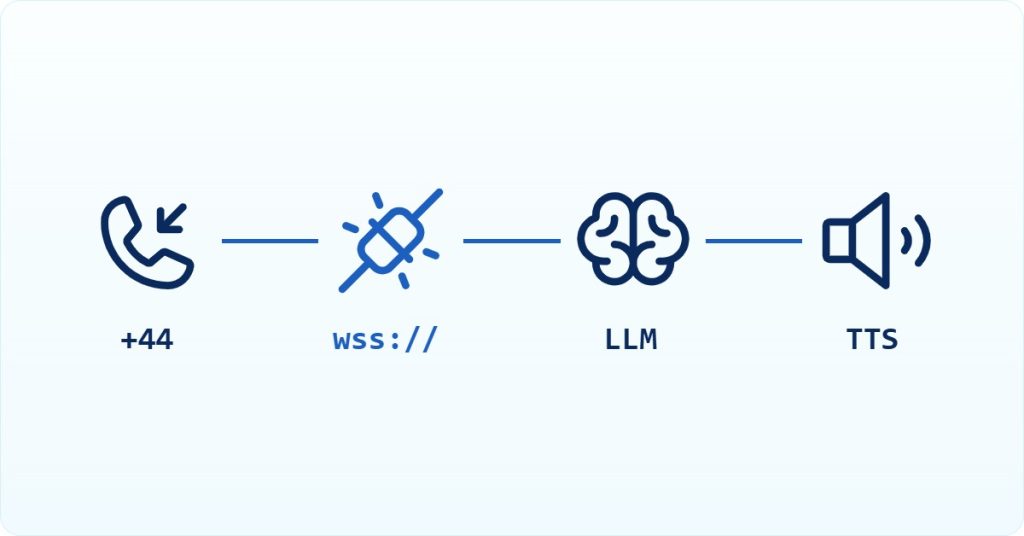
AI Summary: This voice agent production readiness checklist is written for backend and API integration engineers preparing a voice agent for live traffic in 2026. Teler’s WebSocket transport delivers inbound audio as 16-bit linear PCM, mono, at 8 kHz by default, which means any model running at 24 kHz requires an explicit resampling step before audio reaches the call leg. Engineers must verify session handshake ordering, interruption handling, and failure recovery before go-live. Teler handles carrier connectivity, audio streaming, and call control so teams can focus on the application layer rather than telephony plumbing.
Scope: This checklist covers voice agent production readiness for systems built on Teler’s programmable voice API, verified against the WebSocket message schema and integration guides documented in September 2026. It does not cover SIP-side PBX configuration or client-side WebRTC browser handling.
Quick Answer: A voice agent is production-ready in 2026 when it handles the start handshake before processing media, resamples model audio to match the telephony sample rate, flushes queued playback on barge-in with a {"type": "clear"} message, and recovers from WebSocket drops without dropping the live call.
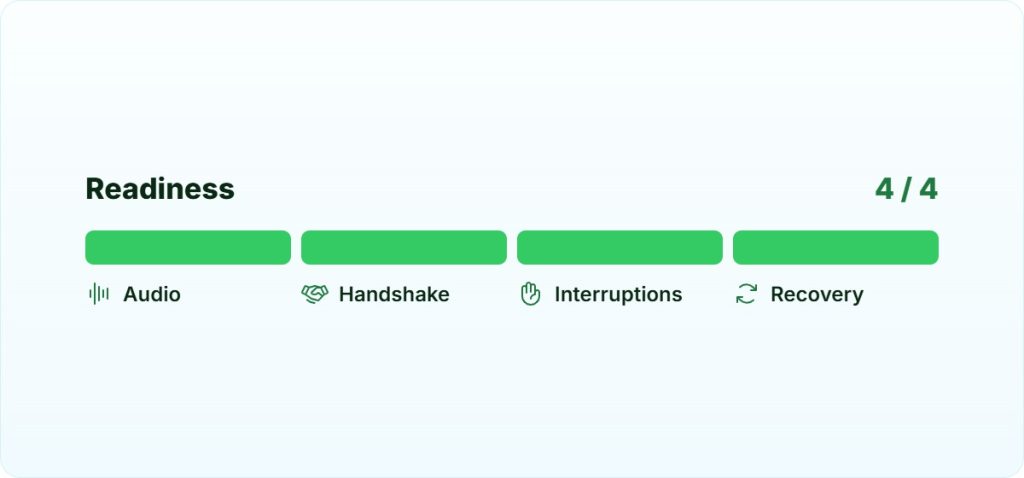
Voice agent production readiness comes down to four concrete engineering decisions: audio format alignment between the telephony leg and the model, correct WebSocket session sequencing, interruption handling that actually clears queued audio, and a reconnect strategy for the persistent media bridge. Each of these can silently degrade call quality or cause mid-call failures if left unverified before launch.
What is voice agent production readiness?
Voice agent production readiness is the state in which a real-time AI phone agent can handle live PSTN (Public Switched Telephone Network) traffic reliably, with correct audio formatting, predictable session behavior, and defined failure recovery, without manual intervention per call. It occupies the layer between a working prototype and a system that survives real callers, carrier variance, and concurrent load. It does not mean the agent is feature-complete; it means the infrastructure beneath the agent will not silently corrupt audio or drop sessions under normal operating conditions. Engineers must supply their own resampling logic, VAD (voice activity detection) tuning, and reconnect handling. The telephony platform handles carrier routing, media transport, and call control.
Why is shipping a voice agent to production harder than it looks?
The gap between a demo that works on a laptop and a system that handles real calls is almost entirely infrastructure. A prototype can ignore sample rate mismatches, session ordering, and dropped sockets because the happy path never exercises those code paths. Production traffic does.
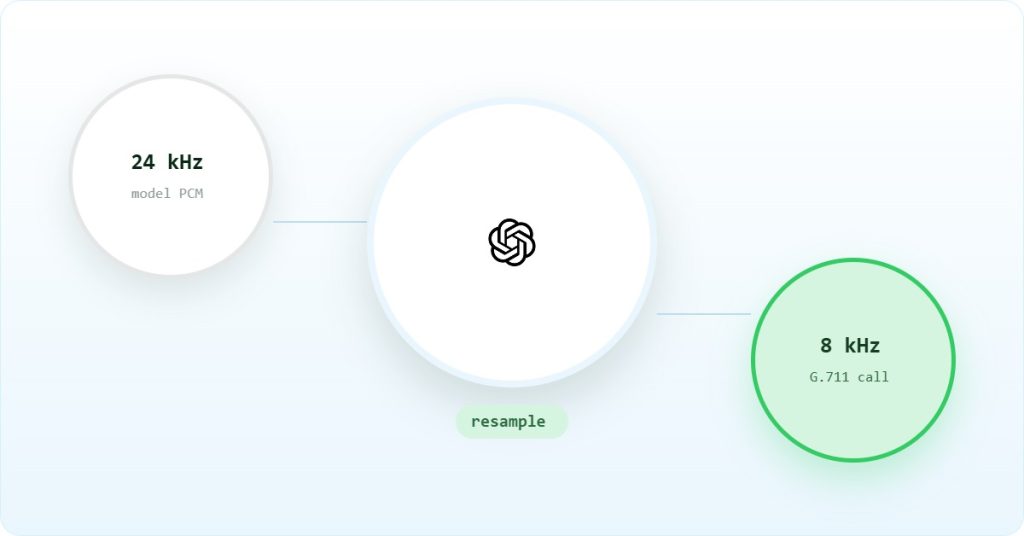
The core constraint is audio format alignment. Telephony infrastructure, including ITU-T G.711 narrowband, runs at 8 kHz by default. Modern speech models run at 16 kHz or 24 kHz. OpenAI’s Realtime API, for example, outputs audio at 24 kHz. If the bridge between the model and the call leg does not resample, the audio either plays at the wrong pitch or breaks entirely. Teler’s documented OpenAI bridge explicitly downsamples OpenAI’s 24 kHz output to Teler’s 8 kHz stream before injecting it back into the call. That step is not optional and it is not automatic unless the bridge implements it.
Beyond format, the WebSocket Protocol (RFC 6455) requires explicit framing, close handling, and reconnect logic for persistent connections. A voice bridge that does not handle unexpected socket drops will silently kill the audio path mid-call with no error surfaced to the caller.
What does the audio path look like end to end?
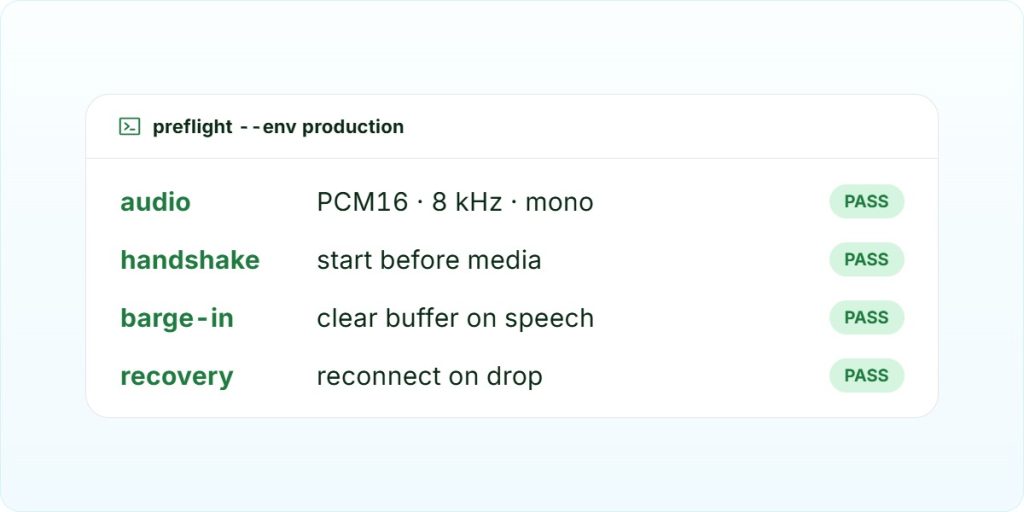
Understanding the full audio path is the prerequisite for every item on this checklist. Each hop has a format, a transport, and an owner. Mismatches between adjacent hops are the source of most production audio failures.
| Hop | Format | Sample rate | Transport | Owner |
|---|---|---|---|---|
| Caller to carrier | G.711 PCM or Opus | 8 kHz | PSTN / SIP | Carrier |
| Carrier to Teler | 16-bit linear PCM, mono | 8 kHz (default) or 16 kHz | SIP / RTP | Teler |
| Teler to your server | 16-bit linear PCM, mono (audio/l16) | 8 kHz or 16 kHz, declared in start message | WebSocket | Teler bridge |
| Your server to STT | Depends on STT provider | Varies | HTTP or WebSocket | Your code |
| LLM response to TTS | Text | N/A | HTTP or streaming | Your code |
| TTS output to Teler | 16-bit linear PCM, mono | 8 kHz | WebSocket | Your code |
| Teler to caller | G.711 or Opus | 8 kHz | PSTN / SIP | Teler |
The row that catches most teams is the TTS-to-Teler hop. Your TTS engine likely outputs at 16 kHz or 24 kHz. Teler’s stream defaults to 8 kHz. Your bridge must resample before sending audio back into the call. The start message declares the stream’s sample rate, so read that value before you initialize your audio pipeline, not after.
What do you need before step one?
- A Teler account with API credentials (OAuth 2.0 client ID and secret, or an API key for
Authorization: Api-Key <your_api_key>header auth) - At least one phone number provisioned via the Teler API or dashboard (DID, Direct Inward Dialing, in E.164 format)
- A publicly reachable HTTPS endpoint for Teler webhooks, with TLS termination
- A WebSocket server your application controls, reachable from Teler’s edge nodes
- An STT provider account (Deepgram, AssemblyAI, or equivalent) with a streaming WebSocket endpoint
- An LLM API key (OpenAI, Gemini, or equivalent)
- A TTS provider that can stream audio output, not just return a file
- Uses NumPy and SciPy Signal (
signal.decimateandsignal.resample) in Python to perform high-quality audio downsampling and upsampling between 8 kHz, 16 kHz, and 24 kHz PCM audio formats for real-time communication between Teler and Voice AI Agent. - Network reachability from your server to Teler’s WebSocket endpoint on port 443
Voice agent production readiness: the implementation checklist
Work through these steps in order. Each one is a gate: a failure here will surface as a silent audio defect or a dropped call in production, not a clean error you can catch in a log.
Step 1: Verify the start handshake before processing media
Teler always sends a start message as the first WebSocket message before any media frames arrive. This message carries the stream’s encoding, sample_rate, channels, call_id, and stream_id. If your handler processes audio before it receives and parses the start payload, it is initializing the audio pipeline with assumptions rather than facts. Block media processing until the start message arrives and read the declared sample rate from it.
import asyncio, json, websockets

async def handle_stream(websocket):
    stream_meta = None
    async for raw in websocket:
        msg = json.loads(raw)
        if msg["type"] == "start":
            stream_meta = msg["data"]
            sample_rate = stream_meta["sample_rate"]  # e.g. 8000
            encoding = stream_meta["encoding"]        # e.g. "audio/l16"
            # initialise STT pipeline here, not before
            continue
        if msg["type"] == "audio" and stream_meta:
            audio_chunk = msg["data"]["audio_b64"]  # base64-encoded PCM
            await forward_to_stt(audio_chunk, sample_rate)
The sample_rate value from the start message is 8000 by default. If you set sample_rate to “16k” in your Stream flow, the start message currently still reports 8000, so use the rate you configured
Step 2: Resample TTS output to match the stream rate
This is the most common production failure. Your TTS engine outputs audio at its native rate, typically 16 kHz or 24 kHz. Teler’s stream defaults to 8 kHz. Send audio at the wrong rate and the caller hears chipmunk-speed speech or silence. The resampling step belongs in your bridge, not in the TTS provider and not in Teler.
import logging

import numpy as np
from scipy import signal

logger = logging.getLogger(__name__)


class StreamResampler:
    """
    High-quality audio resampling for real-time communication between 16kHz/24kHz and Teler (8kHz).
    """

    def __init__(self):
        self.gemini_input_sample_rate = 16000  #  expects 16kHz input
        self.gemini_output_sample_rate = 24000  # outputs 24kHz
        self.teler_input_sample_rate = 16000  # Teler streams to us at 16kHz
        self.teler_output_sample_rate = 8000   # Teler requires 8kHz from us

    def downsample(self, audio_data: bytes, source_rate: int) -> bytes:
        """
        Downsample audio to Teler's required 8kHz.

        Args:
            audio_data: Raw PCM audio data as bytes
            source_rate: Source sample rate

        Returns:
            Downsampled audio data as bytes (pcm_s16le format at 8kHz)
        """
        try:
            # Convert bytes to numpy array (pcm_s16le format)
            audio_array = np.frombuffer(audio_data, dtype=np.int16)

            # Calculate downsampling factor
            factor = source_rate // self.teler_output_sample_rate

            # Use scipy.decimate for high-quality downsampling
            downsampled_array = signal.decimate(
                audio_array,
                q=factor,
                n=8,
                ftype='iir'
            )

            # Convert back to 16-bit PCM
            downsampled_int16 = downsampled_array.astype(np.int16)

            return downsampled_int16.tobytes()

        except Exception as e:
            logger.error(f"Error downsampling audio: {e}")
            return audio_data

    def upsample(self, audio_data: bytes, target_rate: int) -> bytes:
        """
        Upsample audio from Teler's 16kHz input to target rate.

        Args:
            audio_data: Raw PCM audio data as bytes
            target_rate: Target sample rate

        Returns:
            Upsampled audio data as bytes
        """
        try:
            # Convert bytes to numpy array (pcm_s16le format)
            audio_array = np.frombuffer(audio_data, dtype=np.int16)

            # Calculate upsampling factor
            factor = target_rate / self.teler_input_sample_rate

            # Use scipy.resample for upsampling
            upsampled_array = signal.resample(
                audio_array,
                int(len(audio_array) * factor)
            )

            # Convert back to 16-bit PCM
            upsampled_int16 = upsampled_array.astype(np.int16)

            return upsampled_int16.tobytes()

        except Exception as e:
            logger.error(f"Error upsampling audio: {e}")
            return audio_data


# Example: OpenAI Realtime outputs 24000 Hz, Teler plays 8000 Hz
resampler = StreamResampler()
outbound_pcm = resampler.downsample(tts_output_bytes, 24000)
The dst_rate is always 8000. The Stream flow’s sample_rate setting only changes the audio Teler sends to you, not what you send back.
Step 3: Implement barge-in with buffer clearing
Barge-in, where the caller speaks while the agent is playing audio, requires two actions: stopping the STT-to-LLM pipeline and clearing the outbound audio queue. Sending a clear message flushes all queued playback chunks. If you only stop generating new audio without clearing the queue, previously buffered chunks continue playing and the caller hears double-talk.
async def handle_barge_in(websocket):
    # Send clear to flush all queued outbound audio
    await websocket.send(json.dumps({"type": "clear"}))
    # Cancel any in-flight LLM or TTS generation
    if current_generation_task and not current_generation_task.done():
        current_generation_task.cancel()
The clear message is the correct mechanism for flushing queued playback. Alternatively, track the chunk_id you assign to each outbound audio message and send an interrupt message targeting a specific chunk if you need finer control.
Step 4: Handle WebSocket reconnection
Teler’s media bridge depends on a persistent WebSocket for the duration of the call. If the socket drops and your application does not recover it, the audio path is gone for the rest of the session. The Teler documentation does not specify a keepalive interval or a reconnect window, so your application must implement its own reconnect logic with exponential backoff and a maximum retry budget that fits within a typical call duration.
import asyncio, websockets

async def connect_with_retry(uri: str, max_attempts: int = 5):
    delay = 0.5
    for attempt in range(max_attempts):
        try:
            ws = await websockets.connect(uri)
            return ws
        except Exception as exc:
            if attempt == max_attempts - 1:
                raise
            await asyncio.sleep(delay)
            delay = min(delay * 2, 8.0)
Note that reconnect behavior on an active call is not documented by Teler, so test this path explicitly in staging before relying on it in production.
Step 5: Tune chunk size for latency
Teler streams inbound audio in chunks set by chunk_size in your Stream flow: 20 to 2000 ms in multiples of 20, default 400 ms. This setting does not affect the audio you send back. FreJun recommends sending at least 500 ms per chunk to avoid choppy playback. Smaller chunks reduce turn latency but increase the number of WebSocket sends per second. Larger chunks smooth playback but add buffering delay. For conversational agents, 200 to 400 ms chunks are a reasonable starting point; measure perceived latency with real callers before optimizing further.
The reference implementations for both OpenAI and Gemini Live integrations are available at github.com/frejun-tech. The teler-openai-bridge and teler-gemini-bridge repositories show working chunk sizing and resampling implementations you can run directly.
Step 6: Verify webhook delivery and call control
Teler emits a call.completed webhook event when a call ends. Your endpoint must return a 2xx response within the timeout window or Teler will retry. Confirm your webhook handler is idempotent: retried events must not create duplicate records. For live call control, test hangup, mute, and DTMF (Dual-Tone Multi-Frequency) injection before go-live. DTMF tone duration is configurable between 40 and 1000 ms, defaulting to 100 ms. See the Teler media streaming documentation for the full message schema.
Most teams discover their latency problem is not the model, it is the resampling hop they added between the carrier and the STT engine. A 24 kHz TTS output going into an 8 kHz telephony stream without conversion does not just sound wrong, it breaks the entire audio path in ways that are hard to reproduce in a local test environment.
– Subhash Kalluri, Founder & CEO, FreJun
What breaks in production for voice agent deployments?
The failure modes below come from documented integration behavior. Each one has been observed in at least one integration report. Frequency is stated honestly: most are single reports, not widespread patterns.
| Symptom | Root cause | Fix |
|---|---|---|
| Inbound audio sounds wrong or breaks immediately | App assumes a different encoding than the start message declares; Teler sends audio/l16, mono, at the configured sample rate | Read encoding and sample rate from the start payload before initializing the STT pipeline |
| Outbound audio plays at wrong pitch or is silent | TTS output (e.g. 24 kHz from OpenAI Realtime) sent to Teler without resampling to the stream’s 8 kHz rate | Add an explicit downsample step in the bridge before sending audio back to Teler |
| Double-talk after user interrupts agent | Barge-in stops new generation but does not clear already-queued audio chunks | Send {"type": "clear"} on barge-in to flush the playback queue |
| Session fails silently mid-call | Persistent WebSocket drops; application has no reconnect logic | Implement reconnect with backoff; note that reconnect behavior on an active call is not documented, so test explicitly |
| Conversation feels sluggish | Audio held in large buffers before forwarding; WebSocket re-established per turn instead of kept alive | Use 20 to 40 ms frames for inbound forwarding; keep the WebSocket open for the full call duration |
The one that catches the most teams is the resampling failure. It is invisible in local testing because most developers test with a microphone at the model’s native sample rate, never with a real PSTN call at 8 kHz. The first time it surfaces is in a staging call with a real phone number, and by then the team has already built the rest of the agent logic on top of a broken audio path.
One honest limitation of Teler worth noting: the documentation does not specify keepalive behavior or reconnect semantics for the persistent WebSocket. Teams that need guaranteed reconnect behavior must implement and test their own strategy, and the outcome of a reconnect attempt on an already-active call is not documented.
Which architecture should you choose for the media bridge?
Four approaches exist for connecting a telephony leg to an AI model. The right choice depends on where you want the media to terminate and how much operational surface you are willing to own.
| Approach | Media terminates at | Latency cost | Operational burden | Lock-in |
|---|---|---|---|---|
| Raw WebSocket bridge (Teler model) | Your backend server | Low, one hop from carrier to your code | You own resampling, reconnect, and barge-in logic | Low; model-agnostic, swap STT/LLM/TTS independently |
| SIP trunk into a media server | Your media server (e.g. Asterisk, FreeSWITCH) | Medium, extra RTP hop | High; you own SIP, RTP, codec negotiation | Low; full PSTN control |
| WebRTC gateway | Browser or gateway | Variable; NAT traversal adds jitter | Medium; device and browser variance | Low for browser-first apps |
| Provider-native telephony bridge | Voice platform | Low to medium depending on provider | Low; platform owns carrier and session control | High; tied to provider’s model and audio pipeline |
For most teams building AI phone agents in 2026, the raw WebSocket bridge is the right starting point. It gives you direct access to the audio stream, lets you swap models without changing the telephony layer, and keeps the carrier complexity inside the platform. The SIP trunk approach is worth considering if you need full codec control or are integrating with an existing on-premise PBX. The SIP protocol (RFC 3261) and RTP (RFC 3550) add significant plumbing that most product teams do not need when a managed WebSocket transport is available.
Frequently asked questions
What audio format does Teler send over the WebSocket?
Teler sends 16-bit linear PCM (audio/l16), mono, at either 8 kHz or 16 kHz depending on the stream configuration. The default is 8 kHz. The exact encoding and sample rate are declared in the start message, which is always the first message on the WebSocket before any media frames. Read those values from the start payload rather than hardcoding assumptions into your pipeline.
Why does my agent’s voice sound sped up or distorted on real calls?
This is almost always a sample rate mismatch. Your TTS engine outputs audio at a higher rate than the telephony stream expects. If you send 24 kHz audio into an 8 kHz stream without resampling, the audio plays back at three times the correct speed. Add an explicit resampling step in your bridge that converts TTS output to 8 kHz before sending it back to Teler.
Should I use SIP trunking or the WebSocket media bridge?
Use the WebSocket bridge unless you have a specific reason to own the SIP layer. The WebSocket approach gives you direct access to raw audio with one hop from carrier to your code, and Teler handles carrier connectivity, number provisioning in 50+ countries, and call control. SIP trunking makes sense if you need to integrate with an existing on-premise PBX or require full codec negotiation control. For new AI agent builds, the WebSocket path is lower operational burden. See SIP Trunking vs Elastic SIP Trunking: What’s the Difference and Why It Matters for a deeper comparison.
What happens if the WebSocket drops during a live call?
The audio path between your server and the telephony leg is severed. The caller may hear silence or a dead line. Teler’s documentation does not specify keepalive or reconnect semantics for an active call, so your application must implement its own reconnect logic with backoff. Test this path explicitly in staging with a real phone call, not just a local WebSocket test, because the behavior on an active call may differ from a fresh connection.
How do I handle barge-in correctly?
Barge-in requires two actions: cancel in-flight LLM and TTS generation, and flush the outbound audio queue. Send {"type": "clear"} to Teler to flush all queued playback chunks. If you only stop generating new audio, previously queued chunks continue playing and the caller hears the agent talking over them. Teler also supports per-chunk interruption using the chunk_id you assign to each outbound audio message, which gives finer control if you need it.
What does my team have to build versus what does the platform handle?
Teler handles carrier connectivity, phone number provisioning, audio transport over WebSocket, call control (hangup, mute, DTMF, transfer), and webhook delivery. Your team must build the resampling logic between TTS output and the telephony stream, the STT-to-LLM-to-TTS pipeline, VAD or turn-detection logic, WebSocket reconnect handling, and any business logic in the agent. The Teler API documentation covers the message schema and call control API in detail.
What chunk size should I use for outbound audio?
Teler streams inbound audio in chunks set by chunk_size in your Stream flow: 20 to 2000 ms in multiples of 20, default 400 ms. This setting does not affect the audio you send back. FreJun recommends sending at least 500 ms per chunk to avoid choppy playback. Smaller chunks reduce turn latency but increase WebSocket send frequency. For conversational agents, 200 to 400 ms is a practical starting range. Measure perceived latency with real callers before optimizing, because the right value depends on your TTS engine’s output cadence and your network path to Teler’s edge nodes.
Can I use any STT, LLM, or TTS provider with Teler?
Yes. Teler is model-agnostic by design. The platform exposes raw PCM audio over WebSocket, so you can connect any STT engine that accepts a streaming audio input. Documented integrations include OpenAI Realtime, Gemini Live, ElevenLabs, Deepgram, Vapi, Ultravox, Sarvam, Devnagri, and LiveKit. You can also connect a custom model pipeline. The constraint is audio format: whatever you send back must be 16-bit linear PCM at 8 kHz. For more on building with specific frameworks, see How To Integrate LLMs With An AI Voice Agent API.
What can you ship after completing this checklist?
After working through this voice agent production readiness checklist, you have a system that handles the start handshake correctly, resamples audio at every format boundary, clears queued playback on barge-in, and has a defined strategy for WebSocket reconnection. The one decision that matters most before go-live is the resampling step: get that wrong and every other optimization is irrelevant. If your use case requires full SIP and codec control rather than a managed WebSocket transport, the trade-off table in this article gives you the criteria to make that call.
For teams that want to validate the full pipeline against a live PSTN call, the reference implementations at github.com/frejun-tech and the Teler media streaming documentation are the fastest path to a working integration. Teler’s programmable voice infrastructure handles the carrier and transport layer so your voice agent production readiness work stays focused on the application logic, not telephony plumbing. For codec background, the Opus codec specification (RFC 6716) is worth reading if you are evaluating higher-quality audio paths beyond G.711.