AI Summary: This article explains how to build an AI voice agent that makes phone calls by wiring together a speech-to-text engine, a large language model, and a text-to-speech synthesizer over a real-time WebSocket media stream. The single most-cited constraint in production is the PSTN audio format: carriers deliver 8 kHz G.711 audio, Teler passes it to your server as 8 kHz PCM16, and any STT or TTS component expecting a different sample rate requires an explicit resampling step. Readers must decide whether to use a bidirectional media stream or a unidirectional one, and must supply their own resampling, jitter handling, and turn-detection logic. Teler’s programmable voice API handles carrier connectivity and WebSocket media delivery so developers work at the application layer instead of building telephony infrastructure from scratch.
Scope: This walkthrough covers the STT-to-LLM-to-TTS phone pipeline using WebSocket media streaming, verified against Teler’s WebSocket protocol documentation as documented in September 2026. It does not cover browser-based WebRTC endpoints or SIP-side PBX configuration.
Quick Answer: To build an AI voice agent that makes phone calls in 2026, connect a telephony WebSocket stream to an STT engine, pipe the transcript to an LLM, synthesize the reply with TTS, and inject the audio back into the live call. PSTN carriers deliver 8 kHz G.711 audio, which Teler converts to 8 kHz PCM16 for your server; any model expecting a different format requires resampling before the audio reaches it.
Knowing how to build an AI voice agent that makes phone calls means understanding three distinct layers: the telephony transport that carries raw audio, the AI pipeline that converts speech to meaning and back, and the session logic that handles turn-taking, interruptions, and failure recovery.
What is the STT-to-LLM-to-TTS phone pipeline?
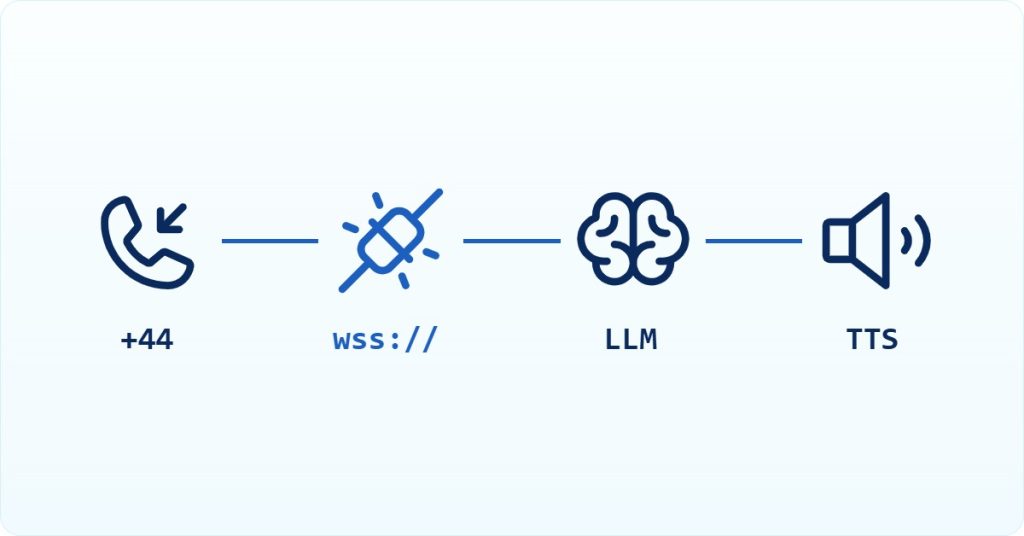
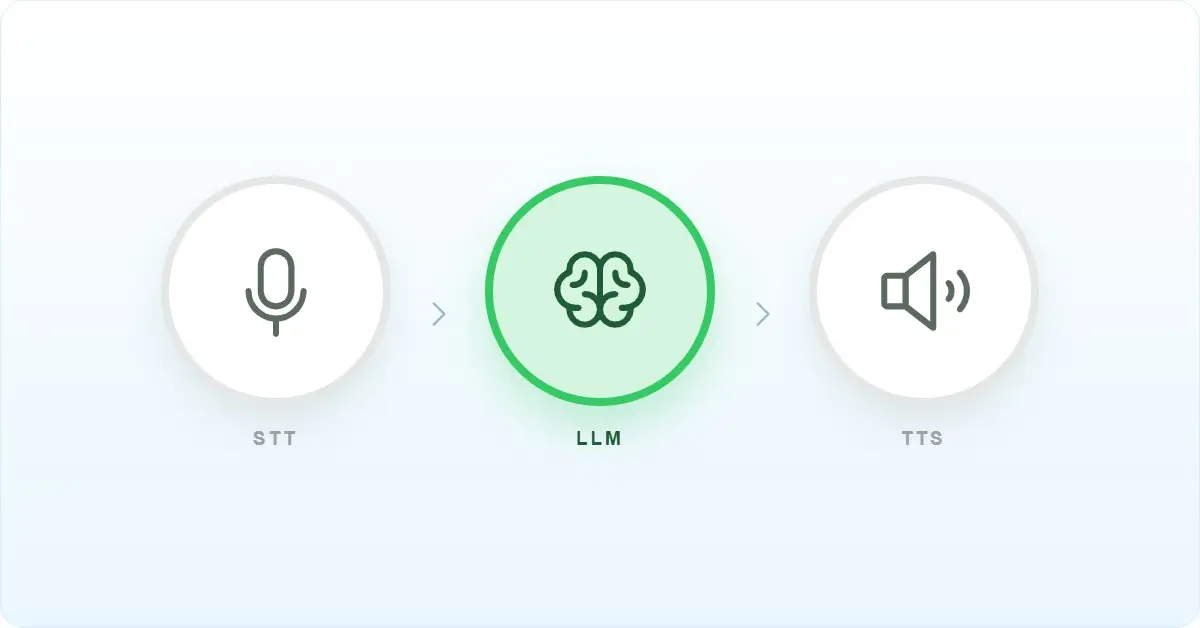
The STT-to-LLM-to-TTS phone pipeline is a real-time audio processing chain that converts a caller’s speech into text, generates a response with a language model, synthesizes that response as audio, and plays it back into the live call. It occupies the application layer above the telephony transport and below the business logic that decides what the agent should say. The pipeline does not manage carrier connectivity, phone number provisioning, or call signaling; those belong to the telephony layer. A developer building this pipeline must supply their own resampling between telephony audio and model-expected formats, their own voice activity detection (VAD) or end-of-turn logic, and their own backpressure handling for the WebSocket connection.
Why is building an AI voice agent for phone calls harder than it looks?
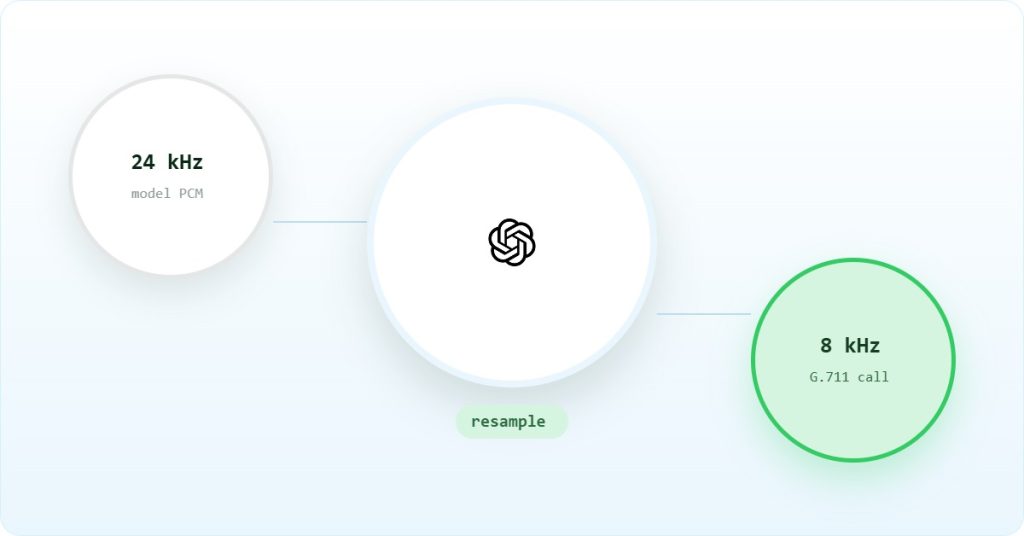
The core difficulty is that the public switched telephone network (PSTN) and modern AI models speak different audio dialects. As Tom Harper noted in a July 2026 analysis of real-time voice agent design: “PSTN audio is 8kHz μ-law (G.711), narrowband, ~64kbps. You do not control this — the carrier delivers it.” Teler decodes this G.711 audio to 16-bit linear PCM before it reaches your server, so you only need to resample, not decode. Most STT engines and all neural TTS systems expect wideband audio at 16 kHz or 24 kHz linear PCM. Every hop between the carrier and the model is a potential resampling failure.
Beyond the codec mismatch, the pipeline must handle turn-taking in real time. A text chatbot can wait for the user to press send. A phone agent must detect when the caller has finished speaking, suppress its own audio when the caller interrupts (barge-in), and respond within a latency budget that keeps the conversation feeling natural. Practitioners who have shipped these systems in production target under 800 milliseconds mouth-to-mouth latency for enterprise deployments, with 500 milliseconds considered good. Every buffering decision in the pipeline either helps or hurts that budget.

How does audio travel from the carrier to the model and back?
Understanding the full audio path before writing a line of code prevents the most common class of production failures. The table below maps each hop, its format, its transport, and who owns it.
| Hop | Format | Sample rate | Transport | Owner |
|---|---|---|---|---|
| Caller handset to carrier | G.711 μ-law or a-law | 8 kHz | PSTN / SIP / RTP | Carrier |
| Carrier to telephony API | G.711 μ-law or a-law | 8 kHz | SIP / RTP | Telephony provider |
| Telephony API to your server | Base64 PCM16 (audio/l16), mono | 8 kHz | WebSocket JSON frames | Your server |
| Your server to STT engine | Linear PCM (after resampling) | 16 kHz or 24 kHz | WebSocket or HTTP | You |
| STT to LLM | Text transcript | N/A | HTTP or streaming API | You |
| LLM to TTS | Text tokens or full response | N/A | HTTP or streaming API | You |
| TTS to your server | PCM or Opus (model-dependent) | 24 kHz typical | WebSocket or HTTP | You |
| Your server to telephony API | Base64 PCM16, no file header | 8 kHz | WebSocket JSON frames | You |
| Telephony API to caller | G.711 μ-law or a-law | 8 kHz | PSTN / SIP / RTP | Carrier |
The resampling steps at hops 4 and 8 are where most implementations break. Teler’s WebSocket protocol is explicit: audio sent back to the call must be base64-encoded 16-bit linear PCM at the negotiated sample rate (8 kHz), with no file-header bytes. Teler’s WebSocket transport supports configurable stream audio at either 8k or 16k sample rate, with the default at 8k. When using OpenAI’s Realtime API, which operates at 24 kHz, the resampling requirement is documented in Teler’s specification.
Prerequisites for building an AI voice agent that makes phone calls
- A Teler account with a provisioned phone number and API credentials
- An STT provider account: Deepgram, AssemblyAI, or a self-hosted Whisper instance
- An LLM provider account: OpenAI, Anthropic, Google, or a self-hosted model
- A TTS provider account: ElevenLabs, Deepgram TTS, or equivalent
- Python 3.11 or later, or Node.js 20 or later
- An async WebSocket library:
websocketsfor Python or the built-inwsmodule for Node.js - Audio resampling: numpy and scipy for Python (scipy.signal.decimate and scipy.signal.resample); no extra dependency for Node.js, which can use the low-pass filter and decimation routine from the Teler Node bridge
- A publicly reachable HTTPS and WSS endpoint; use ngrok or a cloud deployment during development
- Familiarity with JSON framing over WebSockets and base64 encoding
How to build an AI voice agent step by step
Step 1: Accept the incoming WebSocket connection from the telephony layer
When a call connects, the telephony provider opens a WebSocket to your server and sends a start message containing the stream ID, call ID, and audio format. Parse this message before processing any audio. The data.encoding field confirms the format; it is currently always audio/l16 (16-bit linear PCM, mono), and data.sample_rate is currently always 8000.
import asyncio
import websockets
import json
import base64
async def handle_call(websocket):
stream_id = None
call_id = None
async for raw in websocket:
msg = json.loads(raw)
msg_type = msg.get(“type”)
   if msg_type == "start":
        stream_id = msg["stream_id"]
        call_id = msg["call_id"]
        audio_format = msg["data"]  # encoding, sample_rate, channels
        print(f"Stream started: {stream_id}, call: {call_id}, format: {audio_format}")

    elif msg_type == "audio":
        pcm_8k = base64.b64decode(msg["data"]["audio_b64"])
        await process_audio(websocket, pcm_8k)

# Teler has no "stop" message; the loop ends when the socket closes.
print("Stream closed")
Step 2: Resample inbound audio before sending it to STT
The telephony stream delivers 8 kHz PCM16 audio in chunks (400 ms by default). Most STT engines expect 16 kHz linear PCM. Skipping this step is the most commonly reported cause of STT engines that receive audio but never produce a transcript.
import numpy as np
from scipy import signal

def upsample_for_stt(pcm_8k: bytes) -> bytes:
    # Teler delivers 16-bit linear PCM at 8 kHz, so read it as int16
    samples = np.frombuffer(pcm_8k, dtype=np.int16)
    # Upsample 8 kHz -> 16 kHz (2x)
    upsampled = signal.resample(samples, len(samples) * 2)
    return np.clip(upsampled, -32768, 32767).astype(np.int16).tobytes()
Read the buffer as 16-bit samples (np.int16). Reading it with the wrong sample width garbles the audio even though no exception is raised.
Step 3: Stream audio to STT and collect the transcript
Send resampled PCM frames to your STT provider over its WebSocket connection. Most providers return partial transcripts as the caller speaks and a final transcript when they detect end-of-utterance. Use the final transcript to trigger the LLM call; acting on partials produces false starts.
async def send_to_stt(stt_ws, pcm_bytes: bytes):
    # Send raw PCM bytes; provider-specific framing varies
    await stt_ws.send(pcm_bytes)

async def receive_transcript(stt_ws) -> str:
    async for message in stt_ws:
        result = json.loads(message)
        if result.get("is_final"):
            return result["transcript"]
    return ""
The is_final field name varies by provider; check your STT provider’s documentation for the exact field name before deploying.
Step 4: Send the transcript to the LLM and stream the reply
Stream the LLM response rather than waiting for the complete reply. Buffering the full response before starting TTS adds 2 to 6 seconds of dead air on a typical conversational turn, which is long enough for callers to repeat themselves or hang up. Chunk the stream at sentence boundaries to give TTS a natural unit to synthesize.
import openai

async def stream_llm_response(transcript: str, history: list):
    history.append({"role": "user", "content": transcript})
    client = openai.AsyncOpenAI()
    stream = await client.chat.completions.create(
        model="gpt-4o",
        messages=history,
        stream=True
    )
    buffer = ""
    async for chunk in stream:
        delta = chunk.choices[0].delta.content or ""
        buffer += delta
        # Yield at sentence boundaries
        if buffer.endswith((".", "?", "!")):
            yield buffer.strip()
            buffer = ""
    if buffer.strip():
        yield buffer.strip()
Sentence-boundary chunking keeps TTS synthesis latency predictable; a chunk that is too short produces choppy prosody, while one that is too long reintroduces buffering delay.
Step 5: Synthesize speech and resample back to 8 kHz PCM16
TTS engines typically return 24 kHz or 22 kHz PCM. Before sending audio back into the call, downsample to 8 kHz PCM16. Do not include any file-header bytes; the telephony stream expects raw audio only.
import numpy as np
from scipy import signal

def downsample_for_teler(pcm_24k: bytes) -> bytes:
    samples = np.frombuffer(pcm_24k, dtype=np.int16)
    # 24 kHz -> 8 kHz: 8th-order IIR low-pass filter, then keep every 3rd sample
    downsampled = signal.decimate(samples, q=3, n=8, ftype="iir")
    return np.clip(downsampled, -32768, 32767).astype(np.int16).tobytes()
Downsampling 24 kHz audio to Teler’s 8 kHz is two steps: a low-pass filter just below the new 4 kHz Nyquist limit to prevent aliasing, then keeping every third sample. Teler’s Python bridge uses scipy.signal.decimate with an 8th-order IIR filter, while the Node bridge chains four biquad low-pass filters (about 3.2 kHz) and keeps filter state between chunks so there are no clicks at chunk boundaries. Pass mono audio; stereo TTS output must be downmixed to one channel first.
Step 6: Send synthesized audio back into the call and handle barge-in
Send PCM16 audio back to the telephony WebSocket as base64-encoded JSON frames. When the caller speaks while the agent is talking (barge-in), stop the queued audio before sending new audio. Teler gives you two messages for this: {“type”: “interrupt”, “chunk_id”: “…”} stops a specific chunk and every chunk queued after it, and {“type”: “clear”} drops all queued audio.
import uuid

async def send_audio(websocket, pcm_8k: bytes) -> str:
    chunk_id = str(uuid.uuid4())  # must be unique per stream
    await websocket.send(json.dumps({
        "type": "audio",
        "audio_b64": base64.b64encode(pcm_8k).decode("utf-8"),
        "chunk_id": chunk_id
    }))
    return chunk_id

async def interrupt_chunk(websocket, chunk_id: str):
    # Stops this chunk and everything queued after it
    await websocket.send(json.dumps({
        "type": "interrupt",
        "chunk_id": chunk_id
    }))

async def clear_audio_queue(websocket):
    # Drops all queued audio
    await websocket.send(json.dumps({"type": "clear"}))
Give every outbound audio message a unique chunk_id, because interrupt uses it to stop playback. The duration of each inbound chunk is set by chunk_size in your Stream flow (default 400 milliseconds).
Teler’s reference bridges show this pattern end to end: teler-openai-bridge (Python) and teler-openai-node-bridge (Node.js), both at github.com/frejun-tech. For message formats, see the Teler WebSocket messages documentation (frejun.com/docs/teler/media-streaming/websocket-protocol/).
Most teams discover their latency problem is not the model — it is the resampling hop they added between the carrier and the STT engine, or the full-buffer TTS path that waits for a complete LLM response before synthesizing a single word. Fix those two before you tune anything else.
– Subhash Kalluri, Founder & CEO, FreJun
What breaks in production when building an AI voice agent?
| Symptom | Root cause | Fix |
|---|---|---|
| STT receives audio but never returns a transcript | 8 kHz PCM16 fed directly to a model expecting 16 kHz PCM | Resample with scipy before sending to STT |
| Caller waits 4 to 8 seconds before hearing the first word | Full LLM response buffered before TTS starts; full TTS buffer before playback starts | Stream LLM output at sentence boundaries; pipeline TTS chunks in parallel |
| Audio drift: every sample arrives one second late and never recovers | Server processing slower than real time; backlog preserved rather than drained | No documented fix; requires server-side throughput to match real-time audio rate |
| Broken audio chunks on the outbound path | Frame serialization error or sample-rate mismatch in the output buffer | Verify PCM16 encoding and 8 kHz rate on every outbound frame; check for file-header bytes |
| False barge-in or bad turn boundaries | Carrier system audio on the same channel confuses VAD | No documented fix; filter or gate non-human audio before VAD |
| 3-second dead air on the first turn | No WebSocket prewarming; cold-start latency scales with system instruction length | No documented fix; keep system instructions under approximately 200 tokens where possible |
The failure that catches most teams is the full-buffer TTS path. Two separate production reports describe callers waiting 4 to 8 seconds before hearing the first word, even though the pipeline was nominally real-time. In both cases the implementation waited for the complete LLM response and then the complete TTS buffer before sending any audio to the caller. Sentence-level streaming eliminates this class of failure. The audio drift issue, reported once on Reddit in 2020, has no documented fix beyond ensuring the server processes audio at or above real-time rate; if the server falls behind by one second, every subsequent sample arrives one second late and the call never recovers.
One honest limitation of Teler worth stating: like all WebSocket-based telephony transports, Teler’s media stream does not provide built-in VAD or end-of-turn detection. You must implement or integrate your own turn-detection logic, whether that is energy-based VAD, a model-side silence timeout, or a provider-specific feature from your STT engine. The Teler documentation covers the interrupt and clear messages, but the decision of when to trigger a barge-in is yours to implement.
Which media path should you choose when building an AI voice agent?
| Approach | Media terminates | Latency cost | Operational burden | Lock-in |
|---|---|---|---|---|
| Bidirectional WebSocket stream (Teler) | Your server | Low, if pipeline is streaming | Medium: resampling, barge-in, backpressure | Telephony provider only; STT/LLM/TTS are free choices |
| Unidirectional WebSocket stream with provider-hosted playback | Your server (inbound); telephony provider (outbound) | Medium: round-trip for each reply | Low: simpler audio loop | Telephony provider only |
| Provider-hosted IVR (prompt and gather) | Telephony provider | High: no continuous audio loop | Very low | High: provider controls prompts and input |
| SIP/RTP media server | Your infrastructure | Low, if media server is tuned | High: SIP stack, codec handling, jitter buffer | Low: full control of media path |
| WebRTC gateway | Your infrastructure | Low for browser endpoints | High: NAT traversal, DTLS, ICE | Low: standard protocols |
For most teams building an AI voice agent that makes outbound phone calls in 2026, the bidirectional WebSocket stream is the right starting point. It keeps the telephony complexity inside the provider’s infrastructure while giving your server full control over the STT, LLM, and TTS choices. Choose the SIP/RTP media server path if you already operate PBX infrastructure or need to avoid per-minute telephony API costs at very high call volumes. Choose the WebRTC gateway path only if your callers are browser-based; the NAT traversal and DTLS overhead adds complexity that is not justified for PSTN-originated calls.
The number you defend in design review is mouth-to-mouth latency: from the instant the human stops speaking to the instant they hear the bot. Target under 800ms for enterprise, great is around 500ms. Every buffering decision in the pipeline either helps or hurts that number.
– Tom Harper, voice agent latency design analysis, July 2026

Frequently asked questions
What audio format does a PSTN phone call deliver to my server?
PSTN calls carry 8 kHz G.711 audio, as defined in ITU-T G.711. Teler decodes it and sends your server base64-encoded 16-bit linear PCM (audio/l16, mono) as JSON frames over a WebSocket connection. You do not control the carrier-side codec. Any STT engine or AI model expecting a different sample rate requires an explicit resampling step on your server before the audio reaches it.
Why does my STT engine receive audio but never return a transcript?
The most common cause is sending 8 kHz PCM16 audio directly to an STT engine that expects 16 kHz linear PCM. This failure was reported in at least two separate production integrations. The engine receives bytes it cannot interpret as speech and waits indefinitely. Upsample the PCM to 16 kHz with scipy.signal.resample before sending audio to the STT provider. A secondary cause is sending audio before the WebSocket handshake with the STT provider is complete.
Should I use a bidirectional WebSocket stream or a SIP/RTP media server?
Use a bidirectional WebSocket stream if you are starting from scratch or do not already operate SIP infrastructure. It keeps carrier connectivity inside the telephony provider and lets you focus on the AI pipeline. Use a SIP/RTP media server, governed by RFC 3261 and RFC 3550, if you already run PBX infrastructure, need full control of the media path, or want to avoid per-minute API costs at very high volumes. The SIP path requires you to handle codec negotiation, jitter buffering, and RTP packetization yourself.
What happens if my server falls behind processing audio in real time?
Audio drift accumulates and does not self-correct. If your server lags by one second, every subsequent audio sample arrives one second late relative to when it should play. The call never catches up. This was reported in a production bidirectional stream deployment. The only mitigation is ensuring your server processes audio at or above real-time rate. If processing spikes under load, consider dropping frames rather than queuing them, since a dropped frame produces a brief gap while a queued backlog produces permanent drift.
How does Teler handle barge-in when the caller interrupts the agent?
Teler exposes two messages for this. {“type”: “interrupt”, “chunk_id”: “…”} stops a specific queued chunk and everything queued after it, and {“type”: “clear”} flushes all queued outbound audio immediately. When your VAD or turn-detection logic determines the caller has started speaking while the agent is playing audio, send one of them before sending new synthesized audio. Teler does not detect barge-in automatically; your application must decide when to trigger it. The guide on handling real-time audio streams covers the event flow in more detail.
What must I build myself that the telephony API does not provide?
The telephony API provides carrier connectivity, phone number provisioning, and the WebSocket media transport. You must build or integrate: audio resampling between 8 kHz telephony and your model’s expected sample rate, voice activity detection or end-of-turn logic, backpressure handling for the WebSocket connection, conversation history management for the LLM, and any business logic that decides what the agent should say. Teler’s guide on integrating LLMs with a voice agent API covers the LLM integration layer specifically.
Does the WebSocket protocol guarantee ordered audio delivery?
Yes, RFC 6455 defines WebSocket as a message-ordered protocol over TCP, so frames arrive in the order they were sent. This is different from RTP over UDP, where packets can arrive out of order and require a jitter buffer. The trade-off is that TCP’s retransmission behavior can introduce latency spikes under packet loss, while RTP/UDP drops the packet and moves on. For most PSTN-over-WebSocket deployments, the ordered delivery is the right default.
How do I keep the first-turn cold-start latency under control?
First-turn cold-start latency of around 3 seconds has been reported when the WebSocket connection to the AI model is not pre-established and the system instruction is long. Pre-warm the WebSocket connection to your STT and LLM providers before the call connects where possible. Keep system instructions concise; one report noted that latency scaled with instruction length and that sessions broke when instructions exceeded approximately 200 tokens. Subsequent turns in the same session are typically much faster, around 500 milliseconds, once the connection is warm.
How to build an AI voice agent: what you can do now
Knowing how to build an AI voice agent that makes phone calls comes down to three decisions: which telephony transport to use, how to handle the 8 kHz to wideband PCM conversion at both ends of the pipeline, and whether to stream LLM and TTS output or buffer it. The decision that matters most is the streaming versus buffering choice; buffering at either the LLM or TTS stage is the single most common source of the multi-second dead air that makes callers hang up. If your use case involves an existing SIP infrastructure or very high call volumes where per-minute API costs are a constraint, the SIP/RTP media server path is worth the additional operational complexity. For everything else, start with a bidirectional WebSocket stream through a telephony API like Teler, wire in your STT, LLM, and TTS providers of choice, and instrument mouth-to-mouth latency from day one.