AI Summary: This article covers call recording API implementation for backend and API integration engineers evaluating telephony recording options in 2026. Twilio’s Recording resource, documented at API version 2010-04-01, exposes REST and TwiML controls for starting, pausing, resuming, stopping, and deleting recordings, but the docs do not specify a maximum session duration or concurrency cap. Engineers must choose between the <Record> verb, the <Start><Recording> noun, and live REST controls, and that choice determines how much mid-call flexibility they retain. Teler’s WebSocket media layer provides a complementary path when raw audio access is needed alongside or instead of provider-managed recording.
Scope: This walkthrough covers Twilio Programmable Voice call recording via the Recordings resource at API base version 2010-04-01, TwiML recording verbs, and Teler’s WebSocket transport as a parallel capture path, verified against documentation retrieved in September 2026. It does not cover Twilio Video recording or the deprecated Recording Transcriptions API.
Quick Answer: A call recording API lets you capture, manage, and retrieve voice call audio through REST or TwiML controls. In 2026, Twilio’s Recording resource supports mono and dual-channel output, triggered via <Record>, <Start><Recording>, or a live POST to the Recordings subresource. Compliance requirements determine whether you need dual-channel, mid-call pause capability, or raw audio access through a WebSocket transport like Teler.
A call recording API gives developers programmatic control over when audio capture starts, stops, and pauses on a live telephony call. The right implementation path for a call recording API in 2026 depends on where the call terminates, what channel configuration compliance requires, and whether the application needs to toggle recording mid-conversation.
What is a call recording API?
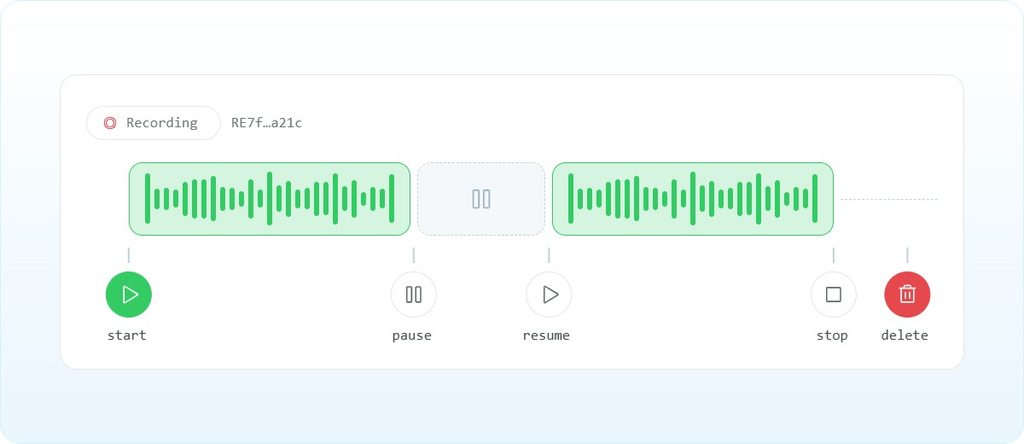
A call recording API is a set of REST endpoints and telephony control primitives that let an application start, pause, resume, stop, and retrieve audio recordings of live or completed phone calls. It sits at the application control layer, above the media transport, and below the business logic that decides when recording should be active. It does not handle carrier routing, codec negotiation, or jitter buffering. The developer must supply the call-control logic, the webhook endpoint that receives recording status callbacks, and the storage or downstream processing pipeline for the resulting audio files. On Twilio, the Recording resource represents the recording associated with a voice call, conference, or SIP trunk, and it exposes fetch, start, stop, pause, resume, and delete operations over HTTPS REST.
Why is call recording API integration harder than it looks?
The control surface looks simple: one parameter, one verb, one file. The operational surface is not. Recording status callbacks arrive asynchronously after post-processing, which means the recording URL is not available the moment the call ends. Compliance rules in the US, particularly state wiretapping statutes and sector-specific regulations like HIPAA and PCI DSS, impose constraints on which calls can be recorded, whether both parties must consent, and whether recordings containing payment card data must be paused or encrypted. Getting the channel configuration wrong, mono versus dual, means losing the ability to separate agent and customer audio for quality assurance later.
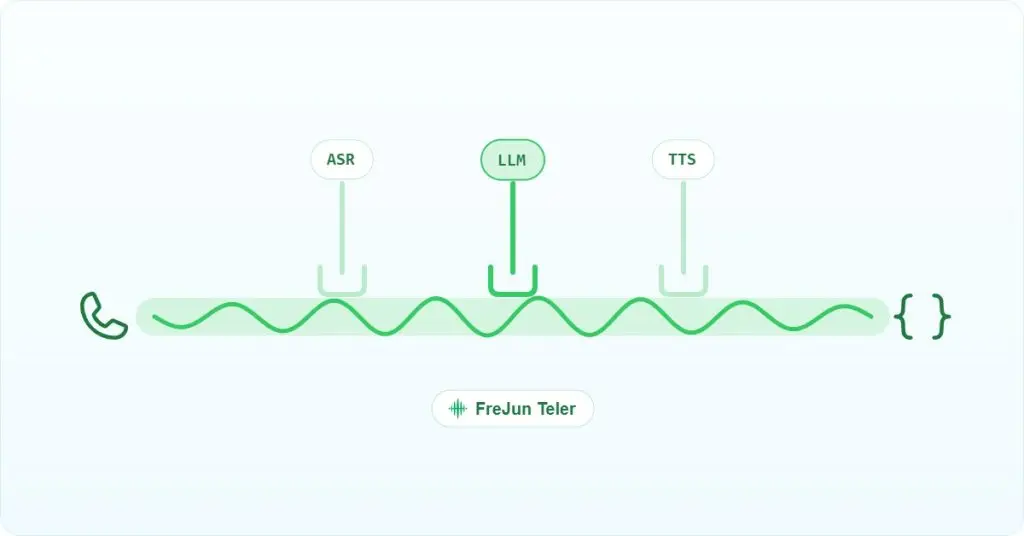
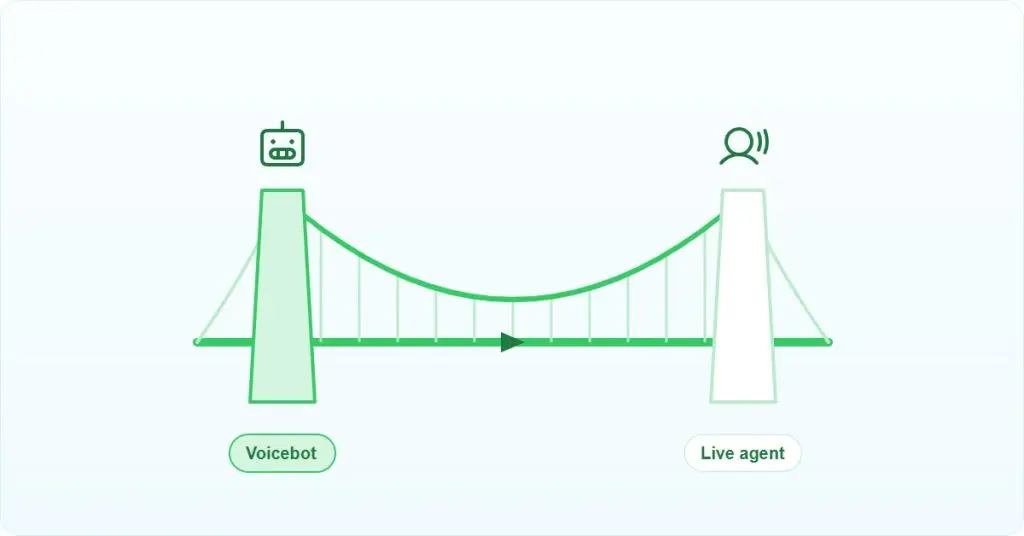
The mismatch between recording control and media access is the deeper problem. Provider-managed recording abstracts the audio path entirely: the developer gets a file URL after the call, not a stream during it. When the application needs to feed live audio to a speech-to-text engine or an LLM, a separate media streaming path is required. Those two paths, recording and streaming, must be coordinated without creating gaps or double-capture artifacts.
How does the audio path work from carrier to storage?
Understanding the full audio path prevents the most common integration mistakes. The table below maps each hop, its format, and who owns it.
| Hop | Protocol | Format | Owner |
|---|---|---|---|
| PSTN to carrier edge | SS7 / SIP (RFC 3261) | G.711 PCM, 8 kHz (ITU-T G.711) | Carrier |
| Carrier edge to Twilio media plane | RTP (RFC 3550) | G.711 or negotiated codec | Twilio |
| Twilio recording capture | Internal | WAV or MP3 download, mono or dual channel | Twilio |
| Twilio to developer via callback | HTTPS webhook | JSON metadata + recording URL | Developer webhook |
| Teler WebSocket stream (calls on Teler) | WebSocket (RFC 6455) | 16-bit linear PCM, base64 in JSON, 8 kHz or 16 kHz | Developer server |
The PSTN leg carries narrowband audio at 8 kHz per ITU-T G.711. Twilio’s recording layer captures that audio and delivers it as an MP3 file after post-processing. If you need raw PCM during the call, a WebSocket media stream is the correct path, not the recording resource. When streaming to OpenAI Realtime, note that the model expects 24 kHz audio, so resampling from the 8 kHz telephony default is required.
What do you need before implementing call recording?
- A Twilio account with a voice-enabled phone number provisioned in the Twilio Console
TWILIO_API_KEYandTWILIO_API_SECRETfrom the Twilio Console (not the Account SID and Auth Token pair, which are account-level credentials)- A publicly reachable HTTPS webhook endpoint for TwiML responses and recording status callbacks. Use ngrok or a deployed service during development
- The Twilio helper library for your language. For Node.js:
npm install twilio. For Python:pip install twilio. Upgrade to at leasttwilio-node3.24.0 if you plan to start recordings programmatically on a live call; versions below 3.24.0 do not exposerecordings.create - A compliance review covering the states or countries where calls originate and terminate. US all-party consent states require a disclosure before recording begins
- If you plan to use Teler for parallel media streaming: a Teler account, a provisioned number, and a WebSocket server reachable from Teler’s edge
How do you implement call recording API controls step by step?
Step 1: Record an inbound call with the <Record> verb
The <Record> verb captures the caller’s voice and returns a recording URL to your action webhook. Use it for voicemail-style capture where the call ends or transfers after recording. It does not record both sides of a two-way conversation by default.
<?xml version="1.0" encoding="UTF-8"?>
<Response>
  <Say>This call may be recorded for quality assurance.</Say>
  <Record
    action="/handle-recording"
    recordingStatusCallback="/recording-status"
    recordingStatusCallbackMethod="POST"
    trim="trim-silence"
    playBeep="false"
  />
</Response>
The trim attribute accepts trim-silence or do-not-trim. Watch the action URL: Twilio POSTs to it when recording stops, not when the call ends, so a slow action handler blocks the call flow.
Step 2: Record both sides of a two-way call with <Dial record>
For a full two-way conversation recording, use the record attribute on the <Dial> verb. This is the correct path for contact center recordings where both agent and customer audio must be captured.
<?xml version="1.0" encoding="UTF-8"?>
<Response>
  <Dial
    record="record-from-answer-dual"
    recordingStatusCallback="/recording-status"
    recordingStatusCallbackMethod="POST"
  >
    <Number>+15551234567</Number>
  </Dial>
</Response>
The record-from-answer-dual value produces a dual-channel file with the caller on channel 0 and the called party on channel 1. Use record-from-ringing-dual if you need to capture the ringing phase. Dual-channel is the correct choice for any QA pipeline that needs to score agent and customer turns separately.
Step 3: Start recording on a live call via REST
When you need to toggle recording mid-call, for example to pause before a caller reads a credit card number, use the Recordings subresource on the live Call resource. This requires twilio-node 3.24.0 or later.
const twilio = require('twilio');
const client = twilio(process.env.TWILIO_API_KEY, process.env.TWILIO_API_SECRET, {
  accountSid: process.env.TWILIO_ACCOUNT_SID
});

// Start recording on a live call
await client.calls(callSid).recordings.create({
  recordingChannels: 'dual',
  recordingStatusCallback: 'https://your-server.example.com/recording-status',
  recordingStatusCallbackMethod: 'POST'
});

// Pause the recording (e.g., before PCI-sensitive input)
await client.calls(callSid).recordings(recordingSid).update({
  status: 'paused'
});

// Resume after sensitive input is complete
await client.calls(callSid).recordings(recordingSid).update({
  status: 'in-progress'
});
The status field on update accepts paused, in-progress, and stopped. Stopping is irreversible for that recording instance; start a new recording if capture needs to resume.
Step 4: Handle recording status callbacks
Twilio posts recording status to your callback URL after post-processing completes. The recording file is not available at call end; it arrives via webhook. Your handler must return HTTP 200 or Twilio will retry.
from flask import Flask, request

app = Flask(__name__)

@app.route('/recording-status', methods=['POST'])
def recording_status():
    recording_sid = request.form.get('RecordingSid')
    recording_url = request.form.get('RecordingUrl')
    recording_status = request.form.get('RecordingStatus')
    duration = request.form.get('RecordingDuration')

    if recording_status == 'completed':
        # Enqueue for downstream processing
        enqueue_recording(recording_sid, recording_url, duration)

    return '', 200
An unreachable or failing callback URL shows up as a webhook error in the Twilio Debugger. A RecordingStatus of absent means something else: the recording contained no audio, for example because it was too short or silent. Make the endpoint idempotent: Twilio may deliver the same callback more than once.
Step 5: Stream live audio in parallel with Teler
When the application needs to process audio during the call, not just after it, the call has to run on a platform that streams it. On Teler, the stream Call Flow sends live audio to your server and records the call at the same time (record defaults to true). Audio arrives as 16-bit PCM at 8 kHz or 16 kHz, in chunks whose size is a multiple of 20 ms (400 ms by default). See the Teler API documentation for the full stream message schema.
import asyncio
import websockets
import json
import base64
import uuid

async def handle_teler_stream(websocket):
    try:
        async for message in websocket:
            event = json.loads(message)
            if event['type'] == 'audio':
                # 16-bit PCM chunk from the live call
                audio_chunk = base64.b64decode(event['data']['audio_b64'])
                await process_audio(audio_chunk)
    finally:
        # No end message: Teler closes the socket when the call ends
        await flush_pipeline()

async def inject_audio(websocket, pcm_bytes):
    # Send synthesised TTS audio back into the call (16-bit PCM, 8 kHz)
    await websocket.send(json.dumps({
        "type": "audio",
        "audio_b64": base64.b64encode(pcm_bytes).decode(),
        "chunk_id": uuid.uuid4().hex,  # required, unique per stream
    }))

async def clear_queue(websocket):
    # Flush queued playback on barge-in
    await websocket.send(json.dumps({"type": "clear"}))
The {"type": "clear"} message flushes queued audio immediately, which is the correct barge-in signal when a caller interrupts a playing prompt. Teler targets sub-100ms packet delivery as a design specification, not a measured benchmark.
For a reference implementation connecting a speech assistant to the OpenAI Realtime API over a Twilio call, see the twilio-samples/speech-assistant-openai-realtime-api-python repository. Note that recording on ConversationRelay flows requires <Start><Recording> in TwiML before the <Connect> verb; the REST record=true parameter does not capture audio in that flow.
Most teams discover their recording gap is not the API call, it is the callback handler. The recording URL does not exist at call end. It arrives after Twilio’s post-processing, and if your webhook is unreachable or returns a non-200, the metadata never reaches you. Build the callback endpoint before you build the recording trigger.
– Subhash Kalluri, Founder & CEO, FreJun
What breaks in production with a call recording API?
| Symptom | Root cause | Fix |
|---|---|---|
Recording status shows Absent | Recording contained no audio, for example too short or silent | Check that audio was flowing when recording started; callback delivery failures appear separately as webhook errors in the Twilio Debugger |
recordings.create is not a function in Node.js | twilio-node below 3.24.0 does not expose the method | Upgrade to twilio-node 3.24.0 or later |
| Recording requested but no file appears in the account | Unresolved in the reported case; likely a credential or environment mismatch | Verify TWILIO_API_KEY, TWILIO_API_SECRET, and TWILIO_ACCOUNT_SID are all set correctly in the runtime environment |
| No recording on ConversationRelay flow | record=true on the REST call does not capture audio in ConversationRelay | Use <Start><Recording> in TwiML before the <Connect> verb |
| Live call audio choppy; saved recording is clear | Network jitter on the media path between Twilio and the application server | Reported once in the pipecat-ai/pipecat repository; root cause unresolved in that thread |
The callback-absent failure catches most teams in staging. The recording URL is not available synchronously, and a webhook that returns 500 during load testing will silently drop recording metadata. Build the callback handler first, test it with Twilio’s request inspector, and confirm it returns 200 before wiring up the recording trigger. The Twilio Recording Transcriptions API is deprecated as of the documentation retrieved in September 2026; do not build new pipelines against it.
Teler’s stream flow records the call by default (record=True), so a Teler call gets a platform recording alongside the live stream. If compliance requires tamper-evident storage or a specific retention policy, copy the recording or the PCM stream into storage you control.
Which call recording API approach fits which use case?
| Approach | Media terminates at | Mid-call control | Raw audio access | Lock-in | Best for |
|---|---|---|---|---|---|
TwiML <Record> | Twilio storage | No | No | Twilio | Voicemail, single-party capture |
TwiML <Dial record> | Twilio storage | No | No | Twilio | Two-way call recording, QA pipelines |
| REST Recordings subresource | Twilio storage | Yes (pause/resume/stop) | No | Twilio | PCI pause, compliance-gated recording |
| SIP trunk recording | Twilio storage | Limited (trunk-level toggle) | No | Twilio | Ingress-level capture for all trunk traffic |
| Teler WebSocket stream | Developer server | Yes (full call control) | Yes (PCM 8k/16k) | Teler | Real-time AI pipelines, custom storage |
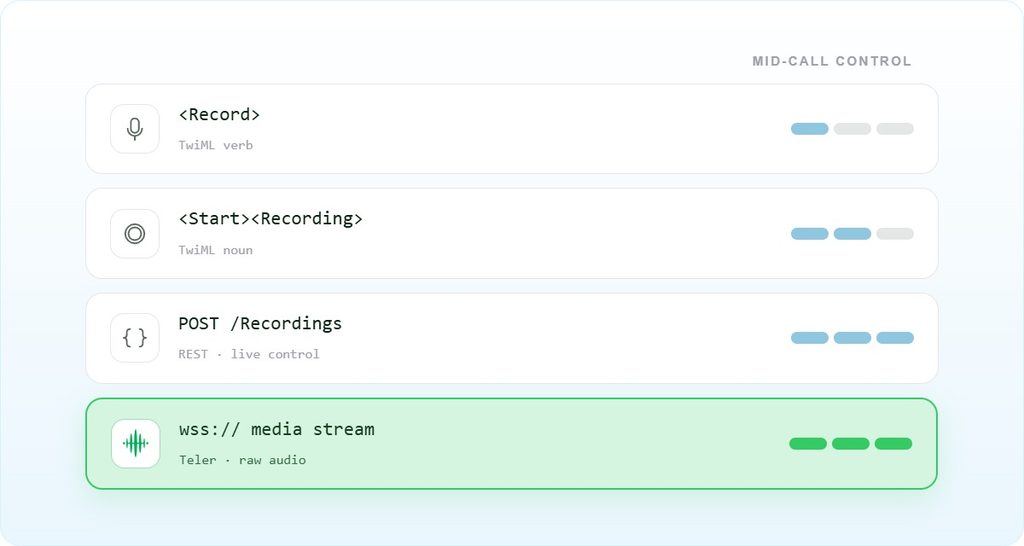
If the call already lives on Twilio Voice and the goal is a stored recording with minimal custom media plumbing, the <Dial record="record-from-answer-dual"> approach is the correct default. Choose the REST Recordings subresource when compliance requires pausing capture before sensitive input, such as PCI DSS card data entry. Choose Teler’s WebSocket transport when the application needs to process audio during the call, not just retrieve a file after it. Streaming and recording aren’t mutually exclusive, but both come from the platform the call runs on: on Teler, the stream flow streams and records the same call; on Twilio, Media Streams can run alongside a Twilio recording.
Frequently asked questions
What audio format does Twilio’s call recording API produce?
Twilio delivers recordings as downloadable WAV or MP3 files; append .wav or .mp3 to the recording URL to choose. The channel configuration is either mono or dual, set via the recordingChannels parameter or the record attribute on <Dial>. The docs do not specify sample rate or bit depth for the output file. If you need raw PCM at a known sample rate during the call, a WebSocket media stream is the correct path, not the recording resource.
Why does my recording status callback show Absent?
An absent status means the recording has no audio, most often because it was too short or silent. Callback delivery problems, such as an unreachable URL or a non-200 response, show up as webhook errors in the Twilio Debugger instead. Check the Twilio request inspector for the exact HTTP response your endpoint returned.
Should I use SIP trunking or a WebSocket stream for call recording?
SIP trunking recording, as defined in RFC 3261, captures audio at the ingress point of the trunk and is the right choice when all trunk traffic must be recorded uniformly. A WebSocket stream, per RFC 6455, gives the application raw PCM access during the call and is the right choice when audio must feed a real-time AI pipeline. The two are not interchangeable: SIP trunk recording produces a stored file; a WebSocket stream produces a live byte sequence your server must handle.
What happens to call recording API performance under high call volume?
Twilio’s documentation does not specify a concurrency cap or rate limit for the Recordings resource. Under high volume, the bottleneck is typically the recording status callback handler, not the recording trigger itself. If your callback endpoint cannot process webhooks fast enough, Twilio will retry, and duplicate deliveries will accumulate. Make the handler async, return 200 immediately, and enqueue the recording SID for background processing.
What must I build myself when using a call recording API?
The recording API handles capture and storage. You must build the webhook endpoint that receives status callbacks, the storage or downstream pipeline for the audio files, the compliance disclosure logic that plays a consent notice before recording begins, and any mid-call toggle logic for PCI or HIPAA pause requirements. Teler’s transport layer handles carrier connectivity and media streaming, but the application logic that decides when to record, pause, or stop remains the developer’s responsibility.
Does Teler support call recording natively?
Yes. Teler’s stream flow records the call by default (record=True) while streaming 16-bit PCM over WebSocket. For long-term retention or a tamper-evident audit trail, copy recordings into storage you control For compliance use cases that require immutable stored recordings, pair Teler’s stream with your own storage pipeline or run a provider-managed recording in parallel. See the Teler documentation for the full recording configuration options.
How do US wiretapping laws affect call recording API implementation?
Federal law requires one-party consent, but eleven US states require all-party consent as of 2026. If your application records calls that originate or terminate in California, Illinois, Pennsylvania, or other all-party states, you must play a disclosure before recording begins. The recording API itself does not enforce this; the developer must insert a <Say> or <Play> verb before the recording trigger. Sector-specific rules like HIPAA and PCI DSS add further constraints on storage, encryption, and pause requirements.
What is the difference between <Record> and <Start><Recording> in TwiML?
<Record> captures the caller’s voice and ends or transfers the call when recording stops; it is a terminal verb for that call leg. <Start><Recording> begins recording while the call continues, allowing other TwiML verbs to execute in parallel. Use <Record> for voicemail-style capture and <Start><Recording> when recording must run alongside a live conversation, such as before a <Connect> verb in a ConversationRelay flow.
Choosing the right call recording API path in 2026
A call recording API is not a single integration point; it is a set of decisions about where audio terminates, who owns the storage, and how much mid-call control the application needs. For most contact center deployments, <Dial record="record-from-answer-dual"> with a reliable status callback handler covers the requirement. When compliance demands mid-call pause, the REST Recordings subresource on a live call is the correct mechanism. When the application needs to process audio in real time, the call needs a streaming path; on Teler, the same stream flow also records the call. The one decision that matters most is whether you need the audio during the call or after it, because that determines whether provider-managed recording alone is sufficient or whether a parallel streaming path is required.
For teams evaluating call recording API providers in the US or building broader voice infrastructure, the top telephony API providers in the US comparison covers the full provider landscape. The Teler programmable voice API is the right starting point when the requirement is real-time audio access with full call control rather than a stored file delivered after the call ends.