
Last updated on August 7th, 2026 at 10:12 pm
AI Summary: This article covers the top 9 power dialer software New Zealand options available to outbound sales, support, and recruitment teams in 2026, comparing features, USD pricing, and Commerce Commission compliance. According to Grand View Research, the global cloud-based contact centre market is projected to grow at a 23.6% CAGR through 2030, making dialer selection a long-term infrastructure decision for New Zealand businesses. New Zealand teams need a dialer that integrates natively with their CRM, supports the Unsolicited Electronic Messages Act 2007, and delivers AI call summaries without manual logging. FreJun provides all three, starting at $14.49 per user per month with native sync across 23+ CRMs and virtual numbers for New Zealand.
Key criteria in this comparison: We ranked these platforms on pricing transparency in USD, New Zealand virtual number availability, Commerce Commission compliance support, CRM integration depth, and G2 rating, since these are the factors that most affect a New Zealand team’s total cost and technical fit.
Quick Answer: The best power dialer software New Zealand teams can use in 2026 is FreJun, rated 4.9/5 on G2 and starting at $14.49 per user per month. It provides virtual numbers for New Zealand, native bidirectional CRM sync with 23+ platforms, and AI call summaries that auto-log to your CRM after every call, so reps spend zero time on manual data entry.
The best power dialer software New Zealand businesses should consider is FreJun, which combines a CRM-native auto dialer with AI call summaries, local virtual numbers, and a setup time of under one hour.
What is power dialer software in New Zealand?
Power dialer software is a cloud-based calling tool that automatically dials the next contact on a list the moment a rep finishes a call, removing the idle time between conversations that manual dialing creates. The best platforms go further: they log every call to the CRM automatically, drop pre-recorded voicemails in one click, and surface AI-generated summaries so reps never have to type notes. For New Zealand teams, the right power dialer software New Zealand solution must also provision local virtual numbers, respect the Unsolicited Electronic Messages Act 2007 administered by the Commerce Commission, and price in USD with transparent per-minute rates since no major provider currently bills in NZD. Whether a team runs Salesforce, HubSpot, or Pipedrive, the dialer should sync bidirectionally with that CRM so call data flows in and out without manual intervention.
Demand for power dialer software New Zealand is rising alongside broader cloud telephony adoption across the Asia-Pacific region. According to Grand View Research, the global cloud-based contact centre market was valued at over USD 17 billion as of 2023 and is forecast to grow at a 23.6% CAGR through 2030, with ANZ markets contributing meaningfully to that expansion. New Zealand’s dialer requirements mirror a broader regional pattern, with similar demand growth reported in the power dialer software India market as outbound teams there also shift to CRM-native calling. What separates basic tools from the best platforms in New Zealand is the combination of local number provisioning, deep CRM integration, and built-in AI features that reduce post-call admin to zero.
Which power dialer software New Zealand tools rank highest in 2026?
The table below compares all nine platforms on starting price, best-fit use case, and free trial availability so you can shortlist quickly before reading the full profiles.
| # | Provider | Best for | Starting price (USD) | Free trial |
|---|---|---|---|---|
| 1 | FreJun ⭐ | CRM-native AI-powered dialing | $14.49/user/month | Yes, 3 days |
| 2 | PhoneBurner | High-volume SDR outbound teams | $165/user/month | Yes, 1-hour trial |
| 3 | JustCall | Distributed outbound teams | $19/user/month | Check website |
| 4 | Kixie | Outbound B2B sales teams | $35/user/month | Yes, 7 days |
| 5 | Aircall | Shared sales and support teams | $30/user/month | Check website |
| 6 | CloudTalk | Teams needing local-number dialing | $49/user/month | Check website |
| 7 | CallHippo | Budget-conscious small teams | Contact sales | Check website |
| 8 | Salesmate | CRM-embedded calling workflows | Contact sales | Check website |
| 9 | Orum | Enterprise AI parallel dialing | Contact sales | Check website |
Scroll for the full breakdown of each tool, covering features, pros, cons, pricing, and ideal use case.
“Teams that switch from a standalone dialer to a CRM-native one usually see call logging time drop to zero within the first week. That is the real ROI, not the dialer itself. The dialer just makes the calls; the CRM sync is what saves the hours.”
— Subhash Kalluri, Co-Founder and CEO, FreJun
How do you choose the best power dialer software New Zealand teams will actually use?
Step 1: Define team size, call volume, and use case
Start by mapping your team’s daily call volume and primary use case. A five-person sales team making 80 calls per day has very different needs from a 50-seat outbound centre running 2,000 dials. Sales teams need progressive or power dialing with CRM auto-logging. Recruitment teams need ATS (Applicant Tracking System) integration and fast candidate reach. Support teams need smart routing and call recording for quality assurance. Knowing your use case before evaluating any power dialer software New Zealand option prevents you from paying for features you will never use. Teams evaluating options outside New Zealand may find similar considerations apply when comparing power dialer software UAE providers, since local number provisioning and compliance requirements vary by region.
Step 2: Identify must-have features for New Zealand operations
New Zealand teams should prioritise local virtual number provisioning so outbound calls display a recognisable NZ area code, which lifts answer rates. Beyond that, look for native CRM integration with the platforms your team already uses, such as Salesforce, HubSpot, or Pipedrive. Voicemail drop, call recording, and AI call summaries are strong differentiators since they cut post-call admin time significantly. Separate the must-haves from the nice-to-haves before you start demos, so you are not swayed by features that look impressive but do not match your workflow.
Step 3: Check New Zealand compliance requirements
New Zealand outbound calling is governed by the Commerce Commission under the Unsolicited Electronic Messages Act 2007. While this Act focuses primarily on electronic messages, outbound calling campaigns must also respect privacy obligations under the Privacy Act 2020. Any power dialer software New Zealand businesses deploy should support call recording consent disclosures and allow teams to maintain suppression lists for contacts who have opted out. Confirm that your chosen platform can accommodate these requirements before signing a contract, since non-compliance carries real legal and reputational risk.
Step 4: Evaluate pricing and billing flexibility
No major power dialer software New Zealand provider currently bills in NZD, so all pricing comparisons happen in USD. Look beyond the per-seat headline price and factor in per-minute calling rates, virtual number rental costs, and whether AI features cost extra. Monthly billing gives flexibility for growing teams, while annual contracts typically offer a 15 to 20 percent discount. Ask vendors whether they offer quarterly or half-yearly billing as a middle ground, since locking into a full year before you have validated the tool is a common mistake.
Step 5: Trial shortlisted tools before committing
Always trial a tool with real calls before purchasing. FreJun offers a 3-day free trial for up to 5 users with full feature access, so your team can test click-to-call, CRM sync, and AI summaries on live calls before spending a dollar. PhoneBurner offers a 1-hour trial and Kixie offers 7 days. For tools without a public trial, request a sandbox environment or a guided demo with your own CRM connected. A trial that does not include your actual CRM integration is not a real test of the tool.
Top 9 power dialer software New Zealand options for 2026
1. FreJun – CRM-native AI power dialer for New Zealand teams
FreJun is a CRM-native cloud telephony platform built for sales, support, and recruitment teams that need power dialer software New Zealand operations can deploy in under an hour.
Best for: CRM-native AI-powered outbound calling
Key features
- Click-to-call via Chrome extension detects phone numbers on any webpage, CRM, or spreadsheet, so reps dial with one click and every call auto-logs to the CRM with duration, recording, and disposition.
- Four auto dialer modes (progressive, power, predictive, and preview) let teams match dialing speed to call value, from high-volume campaigns to careful outreach on high-value accounts.
- AI call summaries and sentiment analysis run after every call, producing a 2 to 3 sentence summary, a talk-ratio score, and a full searchable transcript that syncs to the CRM contact record automatically.
- Local presence dialing shows a local area code on the caller ID, which can lift answer rates by up to 3x compared to an unrecognised international number.
- Native bidirectional sync with 23+ CRMs including HubSpot, Salesforce, Zoho, Pipedrive, and Freshsales means data flows in and out without Zapier or manual entry.
- Virtual numbers for New Zealand and 50+ other countries are provisioned instantly, so teams can display a local NZ number on outbound calls from day one.
- Voicemail drop lets reps pre-record a message and leave it with one click, saving 30 to 60 seconds per unanswered call across hundreds of daily dials.
Pros and cons
| Pros | Cons |
|---|---|
| Setup takes under one hour with Chrome extension and CRM connect | No NZD billing; all plans priced in USD |
| 4.9/5 G2 rating with AI summaries and sentiment analysis included | Advanced predictive dialing requires the Professional plan |
| Virtual numbers for New Zealand provisioned instantly, no paperwork | Mobile series numbers require a 12-month contract in some regions |
Pricing and ratings
Pricing (USD): Standard Plan at $14.49/user/month; Professional Plan at $16.69/user/month. Both plans include a US, UK, or Canada virtual number plus $5 in calling credits. Per-minute rates for New Zealand calls are listed at product.frejun.com/call-pricing-usd. Monthly, quarterly, half-yearly, and annual billing are all available. See full pricing
G2 rating: 4.9/5 | Capterra rating: N/A
How it fits New Zealand teams: FreJun’s USD pricing, instant NZ virtual number provisioning, and Commerce Commission-compatible suppression list support make it a practical fit for New Zealand outbound teams of any size.
Why FreJun is the top recommendation
Why FreJun ranks #1 for New Zealand: FreJun holds a 4.9/5 G2 rating and starts at $14.49/user/month, making it the most affordable full-featured power dialer software New Zealand teams can deploy in 2026. It provisions New Zealand virtual numbers instantly, supports Commerce Commission compliance workflows, and delivers AI call summaries that auto-sync to 23+ CRMs, a combination no standard VoIP tool offers out of the box. Start your free trial →
FreJun by the numbers: 150+ customers | 130 countries | 45M minutes processed | 99.999% uptime | Setup in under 1 hour
2. PhoneBurner – Progressive power dialer for high-volume SDR teams
PhoneBurner is a progressive power dialer built for outbound sales teams that need to work through large contact lists quickly while keeping call quality high.
Best for: High-volume SDR outbound teams
Key features
- Progressive dialing keeps reps on one live call at a time, so there are no dropped calls or awkward pauses that damage the prospect experience.
- Voicemail automation lets reps drop a pre-recorded message instantly when a call goes unanswered, saving up to a minute per missed call across a full day of dialing.
- An auto-dialer workflow for outbound demos moves reps from one call to the next without manual intervention, reducing idle time between conversations.
- Unlimited calling on higher-tier plans removes per-minute anxiety for teams running very high daily call volumes.
- A simple outbound-only flow means reps spend less time navigating the interface and more time talking to prospects.
Pros and cons
| Pros | Cons |
|---|---|
| Fast dialing workflow reduces idle time between calls and improves daily productivity | No parallel dialing, so it is limited to one live call at a time |
| Voicemail automation saves significant rep time on unanswered calls | Priced notably higher than alternatives at $165/user/month on the Standard plan |
| User-friendly, lag-free interface that is easy to integrate directly | Caps at 5 lines, which can constrain scale for larger outbound teams |
Pricing and ratings
Pricing (USD): Standard plan starts at $165/user/month. No NZD pricing or New Zealand local-number provisioning was confirmed in available sources. See full pricing
Why it fits New Zealand teams: PhoneBurner suits New Zealand SDR teams running high daily call volumes who prioritise a clean, fast outbound workflow over multi-line parallel dialing.
3. JustCall – Multi-mode dialer with New Zealand local numbers
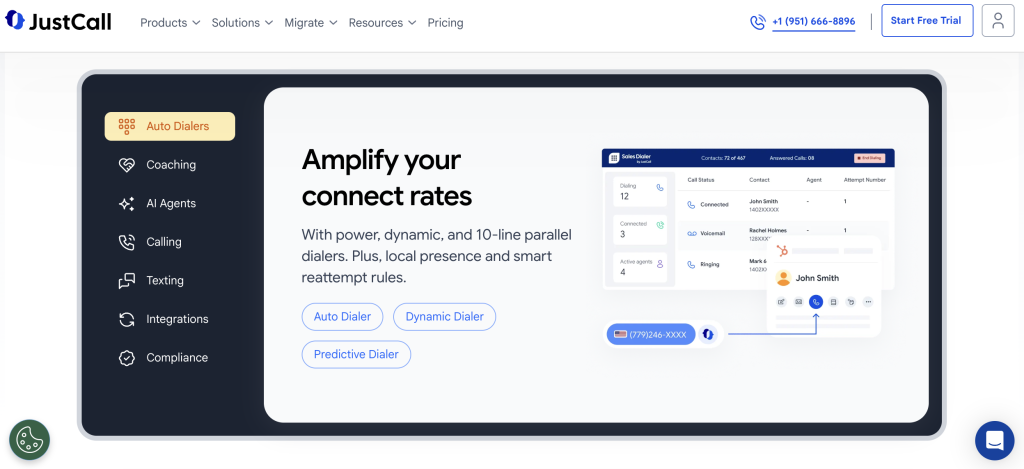
JustCall is a business calling platform that supports power, predictive, and parallel dialing up to 10 lines, with confirmed New Zealand local-number provisioning for distributed outbound teams.
Best for: Distributed outbound teams needing NZ numbers
Key features
- Power, predictive, and parallel dialing up to 10 lines gives teams the flexibility to match dialing mode to campaign type without switching platforms.
- New Zealand local-number provisioning with region and area-code selection means outbound calls display a recognisable NZ number, improving answer rates.
- Number search and refresh tools help teams find memorable or locally recognisable digits for their caller ID.
- Document-based number activation ensures numbers are verified and compliant before going live on campaigns.
- Minimum 2 licenses on the Pro plan keeps the entry cost manageable for small teams while still unlocking multi-line dialing.
Pros and cons
| Pros | Cons |
|---|---|
| Confirmed New Zealand local-number provisioning with area-code selection | Pro plan requires a minimum of 2 licenses, raising entry cost for solo users |
| Supports three dialing modes including parallel dialing up to 10 lines | No NZD billing confirmed; pricing is in USD |
| Affordable entry point at $19/user/month on the Essentials plan | Advanced dialing modes may require a higher-tier plan |
Pricing and ratings
Pricing (USD): Essentials plan starts at $19/user/month billed annually. New Zealand local numbers are available but NZD billing was not confirmed. See full pricing
Why it fits New Zealand teams: JustCall is a strong fit for New Zealand teams that specifically need local NZ numbers and multi-mode dialing at an accessible price point.
4. Kixie – Multi-line B2B dialer with local presence and CRM sync
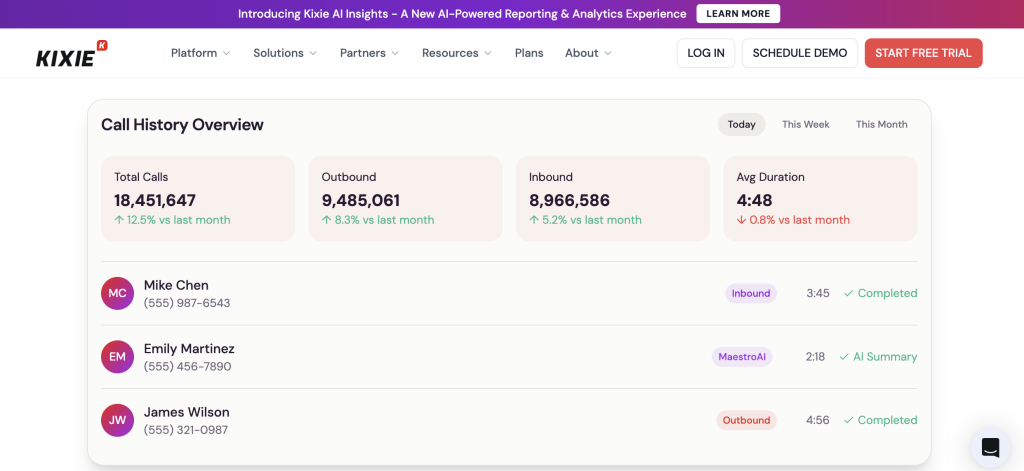
Kixie is a power-dialing tool for outbound B2B sales teams that combines multi-line dialing, local presence calling, voicemail drop, and automated SMS follow-ups in one platform.
Best for: Outbound B2B sales with SMS cadences
Key features
- Multi-line dialing raises connect rates by running several outbound attempts simultaneously, so reps spend more time in live conversations.
- Local presence calling matches the caller ID area code to the prospect’s location, which reviewers on Trustpilot credit with handling heavy call volumes more efficiently.
- Voicemail drop saves reps 30 to 60 seconds per unanswered call by depositing a pre-recorded message with a single click.
- CRM integration keeps contact records synced automatically after every call, so reps never have to switch tabs to log activity.
- Automated SMS follow-ups extend outreach cadences beyond voice calls, reaching prospects who prefer text-based communication.
Pros and cons
| Pros | Cons |
|---|---|
| Intuitive interface with strong HubSpot integration, local calling, and voicemail drop praised by Capterra reviewers | Occasional call drops reported when internet connection is weak |
| Browser-based calling with local area-code matching handles heavy call volumes efficiently per Trustpilot reviewers | Real-world all-in costs often land between $109 and $220 per user per month once needed features are added |
| Easy to use with multiple dialer modes and SMS capabilities in one platform | No New Zealand local-number or NZD pricing confirmed in available sources |
Pricing and ratings
Pricing (USD): Integrated tier starts at $35/user/month billed quarterly. All-in costs can reach $109 to $220/user/month depending on features selected. 7-day free trial available. See full pricing
Why it fits New Zealand teams: Kixie suits New Zealand B2B sales teams that run high-volume outbound campaigns and want SMS follow-ups built into the same platform as their dialer.
5. Aircall – Workspace-based power dialer for shared sales and support teams
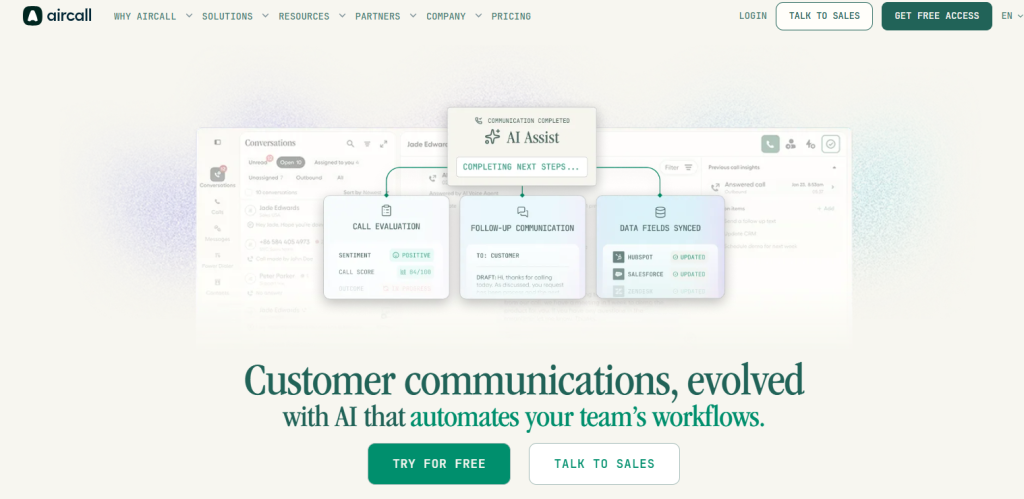
Aircall Workspace includes a power dialer that lets teams import contact lists via CSV or manual entry and work through them from a single desktop or web interface.
Best for: Shared sales and support teams
Key features
- CSV import into the dialing list lets teams load hundreds of contacts at once, so reps can start a session without manual number entry.
- Manual number entry and copy-paste support give reps flexibility when working from sources that cannot export a CSV directly.
- A dedicated dialing list inside Aircall Workspace keeps all outbound sessions organised in one interface, reducing context switching.
- Desktop and web access means reps can run outbound sessions from any device without installing additional software.
- A softphone and workspace flow keeps reps in one interface for calls, notes, and follow-up actions throughout the day.
Pros and cons
| Pros | Cons |
|---|---|
| Clean workspace interface keeps reps focused on calls without switching tabs | Teams must prepare or import a contact list before dialing sessions can begin |
| CSV import and manual entry give flexible list-loading options | No New Zealand local-number or NZD pricing confirmed in available sources |
| Desktop and web access supports remote and hybrid New Zealand teams | Power dialer is list-dependent, so ad-hoc dialing requires extra setup steps |
Pricing and ratings
Pricing (USD): Essentials plan starts at approximately $30/user/month billed annually. No NZD pricing or New Zealand local-number provisioning was confirmed. See full pricing
Why it fits New Zealand teams: Aircall works well for New Zealand teams that already use it as their primary phone system and want to add structured outbound dialing without switching platforms.
6. CloudTalk – Auto-dial-next-contact dialer with New Zealand local numbers
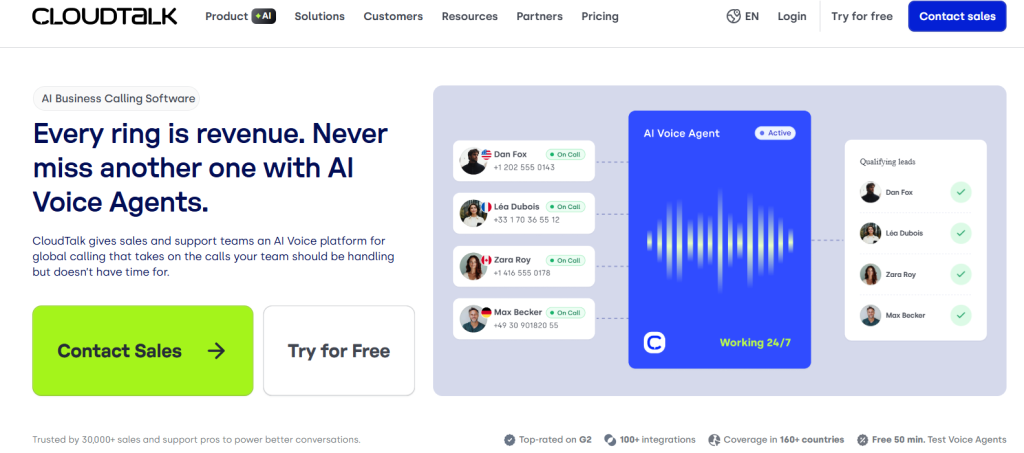
CloudTalk is a power dialer that automatically calls the next number in a campaign list, keeping agents moving from one conversation to the next without manual intervention.
Best for: Teams needing New Zealand local-number dialing
Key features
- Automatic next-call dialing moves agents from one completed call to the next contact on the list without any manual action, keeping throughput high across long campaign sessions.
- Campaign setup in the dashboard lets managers configure dialing lists, caller IDs, and pacing rules before handing sessions to reps.
- Outbound caller ID control by location lets teams display a New Zealand number on outbound calls, which CloudTalk confirms is available as a local or toll-free NZ number for $6 to $10 per month.
- Call recording for every session supports quality assurance and Commerce Commission compliance documentation without extra configuration.
- Auto-dial-next-contact workflow reduces the idle time between calls that manual dialing creates, improving daily call volume per rep.
Pros and cons
| Pros | Cons |
|---|---|
| New Zealand local and toll-free numbers available for $6 to $10/month, activated instantly without paperwork | Power Dialer is only included from the Expert plan at $49/user/month, so smaller teams must buy a higher tier |
| Automatic next-call dialing keeps agents moving without manual intervention | No NZD billing confirmed; pricing is in USD |
| Call recording built in for QA and compliance documentation | Campaign setup requires manager configuration before reps can start dialing |
Pricing and ratings
Pricing (USD): Expert plan at $49/user/month is required to access the Power Dialer. New Zealand local numbers cost $6 to $10/month and activate instantly. See full pricing
Why it fits New Zealand teams: CloudTalk is a practical choice for New Zealand teams that specifically need instant local NZ number activation and automatic next-call dialing in one platform.
7. CallHippo – Flexible cloud dialer for budget-conscious small teams
CallHippo is a cloud-based calling platform designed for small and growing teams that need outbound dialing capabilities without a large upfront investment.
Best for: Budget-conscious small outbound teams
Key features
- Cloud-based power dialing lets small teams run outbound campaigns without on-premise hardware or complex IT setup.
- Virtual number provisioning across multiple countries gives teams the ability to display local caller IDs in target markets.
- Call recording and analytics provide basic quality assurance and performance tracking for team managers.
- CRM integration options connect CallHippo to popular platforms so call activity can be logged without full manual entry.
- Flexible plan options allow teams to start small and scale up as call volume grows, without committing to enterprise pricing from day one.
Pros and cons
| Pros | Cons |
|---|---|
| Accessible entry point for small teams that need basic power dialing without enterprise pricing | Detailed pricing requires a sales conversation since public plan details are limited |
| Virtual number provisioning across multiple countries supports local presence dialing | No New Zealand local-number or NZD pricing confirmed in available sources |
| Flexible plan structure allows teams to scale without over-committing early | AI call summary and advanced analytics features may require higher-tier plans |
Why it fits New Zealand teams: CallHippo suits very small New Zealand outbound teams that need a low-cost entry point into power dialing before committing to a more feature-rich platform.
8. Salesmate – CRM-embedded calling with built-in power dialer
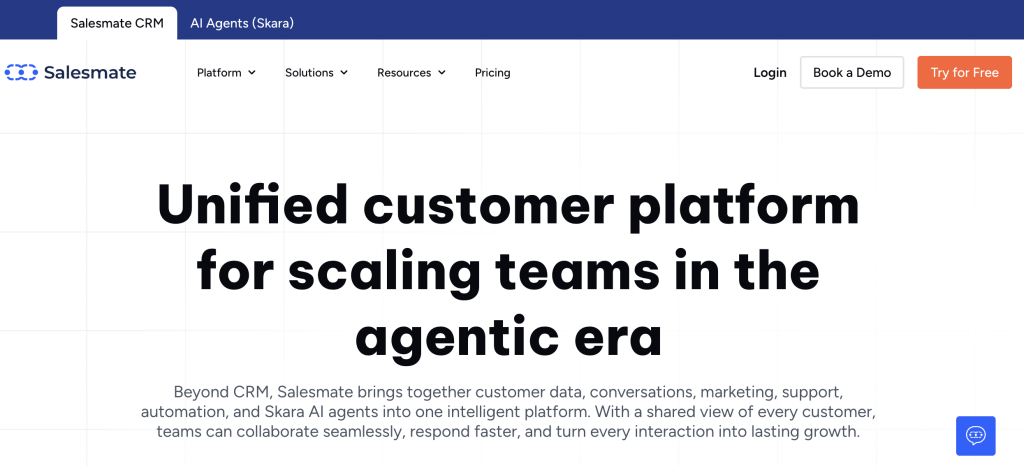
Salesmate is a CRM platform with a built-in power dialer, designed for teams that want calling and contact management in a single tool rather than two separate subscriptions.
Best for: CRM-embedded calling workflows
Key features
- Built-in power dialer inside the CRM means reps dial, log, and manage contacts without switching between two separate platforms.
- Call recording and voicemail drop are included so reps can leave pre-recorded messages and review calls for coaching without extra tools.
- Automated follow-up sequences let managers set up multi-step cadences that combine calls, emails, and texts in one workflow.
- Pipeline management inside the same platform gives sales managers visibility into both deal progress and calling activity from one dashboard.
- Team inbox and shared contact management reduce duplication when multiple reps work the same account list.
Pros and cons
| Pros | Cons |
|---|---|
| CRM and power dialer in one platform reduces tool sprawl and subscription costs | Pricing requires a sales conversation since public plan details are not fully listed |
| Built-in multi-step cadences combine calls, emails, and texts without extra integrations | No New Zealand local-number or NZD pricing confirmed in available sources |
| Pipeline visibility alongside calling activity gives managers a unified view | Teams already using Salesforce or HubSpot may find the built-in CRM redundant |
Why it fits New Zealand teams: Salesmate suits New Zealand teams that want to consolidate their CRM and power dialer into one subscription rather than managing two separate tools.
9. Orum – Enterprise AI parallel dialer for high-volume outbound teams
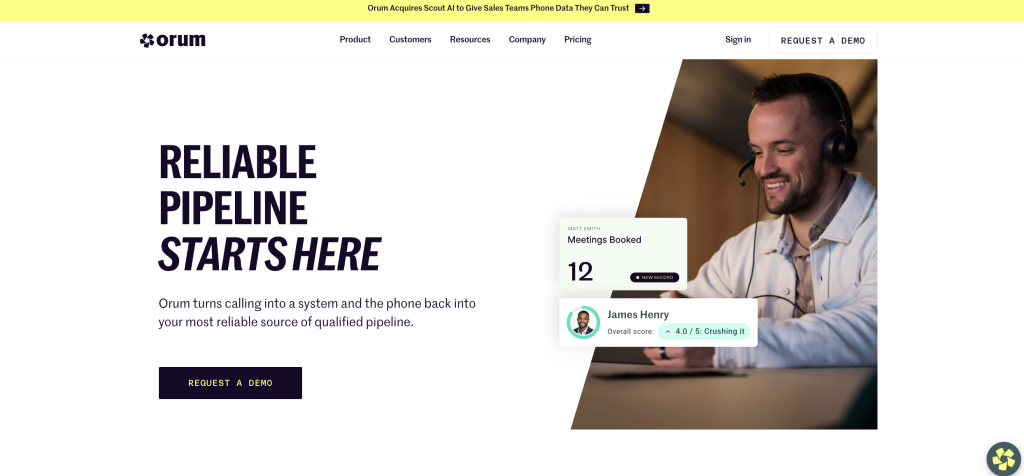
Orum is an AI-powered parallel dialer built for enterprise outbound teams that need to maximise live conversation rates by dialing multiple numbers simultaneously and connecting reps only when a human answers.
Best for: Enterprise AI parallel dialing at scale
Key features
- AI-powered parallel dialing calls multiple numbers at once and connects the rep only when a live human answers, removing wasted time on voicemails and no-answers.
- Automated voicemail detection filters out answering machines before the rep is connected, so every conversation the rep joins is with a real person.
- CRM integration syncs call outcomes and activity logs automatically after each session, keeping pipeline data current without manual entry.
- Real-time coaching tools let managers listen to live calls and provide guidance without the prospect hearing, supporting rep development at scale.
- Analytics dashboards track connect rates, conversation duration, and rep performance across campaigns so managers can optimise dialing strategy over time.
Pros and cons
| Pros | Cons |
|---|---|
| AI parallel dialing maximises live conversation rates for large enterprise outbound teams | Pricing is not publicly listed and requires a sales conversation |
| Automated voicemail detection ensures reps only join calls with live humans | No New Zealand local-number or NZD pricing confirmed in available sources |
| Real-time coaching tools support rep development during live calls | Enterprise focus means it may be over-engineered and over-priced for small NZ teams |
Why it fits New Zealand teams: Orum suits large New Zealand enterprise outbound teams running hundreds of daily dials where maximising live conversation rates justifies the enterprise price point.
Power dialer software New Zealand feature comparison for 2026
| Feature | FreJun | PhoneBurner | JustCall | Kixie | Aircall | CloudTalk | CallHippo | Salesmate | Orum |
|---|---|---|---|---|---|---|---|---|---|
| New Zealand virtual numbers | Yes | No | Yes | No | No | Yes | No | No | No |
| AI call summaries | Yes | No | Partial – higher plan | No | No | No | No | No | No |
| Native CRM bidirectional sync | Yes – 23+ CRMs | Partial – via integration | Yes | Yes | Yes | Yes | Partial | Yes – built-in CRM | Yes |
| Parallel or multi-line dialing | Yes – predictive mode | No | Yes – up to 10 lines | Yes | No | No | No | No | Yes – AI parallel |
| Voicemail drop | Yes | Yes | Yes | Yes | No | No | No | Yes | Yes |
| Transparent public pricing | Yes | Yes | Yes | Yes | Yes | Yes | No | No | No |
FreJun and JustCall are the only two platforms in this comparison that offer both confirmed New Zealand virtual numbers and multi-mode dialing. FreJun adds AI call summaries and native bidirectional sync with 23+ CRMs, which no other tool in this list matches at its price point.
Which power dialer software New Zealand option is right for your team in 2026?
Different teams have different priorities. The right power dialer software New Zealand choice depends on your call volume, CRM stack, team size, and budget. Use the guide below to match your situation to the best-fit tool.
If you are a small to mid-size New Zealand sales team using HubSpot, Salesforce, or Pipedrive: Choose FreJun. It offers native bidirectional CRM sync, AI call summaries, and New Zealand virtual numbers from $14.49/user/month, with setup in under an hour.
If you are a high-volume SDR team that dials 200 or more contacts per rep per day and does not need parallel dialing: Choose PhoneBurner. Its progressive dialing workflow and voicemail automation are built specifically for this use case, though the $165/user/month price is a significant commitment.
If you are a distributed New Zealand team that specifically needs local NZ numbers and multi-line dialing at an accessible price: Choose JustCall. It confirms New Zealand local-number provisioning and supports up to 10 parallel lines from $19/user/month.
If you are a New Zealand team that wants calling and CRM in one subscription without managing two separate tools: Choose Salesmate. Its built-in CRM and power dialer reduce tool sprawl, though pricing requires a sales conversation.
If you are a large enterprise outbound team running hundreds of daily dials where every percentage point of connect rate matters: Choose Orum. Its AI parallel dialing is purpose-built for this scale, but expect enterprise pricing and a sales-led buying process.
Which tool wins overall for New Zealand teams in 2026?
If you want the best overall power dialer software New Zealand option in 2026 with AI features, transparent USD pricing, and Commerce Commission-compatible workflows: Choose FreJun. It is the only platform in this list that combines New Zealand virtual number provisioning, AI call summaries that auto-sync to 23+ CRMs, and a starting price of $14.49/user/month with a 3-day free trial and no minimum user requirement.
Frequently asked questions about power dialer software New Zealand in 2026
What is the best power dialer software New Zealand teams can use in 2026?
The best power dialer software New Zealand teams can use in 2026 is FreJun. It holds a 4.9/5 G2 rating and starts at $14.49/user/month, making it the most affordable full-featured option in this comparison. It provisions New Zealand virtual numbers instantly, syncs bidirectionally with 23+ CRMs including HubSpot, Salesforce, and Pipedrive, and generates AI call summaries after every call without any manual input from the rep. Setup takes under one hour, and a 3-day free trial with up to 5 users is available with full feature access.
How much does power dialer software New Zealand cost in 2026?
Power dialer software New Zealand pricing ranges widely depending on the platform and feature set. FreJun starts at $14.49/user/month on the Standard plan and $16.69/user/month on the Professional plan, both in USD. JustCall starts at $19/user/month, Aircall at approximately $30/user/month, Kixie at $35/user/month, and CloudTalk at $49/user/month for the plan that includes the power dialer. PhoneBurner is the most expensive at $165/user/month. CallHippo, Salesmate, and Orum require a sales conversation for pricing. No provider currently bills in NZD, so all costs are in USD.
What compliance rules apply to outbound calling in New Zealand?
Outbound calling in New Zealand is governed primarily by the Commerce Commission under the Unsolicited Electronic Messages Act 2007, which covers electronic communications including automated outreach. The Privacy Act 2020 also applies to how contact data is collected, stored, and used in calling campaigns. Teams must maintain suppression lists for contacts who have opted out and must disclose call recording to callers where required. Any power dialer software New Zealand businesses deploy should support suppression list management and consent-based recording disclosures to stay compliant with these obligations.
Which power dialer software New Zealand option integrates best with HubSpot and Salesforce?
FreJun offers the deepest integration with both HubSpot and Salesforce among the tools in this comparison. Every call auto-logs with duration, recording link, AI transcript, sentiment score, and call disposition to the CRM contact record, with no Zapier or middleware required. The sync is bidirectional, so data flows in and out automatically. JustCall and Kixie also offer CRM integrations with these platforms, but neither includes AI call summaries that auto-sync to the contact record as a standard feature at their entry price points. You can review all FreJun CRM connections at the FreJun integrations page.
How do I switch from a traditional phone system to power dialer software in New Zealand?
Switching from a traditional phone system to power dialer software New Zealand is simpler than most teams expect. With FreJun, the process involves installing the Chrome extension, connecting your CRM, and provisioning a New Zealand virtual number, all of which takes under one hour. You do not need to port your existing number immediately since FreJun can provision a new NZ number instantly. If you want to keep your existing number, FreJun supports number porting within 24 hours. Start with the 3-day free trial for up to 5 users to validate the setup before rolling it out to the full team.
Does power dialer software New Zealand support local New Zealand phone numbers?
Not all power dialer software New Zealand providers support local NZ number provisioning. FreJun provisions New Zealand virtual numbers instantly across 50+ countries with no paperwork required. JustCall also confirms New Zealand local-number availability with area-code selection. CloudTalk offers New Zealand local and toll-free numbers for $6 to $10 per month, activated instantly. PhoneBurner, Kixie, Aircall, CallHippo, Salesmate, and Orum did not confirm New Zealand local-number availability in publicly available sources, so teams should verify directly with those vendors before purchasing.
How is AI changing power dialer software New Zealand teams use in 2026?
AI is shifting power dialer software New Zealand from a pure dialing tool into a full call intelligence platform. As of 2026, FreJun’s analysis of 300+ client accounts found that teams using AI-transcribed calls reduced manual note-taking time by 40%, since summaries, sentiment scores, and transcripts sync to the CRM automatically after every call. Beyond note-taking, AI now powers voicemail detection, local presence dialing optimisation, and predictive dialing pacing. New Zealand teams evaluating dialers in 2026 should treat AI call summaries and CRM auto-sync as baseline requirements rather than premium add-ons, since these features directly reduce the cost of every call made. This trend is not unique to New Zealand either, as businesses researching power dialer software Singapore options report the same push toward AI-native, CRM-embedded dialing tools.
Conclusion: Best power dialer software New Zealand teams should use in 2026
The top three power dialer software New Zealand options in 2026 are FreJun for AI-native CRM dialing, JustCall for multi-mode dialing with confirmed NZ local numbers, and CloudTalk for instant NZ number activation at a transparent per-number cost. FreJun is the top recommendation for New Zealand sales, support, and recruitment teams because it is the only platform in this comparison that combines New Zealand virtual numbers, AI call summaries that auto-sync to 23+ CRMs, and a starting price of $14.49/user/month with no minimum user requirement. Start your 3-day free trial today and have your team making calls within the hour.