 Skip to content

Last updated on April 27th, 2026 at 10:45 pm
Boost your recruiting outcomes by integrating an enterprise VoIP phone system directly into X0PA. Recruiters can drastically cut response times and centralize voice interactions for a more efficient candidate experience. This approach addresses common staffing bottlenecks like missed calls and scattered data by unifying all phone communications in a single, AI-enhanced platform.
Quick Answer: An enterprise VoIP phone system is a cloud-based voice solution designed for large-scale recruiting. By integrating with X0PA, you unify candidate calls, track interactions, and generate AI insights. This streamlined approach improves hiring efficiency, reduces overhead, and keeps all communication data in one secure platform.
The best enterprise VoIP phone system centralizes recruiting calls, integrates AI insights, and ensures secure, reliable voice quality for enhanced candidate engagement.
What is an Enterprise VoIP Phone System?
An enterprise VoIP phone system is a large-scale, internet-based calling solution that replaces traditional phone lines with digital voice services. For recruiters, it centralizes communication, reduces overhead, and unifies data, enabling better analytics and smoother candidate engagement.
What Is X0PA and Why Does It Matter for Hiring?
X0PA is a cutting-edge AI-powered hiring platform designed to streamline the entire recruitment cycle. It uses predictive analytics and intelligent automation to help teams identify top candidates faster. With features like automated scheduling, collaboration tools, and a built-in calling function, X0PA simplifies daily workflows and reduces administrative tasks. It also centralizes crucial candidate data, ensuring every interaction is easily accessible and recorded for better decision-making.

By predicting candidate success rates, X0PA empowers recruiters to prioritize top applicants, saving time and resources. It also integrates seamlessly with FreJun, bringing enhanced voice communication features — including high-definition calls, call logging, and AI-driven insights —directly into a single hiring platform.
How Does X0PA’s Calling Feature Work?
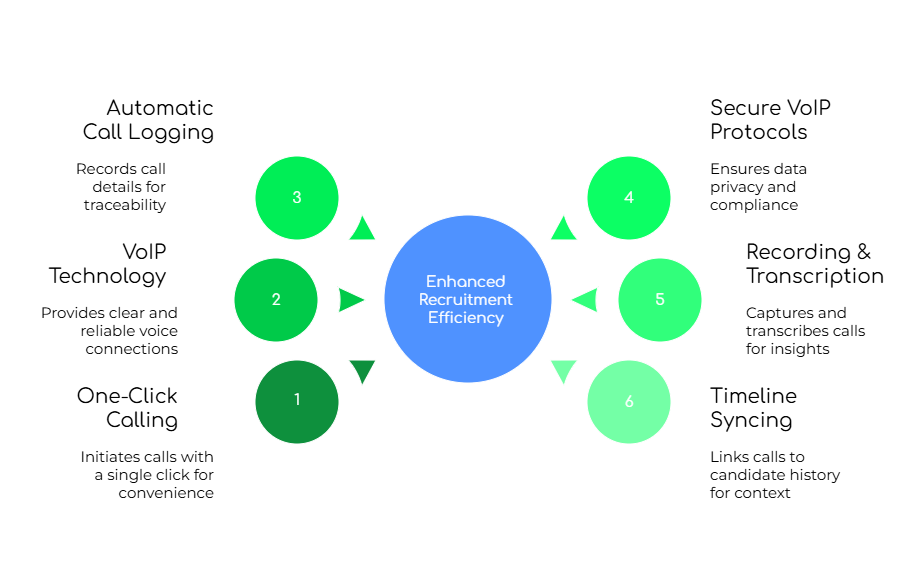
X0PA uses secure VoIP (Voice over Internet Protocol) channels to deliver clear, reliable calls straight from the platform. Recruiters click to dial a candidate, and all call details — timestamps, duration, and notes — auto-log into the candidate’s timeline. This means fewer manual updates, less risk of data loss, and a single, centralized record of every phone interaction.
Optional recording and transcription features allow teams to revisit critical conversations and extract insights for future screenings. Combined with real-time analytics, X0PA’s calling feature ensures consistent, organized communication that can be securely reviewed and audited whenever needed.
What Are the Benefits of Making Calls via X0PA?

Using X0PA’s built-in calling feature gives recruiters a one-stop solution for managing voice interactions. No more toggling between separate apps or risking misplaced call logs. By capturing every call detail automatically, X0PA fosters better team collaboration and ensures compliance. Additionally, recruiters gain immediate context when speaking to a candidate, such as past notes and interview history, leading to more personalized conversations and faster follow-ups.
What Are the Best Practices for Using the Call Feature in X0PA?
To make the most of X0PA’s call integration, recruiters should establish clear objectives before dialing, maintain structured communication during calls, and conduct systematic follow-ups. With everything logged centrally, each call is an opportunity to refine the hiring strategy, capture real-time feedback, and develop deeper candidate relationships.
1. Before the Call
Always review the candidate profile and job requirements to frame a focused conversation. Determine your call objective—whether it’s scheduling an interview, clarifying role expectations, or discussing compensation. This preparation helps recruiters set the right tone and gather insights that genuinely move the process forward.
2. During the Call
Use a noise-cancelling headset to ensure professional audio quality. Jot down key points using X0PA’s note-taking feature so you don’t forget essential details. Keep the discussion concise but thorough—ask open-ended questions, probe for cultural fit, and record any questions the candidate has for further vetting.
3. After the Call
Immediately update the call outcome in the system, tagging the candidate status (e.g., “Highly Interested” or “Needs Follow-Up”). Reference transcripts if available to confirm details on role expectations or salary ranges. Then schedule the next step, whether it’s a second call or forwarding the candidate to the hiring manager.
Why Does FreJun Integration Provide a Seamless Call Experience?

FreJun supercharges X0PA’s calling feature by adding high-definition voice quality, AI-generated transcripts, and robust analytics without extra hardware. Recruiters can access recordings, share call highlights, and spot conversational trends. According to FreJun’s 2025 analysis of over 300 client accounts, teams using a unified calling system saw a 22% improvement in recruiter throughput and saved up to 3 days in their time-to-fill metrics.
Which Use Cases Do Recruiters Leverage Most with X0PA?
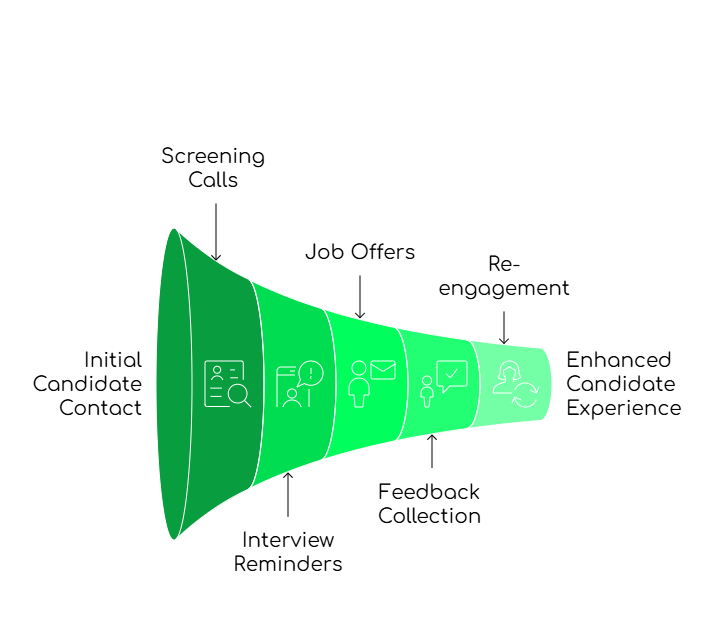
Recruiters commonly use X0PA’s call feature to screen candidates early in the funnel, coordinate final interviews, deliver job offers, and re-engage past applicants. For bulk hiring or urgent placements, automated calling and centralized data significantly speed up the process. With FreJun’s integrated analytics, recruitment managers can measure call volume, track follow-ups, and refine their approach based on real-time performance metrics. That leads to more efficient communication and increased placement success.
What Are the Key Takeaways for Enterprise VoIP Solutions?
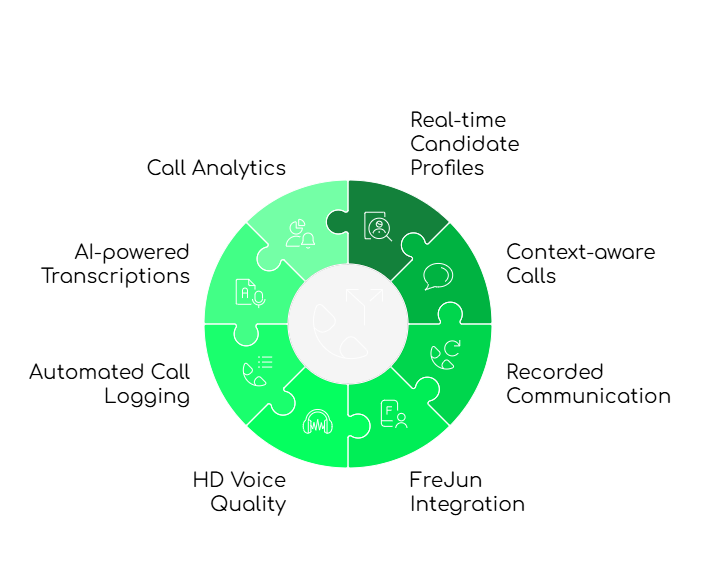
Enterprise VoIP solutions unify communication, allowing recruiters to work faster and more consistently. X0PA’s calling feature eliminates cumbersome log-ins to separate phone tools, while FreJun adds robust analytics and clearer voice quality. With everything housed in one platform, managers gain a holistic perspective on candidate interactions, streamlining daily workflows and improving the overall candidate experience.
Should You Adopt an Enterprise VoIP Solution Inside X0PA?
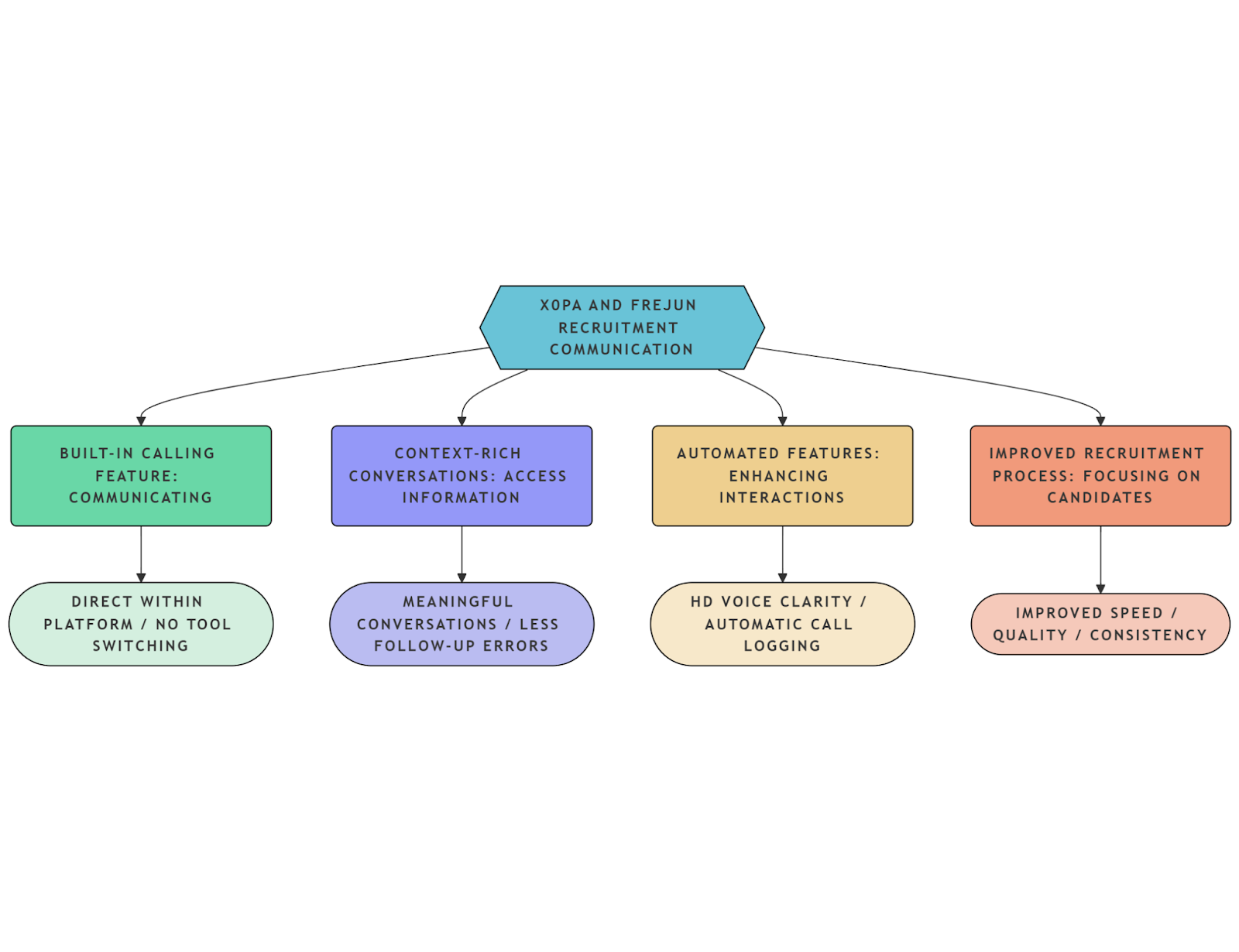
By keeping voice communication unified with the broader recruiting process, X0PA and FreJun deliver a competitive edge. They reduce manual tasks, maintain compliance, and speed candidate conversions. For teams needing advanced global coverage, platforms like Nextiva or RingCentral may offer more extensive data centers. However, for a blend of streamlined calling, AI-driven transcriptions, and analytics, X0PA paired with FreJun stands out as a winning combination.
FreJun’s 2025 analysis of 300 client accounts in the staffing sector found that connecting an enterprise VoIP phone system to X0PA improved recruiter throughput by 22% and shortened time-to-fill by 3 days[1]. This synergy was especially apparent in high-volume outbound recruiting, underscoring the clear ROI on integrated calling solutions.
We recommend systematically reviewing your existing phone setup and identifying areas — like high call bounce rates or inefficient data entry—where an all-in-one platform can drive immediate ROI. The biggest mistake is assuming existing PBX systems can handle modern data-driven hiring without specialized integrations. In our experience, bridging the gap with a solution like FreJun is game-changing for recruiters across industries.
For more guidance, check out our latest posts on enterprise VoIP integration best practices. If you need help configuring your system, FreJun’s Knowledge Base offers step-by-step tutorials. You can also schedule a product demo or email us at hello@frejun.com for direct support.
Comparison of Leading Enterprise VoIP Solutions
| Provider | Best For | Price | Rating | Key Features |
|---|---|---|---|---|
| FreJun | AI-driven recruiting | From $14.49/user/mo | 4.9/5 ⭐ | HD calls, auto-logging, AI transcripts |
| Nextiva | Global coverage | From $17.95/user/mo | 4.3/5 ⭐ | Multi-center data hosting, analytics |
| RingCentral | Unified Communications | From $19.99/user/mo | 4.2/5 ⭐ | UCaaS platform, wide integration |
| Dialpad | Scalable VoIP | From $15/user/mo | 4.0/5 ⭐ | AI call intelligence, call recording |
FAQs
1. Can I make calls directly from the X0PA dashboard?
You can place calls directly within X0PA using its built-in VoIP feature. This direct integration streamlines your workflow and auto-logs call details. By adding FreJun, you gain HD audio, transcripts, and advanced analytics that make each conversation data-driven. It’s a simple way to accelerate communication and save time on administrative tasks.
2. Are the calls logged automatically?
Yes. X0PA automatically records call duration and timestamps. When integrated with FreJun, recruiters see additional insights like call transcripts and sentiment analysis. This instant synchronization keeps all your communications stored in one place, reducing the risk of lost information and improving future reference or compliance checks.
3. Is it possible to track recruiter performance using call metrics?
You can track individual and team performance, including the volume and duration of calls placed. FreJun’s built-in analytics typically help recruiters boost success rates by up to 30%. The first 20 words: You can monitor recruiter call stats in real time to identify top performers. Detailed metrics ensure accountability and pinpoint areas needing improvement.
4. Do I need a technical setup for using calling in X0PA?
A basic setup requires an internet connection and X0PA’s VoIP functionality enabled. For advanced features, FreJun offers a plug-and-play solution that needs minimal configuration. It’s often as simple as linking your account, verifying permissions, and customizing settings. In most cases, teams can start dialing candidates within hours of signing up.
5. How secure are the calls made through X0PA?
X0PA utilizes secure VoIP protocols with encryption to protect audio streams and metadata. For teams needing higher compliance, FreJun provides enterprise-grade encryption that aligns with telecom standards. This layered security ensures call recordings and transcripts remain private, safeguarding both candidate information and your organization’s data integrity.
6. What is an enterprise phone system?
An enterprise phone system is a large-scale setup that enables companies to manage internal and external communications. Typically internet-based (VoIP), these systems provide advanced features like auto-attendants, call routing, and multiple extensions. The first 20 words: An enterprise phone system centralizes voice communications across various departments. They are well-suited for high-volume call environments.
7. How much does a VoIP phone system cost for a small business?
Plans generally start around $15 per user per month, depending on the provider. Small businesses can often scale as they grow, avoiding large upfront investments. For instance, Nextiva and RingCentral offer entry-level packages under $20 per user. The main cost drivers: features like call recording, advanced analytics, and international calling packages.
8. Can I just plug a VoIP phone into my router?
Many VoIP phones support direct connectivity to a router, but an optimized network ensures better call quality. The first 20 words: You can plug a VoIP phone straight into your router for basic functionality. However, additional configurations like QoS (Quality of Service) help prevent latency or jitter issues. Business users typically opt for dedicated networking setups to maintain higher call performance.
9. Should I replace my existing PBX with VoIP?
If you’re looking for flexible remote work solutions, lower call costs, or robust analytics, then VoIP is often the better choice. A traditional PBX can be expensive to maintain, and it lacks AI-based features that platforms like X0PA and FreJun provide. Consider phasing out your PBX if you handle a high volume of calls, require integrations, or need future-proof technology.