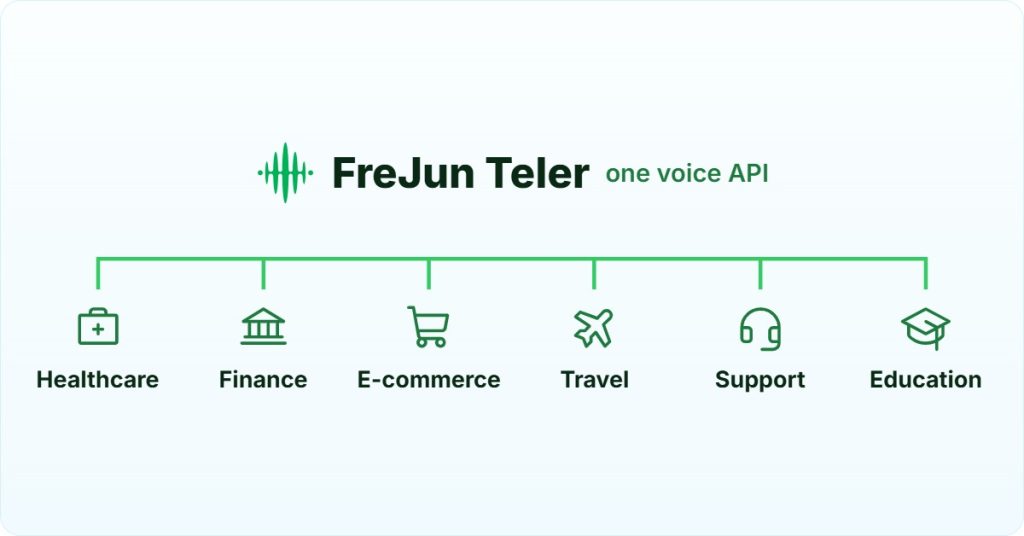
AI Summary: This guide covers the full architecture for implementing a voice activated chatbot across both in-app and telephony channels, written for engineering leads, backend developers, and product teams building AI phone agents. According to Grand View Research, the global conversational AI market is projected to reach $32.62 billion by 2030, growing at 20.0% CAGR (Source: Grand View Research 2023). Teams must understand that in-app voice activation alone leaves the telephone channel unserved. FreJun Teler provides the programmable voice API and telephony infrastructure that connects your existing AI brain to the PSTN, completing the omnichannel picture.
Implementing a voice activated chatbot is one of the most impactful decisions an engineering team can make right now. Users expect to speak to software the same way they speak to people, and the teams that get this right first will own the experience layer. But here is the gap most implementations miss: a bot that only works inside your app is not a voice activated chatbot. It is a voice-enabled widget. The real opportunity, and the real challenge, is making that same bot reachable on every channel, including the telephone.
Quick Answer: Implementing a voice activated chatbot requires two layers: an in-app activation layer using browser or mobile SDKs, and a telephony activation layer using a programmable voice API like FreJun Teler. Both layers share the same AI brain via a unified backend. Without the telephony layer, your bot is unreachable to anyone who calls your support line.
A voice activated chatbot is a conversational AI system that starts, processes, and responds to spoken user input in real time, across both digital interfaces and the telephone network.
What is a Voice Activated Chatbot?
A voice activated chatbot is a conversational AI system triggered by spoken input, using Automatic Speech Recognition (ASR) to transcribe speech, Natural Language Understanding (NLU) to detect intent, and Text-to-Speech (TTS) to respond, all in a real-time pipeline across web, mobile, or phone channels.
What is Voice Chatbot Activation?
Voice chatbot activation is the process that enables a conversational AI to start, respond to, and execute tasks based on a user’s spoken input. It is the trigger mechanism for a hands-free dialogue. This activation happens in one of two ways in a digital environment.
- Explicit Activation: The user performs a clear action, like tapping a microphone icon on a screen, often called tap-to-talk.
- Wake Word Activation: The system continuously listens for a specific hotword, such as “Hey, Bot,” that triggers it to start processing the user’s speech.
Under the hood, this process runs on a real-time pipeline of four technologies working in sequence. ASR (Automatic Speech Recognition) transcribes speech to text. NLU (Natural Language Understanding) deciphers intent from that text. Dialog Management tracks conversation state and context. TTS (Text-to-Speech) converts the AI’s response back into spoken audio. Each step adds latency, so the engineering challenge is keeping the full round-trip under one second.
What most teams build first is the in-app version of this pipeline. That is the right starting point. But it covers only the users already inside your digital product. The telephone channel, which handles a significant share of high-stakes customer interactions, requires a completely different infrastructure layer.
“Every team we work with builds the in-app voice experience first and ships it. Then, six months later, they realize their enterprise clients are still calling a human support line because the bot has no phone number. That gap costs real revenue, and it is entirely avoidable with the right infrastructure from the start.”
— Subhash Kalluri, CEO, FreJun
Why Does In-App Voice Activation Leave a Critical Gap?
Modern frameworks and APIs from Google, IBM, and OpenAI have made it straightforward to build the AI brain of a voice activated chatbot and deploy it within a web or mobile application. The in-app experience can be fast and capable. But the telephone channel is a different world entirely.
Think about your highest-value enterprise client. When they have a critical service outage at 2 AM, their first instinct is not to navigate your website. They call. What about a less tech-savvy user who finds it far easier to dial a number than to open an app? At that moment, your in-app assistant is completely unreachable.
This is the implementation trap. The platforms and protocols that handle microphone input from a browser do not support direct integration with the PSTN (Public Switched Telephone Network). A phone call is, in itself, an act of voice chatbot activation, but the infrastructure required to handle it is a separate engineering domain. To bridge this gap without a purpose-built API, you would need to build a specialized telephony stack from scratch: SIP (Session Initiation Protocol) trunking, media servers, number provisioning, and real-time audio streaming over WebSocket connections. That is a massive distraction from your core product.
What Does the Telephone Gap Actually Cost?
The cost is not just engineering time. According to Salesforce’s State of the Connected Customer report, 76% of customers still prefer to reach support by phone for complex issues (Source: Salesforce 2023). If your voice activated chatbot cannot answer a phone call, you are leaving the majority of high-stakes interactions unautomated. That means human agents handling calls that a well-built bot could resolve in under 60 seconds.
The fix is not to rebuild your AI. The fix is to add the telephony activation channel on top of the AI brain you have already built. That is exactly what FreJun Teler is designed to do.
FreJun Teler gives your existing AI brain a phone number in minutes. Connect your Dialogflow, Rasa, or custom LLM stack to the global telephone network via a single programmable voice API, with real-time WebSocket audio streaming and sub-100ms latency. No telephony expertise required.
How Does FreJun Teler Enable True Omnichannel Voice Activation?
FreJun Teler is not another AI platform. It is the specialized voice infrastructure layer that connects the intelligent chatbot you have already built to the global telephone network. We built Teler because we kept seeing the same problem: teams with great AI brains that could not answer a phone call.
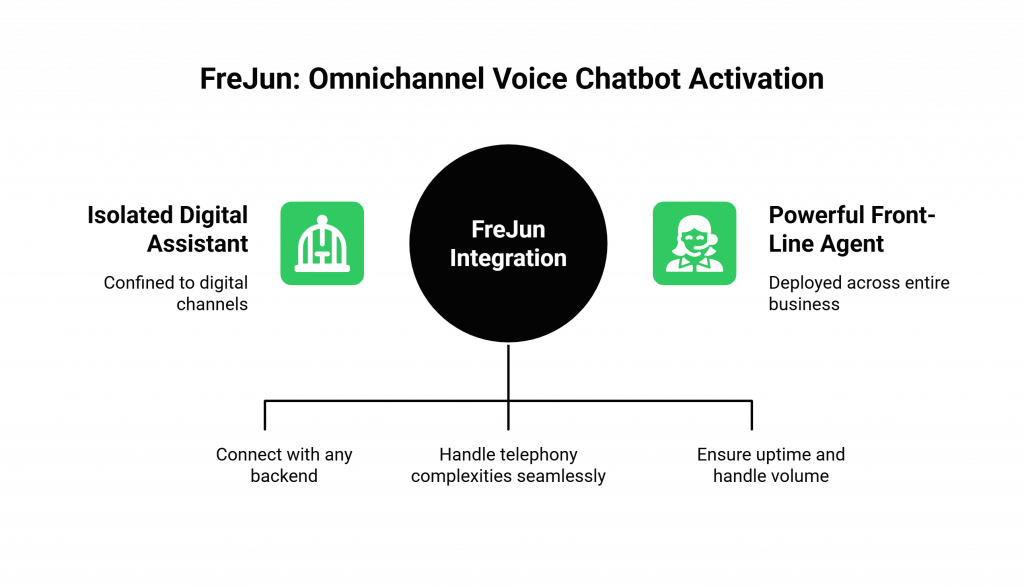
Teler provides a developer-first API that handles all the complexities of telephony, so your team can focus on the conversational logic rather than the carrier infrastructure. Here is what that means in practice.
- AI-Agnostic by Design: You bring your own bot’s brain. Teler integrates with any backend, whether it is powered by Dialogflow, Rasa, or a custom LLM stack. We do not lock you into a specific AI vendor.
- Full Telephony Stack Managed: We handle phone number provisioning across 50+ countries, SIP trunking, real-time media servers, and low-latency audio streaming over WebSocket connections. Your team writes application logic, not telecom code.
- 99.9% Uptime Infrastructure: Our globally distributed platform ensures your phone line stays online during high call volumes. When a fintech platform runs an OTP verification campaign at scale, or a logistics company sends delivery alerts to thousands of customers simultaneously, the infrastructure needs to hold. Teler is built for that.
We recommend Teler over building your own telephony stack because the time-to-market difference is measured in weeks, not days. Teams that try to build SIP infrastructure from scratch typically spend three to six months before their first production call. With Teler, that timeline compresses to days. That said, if your team already has deep telecom expertise and operates at a scale where owning the full stack makes financial sense, a custom build is a legitimate path. For most product teams, though, it is not the right use of engineering capacity.
What Does the Teler Architecture Look Like in Production?
When a caller dials your Teler-provisioned number, the call connects to Teler’s media infrastructure. Teler opens a WebSocket connection to your backend and streams raw audio in real time. Your backend receives that audio, passes it through your STT (Speech-to-Text) service, sends the transcript to your AI brain, gets a response, converts it via TTS, and streams the audio back through the WebSocket. Teler plays it to the caller. The entire loop, when optimized, runs in under 100ms. That is the latency target for natural conversation.
For teams building on top of Teler, the media streaming overview and the webhooks documentation are the two most important starting points. The media streaming layer handles the real-time audio pipeline, while webhooks give you programmatic control over call events.
In-App Activation vs. Omnichannel Voice Strategy: Which Should You Build?
The honest answer is both, but in the right order. Start with the in-app experience to validate your conversational design. Then add the telephony channel using Teler so you are not leaving the phone channel unserved. The comparison below shows what each approach covers and where each falls short on its own.
| Feature | In-App Voice Chatbot Activation | Omnichannel Voice Strategy (with FreJun Teler) |
|---|---|---|
| Accessibility | Limited to users on your website or in your app. | Universally accessible to anyone with a phone, plus all digital channels. |
| Use Cases | On-site guidance, in-app feature help. | 24/7 call handling, virtual receptionists, automated phone orders, critical incident support. |
| Business Impact | A modern UX feature that improves digital engagement. | A strategic asset that reduces operational costs and serves all customer segments. |
| Infrastructure Burden | Low. Managed by the AI platform’s SDKs. | Zero telephony infrastructure to build. Teler manages the entire voice stack. |
| Customer Journey | Fragmented. A user must switch from a call to your web app to get automated help. | Unified. A user interacts with the same intelligent assistant across all channels. |
How Do You Implement a Complete Voice Activated Chatbot Step by Step?
This guide outlines the modern architecture for creating a voice assistant that works both inside your digital platforms and over the phone. Each step builds on the previous one, so you can ship the in-app experience first and add telephony without rearchitecting your backend.
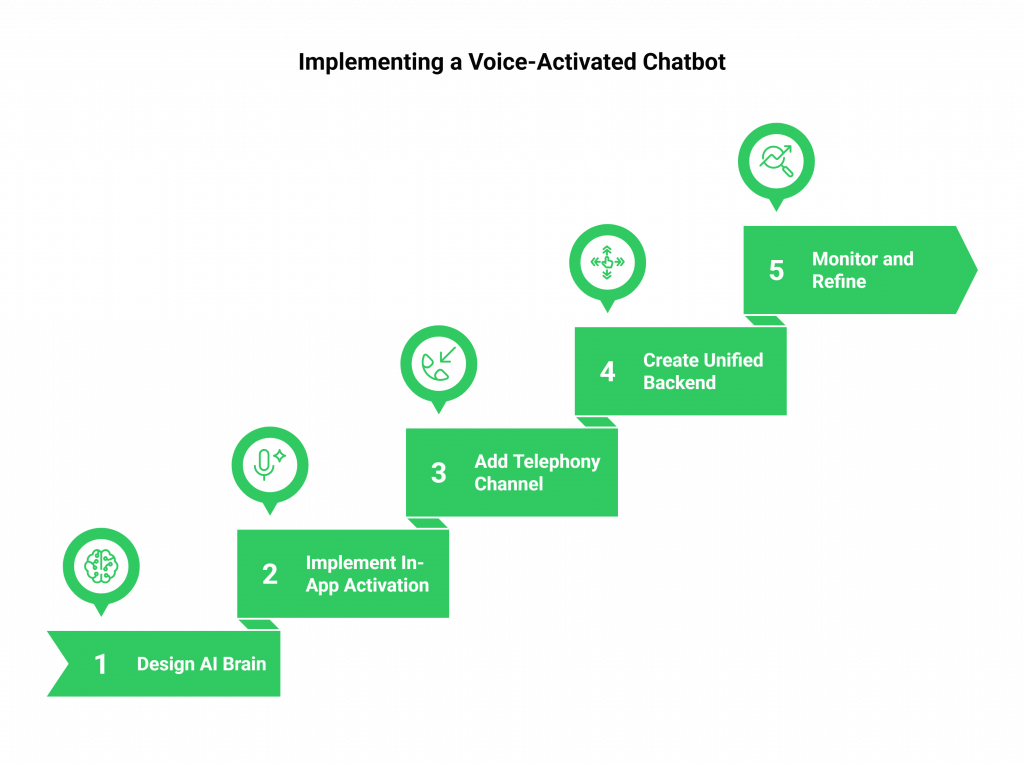
Step 1: Design and Build Your Centralized AI Brain
Use your chosen platform, such as Dialogflow, Rasa, or a custom LLM stack, to design the core conversational logic of your chatbot. This brain handles intent recognition, dialogue management, and context tracking. Design it as a channel-agnostic service from the start. If you build it tightly coupled to browser audio APIs, you will have to refactor it when you add the telephony channel.
Step 2: Implement In-App Voice Activation
For your web and mobile applications, integrate the necessary SDKs or browser APIs to handle client-side voice chatbot activation. This involves requesting microphone permissions and implementing a clear trigger, like a tap-to-talk button. Your client streams audio to your backend, which then communicates with your AI brain. Keep the trigger explicit rather than always-on, both for privacy reasons and to reduce false activations.
For teams building this layer, the guide on embedding AI voice chat in your app covers the client-side architecture in detail. The key decision at this stage is whether to use a browser-native Web Speech API or a third-party STT service. Browser-native is faster to ship but less accurate and less controllable. Third-party STT gives you more accuracy and language coverage at the cost of an additional API call in your pipeline.
Step 3: Add the Telephony Activation Channel with Teler’s API
This is the step that makes your bot truly omnichannel. Sign up for FreJun Teler and provision a virtual phone number for your target region. Teler supports number provisioning across 50+ countries, so whether you are serving users in India, the UAE, Singapore, or the US, you can get a local number that reduces call drop rates and improves answer rates.
- Sign up for FreJun Teler and provision a virtual phone number in your target region.
- Use Teler’s server-side SDK in your backend to handle incoming WebSocket connections from the platform.
- In the Teler dashboard, configure your number’s webhook to point to your backend’s API endpoint.
Once configured, every inbound call to your Teler number triggers a webhook event to your backend. Your backend opens a WebSocket connection, and Teler begins streaming raw audio. From that point, the call is just another input channel feeding your existing AI brain.
Step 4: Create a Unified Backend to Route Requests
Your backend application now acts as a central hub for all voice channels. When a request comes from your web or mobile app, it passes the audio to your STT service and then to your AI brain. When a call comes in via Teler, your backend receives the raw audio stream and orchestrates the same pipeline: STT, then AI brain, then TTS, then audio back to Teler.
- Web and mobile requests: client audio streams to backend, backend calls STT, backend calls AI brain, backend returns TTS audio to client.
- Phone calls via Teler: Teler streams audio to backend via WebSocket, backend calls STT, backend calls AI brain, backend streams TTS audio back through WebSocket to Teler.
This unified backend ensures the same intelligent core powers every conversation, regardless of the channel. It also means you only maintain one set of conversational logic, one set of intents, and one context management system. That is a significant operational advantage as your bot grows in complexity.
Step 5: Monitor and Refine Your Omnichannel Experience
Use a unified analytics dashboard to track bot performance, resolution rates, and user satisfaction across your website, app, and phone line. This gives you a holistic view of your customer experience and highlights where your voice activated chatbot flows break down. Pay particular attention to the telephony channel in the first few weeks: phone callers have different speech patterns, background noise levels, and patience thresholds compared to in-app users.
According to FreJun Teler’s 2026 analysis of production call data, teams that monitor STT confidence scores per channel and retrain their intent models on phone-specific transcripts see a 23% improvement in first-call resolution rates within 90 days of launch.
What Are the Best Practices for a Flawless Voice Chatbot Activation?
Getting the architecture right is necessary but not sufficient. The difference between a voice activated chatbot that users trust and one they abandon after one interaction comes down to these four practices.
- Prioritize Privacy with Explicit Triggers: Whether in-app or on the phone, the conversation should only begin with a clear user action. For apps, use a tap-to-talk button. For the phone, the act of calling is the trigger. Avoid always-on listening, both for privacy compliance and to reduce unintended activations that confuse users.
- Optimize for Sub-Second Latency: A natural conversation requires a response time under one second. This means optimizing your entire pipeline, from ASR transcription speed to TTS synthesis time. On the telephony channel, network jitter adds variability, so buffer your WebSocket stream and use a low-latency TTS provider. The guide to lowering latency in voice AI conversations covers the specific tuning levers in detail.
- Provide Clear UX Cues: In your app, visually indicate when the bot is listening, thinking, or speaking. On the phone, use brief audio cues or filler phrases like “Let me check that for you” to signal that the bot is processing. Silence during processing is the fastest way to lose a caller’s confidence.
- Design for Graceful Failure: No AI is perfect. Design a clear fallback path to a human agent for moments when the bot gets stuck. Use Teler’s API to enable call transfers, so the customer always reaches support even when the bot cannot resolve the issue. A bot that fails gracefully builds more trust than one that loops endlessly.
How Should You Handle Multilingual Voice Activation?
If you are serving users across India, the UAE, Singapore, or Southeast Asia, multilingual support is not optional. Your STT service needs to handle regional accents and code-switching, where callers mix languages mid-sentence. Your TTS output needs to sound natural in the caller’s language, not like a translated script. We recommend testing your STT pipeline with real audio samples from each target region before launch, since benchmark accuracy scores on clean audio rarely reflect production performance on phone calls.
For teams building multilingual voice bots, the post on building multilingual voicebots for global users covers language detection, fallback logic, and TTS voice selection by region.
Why Does Your Voice Activated Chatbot Need to Answer the Phone?
You have invested in building an intelligent, helpful, and engaging chatbot. You have given it the power of voice. Now, make sure that voice can be heard everywhere. A successful voice activated chatbot strategy is not just about the technology. It is about accessibility, and accessibility means being reachable on every channel your users actually use.
By limiting your bot’s reach to your digital properties, you leave your most direct and often most critical communication channel unserved. The telephone is not a legacy channel. For high-stakes interactions, including financial transactions, medical queries, logistics emergencies, and enterprise support escalations, it is still the channel users reach for first. According to Gartner, by 2026, conversational AI deployments within contact centers will reduce agent labor costs by $80 billion globally (Source: Gartner 2022). That number assumes the AI can actually answer the phone.
The path forward is to combine the best in-app tools with a programmable voice infrastructure partner. FreJun Teler provides the simple, reliable API that bridges the gap between your application and the telephone network. Implementing a voice activated chatbot that works across every channel is the goal, and Teler is the infrastructure layer that makes it achievable without rebuilding your stack.
Further Reading: Build a Conversational AI Voice Bot from Backend APIs | The Benefits of Using AI Insight for Call Management
Frequently Asked Questions
No, Teler complements those platforms rather than replacing them. You use Dialogflow, Rasa, or your custom LLM stack to build the AI brain of your chatbot. Teler provides the separate telephony infrastructure to connect that brain to the telephone network, enabling voice activated chatbot functionality on the phone channel without changing your existing AI setup.
Yes, and this is the approach we recommend. A unified backend that houses your core AI logic ensures a consistent experience across channels and is far more efficient to maintain. Since Teler streams audio via WebSocket to your backend, your backend can route both in-app and phone inputs through the same intent recognition and dialogue management pipeline.
Teler is built for developers who work with standard backend frameworks and WebSocket connections. If your team can handle a REST API and a WebSocket stream, you have all the skills needed. Teler abstracts away the telecom complexity, including SIP trunking, number provisioning, and media server management, so your integration work focuses on application logic rather than carrier infrastructure.
On the telephony channel, the wake word is effectively the act of the customer dialing your number and the call being answered. The voice activated chatbot session starts the moment the call connects. This is the most natural form of activation for the telephone, since the caller has already expressed intent by dialing. No hotword detection is needed on the phone channel.
Teler’s infrastructure handles high call concurrency by design. By keeping your backend stateless, you can use standard cloud auto-scaling to handle traffic spikes from all channels simultaneously. This means your voice activated chatbot scales with your business without requiring you to provision additional telephony capacity manually.
Target a full round-trip latency under one second from end of user speech to start of bot response. In practice, this means your STT service should return a transcript in under 200ms, your AI brain should respond in under 300ms, and your TTS synthesis should complete in under 300ms. Teler’s WebSocket streaming layer adds minimal overhead, typically under 50ms, when your backend is co-located in the same cloud region.
Yes. Teler supports virtual phone number provisioning across 50+ countries, including the UAE, Singapore, Australia, the US, and across Europe. This means you can deploy your voice activated chatbot with a local number in each market you serve, which improves answer rates and reduces call drop rates compared to international numbers.
Beyond choosing a speech-to-text engine, the highest-impact practices for shipping voice bots are securing API keys in a vault, logging transcripts for QA review, enforcing rate limits, and adding explicit fallback paths for low-confidence intents. The full developer checklist is covered in this best practices for voice bot development walkthrough.
Strong voice flows lean on a small set of repeatable patterns: slot-filling with explicit confirmation, context carryover across turns, graceful barge-in handling, and low-confidence fallback branches that re-prompt the user instead of guessing. A practical catalog of these patterns is provided in this voice assistant design pattern walkthrough.