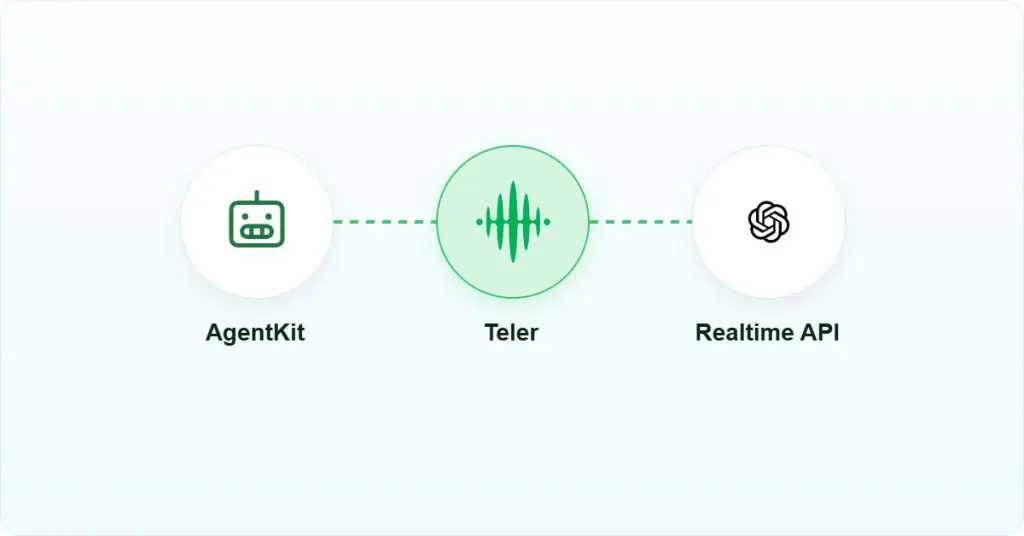
AI Summary: This article is for backend and API integration engineers evaluating how to put Ultravox AI on a live phone line in 2026. Ultravox uses a WebSocket transport designed for server-to-server communication, and the Ultravox docs explicitly warn against using that path from a browser or mobile client. The reader must decide where to terminate PSTN audio, how to handle the format conversion between carrier audio and the model, and how to manage barge-in and buffer clearing. Teler provides the telephony layer, including real-time media streaming over WebSocket, number provisioning, and call control, so developers work at the application layer rather than building carrier connectivity from scratch.
Scope: This walkthrough covers connecting Ultravox AI to a live PSTN call using a WebSocket media bridge, verified against Ultravox documentation and the fixie-ai/ultravox-examples repository as of September 2026. It does not cover self-hosted Ultravox model deployment or WebRTC client paths.
Quick Answer: Putting Ultravox AI on a phone line in 2026 requires a server-side WebSocket bridge between a PSTN telephony layer and the Ultravox Realtime API. The telephony layer terminates the carrier audio, and your server forwards it to Ultravox over a plain WebSocket connection. Barge-in requires explicit PlaybackClearBuffer handling on your side.
Connecting Ultravox AI to a phone line means bridging a real-time voice model to carrier infrastructure over a server-side WebSocket, with your application responsible for audio forwarding, buffer management, and interruption handling throughout the call.
What is Ultravox AI?
Ultravox AI is a fast multimodal large language model built by Fixie.ai for real-time voice conversations, available both as open weights and as a managed service called Ultravox Realtime. It occupies the inference layer: it receives audio input, reasons over it, and returns audio output, but it does not own a phone number, a SIP trunk, or any carrier connectivity. The model does not provision DTMF (dual-tone multi-frequency) handling, call recording, or PSTN (public switched telephone network) routing on its own. A developer who wants Ultravox AI on a phone line must supply the telephony transport, the media bridge, the audio format conversion if required, and the call control logic independently.
Why is putting Ultravox AI on a phone line harder than it looks?
The core problem is that PSTN infrastructure and a real-time voice model operate on different assumptions about who owns the media path. A phone call delivers audio continuously from a carrier; the model expects a server to feed it that audio in a controlled stream. Nothing in the carrier network knows about WebSocket framing, and nothing in Ultravox knows about SIP (Session Initiation Protocol) signaling or RTP (Real-time Transport Protocol) packet delivery.
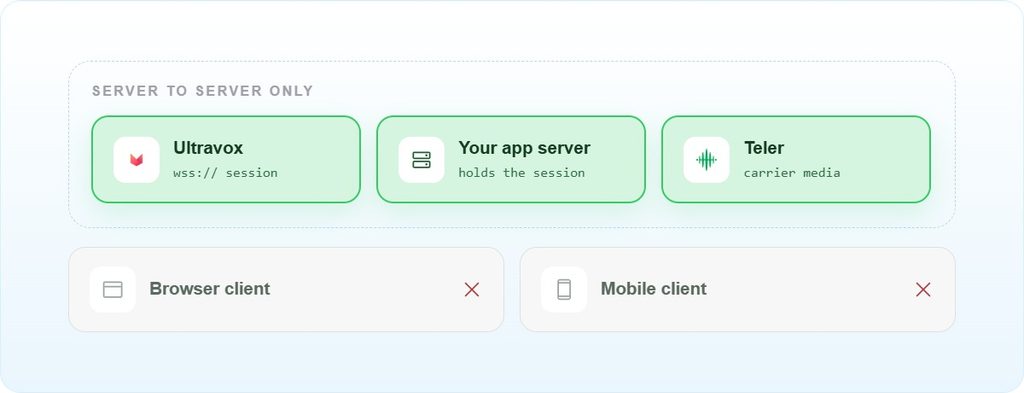
The Ultravox documentation is explicit on one constraint that catches teams early: WebSocket connections are designed for server-to-server communication. For browser or mobile applications, the docs say to use client SDKs with WebRTC for optimal performance, because WebSocket connections over TCP can experience buffering and ordering issues that degrade audio quality on client devices. That means the media bridge must live on your server, not in the caller’s browser.
A second constraint is pacing. The Ultravox API reference describes a call medium that expects continuous audio at roughly one second of audio per second, typically in small chunks such as 20 milliseconds. Sending too little audio produces underflow; sending too much produces overflow. Either condition can drop audio or de-synchronize any recording you have attached to the call.
What does the audio path look like from carrier to model?
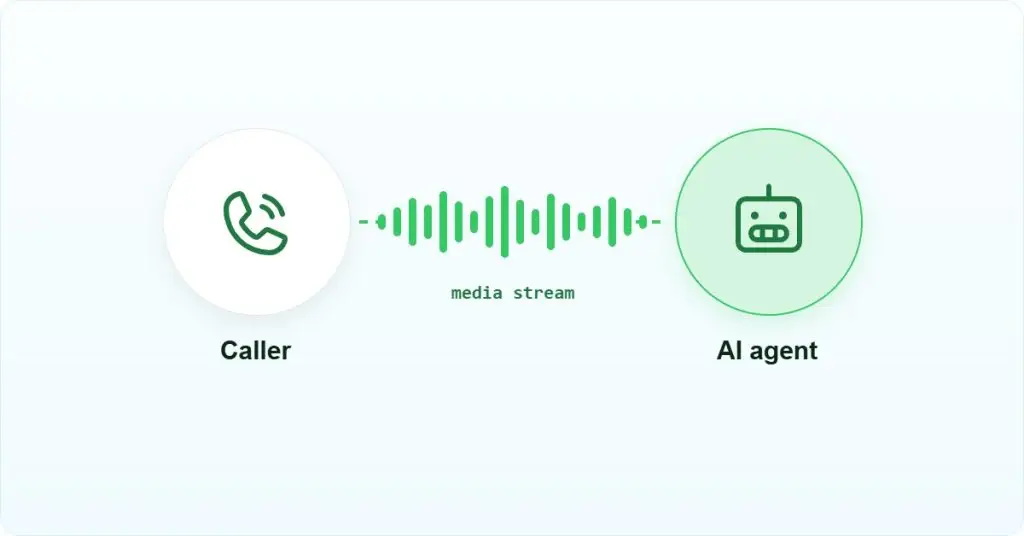
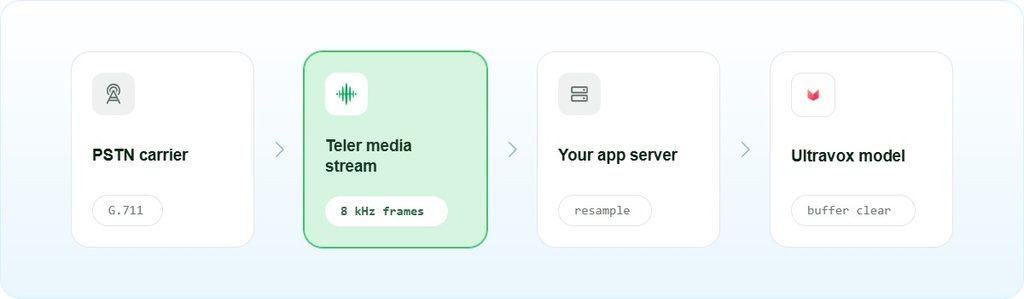
The end-to-end path has four hops. The carrier delivers audio to a telephony layer, the telephony layer streams it to your server over WebSocket, your server forwards it to Ultravox over a second WebSocket connection, and Ultravox returns synthesized audio that travels back through the same chain. Each hop has a different owner and potentially a different audio format.
| Hop | Transport | Typical format | Owner |
|---|---|---|---|
| Carrier to telephony layer | PSTN / SIP + RTP | G.711 PCM, 8 kHz, mu-law or A-law | Carrier and telephony provider |
| Telephony layer to your server | WebSocket | 16-bit PCM, 8 kHz | Telephony provider and your server |
| Your server to Ultravox | WebSocket (server-to-server) | Audio format per Ultravox session config | Your server and Ultravox Realtime |
| Ultravox to your server and back | WebSocket | Synthesized audio returned by the model | Ultravox Realtime and your server |
The format at hop one is almost always ITU-T G.711 narrowband PCM at 8 kHz, which is the standard for PSTN voice. Ultravox lets you set the input and output sample rate per call, so you can set both to 8 kHz and skip the resampling step.
Prerequisites before you write a line of code
- An Ultravox Realtime account and API key from ultravox.ai
- A telephony provider that exposes raw media over WebSocket, such as Teler, with a provisioned phone number in E.164 format
- A server reachable from the public internet for WebSocket connections from both the telephony layer and Ultravox
- Python 3.10 or later, or Node.js 18 or later, depending on your bridge implementation
- The
websocketslibrary for Python (pip install websockets) or thewspackage for Node.js (npm install ws) - An audio resampling library if your telephony provider delivers 8 kHz and Ultravox requires a different rate for your session;
librosaorffmpegwork for Python - Network reachability: your server must be able to open outbound WebSocket connections to the Ultravox API endpoint and receive inbound connections from the telephony provider
- Review the fixie-ai/ultravox-examples repository (last commit August 2026) for the Plivo telephony reference implementation before writing your own bridge
How do you implement the Ultravox AI phone bridge?
The implementation has four steps: create an Ultravox session, accept the inbound call on the telephony layer, open the server-side WebSocket bridge, and handle interruptions. Each step is a distinct failure surface.
Step 1: Create an Ultravox session via REST
Before the call arrives, create an Ultravox session. The API returns a WebSocket URL your server uses to connect to the inference instance. Do this before bridging media, not after.
import httpx

response = httpx.post(
    "https://api.ultravox.ai/api/calls",
    headers={"X-API-Key": ULTRAVOX_API_KEY},
    json={
        "systemPrompt": "You are a helpful phone assistant.",
                "medium": {
            "serverWebSocket": {
                "inputSampleRate": 8000,
                "outputSampleRate": 8000,
            }
        },
    },
)
session = response.json()
ultravox_ws_url = session["joinUrl"]  # connect your server here
The joinUrl is time-limited; connect to it promptly after the call answers, not at session creation time. Ultravox takes the sample rate for each call as a parameter, so both directions can be set to 8000. That matches the 16-bit PCM at 8 kHz that Teler streams and plays back, so the audio passes through your bridge without resampling.
Step 2: Accept the inbound call and start the telephony WebSocket
When the telephony provider signals an inbound call, your server answers it and opens a WebSocket connection to receive the caller’s audio stream. With Teler, the telephony layer streams audio to your server as 16-bit PCM at 8 kHz, in chunks you specify. The Teler documentation covers the exact WebSocket handshake and stream configuration parameters.
Teler targets sub-100ms packet delivery as a design specification, which matters here because any delay in the telephony-to-server hop adds directly to the caller’s perceived latency before the model even starts processing.
Step 3: Bridge audio between the two WebSocket connections
Your server now holds two open WebSocket connections: one to the telephony layer and one to Ultravox. The bridge reads audio chunks from the telephony connection and forwards them to Ultravox, then reads synthesized audio from Ultravox and injects it back into the call. Both directions run concurrently.
import asyncio
import base64
import json
import websockets

async def bridge(teler_ws, ultravox_ws_url):
    async with websockets.connect(ultravox_ws_url) as uv_ws:

        async def caller_to_model():
            # Teler sends JSON frames with base64 PCM; Ultravox wants raw PCM bytes
            async for message in teler_ws:
                event = json.loads(message)
                if event.get("type") == "audio":
                    pcm = base64.b64decode(event["data"]["audio_b64"])
                    await uv_ws.send(pcm)

        async def model_to_caller():
            chunk_id = 1
            async for message in uv_ws:
                if isinstance(message, bytes):
                    # Raw PCM from Ultravox -> JSON frame with base64 for Teler
                    await teler_ws.send(json.dumps({
                        "type": "audio",
                        "audio_b64": base64.b64encode(message).decode(),
                        "chunk_id": chunk_id,
                    }))
                    chunk_id += 1
                else:
                    event = json.loads(message)
                    if event.get("type") == "playback_clear_buffer":
                        await teler_ws.send(json.dumps({"type": "clear"}))

        await asyncio.gather(caller_to_model(), model_to_caller())
Watch the chunk size: Teler accepts chunks from 20 to 2000 milliseconds in multiples of 20, with a default of 400 ms, and requires you to send back at least 500 ms of audio to avoid choppy playback.
Step 4: Handle barge-in and buffer clearing
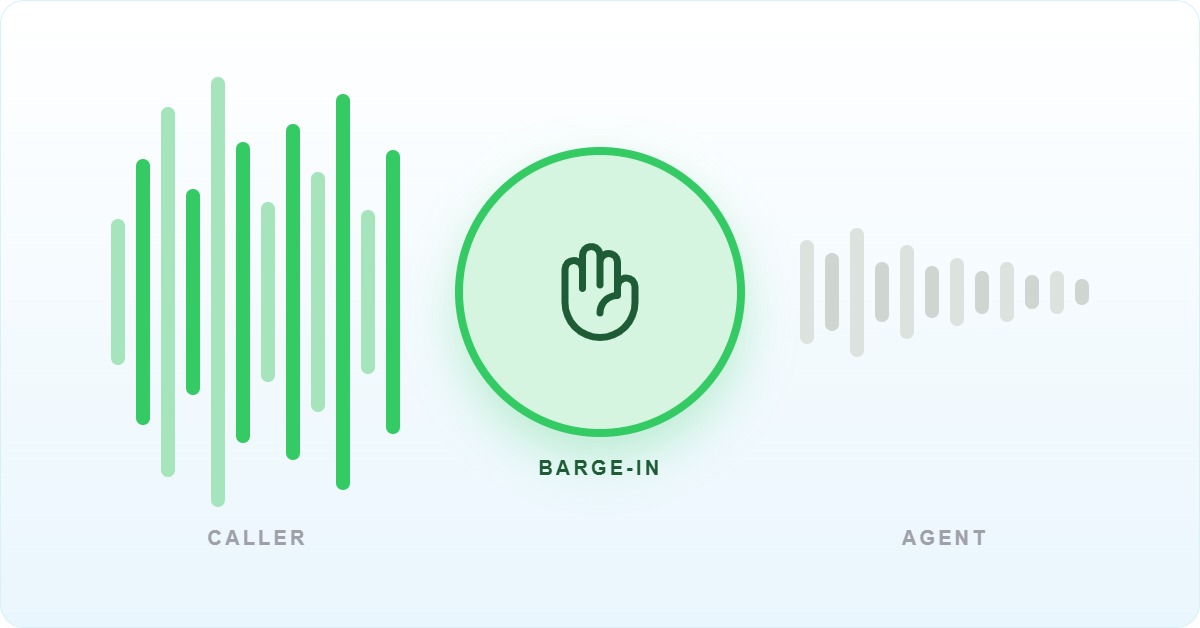
Barge-in, where the caller speaks while the agent is still talking, requires explicit buffer clearing on both sides. When Ultravox signals a playbackClearBuffer event, your server must flush any queued audio on the telephony side immediately. If you skip this step, the caller hears the agent finish its queued response even after interrupting. The Voximplant integration example for Ultravox also recommends clearing the buffer when a user transcript event arrives, as a belt-and-suspenders approach.
For outbound calls, create the Ultravox session and open the bridge only after the callee answers. Bridging before answer sends agent audio into ringback, which is audible to the callee and breaks the conversation flow from the first word.
Most teams discover their latency problem is not the model, it is the resampling hop they added between the carrier and the model. If your telephony layer delivers 8 kHz PCM and you transcode it to a different rate before forwarding, that conversion runs on every chunk for the entire call duration. Profile it before you ship.
– Subhash Kalluri, Founder & CEO, FreJun
What breaks in production when running Ultravox AI on a phone line?
The failure modes below come from the Ultravox GitHub issue tracker, the Ultravox documentation, and the Voximplant integration reference. Frequency is noted honestly: most of these are single reported incidents, not widespread patterns.
| Symptom | Root cause | Fix | Frequency |
|---|---|---|---|
| Choppy audio or stalled turn-taking on client devices | WebSocket path used from browser or mobile instead of server | Move the bridge to your server; use WebRTC SDKs for client paths | Reported once, documented in Ultravox docs |
| Agent keeps talking after caller interrupts | No PlaybackClearBuffer handler; queued audio keeps playing | Listen for playbackClearBuffer, call clear on the telephony side immediately | Reported once, Voximplant integration docs |
| Agent talks into ringback on outbound calls | Bridge created before callee answers | Open the Ultravox bridge only after the PSTN leg answers | Reported once, Voximplant outbound docs |
| Audio underflow or overflow, dropped audio | Chunk pacing mismatch; too little or too much audio per second | Send 20 ms chunks continuously; tune clientBufferSizeMs | Reported once, Ultravox API reference |
recordingEnabled flag ignored | Unresolved; behavior does not match expected | No fix reported as of August 2026 | Reported once, GitHub issues |
The barge-in failure is the one that catches most teams in user testing rather than load testing. A caller says something mid-sentence, the agent finishes its queued response anyway, and the conversation feels broken. The fix is straightforward once you know to look for the playbackClearBuffer event, but the Ultravox docs do not surface it prominently in the quickstart path. Read the Ultravox data messages reference before you write the bridge loop.
Which integration approach is right for your stack?
There are four practical ways to get Ultravox AI onto a phone line. Each trades operational complexity against control and vendor coupling.
| Approach | Where media terminates | Latency cost | Operational burden | Vendor coupling |
|---|---|---|---|---|
| Raw media streaming bridge (this article) | Your server | Low, one resampling hop if needed | Medium; you own pacing and buffer logic | Low; swap telephony provider independently |
| SIP trunk into a media server | SIP/media server (e.g., Asterisk, FreeSWITCH) | Medium; extra RTP hop | High; SBC and media server ops | Medium; SIP is standard but config is complex |
| Provider-native telephony bridge | Telephony vendor’s infrastructure | Low to medium depending on vendor | Low; vendor handles the bridge | High; locked to vendor’s supported model list |
| WebRTC gateway | WebRTC edge or browser | Low for web-to-phone hybrid | Medium; TURN/STUN infrastructure needed | Low to medium |
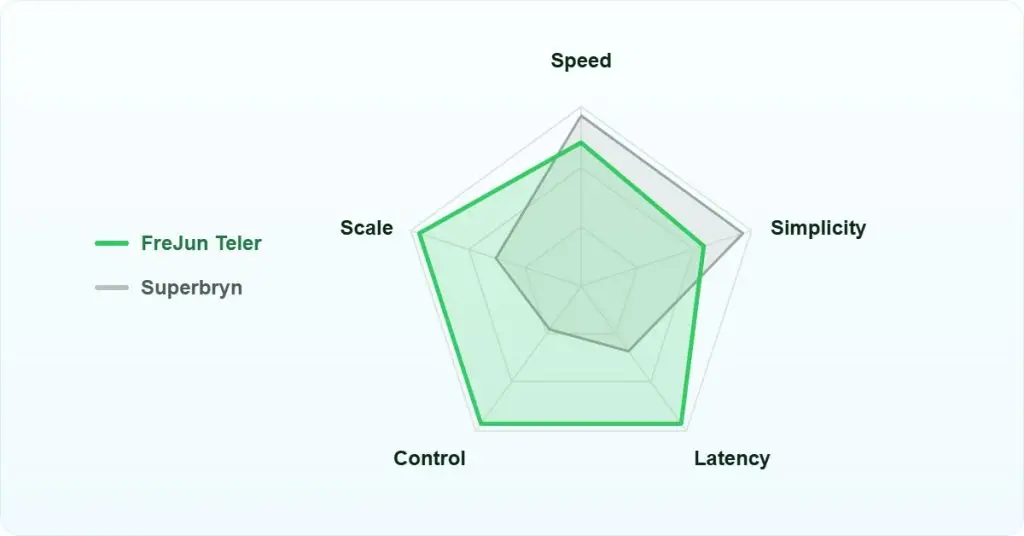
The raw media streaming bridge is the right choice when you need to swap models, change telephony providers, or instrument the audio path for debugging. Use a provider-native bridge when you want the fastest path to production and the vendor officially supports Ultravox. Use a SIP media server approach only if you already operate one and the team has the expertise to maintain it. The WebRTC gateway path makes sense for web-to-phone hybrid applications where the caller is in a browser and the agent is on a PSTN number.
Frequently asked questions
Does Ultravox AI support SIP directly?
The Ultravox telephony overview page lists SIP as a supported connection method alongside other telephony partners. The retrieved documentation does not detail the SIP configuration parameters, so check the Ultravox telephony overview directly for current SIP setup instructions. The WebSocket server-to-server path described in this article is the approach with the most publicly available reference implementations as of 2026.
What audio format does Ultravox expect on the WebSocket connection?
Raw binary WebSocket frames of 16-bit little-endian PCM. The sample rate is whatever you set when creating the call: inputSampleRate (required) for caller audio and outputSampleRate for agent audio, which defaults to the input rate. Set both to 8000 to match Teler. Data messages such as transcripts arrive as separate JSON text frames.
Can I use Ultravox AI from a browser WebSocket directly?
No. The Ultravox documentation explicitly states that WebSocket connections are designed for server-to-server communication. TCP buffering and ordering constraints make the plain WebSocket path unsuitable for browser or mobile clients. For browser or mobile applications, use the Ultravox client SDKs with WebRTC. The server-side bridge described in this article is the correct architecture for a phone line integration.
What happens to audio pacing under load?
Under load, the pacing constraint becomes a bottleneck. The Ultravox API reference describes a call medium that expects continuous audio at roughly one second of audio per second. If your server is processing many concurrent calls and falls behind on forwarding chunks, you will see underflow on some sessions. Profile your bridge under realistic concurrency before going to production, and consider whether your server’s event loop can sustain the chunk rate across all active sessions simultaneously.
Does Teler handle the resampling between 8 kHz carrier audio and Ultravox?
You don’t need resampling here. Teler uses 16-bit PCM at 8 kHz, and Ultravox lets you set the same rate when you create the call, so the audio passes straight through. Resampling only comes into play if you choose a different rate on the Ultravox side, in which case your server owns the conversion
How do I provision a phone number for an Ultravox AI agent?
Ultravox does not provision phone numbers. You provision a DID (direct inward dialing) number through a telephony provider such as Teler, which supports number provisioning in 50 or more countries via API. The number routes inbound calls to your server, which then bridges audio to Ultravox. Check current Teler pricing for number provisioning costs, as rates vary by country and number type.
Is the fixie-ai/ultravox-examples repository actively maintained?
The last commit to the fixie-ai/ultravox-examples repository was August 11, 2025, which is over 12 months before the verification date of this article. The Plivo telephony example is present, but treat it as a starting reference rather than a production-ready implementation. Verify that the session creation parameters and WebSocket message types match the current Ultravox API before using the example code directly.
What do I need to build myself that Ultravox and Teler do not provide?
You are responsible for the bridge server itself, audio pacing logic, resampling if the sample rates differ, PlaybackClearBuffer handling for barge-in, and any call recording logic beyond what the telephony provider offers. The recordingEnabled flag in Ultravox has an open unresolved issue as of August 2026, so do not rely on it for production recording without testing it against your specific session configuration. Teler provides call control primitives including hangup, mute, DTMF, and transfer, but your server must invoke them at the right moment in the call flow.
What can you do now with Ultravox AI on a phone line?
With the bridge in place, you can run Ultravox AI on a live PSTN call, handle barge-in correctly, and swap the telephony provider without touching the model integration. The one decision that matters most is where your server sits relative to both the telephony layer and the Ultravox API endpoint: latency compounds at every hop, and a server that is geographically distant from either endpoint will produce a conversation that feels slow regardless of how fast the model is. If your use case requires a provider-native path with less bridge code to maintain, evaluate whether your telephony vendor officially supports Ultravox AI before committing to the custom bridge approach described here.